
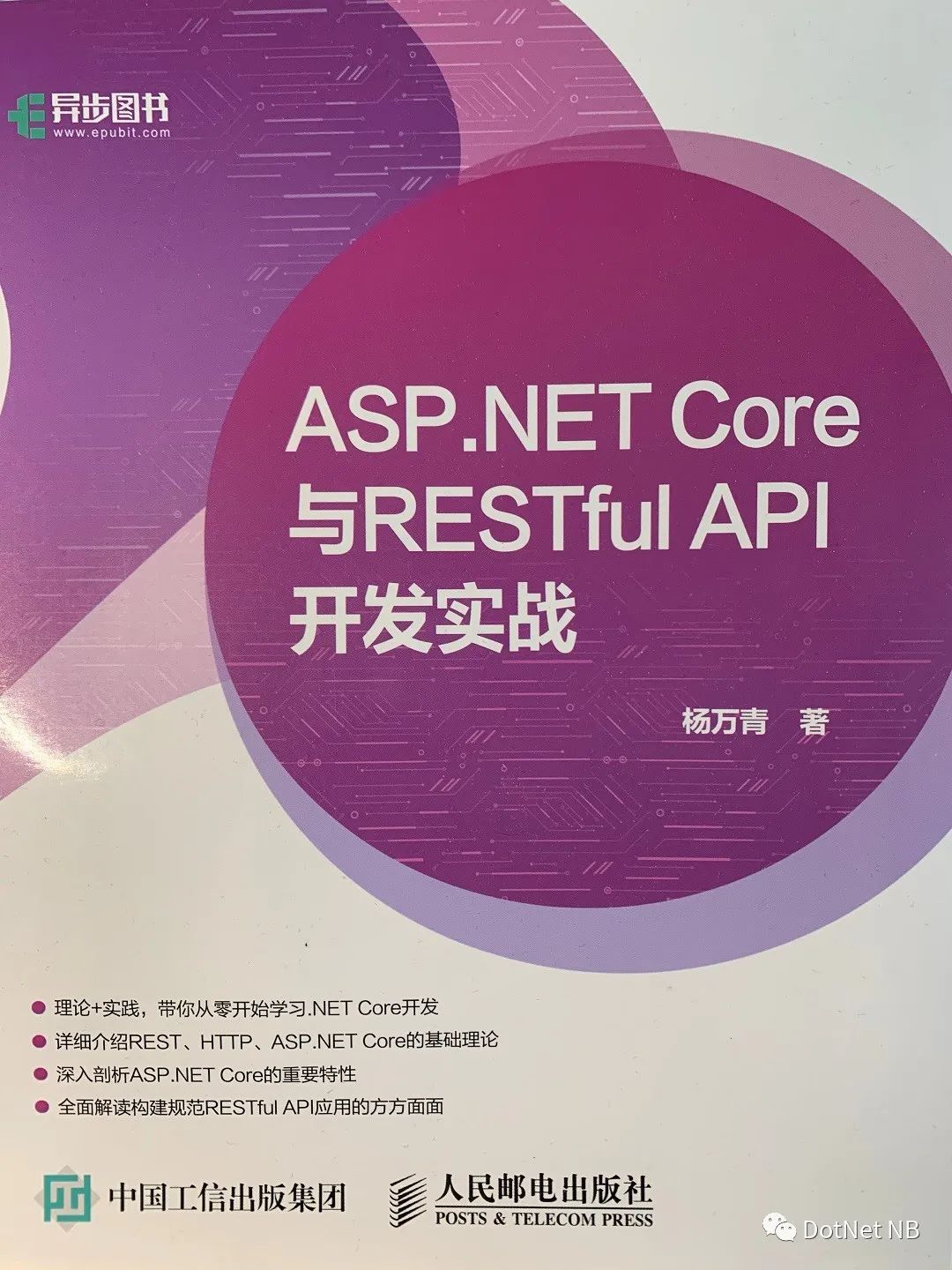
《ASP.NET Core 與 RESTful API 開發(fā)實戰(zhàn)》-- (第9章)-- 讀書筆記(下)
集成測試
集成測試能夠確保應(yīng)用程序的組件正常工作,包括應(yīng)用程序支持的基礎(chǔ)結(jié)構(gòu),如數(shù)據(jù)庫和文件系統(tǒng)等
進(jìn)行集成測試時,應(yīng)為項目添加 Microsoft.AspNetCore.MvcTesting 包
它提供了 WebApplicationFactory 類,用于創(chuàng)建內(nèi)存中的測試服務(wù)器,其定義和主要成員如下:
public class WebApplicationFactory : IDisposable where TEntryPoint : class
{
    public TestServer Server
    {
      get
      {
        this.EnsureServer();
        return this._server;
      }
    }

    public IReadOnlyList> Factories
    {
      get
      {
        return (IReadOnlyList>) this._derivedFactories.AsReadOnly();
      }
    }

    public WebApplicationFactoryClientOptions ClientOptions { get; private set; } = new WebApplicationFactoryClientOptions();

    public HttpClient CreateClient()
    {
      return this.CreateClient(this.ClientOptions);
    }

    public HttpClient CreateClient(WebApplicationFactoryClientOptions options)
    {
      return this.CreateDefaultClient(options.BaseAddress, options.CreateHandlers());
    }

    protected virtual void ConfigureClient(HttpClient client)
    {
      if (client == null)
        throw new ArgumentNullException(nameof (client));
      client.BaseAddress = new Uri("http://localhost");
    }

    protected override void ConfigureWebHost(IWebHostBuilder builder)
    {
    this._configuration(builder);
    }

    protected override TestServer CreateServer(IWebHostBuilder builder)
    {
    return this._createServer(builder);
    }

    protected override IWebHostBuilder CreateWebHostBuilder()
    {
    return this._createWebHostBuilder();
    }

    protected override IEnumerable GetTestAssemblies()
    {
    return this._getTestAssemblies();
    }
}
WebApplicationFactory 的泛型參數(shù) TEntryPoint 表示被測試應(yīng)用程序的入口,通常為 startup 類
WebApplicationFactory 的 CreateClient 方法能夠創(chuàng)建 HttpClient 對象,在測試方法中,正是通過 HttpClient 對象所提供的方法對接口進(jìn)行請求來完成測試
為了方便測試,xUnit 提供了 IClassFixture
在測試項目中添加一個類 AuthorController_IntegrationTests,該類主要包含了針對 AuthorController 中各個方法的集成測試
namespace Library.API.Testing
{
    public class AuthorController_IntegrationTests : IClassFixture>
    {
        private readonly WebApplicationFactory _factory;

        public AuthorController_IntegrationTests(WebApplicationFactory factory)
        {
            _factory = factory;
        }
    }
}
AuthorController_IntegrationTests 構(gòu)造函數(shù)的 factory 參數(shù)將會在該類實例時由 xUnit 自動構(gòu)建并注入
下面是對 AuthorController 中 GetAuthorByIdAsync 方法的測試
[Theory]
[InlineData("6e51f1e7-4465-43c6-9c72-e5f2736fbe19")]
[InlineData("2faa406d-bb28-4832-aa76-d71f70470f6e")]
public async Task Test_GetAuthorById(string authorId)
{
    // Arrange
    var client = _factory.CreateClient();

    // Act
    var response = await client.GetAsync($"api/authors/{authorId}");

    // Assert
    response.EnsureSuccessStatusCode();
    Assert.Equal("application/json; charset=utf-8", response.Content.Headers.ContentType.ToString());
    Assert.Contains(authorId, await response.Content.ReadAsStringAsync());
}
下面的測試方法分別驗證了請求不存在資源時是否返回 404 Not Found 狀態(tài)碼,以及當(dāng)請求一個格式不正確的資源 Id 時是否返回 400 Bad Request 狀態(tài)碼
[Fact]
public async Task Test_GetAuthorByNotExistId()
{
    // Arrange
    var client = _factory.CreateClient();

    // Act
    var response = await client.GetAsync($"api/authors/{Guid.NewGuid()}");

    // Assert
    Assert.Equal(HttpStatusCode.NotFound, response.StatusCode);
}

[Theory]
[InlineData("a")]
[InlineData("12")]
public async Task Test_GetAuthorByNotInvalidId(string authorId)
{
    // Arrange
    var client = _factory.CreateClient();

    // Act
    var response = await client.GetAsync($"api/authors/{authorId}");

    // Assert
    Assert.Equal(HttpStatusCode.BadRequest, response.StatusCode);
}
到目前為止,所有測試的接口均不需要認(rèn)證,而對于涉及認(rèn)證的接口,需要在數(shù)據(jù)準(zhǔn)備階段完成必要的操作,如獲取 Bearer Token 等
下面的測試方法首先驗證了當(dāng)客戶端不指定認(rèn)證信息時,是否返回 401 Not Authorized 狀態(tài)碼
[Fact]
public async Task Test_CreateAuthor_Unauthorized()
{
    // Arrange
    var client = _factory.CreateClient();
    var authorDto = new AuthorDto
    {
        Name = "Test Author",
        Email = "[email protected]",
        Age = 50
    };
    var jsonContent = JsonConvert.SerializeObject(authorDto);

    // Act
    var response = await client.PostAsync("api/authors", new StringContent(content: jsonContent));

    // Assert
    Assert.Equal(HttpStatusCode.Unauthorized, response.StatusCode);
}
上面對創(chuàng)建作者的接口進(jìn)行了測試,執(zhí)行測試之前,請確保已經(jīng)為該接口添加了 [Authorize] 特性
如果要獲取一個 Bearer Token,則需要以 POST 方式請求 author/token 或 author/token2,并在請求時提供用戶名和密碼
因此首先在 AuthorController_IntegrationTests 中添加一個 LoginUser 對象,并在構(gòu)造函數(shù)中將其實例化
private readonly WebApplicationFactory _factory;
private readonly LoginUser _loginUser;

public AuthorController_IntegrationTests(WebApplicationFactory factory)
{
    _factory = factory;
    _loginUser = new LoginUser
    {
        UserName = "demouser",
        Password = "demopassword"
    };
}
接下來為 HttpClient 添加擴(kuò)展方法 TryGetBearerTokenAsync,用于為指定的用戶獲取 BearerToken
public static class HttpClientExtensions
{
    public static async Task<(bool result, string token)> TryGetBearerTokenAsync(this HttpClient httpClient,
        LoginUser loginUser)
    {
        var userCredentialInfo = new StringContent(
            content: JsonConvert.SerializeObject(loginUser),
            encoding: Encoding.UTF8,
            mediaType: "application/json");
        var response = await httpClient.PostAsync("auth/token", userCredentialInfo);
        var tokenResult = await response.Content.ReadAsAsync();
        if (tokenResult == null)
        {
            return (false, null);
        }
        else
        {
            return (true, tokenResult.Token);
        }
    }
}

public class TokenResult
{
    public DateTimeOffset Expiration { get; set; }
    public string Token { get; set; }
}
接下來添加對 CreateAuthor 接口的正常測試,在調(diào)用 HttpClient 對象的 PostAsync 方法之前在請求中添加對 Authorization 消息頭,并使它的值為 Bearer
[Fact]
public async Task Test_CreateAuthor()
{
    // Arrange
    var client = _factory.CreateClient();
    var authorDto = new AuthorDto
    {
        Name = "Test Author",
        Email = "[email protected]",
        Age = 50
    };

    var jsonContent = JsonConvert.SerializeObject(authorDto);
    var bearerResult = await client.TryGetBearerTokenAsync(_loginUser);
    if (!bearerResult.result)
    {
        throw new Exception("Authentication failed");
    }

    client.DefaultRequestHeaders.Add(HeaderNames.Authorization, $"Bearer {bearerResult.token}");

    // Act
    var response = await client.PostAsync("api/authors",
        new StringContent(content: jsonContent, encoding: Encoding.UTF8, mediaType: "application/json"));

    // Assert
    Assert.Equal(HttpStatusCode.Created, response.StatusCode);
}
WebApplicationFactory
WebApplicationFactory
創(chuàng)建 CustomWebApplicationFactory
public class CustomWebApplicationFactory<TStartup> : WebApplicationFactory<Startup>
{
    protected override void ConfigureWebHost(IWebHostBuilder builder)
    {
        builder.ConfigureServices(services =>
        {
            var serviceProvider = new ServiceCollection()
                .AddEntityFrameworkInMemoryDatabase()
                .BuildServiceProvider();

            services.AddDbContext(options =>
            {
                options.UseInMemoryDatabase("LibraryTestingDb");
                options.UseInternalServiceProvider(serviceProvider);
            });

            var sp = services.BuildServiceProvider();
            using (var scope = sp.CreateScope())
            {
                var scopedServices = scope.ServiceProvider;
                var db = scopedServices.GetRequiredService();
                db.Database.EnsureCreated();
            }
        });
    }
}
接下來,只需要修改 AuthorController_IntegrationTests 類實現(xiàn)的接口為 IClassFixture
public class AuthorController_IntegrationTests : IClassFixture>
{
    public AuthorController_IntegrationTests(CustomWebApplicationFactory factory)
    {
        。。。
    }
}
再次運行該類中的所有測試方法,所有的操作數(shù)據(jù)都是 EF Core 所創(chuàng)建的內(nèi)存數(shù)據(jù)庫
9.2 文檔
Swagger,也稱 OpenAPI,是一個與語言無關(guān)的規(guī)范,被廣泛用于實現(xiàn) API 文檔化,它能夠描述 RESTful API,并為 API 生成人與計算機(jī)都容易理解的文檔
安裝
Install-Package Swashbuckle.AspNetCore
接下來,在 Startup 類的 ConfigureServices 方法中添加 Swagger 生成器
services.AddSwaggerGen(c =>
{
    c.SwaggerDoc("v1", new OpenApiInfo
    {
        Title = "Library API",
        Version = "v1"
    });
});
在 Configure 方法中添加 Swagger 中間件和 SaggerUI 中間件
app.UseSwagger();
app.UseSwaggerUI(c =>
{
    c.SwaggerEndpoint("/swagger/v1/swagger.json", "Library API V1");
});
app.UseMvc();
運行程序,訪問?https://localhost:5001/swagger/v1/swagger.json
該頁面會顯示 Swagger 生成的 JSON 文檔
訪問?https://localhost:5001/swagger?可以看到 SwaggerUI,它是 Swagger 文檔更友好的展示方式
如果不希望在文檔中展示某個 Controller 或其中某個 Action,可以添加 [ApiExplorerSettings] 特性,將 IgnoreApi 屬性設(shè)置為 true
[ApiExplorerSettings(IgnoreApi = true)]
Swagger UI 默認(rèn)的 URL 是 http://
app.UseSwaggerUI(c =>
{
    c.RoutePrefix = string.Empty;
    c.SwaggerEndpoint("/swagger/v1/swagger.json", "Library API V1");
});
Swagger 文檔能夠包含在代碼中的 XML 注釋,這會進(jìn)一步增加 Swagger 文檔的可讀性
在項目屬性窗口中的”生成“頁上勾選”XML文檔文件“來啟用自動生成 XML 注釋文檔功能
為了使 Swagger 文檔能夠更詳細(xì)地顯示接口的意義,應(yīng)盡可能地為 Controller 以及其中的 Action 添加描述其功能的 XML 注釋
接下來,修改 ConfigureService 方法,使 Swagger 文檔中包含 XML 注釋文檔的內(nèi)容
services.AddSwaggerGen(c =>
{
    c.SwaggerDoc("v1", new OpenApiInfo
    {
        Title = "Library API",
        Version = "v1"
    });

    var xmlFile = Path.ChangeExtension(typeof(Startup).Assembly.Location, ".xml");
    c.IncludeXmlComments(xmlFile);
});
下例為 CreateAuthorAsync 方法添加 XML 注釋
///
/// 添加一個作者
///
/// 作者
///
/// 添加作者的要求:
///
/// POST api/authors
/// {
/// "name" : "Author1",
/// "Email" : "[email protected]"
/// }
///
///
///
///
[HttpPost(Name = nameof(CreateAuthorAsync))]
[ProducesResponseType(201,Type = typeof(AuthorDto))]
[ProducesResponseType(400, Type = typeof(void))]
public async Task CreateAuthorAsync(AuthorForCreationDto authorForCreationDto)
{
。。。
}
除了手動使用 [ProducesResponseType] 特性列出所有可能返回的狀態(tài)碼外,ASP.NET.Core 還提供了 Web API 約定
[ApiConventionMethod(typeof(DefaultApiConventions), nameof(DefaultApiConventions.Create))]相關(guān)文章
《ASP.NET Core 與 RESTful API 開發(fā)實戰(zhàn)》-- (第9章)-- 讀書筆記(上)
《ASP.NET Core 與 RESTful API 開發(fā)實戰(zhàn)》-- (第8章)-- 讀書筆記(尾)
《ASP.NET Core 與 RESTful API 開發(fā)實戰(zhàn)》-- (第8章)-- 讀書筆記(下)
《ASP.NET Core 與 RESTful API 開發(fā)實戰(zhàn)》-- (第8章)-- 讀書筆記(中)
《ASP.NET Core 與 RESTful API 開發(fā)實戰(zhàn)》-- (第8章)-- 讀書筆記(上)
《ASP.NET Core 與 RESTful API 開發(fā)實戰(zhàn)》-- (第7章)-- 讀書筆記(下)
《ASP.NET Core 與 RESTful API 開發(fā)實戰(zhàn)》-- (第7章)-- 讀書筆記(中)
《ASP.NET Core 與 RESTful API 開發(fā)實戰(zhàn)》-- (第7章)-- 讀書筆記(上)
《ASP.NET Core 與 RESTful API 開發(fā)實戰(zhàn)》-- (第6章)-- 讀書筆記(下)
《ASP.ENT Core 與 RESTful API 開發(fā)實戰(zhàn)》-- (第6章)-- 讀書筆記(上)
《ASP.ENT Core 與 RESTful API 開發(fā)實戰(zhàn)》-- (第5章)-- 讀書筆記(下)
《ASP.ENT Core 與 RESTful API 開發(fā)實戰(zhàn)》-- (第5章)-- 讀書筆記(中)
《ASP.ENT Core 與 RESTful API 開發(fā)實戰(zhàn)》-- (第5章)-- 讀書筆記(上)
《ASP.ENT Core 與 RESTful API 開發(fā)實戰(zhàn)》-- (第4章)-- 讀書筆記(下)
《ASP.ENT Core 與 RESTful API 開發(fā)實戰(zhàn)》-- (第4章)-- 讀書筆記(上)
《ASP.ENT Core 與 RESTful API 開發(fā)實戰(zhàn)》(第3章)-- 讀書筆記(下)
《ASP.ENT Core 與 RESTful API 開發(fā)實戰(zhàn)》(第3章)-- 讀書筆記(中)
《ASP.ENT Core 與 RESTful API 開發(fā)實戰(zhàn)》(第3章)-- 讀書筆記(上)
《ASP.ENT Core 與 RESTful API 開發(fā)實戰(zhàn)》-- 讀書筆記(第2章)
《ASP.ENT Core 與 RESTful API 開發(fā)實戰(zhàn)》-- 讀書筆記(第1章)