
Spring Boot 開發(fā)微信公眾號
     點擊上方藍(lán)色“程序IT圈”,選擇“設(shè)為星標(biāo)”


   回復(fù)“666”獲取獨家整理的學(xué)習(xí)資料!

-
服務(wù)號可以申請微信支付功能。 -
服務(wù)號只能由企業(yè)申請,訂閱號可以由企業(yè)或個人申請。 -
訂閱號和服務(wù)號每月推送消息次數(shù)不同,訂閱號每天可以推送一次,服務(wù)號每月可以推送四次。 -
服務(wù)號推送的消息會出現(xiàn)在用戶的聊天列表中,而訂閱號推送的消息顯示在訂閱號文件夾中。 -
還有一些其他接口功能的區(qū)別和限制,總的來說服務(wù)號支持更高級的功能開發(fā)。
mica-weixin開發(fā)包進(jìn)行演示,mica-weixin是jfinal-weixin的boot版本。
1.1 搭建業(yè)務(wù)服務(wù)
spring-boot-weixin的項目,使用內(nèi)網(wǎng)穿透工具進(jìn)行穿透,使其可以與外網(wǎng)進(jìn)行通信。
1.1.1 引入mica-weixin依賴
<dependency>
    <groupId>net.dreamlu</groupId>
    <artifactId>mica-weixin</artifactId>
    <version>2.0.1</version>
</dependency>
1.1.2 配置公眾號信息
mica-weixin通過配置文件進(jìn)行公眾號信息的配置,如果你想通過數(shù)據(jù)庫配置公眾號信息,可以參考我以前寫過的一篇文章jfinal-weixin自定義配置支持多公眾號。
dream:
  weixin:
    wx-configs:
    - appId: xxxxxx
      appSecret: xxxxxx
      token: javatrip
encodingAesKey: xxxxxxappId和appSecret可在公眾號后臺進(jìn)行查看,具體位置在菜單開發(fā)—>基本配置中,其中appSecret要妥善保管,現(xiàn)在公眾號已經(jīng)不支持查看appSecret了,如果你忘了appSecret,只能進(jìn)行重置。
1.1.3 開發(fā)消息校驗接口
mica-weixin已經(jīng)為我們提供好了消息校驗接口,只需要繼承DreamMsgControllerAdapter就可以了。
@WxMsgController("/weixin/wx")
public class WeiXinMsgController extends DreamMsgControllerAdapter {
    @Override
    protected void processInFollowEvent(InFollowEvent inFollowEvent) {
    }

    @Override
    protected void processInTextMsg(InTextMsg inTextMsg) {
    }

    @Override
    protected void processInMenuEvent(InMenuEvent inMenuEvent) {
    }
}mica-weixin的將access_token等信息放在了緩存中。在啟動類上加@EnableCaching就開啟了。
@SpringBootApplication
@EnableCaching
public class WeixinApplication {
    public static void main(String[] args) {
        SpringApplication.run(WeixinApplication.class, args);
    }
}
1.1.4 公眾號后臺配置服務(wù)器信息
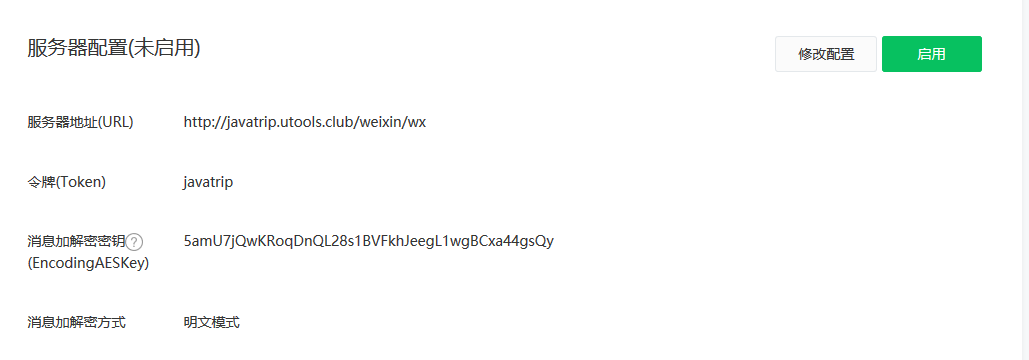
 二 實現(xiàn)各種消息接口
2.1 關(guān)注消息
WeiXinMsgController中需要重寫三個父類中的方法,其中processInFollowEvent()就是關(guān)注和取消關(guān)注的方法,取消關(guān)注后用戶雖然不能收到消息,但是后臺可以接收到用戶取消關(guān)注的事件。
@Override
protected void processInFollowEvent(InFollowEvent inFollowEvent) {

    OutTextMsg defaultMsg = new OutTextMsg(inFollowEvent);
    // 關(guān)注
    if(InFollowEvent.EVENT_INFOLLOW_SUBSCRIBE.equals(inFollowEvent.getEvent())){
        // 可將關(guān)注用戶錄入db,此處可以獲取到用戶openid
        String openId = inFollowEvent.getFromUserName();
        // 查詢db,根據(jù)響應(yīng)消息類型封裝消息體
        if("文本消息"){
            OutTextMsg otm = new OutTextMsg(inFollowEvent);
            otm.setContent("消息內(nèi)容");
            render(otm);
            return;
        }else if("圖片消息"){
            OutImageMsg oim = new OutImageMsg(inFollowEvent);
            // 這里需要調(diào)用微信提供的素材接口,將圖片上傳至素材庫。
            oim.setMediaId("圖片素材id");
            render(oim);
            return;
        }else if("圖文消息"){
            OutNewsMsg onm = new OutNewsMsg(inFollowEvent);
            onm.addNews("標(biāo)題","簡介","圖片地址","圖文鏈接");
            render(onm);
            return;
        }else if("視頻消息"){
            OutVideoMsg ovm = new OutVideoMsg(inFollowEvent);
            ovm.setTitle("標(biāo)題");
            ovm.setDescription("簡介");
            ovm.setMediaId("視頻素材id");
            render(ovm);
            return;
        }else{
            defaultMsg.setContent("感謝關(guān)注");
        }
    }
    // 取消關(guān)注
    if(InFollowEvent.EVENT_INFOLLOW_UNSUBSCRIBE.equals(inFollowEvent.getEvent())){
        log.info("用戶取消關(guān)注了");
        // 此處可以將取消關(guān)注的用戶更新db
    }
}
2.2 關(guān)鍵詞消息
processInTextMsg()方法就是用來回復(fù)關(guān)鍵詞消息的。
@Override
protected void processInTextMsg(InTextMsg inTextMsg) {

    String content = inTextMsg.getContent();
    // 根據(jù)用戶發(fā)送的content去查詢db中的響應(yīng)內(nèi)容
    if("文本消息"){
        OutTextMsg otm = new OutTextMsg(inTextMsg);
        otm.setContent("消息內(nèi)容");
        render(otm);
        return;
    }else if("圖片消息"){
        OutImageMsg oim = new OutImageMsg(inTextMsg);
        // 這里需要調(diào)用微信提供的素材接口,將圖片上傳至素材庫。
        oim.setMediaId("圖片素材id");
        render(oim);
        return;
    }else if("圖文消息"){
        OutNewsMsg onm = new OutNewsMsg(inTextMsg);
        onm.addNews("標(biāo)題","簡介","圖片地址","圖文鏈接");
        render(onm);
        return;
    }else if("視頻消息"){
        OutVideoMsg ovm = new OutVideoMsg(inTextMsg);
        ovm.setTitle("標(biāo)題");
        ovm.setDescription("簡介");
        ovm.setMediaId("視頻素材id");
        render(ovm);
        return;
    }else{
        OutTextMsg otm = new OutTextMsg(inTextMsg);
        otm.setContent("暫未查到關(guān)鍵詞...");
    }
}
2.3 菜單消息
processInMenuEvent()方法進(jìn)行響應(yīng)內(nèi)容的回復(fù)。
@Override
protected void processInMenuEvent(InMenuEvent inMenuEvent) {
    String eventKey = inMenuEvent.getEventKey();
    // 根據(jù)用戶發(fā)送的content去查詢db中的響應(yīng)內(nèi)容
    if("文本消息"){
        OutTextMsg otm = new OutTextMsg(inMenuEvent);
        otm.setContent("消息內(nèi)容");
        render(otm);
        return;
    }else if("圖片消息"){
        OutImageMsg oim = new OutImageMsg(inMenuEvent);
        // 這里需要調(diào)用微信提供的素材接口,將圖片上傳至素材庫。
        oim.setMediaId("圖片素材id");
        render(oim);
        return;
    }else if("圖文消息"){
        OutNewsMsg onm = new OutNewsMsg(inMenuEvent);
        onm.addNews("標(biāo)題","簡介","圖片地址","圖文鏈接");
        render(onm);
        return;
    }else if("視頻消息"){
        OutVideoMsg ovm = new OutVideoMsg(inMenuEvent);
        ovm.setTitle("標(biāo)題");
        ovm.setDescription("簡介");
        ovm.setMediaId("視頻素材id");
        render(ovm);
        return;
    }else{
        OutTextMsg otm = new OutTextMsg(inMenuEvent);
        otm.setContent("無效鏈接,請重試...");
    }
}
三 接口API調(diào)用
token,獲取token需要在微信后臺中配置業(yè)務(wù)服務(wù)器的白名單。如下:
mica-weixin提供了所有的接口封裝,具體可參考它的官方文檔,如果要獲取微信菜單,可以這樣寫:
@WxApi("weixin/api")
public class WeiXinApiController {
    @GetMapping("menu")
    @ResponseBody
    public String getMenu(){
        ApiResult menu = MenuApi.getMenu();
        return menu.getJson();
    }
}@WxApi這個是它的自定義注解,其實就是包含了@RequestMapping和@Controller。
mica-weixin提供了多公眾號配置的功能,使用ThreadLocal和appid進(jìn)行綁定。只需要簡單配置即可實現(xiàn)多公眾號配置。
dream:
  weixin:
    wx-configs:
      - appId: xxxxxx
        appSecret: xxxxxx
        token: javatrip
        encodingAesKey: xxxxxx
      - appId: xxxxxx
        appSecret: xxxxxx
        token: javatrip
        encodingAesKey: xxxxxx
4.2 redis配置
access_token的有效期是2小時,并且該接口有調(diào)用次數(shù)限制,mica-weixin將access_token存儲在redis中,避免每次調(diào)用接口都去獲取access-token,因此項目需要配置redis。
spring:
  redis:
    host: localhost
    port: 6379
4.3 手動選擇ThreadLocal
ApiConfigKit.setThreadLocalAppId(appid);mica-weixin也許不是最好的選擇,如果想試著開發(fā)微信公眾號,可以在github上找一下開發(fā)包。至于我為什么會使用mica-weixin,是因為我曾用過一段時間的jfinal框架,與之配套的微信開發(fā)包就是jfinal-weixin,也就是jfinal版的mica-weixin。
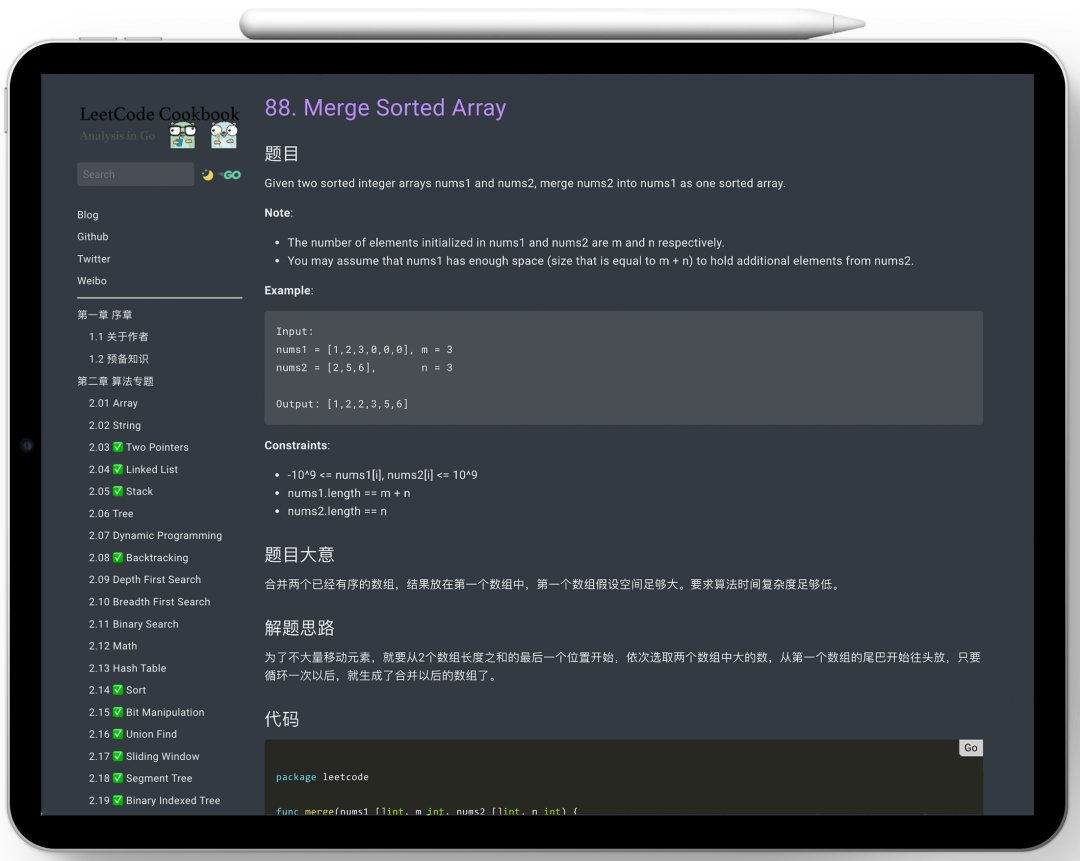
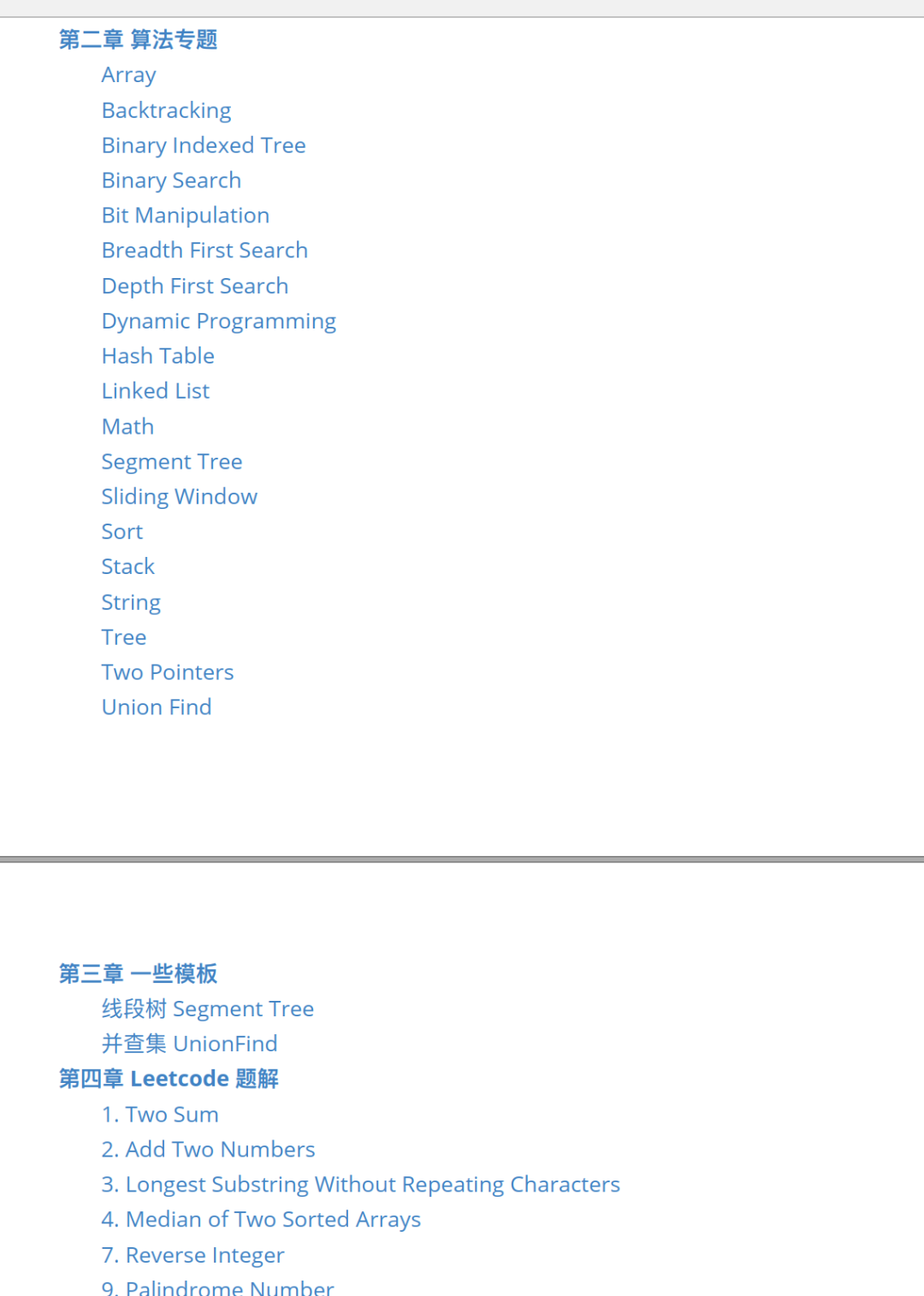
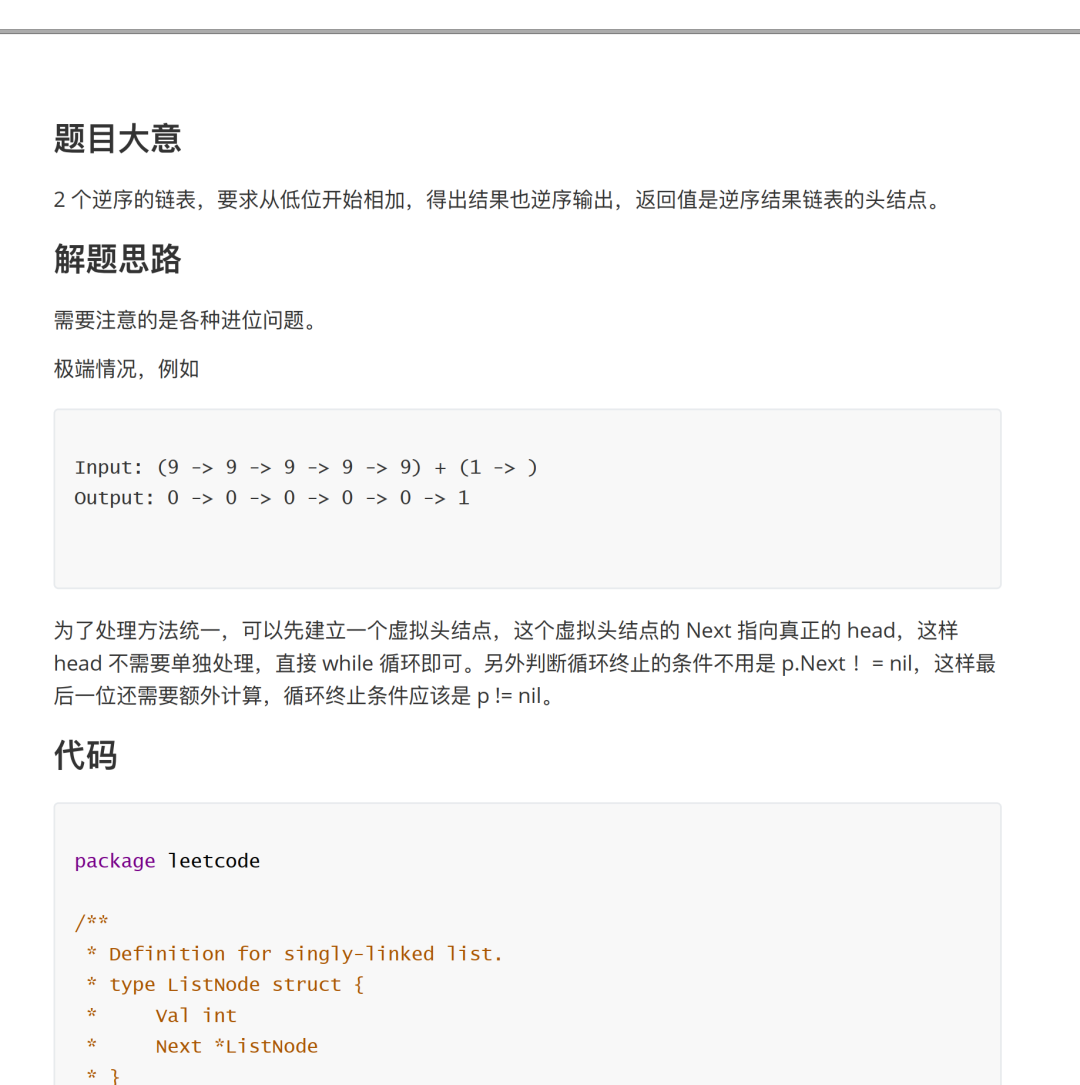
關(guān)于算法刷題的困惑和疑問也經(jīng)常聽朋友們提及。這份筆記里面共包含作者刷LeetCode算法題后整理的數(shù)百道題,每道題均附有詳細(xì)題解過程。很多人表示刷數(shù)據(jù)結(jié)構(gòu)和算法題效率不高,甚是痛苦。有了這個筆記的總結(jié),對校招和社招的算法刷題幫助之大不言而喻,果斷收藏了。

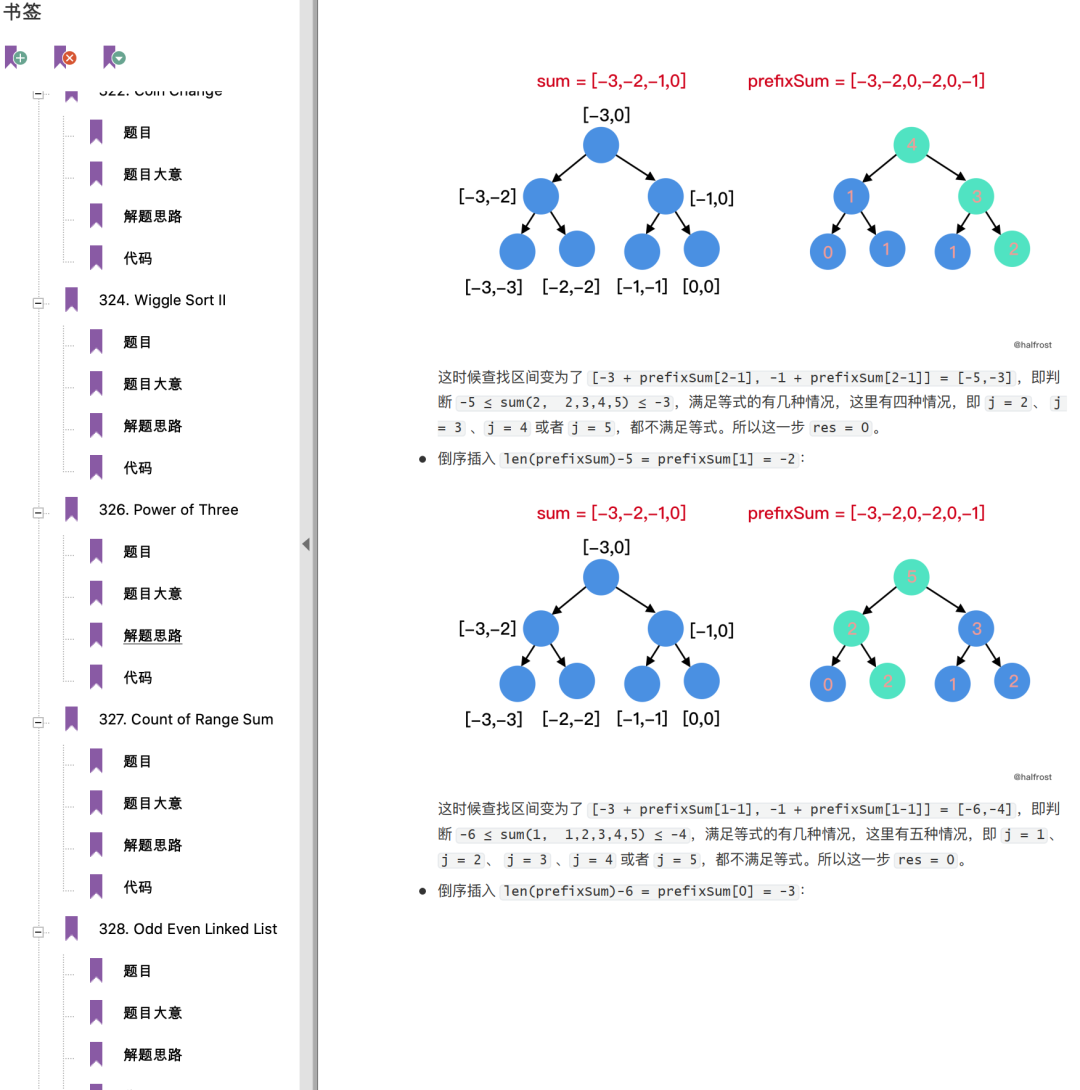
需要刷題筆記PDF文檔的小伙伴可以直接長按掃碼關(guān)注下方二維碼,回復(fù) 「算法」 四個字自取: 關(guān)注下方公眾號
??????
回復(fù)關(guān)鍵字「算法」,即可下載
評論
圖片
表情