
springcloud微服務(wù)架構(gòu)實(shí)戰(zhàn):商家管理微服務(wù)設(shè)計(jì)
商家管理微服務(wù)設(shè)計(jì)
商家管理微服務(wù)是一個(gè)獨(dú)立的RESTAPI應(yīng)用,這個(gè)應(yīng)用通過(guò)接口服務(wù)對(duì)外提供商家信息管理、商家權(quán)限管理和菜單資源管理等方面的功能。
商家管理微服務(wù)開(kāi)發(fā)在merchant-restapi模塊中實(shí)現(xiàn),有關(guān)這一類(lèi)型模塊的依賴(lài)引用、配置、啟動(dòng)程序的設(shè)計(jì)等,可以參考前面章節(jié)中有關(guān)RESTAPI微服務(wù)開(kāi)發(fā)中的相關(guān)說(shuō)明,不再重復(fù)。
商家管理微服務(wù)將直接調(diào)用權(quán)限管理模型的領(lǐng)域服務(wù),在調(diào)用之前,我們可以對(duì)領(lǐng)域服務(wù)層進(jìn)行一個(gè)單元測(cè)試,以驗(yàn)證領(lǐng)域服務(wù)層的程序正確性。同時(shí),也可以通過(guò)單元測(cè)試生成一個(gè)管理員用戶(hù),以方便后面的操作體驗(yàn)。
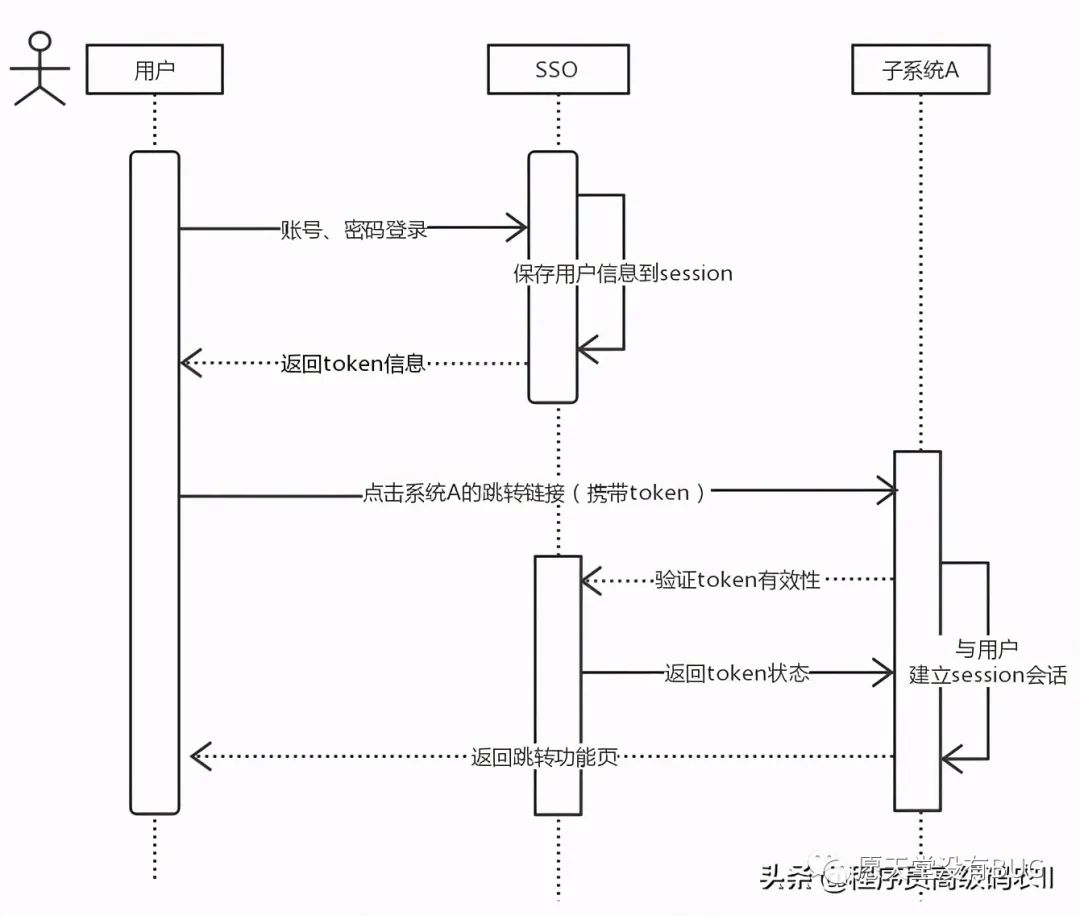
商家管理服務(wù)層單元測(cè)試
首先,在merchant-restapi模塊中,對(duì)10.1節(jié)開(kāi)發(fā)的各個(gè)領(lǐng)域服務(wù)進(jìn)行測(cè)試,從而對(duì)整個(gè)商家業(yè)務(wù)領(lǐng)域的開(kāi)發(fā)進(jìn)行全面的驗(yàn)證。這些測(cè)試包括各個(gè)實(shí)體的創(chuàng)建、數(shù)據(jù)獲取、對(duì)象更新、刪除和分頁(yè)查詢(xún)等內(nèi)容。
創(chuàng)建商家及其用戶(hù)實(shí)體的測(cè)試用例如下所示:
@RunWith (Spr ingRunner.class)
@ContextConfiguration(classes = {JpaConfiguration.class,
MerchantRestApiAppl ication.class})
@SpringBootTes t
public class UserTest {
private static Logger logger = LoggerFactory. getLogger (UserTest.class) ;
@Autowi red
private UserService userService;
@Autowired
private RoleService roleService;
@Autowired
private ResourceService resourceService;
CAutowired
private ModelService modelService;
CAutowired
private KindService kindService;
@Autowired
private MerchantService merchantService;
@Test
public void insertData() {
Kind kind = new Kind() ;
kind.setName("商家系統(tǒng)");
kind. setLink ("merchantweb") ;
kindService. save (kind) ;
Assert .notNull (kind.getId(), "create kind error") ;
Model model = new Model () ;
model . setName("用戶(hù)管理") ;
model. setHost ("/user/ index") ;
model. setKind(kind) ;
modelService.save (model) ;
Assert. notNull (model.getId(),"create model error") ;
Resource resource = new Resource() ;
resource.setName("用戶(hù)修改");
resource.setUrl ("/user/edit/**") ;
resource . setModel (model) ;
resourceService. save (resource) ;
Assert. notNull (resource.getId(), "create resource error") ;
Role role = new Role() ;
role.setName("商家管理員");
List resources = new ArrayList<>() ;
resources. add (resource) ;
role. setResources (resources) ;
roleService.save (role) ;
Assert. notNull (role.getId(),"create role error") ;
Merchant merchant = new Merchant() ;
merchant . setName ("測(cè)試商家") ;
merchantService. save (merchant) ;
Assert .notNull (merchant.getId(), "create merchant error") ;
User user = new User() ;
user. setName ("admin") ;
BCryptPasswordEncoder bpe = new BCryptPasswordEncoder() ;
user. setPassword (bpe. encode ("123456")) ;
user . setEmail ("[email protected]") ;
List roles = new ArrayList<>() ;
roles.add(role) ;
user . setRoles (roles) ;
user . setMerchant (merchant) ;
userService. save (user) ;
Assert .notNull (user.getId(), "create user error");
}

}
在這個(gè)測(cè)試用例中,包含了商家業(yè)務(wù)模型中所有實(shí)體的創(chuàng)建,這些實(shí)體包括分類(lèi)、模塊、資源、角色、商家、用戶(hù)等。如果測(cè)試通過(guò),則可以生成一個(gè)由分類(lèi)、模塊和資源組成的三級(jí)菜單,同時(shí)創(chuàng)建一個(gè)具有所屬商家、 具有一個(gè)角色和相關(guān)訪(fǎng)問(wèn)資源權(quán)限的用戶(hù)實(shí)體。這個(gè)用戶(hù)實(shí)體的用戶(hù)名和密碼為“admin/123456”。在后面的開(kāi)發(fā)中,我們可以使用這個(gè)用戶(hù)來(lái)登錄系統(tǒng)。
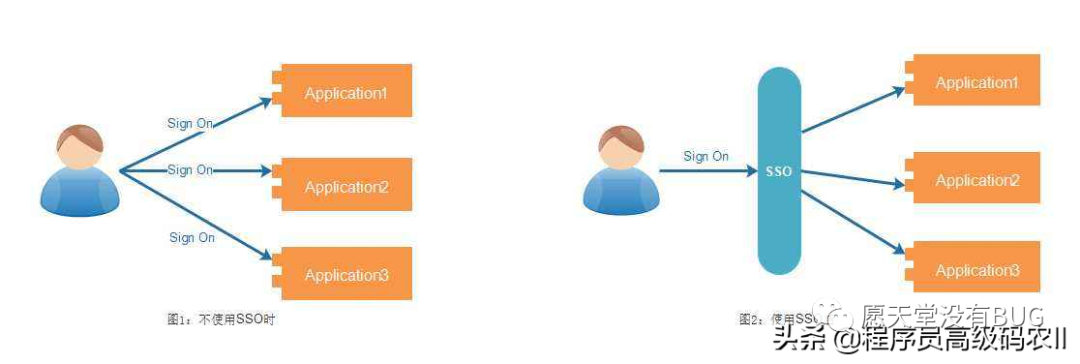
如果測(cè)試不能通過(guò),則可以根據(jù)斷言中提示的錯(cuò)誤信息,在相關(guān)的服務(wù)組件中查找出錯(cuò)的原因。
獲取實(shí)體的測(cè)試用例如下所示:
@Test
public void getData() {
User user = userService. findOne (1L) ;
Assert.notNull (user, "not find") ;
logger . info("====user==={}", new Gson() . toJson (user));
}
這個(gè)測(cè)試用例通過(guò)用戶(hù)ID獲取用戶(hù)信息,如果測(cè)試通過(guò),則輸出用戶(hù)實(shí)體的完整信息,包括用戶(hù)、用戶(hù)擁有的角色和角色包含的資源等。
分頁(yè)查詢(xún)的測(cè)試如下所示:
@Test
public void findAll() throws Exception{
SimpleDateFormat sdf = new SimpleDateFormat ("yyyy-MM-dd HH:mm:ss");
Date date = sdf.parse ("2017-01-0100:00:00") ;
UserQo userQo = new UserQo() ;
userQo. setCreated(date) ;
Merchant merchant
merchantService. findOne (1L) ;
MerchantQo merchantQo = CopyUtil.copy (merchant, MerchantQo .class);
userQo. setMerchant (merchantQo) ;
Page page = userService. findA1l (userQo) ;
Assert.notEmpty (page .getContent(), "list is empty");
List list = page. getContent() ;
for(User user : list) {
logger. info("====user===={},", new Gson() .toJson(user));
}
}
這個(gè)測(cè)試用例使用查詢(xún)對(duì)象UserQo配置了分頁(yè)查詢(xún)的參數(shù),來(lái)執(zhí)行用戶(hù)信息的分頁(yè)查詢(xún)。
在查詢(xún)參數(shù)中設(shè)定了創(chuàng)建日期和所屬商家等屬性。在查詢(xún)成功后,將輸出每條記錄的信息,這些信息有用戶(hù)對(duì)象、用戶(hù)擁有的角色、角色關(guān)聯(lián)的資源和資源所屬的模塊等。
其他有關(guān)更新和刪除等測(cè)試,可以參照上面的方法進(jìn)行設(shè)計(jì)。
單元測(cè)試在進(jìn)行工程打包時(shí),可以作為程序正確性的一一個(gè)驗(yàn)證手段。如果測(cè)試不通過(guò),則不能成功打包。當(dāng)使用Maven進(jìn)行項(xiàng)目管理時(shí),這項(xiàng)功能默認(rèn)是打開(kāi)的。如果想要在關(guān)閉打包時(shí)執(zhí)行測(cè)試,可以在工程中使用下面所示的配置:
<plugin>
<group Id>org. apache . maven.pluginsgroupId>
<artifactId>maven-surefire-pluginartifactId>
<version>2.20version>
<configuration>
<skipTests>trueskipTests>
configuration>
plugin>
商家服務(wù)的接口開(kāi)發(fā)
在商家管理的REST API應(yīng)用中,包含了商家信息管理、商家用戶(hù)權(quán)限管理和菜單資源管理等接口的開(kāi)發(fā)。每一個(gè)接口的設(shè)計(jì)我們分別使用一個(gè)RestController來(lái)實(shí)現(xiàn)。這些接口的設(shè)計(jì)基本上大同小異,下面我們以用戶(hù)接口的設(shè)計(jì)為例進(jìn)行說(shuō)明。
用戶(hù)的查詢(xún)接口是使用GET方法實(shí)現(xiàn)的,幾種查詢(xún)接口的實(shí)現(xiàn)方法如下所示:
@RestController
@RequestMapping("/user")
public class UserController
private static Logger logger 二LoggerFactory .getLogger (UserController.
class) ;
@Autowi red
private UserService userService;
@RequestMapping("/{id}")
public String findById (EPathVariable Long id) {
return new Gson() . toJson (userService. findOne(id));
@RequestMapping ("/names/ {name}")
public String findByName (@PathVariable String name) {
return new Gson() . toJson (userService. findByName (name)) ;
@RequestMapping("/list")
public String findList() {
return new Gson() . toJson (userService. findAll());
@RequestMapping (value = "/page")
public String findPage (Integer index, Integer size, String name, Long
merchantId) {
try {
UserQo userQo = new UserQo() ;
if (Commonutils. isNotNull (index)) {
userQo. setPage (index) ;
if (CommonUtils. isNotNull (size)) {
userQo.setSize (size) ;
}
if (CommonUtils. isNotNull (name)) {
userQo. setName (name) ;
if (CommonUtils. isNotNull (merchantId)) {
MerchantQo merchantQo = new MerchantQo();
merchantQo . setId (merchantId) ;
userQo. setMerchant (merchantQo) ;
Page users = userService. findAll (userQo) ;
Map<String, object> page = new HashMap<>() ;
page.put ("content", users .getContent());
page .put ("totalPages", users . getTotalPages();
page.put ("totalelements", users . getTotalElements());
return new Gson() . toJson(page) ;
} catch (Exception e) {
e. printStackTrace() ;
return null ;
}
}
這些查詢(xún)接口有單個(gè)對(duì)象查詢(xún)、列表查詢(xún)和分頁(yè)查詢(xún)等。因?yàn)槭墙涌谡{(diào)用,所以查詢(xún)的結(jié)果最終都是以JSON結(jié)構(gòu)的方式返回文本數(shù)據(jù)。
如果要新建-一個(gè)商家用戶(hù),則可以使用POST方法實(shí)現(xiàn),代碼如下所示:
@RestController
ERequestMapping ("/user")
public class UserController
private static Logger logger =
LoggerFactory . getLogger (UserController.class) ;
@Autowired
private UserService userService;
CRequestMapping (value=" /save", method = RequestMethod. POST)
public String save (@RequestBody UserQo userQo) throws Exception{
User user = CopyUtil. copy (userQo, User.class);
List roleList = CopyUtil. copyList (userQo . getRoles(), Role.class);
user.setRoles (roleList) ;
user.setMerchant (CopyUtil. copy (userQo. getMerchant (),Merchant.class));
String ret = userService. insert (user) ;
logger. info("新增=" + ret) ;
return ret;
}
} 當(dāng)創(chuàng)建實(shí)體提交給數(shù)據(jù)服務(wù)進(jìn)行處理時(shí),必須將輸入?yún)?shù)中的查詢(xún)對(duì)象轉(zhuǎn)化為實(shí)體,使用實(shí)體調(diào)用領(lǐng)域服務(wù)進(jìn)行數(shù)據(jù)保存。并且在創(chuàng)建-一個(gè)商家用戶(hù)實(shí)體時(shí),為了保證商家用戶(hù)的合法性,還必須指定用戶(hù)的所屬商家,并且給其分配一個(gè)角色,這樣,這個(gè)商家用戶(hù)才可以用來(lái)登錄商家系統(tǒng)。
商家用戶(hù)的更新設(shè)計(jì)可以使用PUT方法實(shí)現(xiàn),代碼如下所示:
@RestController
@RequestMapping ("/user")
public class UserController
private static Logger logger =
LoggerFactory.getLogger (UserController.class) ;
@Autowi red
private UserService userService;
@RequestMapping (value=" /update", method
RequestMethod. PUT)
public String update (@RequestBody UserQo userQo) throws Exception{
User user = CopyUtil.copy (userQo, User. class);
List roleList = CopyUtil.copyList (userQo.getRoles(), Role.class);
user .setRoles (roleList) ;
user . setMerchant (CopyUtil.copy (userQo. getMerchant (), Merchant.class));
String ret = userService. update (user);
logger. info("修改="+ ret) ;
return ret;
}
}
商家用戶(hù)的更新設(shè)計(jì)與創(chuàng)建一個(gè)商 家用戶(hù)的實(shí)現(xiàn)方法相差不多,不同之處在于請(qǐng)求方法及傳輸?shù)膮?shù)。
刪除一個(gè)商家用戶(hù)的設(shè)計(jì)可以使用DELETE方法實(shí)現(xiàn),代碼如下所示:
@RestController
@RequestMapping (" /user")
public class UserController
private static Logger logger = LoggerFactory. getLogger (UserController .
class) ;
@Autowired
private UserService userService;
@Reques tMapping (value="/delete/{id}",method = RequestMethod . DELETE)
public String delete(@Pathvariable Long id) throws Exception {
String ret = userService .delete(id) ;
logger. info("刪除=" + ret) ;
return ret;
}
}
當(dāng)要?jiǎng)h除的實(shí)體具有關(guān)聯(lián)關(guān)系時(shí),則必須先刪除它們之間的關(guān)聯(lián)關(guān)系,然后才能執(zhí)行刪除操作。例如,在角色刪除的設(shè)計(jì)中,使用了如下所示的設(shè)計(jì): .
@RequestMapping (value="/delete/ {id}", method = RequestMethod. DELETE)
public String delete (@PathVariable Long id) throws Exception {
//讓具有此角色的用戶(hù)脫離關(guān)系
List userList = userService. findByRoleId(id) ;
if (userList != null && userList.size() > 0) {
for(User user : userList) {
for (Role role : user.getRoles()) {
if(role.getId() .equals(id)) {
user .getRoles() . remove (role) ;
userService. update (user) ;
break;
}
}
}
}
//安全刪除角色
String ret = roleService.delete(id) ;
logger. info("刪除=" + ret) ;
return ret;
}
即在刪除角色之前,要保證角色沒(méi)有被用戶(hù)關(guān)聯(lián)。如果已經(jīng)存在關(guān)聯(lián)關(guān)系,則必須將這些關(guān)聯(lián)關(guān)系刪除之后,才能成功刪除角色。
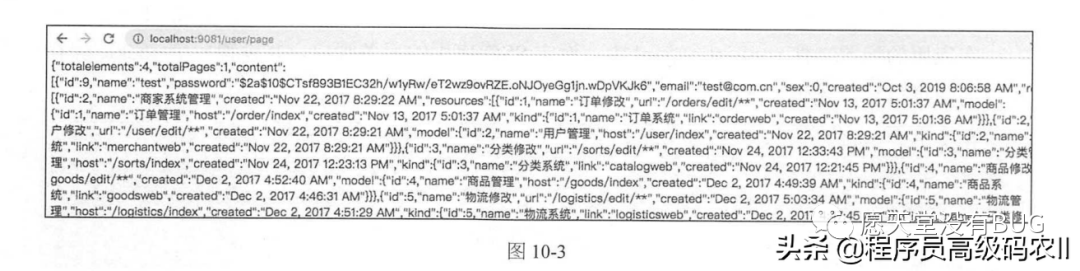
在完成接口開(kāi)發(fā)之后,可以啟動(dòng)REST API應(yīng)用,對(duì)一些查詢(xún)接口可以使用瀏覽器進(jìn)行-一個(gè)簡(jiǎn)單的測(cè)試。例如,對(duì)于用戶(hù)信息的分頁(yè)查詢(xún),可以使用如下所示的鏈接進(jìn)行測(cè)試:
http://localhost: 9081/user/page如果數(shù)據(jù)庫(kù)中存在商家用戶(hù)數(shù)據(jù),則打開(kāi)鏈接之后,可以看到如圖10-3所示的JSON結(jié)構(gòu)的數(shù)據(jù)。
對(duì)于上面設(shè)計(jì)的這些接口調(diào)用方法,我們都以FeignClient的方式進(jìn)行了封裝。更詳細(xì)的信息可以參照前面章節(jié)中相關(guān)內(nèi)容的說(shuō)明。商家服務(wù)的接口調(diào)用設(shè)計(jì),在模塊merchant-client 中實(shí)現(xiàn)。在后面的開(kāi)發(fā)中,我們只需在項(xiàng)目管理中配置模塊merchant-client的依賴(lài)引用,就可以使用這些接口調(diào)用方法實(shí)現(xiàn)商家管理的各項(xiàng)功能設(shè)計(jì)了。
本文給大家講解的內(nèi)容商家管理后臺(tái)與sso設(shè)計(jì):商家管理微服務(wù)設(shè)計(jì)
下篇文章給大家講解的是商家管理后臺(tái)與sso設(shè)計(jì):SSO設(shè)計(jì);
覺(jué)得文章不錯(cuò)的朋友可以轉(zhuǎn)發(fā)此文關(guān)注小編;
感謝大家的支持!
本文就是愿天堂沒(méi)有BUG給大家分享的內(nèi)容,大家有收獲的話(huà)可以分享下,想學(xué)習(xí)更多的話(huà)可以到微信公眾號(hào)里找我,我等你哦。