
GitHub又雙叒叕掛了?

引言
Github不能拉代碼了?
今天我像往常那樣更新一下Github代碼,發(fā)現(xiàn)竟然報(bào)了下面的錯(cuò)誤:
$ git pull
remote: Support for password authentication was removed on August 13, 2021. Please use a personal access token instead.
remote: Please see https://github.blog/2020-12-15-token-authentication-requirements-for-git-operations/ for more information.
fatal: unable to access 'https://github.com/<USERNAME>/<REPO>.git': The requested URL returned error: 403
意思是不再支持用戶名密碼的方式驗(yàn)證了,需要?jiǎng)?chuàng)建個(gè)人訪問(wèn)令牌(personal access token)。
解決
生成令牌
首先生成一個(gè)令牌,←鏈接是官網(wǎng)教程,也可以不點(diǎn),直接看下文。
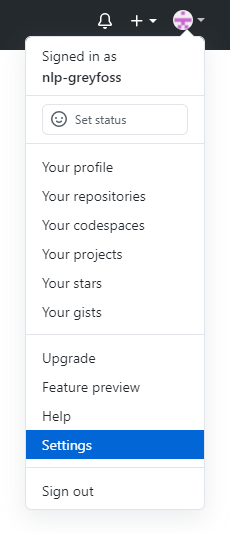
點(diǎn)擊Settings
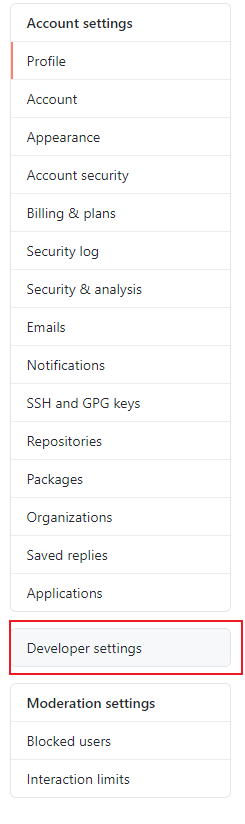
點(diǎn)擊左側(cè)的Developer settings
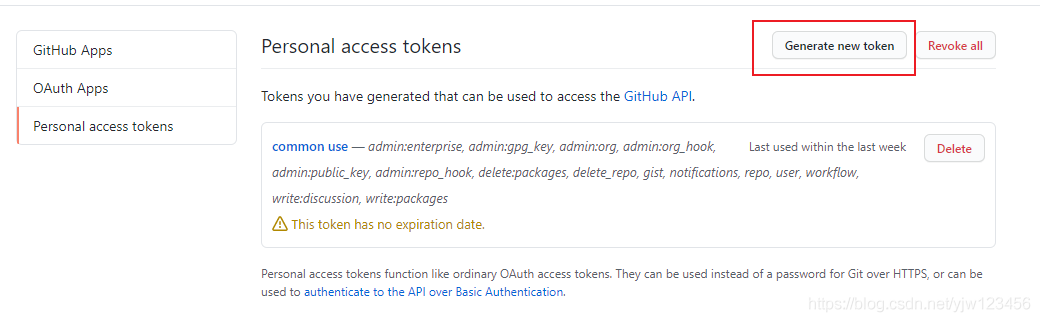
點(diǎn)擊Personal access tokens(個(gè)人訪問(wèn)令牌)

點(diǎn)擊Generate new token
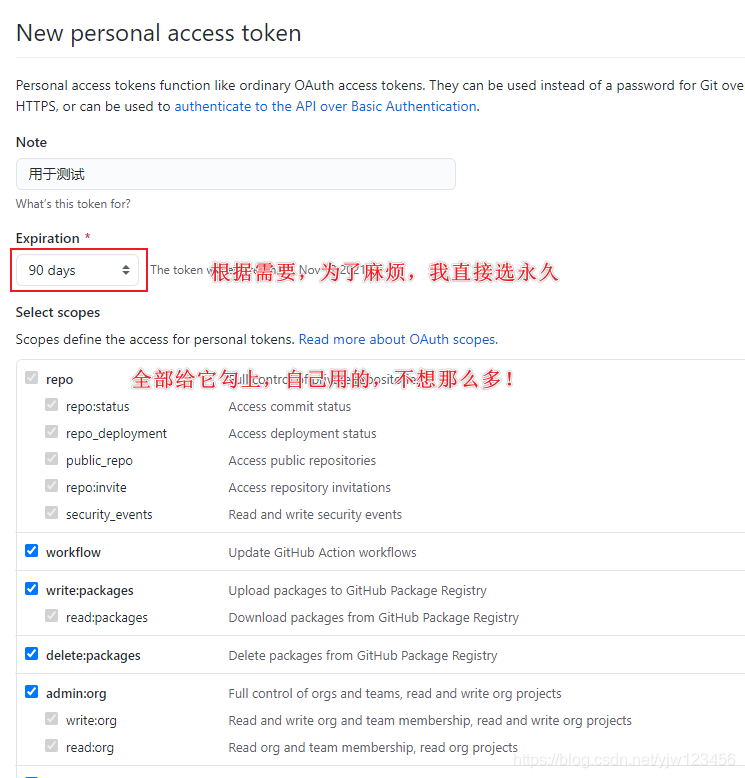
設(shè)置token信息
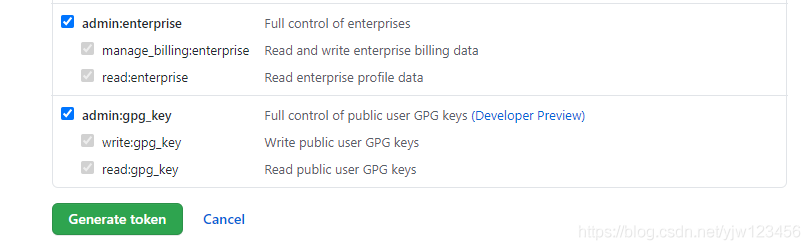 點(diǎn)擊Generate token生成令牌
得到生成的令牌
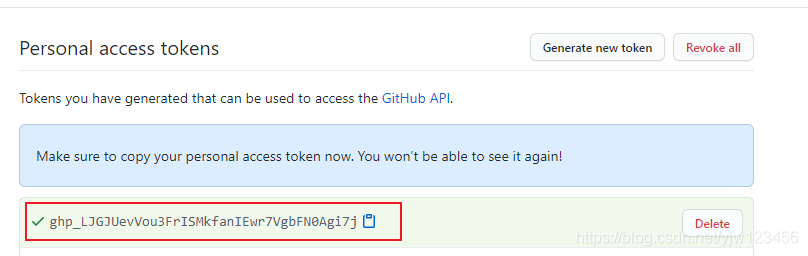
應(yīng)用令牌
將生成的令牌拷貝下來(lái)(不要拷貝我的,拷貝你自己生成的!),記得保存,下次你就看不到了。
修改現(xiàn)有項(xiàng)目的url
git remote set-url origin https://<your_token>@github.com/<USERNAME>/<REPO>.git
將<your_token>換成你自己得到的令牌。<USERNAME>是你自己github的用戶名,<REPO>是你的項(xiàng)目名稱,比如我的:
git remote set-url origin https://[email protected]/nlp-greyfoss/typora_notes.git/
其實(shí)上面的報(bào)錯(cuò)中就有提示,不需要重新去找:
fatal: unable to access 'https://github.com/<USERNAME>/<REPO>.git':
https://github.com/<USERNAME>/<REPO>.git
然后再執(zhí)行git pull,世界又恢復(fù)原樣了。
船新版本對(duì)于全新版本,克隆的時(shí)候也在github.com前面加個(gè)令牌就好了。
git clone https://<TOKEN>@github.com/<user_name>/<repo_name>.git
最后一句:BUG,走你!


沒(méi)有人比我更懂Redis(一)
沒(méi)有人比我更懂Redis(二)
沒(méi)有人比我更懂Redis(三)
自然語(yǔ)言處理入門(mén)之分詞
入門(mén)人工智能必備的線性代數(shù)基礎(chǔ)
1.看到這里了就點(diǎn)個(gè)在看支持下吧,你的在看是我創(chuàng)作的動(dòng)力。
2.關(guān)注公眾號(hào),每天為您分享原創(chuàng)或精選文章!
3.特殊階段,帶好口罩,做好個(gè)人防護(hù)。