
用 Python 教你畫花樣圖

文 |?潮汐
來源:Python 技術(shù)「ID: pythonall」

在之前的一篇文章Python可視化神器-Plotly動畫展示展現(xiàn)了可視化神器-Plotly的動畫的基本應(yīng)用,本文介紹如何在Python中使用 Plotly 創(chuàng)建地圖并在地圖上標相應(yīng)的線。對于 Plotly的詳解請參閱之前的文章。
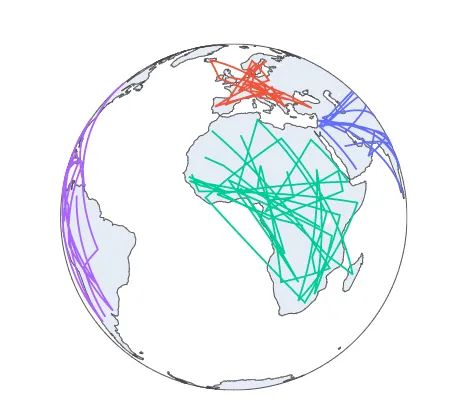
地球儀加線
根據(jù)地球儀的區(qū)域顯示在相應(yīng)的位置圖形上加上線條,完美的線性地球儀詳細代碼如下:
import?plotly.express?as?px
df?=?px.data.gapminder().query("year?==?2007")
fig?=?px.line_geo(df,?locations="iso_alpha",
??????????????????color="continent",?#?"continent"?is?one?of?the?columns?of?gapminder
??????????????????projection="orthographic")
fig.show()
顯示結(jié)果為:**
地圖上加線
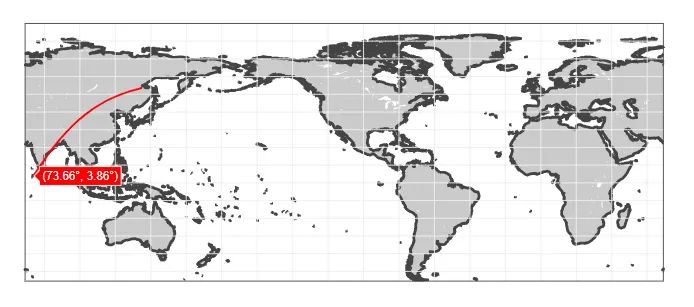
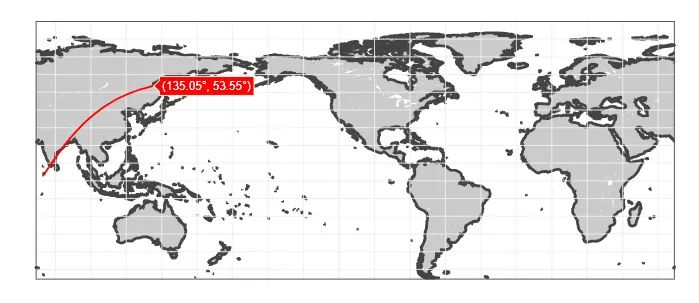
繪畫出相應(yīng)的地圖后添加經(jīng)緯度,再根據(jù)經(jīng)緯度繪畫出相應(yīng)的線條, 詳細代碼如下:
import?plotly.graph_objects?as?go

fig?=?go.Figure(data=go.Scattergeo(
????lat?=?[3.86,?53.55],
????lon?=?[73.66,?135.05],
????mode?=?'lines',
????line?=?dict(width?=?2,?color?=?'red'),
))

fig.update_layout(
????geo?=?dict(
????????resolution?=?50,
????????showland?=?True,
????????showlakes?=?True,
????????landcolor?=?'rgb(203,?203,?203)',
????????countrycolor?=?'rgb(204,?204,?204)',
????????lakecolor?=?'rgb(255,?255,?255)',
????????projection_type?=?"equirectangular",
????????coastlinewidth?=?3,
????????lataxis?=?dict(
????????????range?=?[20,?60],
????????????showgrid?=?True,
????????????dtick?=?10
????????),
????????lonaxis?=?dict(
????????????range?=?[-100,?20],
????????????showgrid?=?True,
????????????dtick?=?20
????????),
????)
)

fig.show()
顯示結(jié)果如下:
最后的福利-3D圖鑒賞
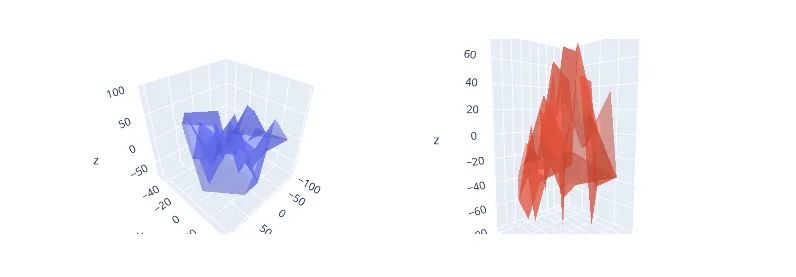
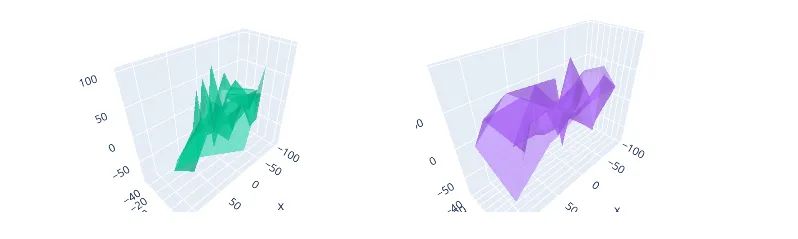
最后加入一個3D圖像鑒賞,制作圖像詳細代碼如下:
#?導(dǎo)入包
import?plotly.graph_objects?as?go
from?plotly.subplots?import?make_subplots
import?numpy?as?np

N?=?50

fig?=?make_subplots(rows=2,?cols=2,
????????????????????specs=[[{'is_3d':?True},?{'is_3d':?True}],
???????????????????????????[{'is_3d':?True},?{'is_3d':?True}]],
????????????????????print_grid=False)
for?i?in?[1,2]:
????for?j?in?[1,2]:
????????fig.append_trace(
????????????go.Mesh3d(
????????????????x=(50*np.random.randn(N)),
????????????????y=(20*np.random.randn(N)),
????????????????z=(40*np.random.randn(N)),
????????????????opacity=0.5,
??????????????),
????????????row=i,?col=j)

fig.update_layout(width=700,?margin=dict(r=9,?l=9,?b=9,?t=9))
#?將左上角子圖中的比率固定為立方體
fig.update_layout(scene_aspectmode='cube')
#?手動強制z軸顯示為其他兩個的兩倍大
fig.update_layout(scene2_aspectmode='manual',
??????????????????scene2_aspectratio=dict(x=1,?y=1,?z=2))
#?繪制軸線與軸線范圍的比例成比例
fig.update_layout(scene3_aspectmode='data')
#?使用“data”作為默認值自動生成比例良好的內(nèi)容
fig.update_layout(scene4_aspectmode='auto')
#顯示
fig.show()
顯示結(jié)果如下:
總結(jié)
希望今天文章和實戰(zhàn)對大家有所幫助,在以后的成神路上越來越順利!
參考
https://plotly.com/python/animations/ https://plotly.com/python/maps/
PS:公號內(nèi)回復(fù)「Python」即可進入Python 新手學(xué)習(xí)交流群,一起 100 天計劃!
老規(guī)矩,兄弟們還記得么,右下角的 “在看” 點一下,如果感覺文章內(nèi)容不錯的話,記得分享朋友圈讓更多的人知道!


【代碼獲取方式】
評論
圖片
表情