
用 Python 修改微信(支付寶)運(yùn)動(dòng)步數(shù),輕松 TOP1
(點(diǎn)擊上方快速關(guān)注并設(shè)置為星標(biāo),一起學(xué)Python)
作者:Tsubasa_Ou
https://blog.csdn.net/jiangfan2017/article/details/108984940

今天分享的文章讓你霸屏微信運(yùn)動(dòng),橫掃支付寶榜單
1
項(xiàng)目意義
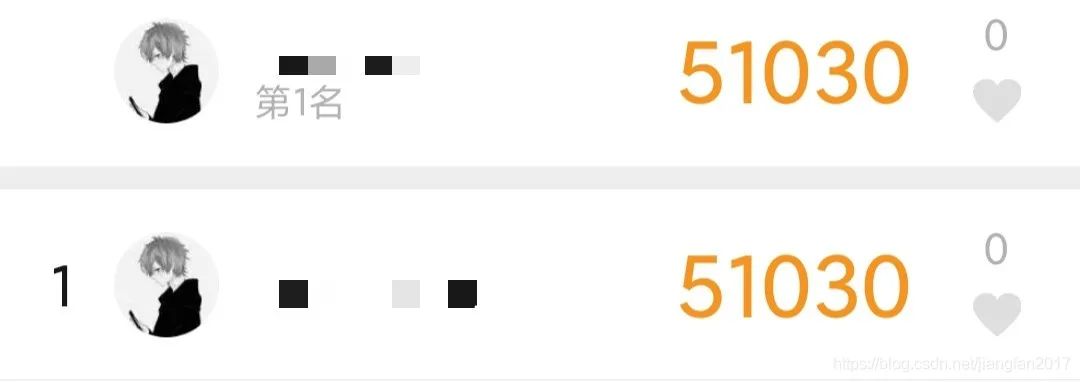
如果你想在支付寶螞蟻森林收集很多能量種樹,為環(huán)境綠化出一份力量,又或者是想每天稱霸微信運(yùn)動(dòng)排行榜裝逼,卻不想出門走路,那么該 python 腳本可以幫你實(shí)現(xiàn)。
2
實(shí)現(xiàn)方法
手機(jī)安裝第三方軟件樂心健康,注冊(cè)賬號(hào)登錄,將運(yùn)動(dòng)數(shù)據(jù)同步到微信和支付寶。用 python 腳本遠(yuǎn)程修改樂心健康當(dāng)前登錄賬號(hào)的步數(shù)即可。
第一步:在手機(jī)上安裝樂心健康 app。 安卓版下載地址: ( http://app.mi.com/details?id=gz.lifesense.weidong )
蘋果版下載地址:( https://apps.apple.com/us/app/lifesense-health/id1479525632 )
第二步:注冊(cè)賬號(hào)登錄,并設(shè)置登錄密碼。
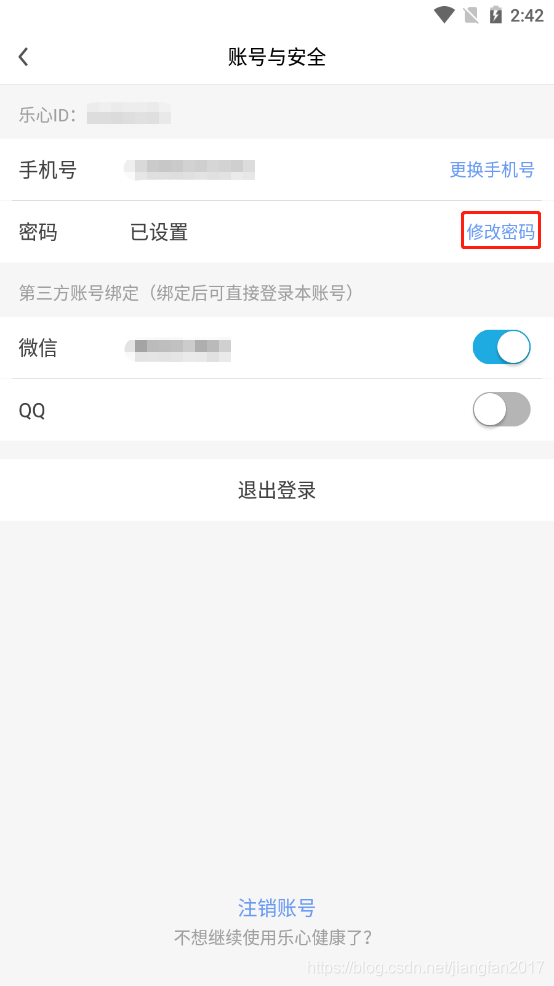
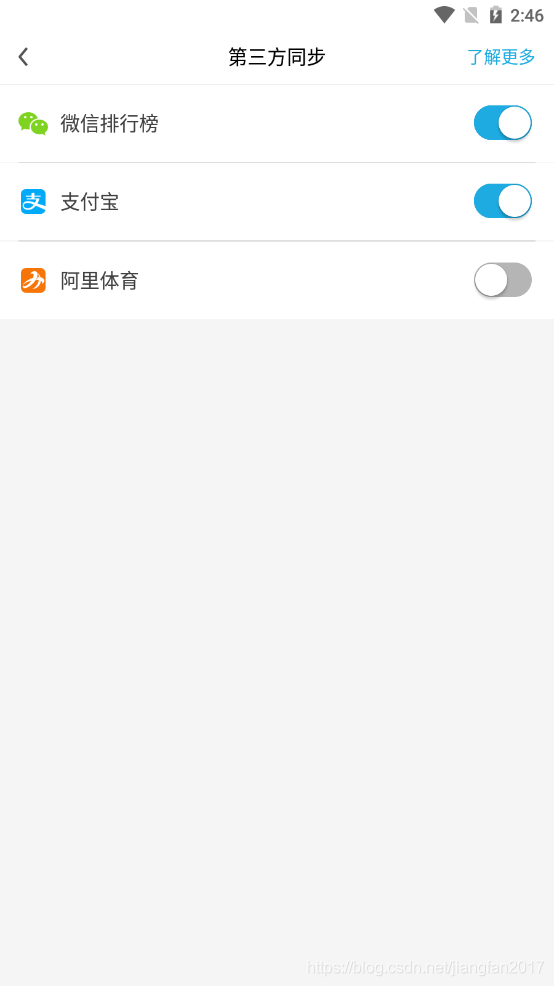
第三步:完成第三方同步,將運(yùn)動(dòng)數(shù)據(jù)同步到微信和支付寶。
第四步:運(yùn)行 python 腳本,修改樂心健康步數(shù)。


3
python 代碼
程序設(shè)定是每天 7 點(diǎn)自動(dòng)修改步數(shù),在下面腳本對(duì)應(yīng)的位置替換填入樂心健康賬號(hào)、樂心健康密碼、修改步數(shù),然后運(yùn)行程序。修改步數(shù)推薦設(shè)置范圍是 30000 至 90000,步數(shù)值太大會(huì)導(dǎo)致修改不成功。如果想改變第二天自動(dòng)修改步數(shù)的時(shí)間,請(qǐng)修改圖示位置的 25200,+25200 代表第二天 0 點(diǎn)后加上的秒數(shù),也就是 7x60x60,即 7 小時(shí),根據(jù)自己的需要修改即可。如果每天都要修改步數(shù),那么讓程序一直保持運(yùn)行即可。
注意:運(yùn)行程序會(huì)立刻修改當(dāng)天的步數(shù),自動(dòng)修改步數(shù)是從程序保持運(yùn)行的第二天開始。
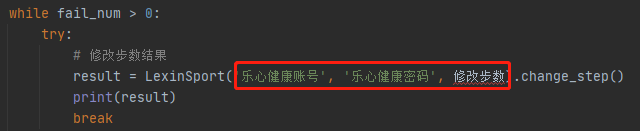

部分源碼,全部源碼獲取方式見文末
# -*- coding: utf-8 -*-
import requests
import json
import hashlib
import time
import datetime


class LexinSport:
    def __init__(self, username, password, step):
        self.username = username
        self.password = password
        self.step = step

    # 登錄
    def login(self):
        url = 'https://sports.lifesense.com/sessions_service/login?systemType=2&version=4.6.7'
        data = {'loginName': self.username, 'password': hashlib.md5(self.password.encode('utf8')).hexdigest(),
                'clientId': '49a41c9727ee49dda3b190dc907850cc', 'roleType': 0, 'appType': 6}
        headers = {
            'Content-Type': 'application/json; charset=utf-8',
            'User-Agent': 'Dalvik/2.1.0 (Linux; U; Android 7.1.2; LIO-AN00 Build/LIO-AN00)'
        }
        response_result = requests.post(url, data=json.dumps(data), headers=headers)
        status_code = response_result.status_code
        response_text = response_result.text
        # print('登錄狀態(tài)碼:%s' % status_code)
        # print('登錄返回?cái)?shù)據(jù):%s' % response_text)
        if status_code == 200:
            response_text = json.loads(response_text)
            user_id = response_text['data']['userId']
            access_token = response_text['data']['accessToken']
            return user_id, access_token
        else:
            return '登錄失敗'

    # 修改步數(shù)
    def change_step(self):
        # 登錄結(jié)果
        login_result = self.login()
        if login_result == '登錄失敗':
            return '登錄失敗'
        else:
            url = 'https://sports.lifesense.com/sport_service/sport/sport/uploadMobileStepV2?systemType=2&version=4.6.7'
            data = {'list': [{'DataSource': 2, 'active': 1, 'calories': int(self.step/4), 'dataSource': 2,
                              'deviceId': 'M_NULL', 'distance': int(self.step/3), 'exerciseTime': 0, 'isUpload': 0,
                              'measurementTime': time.strftime('%Y-%m-%d %H:%M:%S'), 'priority': 0, 'step': self.step,
                              'type': 2, 'updated': int(round(time.time() * 1000)), 'userId': login_result[0]}]}
            headers = {
                'Content-Type': 'application/json; charset=utf-8',
                'Cookie': 'accessToken=%s' % login_result[1]
            }
            response_result = requests.post(url, data=json.dumps(data), headers=headers)
            status_code = response_result.status_code
            # response_text = response_result.text
            # print('修改步數(shù)狀態(tài)碼:%s' % status_code)
            # print('修改步數(shù)返回?cái)?shù)據(jù):%s' % response_text)
            if status_code == 200:
                return '修改步數(shù)為【%s】成功' % self.step
            else:
                return '修改步數(shù)失敗'


# 睡眠到第二天執(zhí)行修改步數(shù)的時(shí)間
def get_sleep_time():
    # 第二天日期
    tomorrow = datetime.date.today() + datetime.timedelta(days=1)
    # 第二天7點(diǎn)時(shí)間戳
    tomorrow_run_time = int(time.mktime(time.strptime(str(tomorrow), '%Y-%m-%d'))) + 25200
    # print(tomorrow_run_time)
    # 當(dāng)前時(shí)間戳
    current_time = int(time.time())
    # print(current_time)
    return tomorrow_run_time - current_time


if __name__ == "__main__":
    # 最大運(yùn)行出錯(cuò)次數(shù)
    fail_num = 3
    while 1:
        while fail_num > 0:
            try:
                # 修改步數(shù)結(jié)果
                result = LexinSport('樂心健康賬號(hào)', '樂心健康密碼', 修改步數(shù)).change_step()
                print(result)
                break
            except Exception as e:
                print('運(yùn)行出錯(cuò),原因:%s' % e)
                fail_num -= 1
                if fail_num == 0:
                    print('修改步數(shù)失敗')
        # 重置運(yùn)行出錯(cuò)次數(shù)
        fail_num = 3
        # 獲取睡眠時(shí)間
        sleep_time = get_sleep_time()
        time.sleep(sleep_time)
源碼及相關(guān)文件在公眾號(hào)后臺(tái)回復(fù) 步數(shù)獲取。
— 完 —
回復(fù)關(guān)鍵字“ 簡(jiǎn)明python ”,立即獲取入門必備書籍《簡(jiǎn)明python教程》電子版
回復(fù)關(guān)鍵字 “ 爬蟲 ”,立即獲取爬蟲學(xué)習(xí)資料
python入門與進(jìn)階 每天與你一起成長(zhǎng)
推薦閱讀
點(diǎn)「在看」的人都變好看了哦!