快速獲取數(shù)據(jù)集的秘訣居然是……
很久很久沒(méi)有動(dòng)手寫點(diǎn)什么了,近期有幸參加了 ModelArts 開(kāi)發(fā)者社區(qū)組織的關(guān)于 AIGallery 的會(huì)議,AIGallery ,這是一個(gè)開(kāi)放的平臺(tái),在這里可以學(xué)習(xí)和分享算法、模型、數(shù)據(jù)、Notebook、文章、課程、論文……從AI小白到大神的成長(zhǎng)之路(PS:可惜不才沒(méi)有上道,依舊是小白)。因此,希望在這里也能記錄下自己的成長(zhǎng)之路,給大家?guī)?lái)我以為好用的數(shù)據(jù)集生成之道,獻(xiàn)丑了!
前言
【FBI Warning:本方法目前只局限于從某度圖片獲取數(shù)據(jù)且非常適合圖像分類但不一定適用于實(shí)際應(yīng)用場(chǎng)景!!!】 前端時(shí)間想體驗(yàn)一下零基礎(chǔ)體驗(yàn)美食分類的AI應(yīng)用開(kāi)發(fā),需要一個(gè)美食數(shù)據(jù)集,因此找了一些工具來(lái)獲取我想要的美食圖片,最終選定了 Github 上某個(gè)前端項(xiàng)目來(lái)批量下載指定關(guān)鍵字的圖片到本地。本文將詳細(xì)介紹那一百來(lái)行的代碼究竟有何“魔力”能夠助我一臂之力從某度下載大量的圖片。
代碼
首先,先介紹一下源代碼來(lái)源:tangzihan-git/baiduImg-spider , 這是一份托管在大名鼎鼎的全球最大同性交友網(wǎng)站 Github 上的“開(kāi)源”代碼,雖然作者不曾定義該項(xiàng)目的 License ,姑且認(rèn)為可以直接拿過(guò)來(lái)用。當(dāng)然如果要將代碼拷貝到本地,我們可能需要用到 Git 這個(gè)軟件。廢話不多說(shuō),先看看代碼。
目錄結(jié)構(gòu)
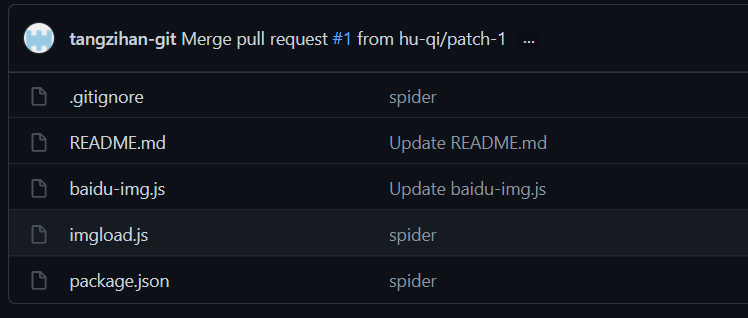
從目錄結(jié)構(gòu)來(lái)看,出去 Git 忽略配置文件 .gitignore、自述說(shuō)明文檔 README.md 以及前端 npm 包依賴文件 package.json,核心文件也就兩個(gè):baidu-img.js 用來(lái)訪問(wèn)網(wǎng)頁(yè)并輸入關(guān)鍵字獲取圖片列表, imgload.js 用來(lái)下載圖片。我們查看 package.json 就能看到所需的 npm 包,這里的 npm 包可以理解為引入外部的依賴,讓我們的程序能夠快速獲得某種能力。package.json 如下:
{
  "name": "spider",
  "version": "1.0.0",
  "description": "",
  "main": "req.js",
  "scripts": {
    "test": "echo \"Error: no test specified\" && exit 1",
    "start":"node baidu-img"
  },
  "keywords": [],
  "author": "",
  "license": "ISC",
  "dependencies": {
    "axios": "^0.19.2",
    "bufferutil": "^4.0.1",
    "cheerio": "^1.0.0-rc.3",
    "optimist": "^0.6.1",
    "puppeteer": "^5.2.1",
    "utf-8-validate": "^5.0.2"
  }
}
dependencies 字段中定義了我們依賴的外部包,其中axios是前端項(xiàng)目中常用的基于Promise的HTTP客戶端,可用于瀏覽器和node.js,我們可以理解為以前 JQuey 中的 Ajax ;Puppeteer是谷歌開(kāi)源的可調(diào)用高級(jí)API來(lái)通過(guò)DevTools協(xié)議控制無(wú)頭Chrome或Chromium的工具,這里用來(lái)提供一個(gè)無(wú)頭的瀏覽器進(jìn)行訪問(wèn)指定網(wǎng)頁(yè)。至于其它的依賴包,代碼中并沒(méi)有用到,我們可以先忽略。接下來(lái),看看代碼實(shí)現(xiàn)。
關(guān)鍵代碼
baidu-img.js
// 引入依賴
const puppeteer = require('puppeteer')
const url = require('url')
const path = require('path')
const imgLoad = require('./imgload')

// 定義訪問(wèn)地址
const httpUrl = 'https://image.baidu.com/'
var argv = require('optimist').argv;

// 入?yún)?br>let options = {
    word:argv.word || '圖片',
    num:argv.num || 60,
    dir:argv.dir || 'images',
    delay:argv.delay || 600

}
;( async function(){
    // Puppeteer 配置
    let config = {
        headless:true,//無(wú)界面操作 ,false表示有界面
        defaultViewport:{
            width:820,
            height:1000,
        },
    }
    // 運(yùn)行瀏覽器
    let browser = await puppeteer.launch(config)
    // 打開(kāi) https://image.baidu.com/
    let page = await browser.newPage()
    await page.goto(httpUrl)
    // 定位到輸入框并輸入關(guān)鍵字,點(diǎn)擊搜索
    // 這里的 #kw .s_newBtn .main_img 都是頁(yè)面的元素
    await page.focus('#kw')
    await page.keyboard.sendCharacter(options.word);//搜索詞
    await page.click('.s_newBtn')
    //頁(yè)面搜索跳轉(zhuǎn) 執(zhí)行的邏輯
    page.on('load',async ()=>{
        console.warn('正在為你檢索【'+options.word+'】圖片請(qǐng)耐心等待...');
        await page.evaluate((options)=>{
            ///獲取當(dāng)前窗口高度  處理懶加載
            let height = document.body.offsetHeight
            let timer = setInterval(()=>{
                //窗口每次滾動(dòng)當(dāng)前窗口的2倍
                height=height*2
                window.scrollTo(0,height);
            },2000)

            window.onscroll=function(){
                let arrs = document.querySelectorAll('.main_img')
                //符合指定圖片數(shù)
                if(arrs.length>=options.num){
                    clearInterval(timer)
                    console.log(`為你搜索到${arrs.length}張【${options.word}】相關(guān)的圖片\n準(zhǔn)備下載(${options.num})張`);
                }
            }
        },options)
    })

    await page.on('console',async msg=>{
        console.log(msg.text());
        //提取圖片的src
        let res = await page.$$eval('.main_img',eles=>eles.map((e=>e.getAttribute('src'))))
        res.length = options.num
        res.forEach(async (item,i)=>{
            // 下載圖片
            await page.waitFor(options.delay*i)//延遲執(zhí)行
            await imgLoad(item,options.dir)

        })
        // 關(guān)閉瀏覽器
        await browser.close()

    })
})()
以上的代碼,類似于人的操作:打開(kāi)網(wǎng)頁(yè)-->輸入關(guān)鍵字-->點(diǎn)擊搜索-->瀏覽結(jié)果并下載。
imgload.js
const path = require('path')
const fs = require('fs')
const http  = require('http')
const https = require('https')
const {promisify} = require('util')
const writeFile = promisify(fs.writeFile);

module.exports = async (src,dir)=>{
    if(/\.(jpg|png|jpeg|gif)$/.test(src)){
        await urlToImg(src,dir)
    } else {
        await base64ToImg(src,dir)
    }
}


const urlToImg = (url,dir)=>{
    const mod = /^https:/.test(url)?https:http
    const ext = path.extname(url)
    fs.mkdir(dir,function(err){
        if(!err){
            console.log('成功創(chuàng)建目錄')
        }
    })
    const file = path.join(dir, `${Date.now()}${ext}`)
    //請(qǐng)求圖片路徑下載圖片
    mod.get(url,res=>{
        res.pipe(fs.createWriteStream(file))
        .on('finish',()=>{
            console.log(file+' download successful');
        })
    })

}

//base64-download
const base64ToImg = async function(base64Str,dir){
    //data:image/jpg;base64,/fdsgfsdgdfghdfdfh
    try{
        const matches = base64Str.match(/^data:(.+?);base64,(.+)$/)
        const ext = matches[1].split('/')[1].replace('jpeg','jpg')//獲取后綴
        fs.mkdir(dir,function(err){
            if(!err){
                console.log('成功創(chuàng)建'+dir+'目錄')
            }
        })
        const file = path.join(dir, `${Date.now()}.${ext}`)
        const content = matches[2]
        await writeFile(file,content,'base64')
        console.log(file+' download successful');

    }catch(e){
        console.log(e);
    }
}
不得不佩服作者的鬼斧神工,一百來(lái)行代碼就解決了我的需求!
運(yùn)行
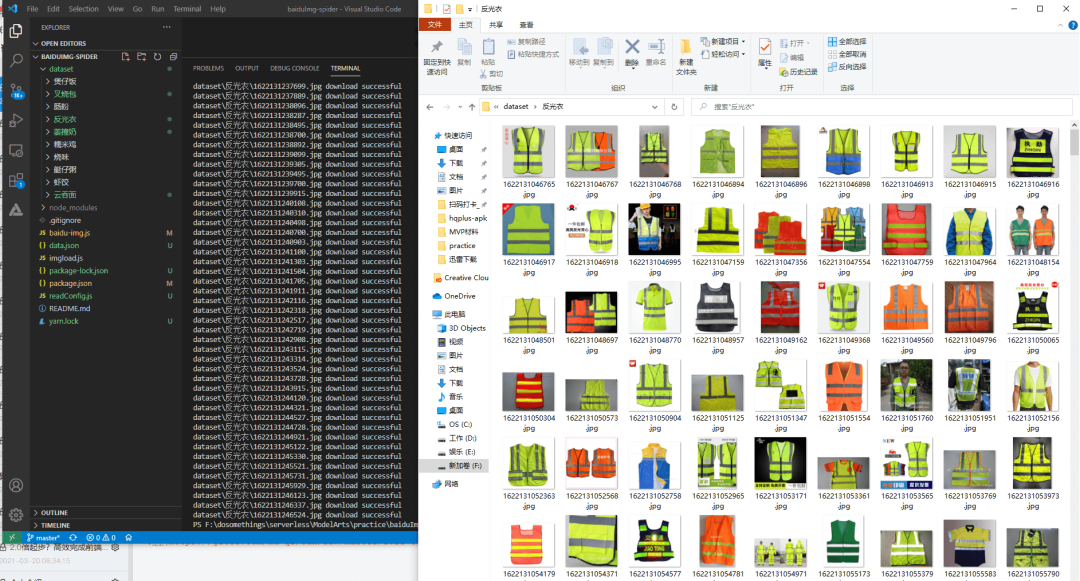
按照前端的慣例,一般需要安裝一下 NodeJS ,好比業(yè)界流傳的“無(wú)Node不前端”的調(diào)侃,NodeJS 是 JavaScript 的運(yùn)行時(shí),提供了服務(wù)端的能力。我們把代碼下載下來(lái)之后,先安裝 NodeJS,接著運(yùn)行npm install安裝依賴,再運(yùn)行node .\baidu-img.js --word=反光衣 --num=1000 --dir=./dataset/反光衣 --delay=200就能夠下載1000張反光衣的圖片了,當(dāng)然,往往理想是豐滿的,現(xiàn)實(shí)往往需要我們?cè)俅蚰ゴ蚰ァ?/p>

好像就這么簡(jiǎn)單,分享到此結(jié)束……
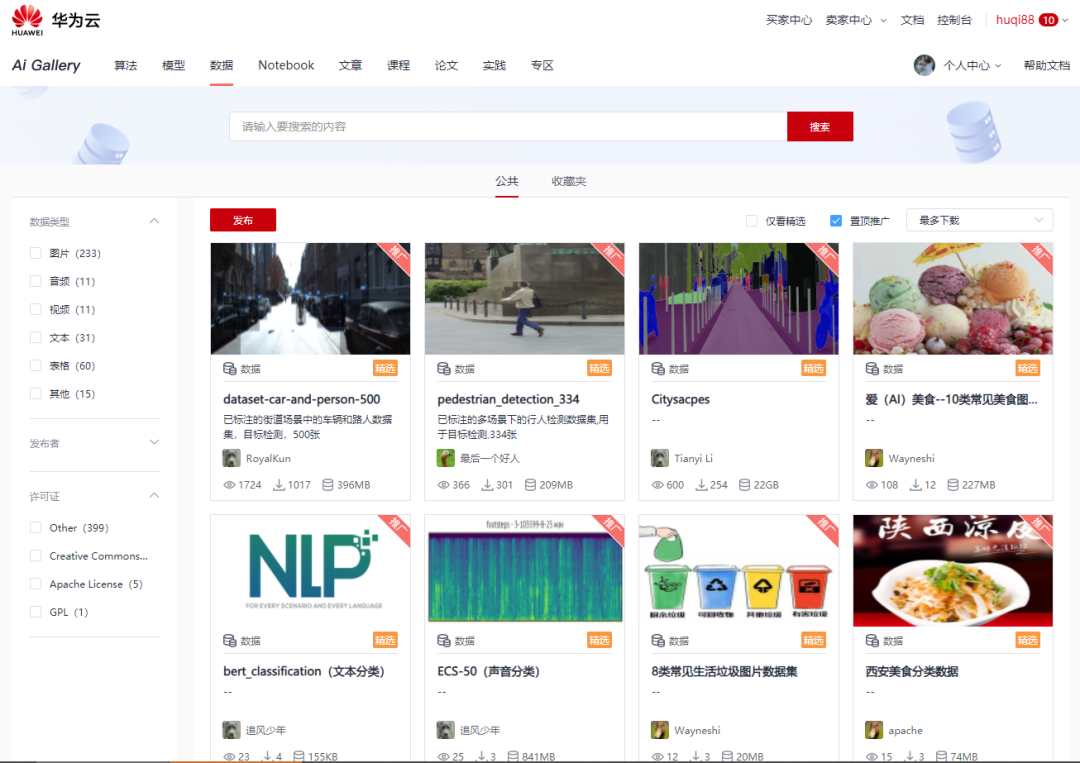
最后,如果您沒(méi)有數(shù)據(jù)集,可以來(lái) AIGallery 逛一逛,說(shuō)不定就有合適的數(shù)據(jù)集,甚至可以直接用來(lái)訓(xùn)練!我在 huaweicloud.ai ,期待您的參與!