
一個注解搞定 SpringBoot 接口防刷,還有誰不會?
點擊上方?好好學java?,選擇?星標?公眾號
重磅資訊,干貨,第一時間送達 今日推薦:分享一套基于SpringBoot和Vue的企業(yè)級中后臺開源項目,這個項目有點哇塞!
個人原創(chuàng)100W +訪問量博客:點擊前往,查看更多
作者:CS打贏你
blog.csdn.net/weixin_42533856/article/details/82593123
說明:使用了注解的方式進行對接口防刷的功能,非常高大上,本文章僅供參考
一,技術要點:springboot的基本知識,redis基本操作,
首先是寫一個注解類:
import?java.lang.annotation.Retention;
import?java.lang.annotation.Target;
?
import?static?java.lang.annotation.ElementType.METHOD;
import?static?java.lang.annotation.RetentionPolicy.RUNTIME;
?
@Retention(RUNTIME)
@Target(METHOD)
public?@interface?AccessLimit?{
?
????int?seconds();
????int?maxCount();
????boolean?needLogin()default?true;
}
接著就是在Interceptor攔截器中實現:
import?com.alibaba.fastjson.JSON;
import?com.example.demo.action.AccessLimit;
import?com.example.demo.redis.RedisService;
import?com.example.demo.result.CodeMsg;
import?com.example.demo.result.Result;
import?org.springframework.beans.factory.annotation.Autowired;
import?org.springframework.stereotype.Component;
import?org.springframework.web.method.HandlerMethod;
import?org.springframework.web.servlet.handler.HandlerInterceptorAdapter;
?
import?javax.servlet.http.HttpServletRequest;
import?javax.servlet.http.HttpServletResponse;
import?java.io.OutputStream;
?
@Component
public?class?FangshuaInterceptor?extends?HandlerInterceptorAdapter?{
?
????@Autowired
????private?RedisService?redisService;
?
????@Override
????public?boolean?preHandle(HttpServletRequest?request,?HttpServletResponse?response,?Object?handler)?throws?Exception?{
?
????????//判斷請求是否屬于方法的請求
????????if(handler?instanceof?HandlerMethod){
?
????????????HandlerMethod?hm?=?(HandlerMethod)?handler;
?
????????????//獲取方法中的注解,看是否有該注解
????????????AccessLimit?accessLimit?=?hm.getMethodAnnotation(AccessLimit.class);
????????????if(accessLimit?==?null){
????????????????return?true;
????????????}
????????????int?seconds?=?accessLimit.seconds();
????????????int?maxCount?=?accessLimit.maxCount();
????????????boolean?login?=?accessLimit.needLogin();
????????????String?key?=?request.getRequestURI();
????????????//如果需要登錄
????????????if(login){
????????????????//獲取登錄的session進行判斷
????????????????//.....
????????????????key+=""+"1";??//這里假設用戶是1,項目中是動態(tài)獲取的userId
????????????}
?
????????????//從redis中獲取用戶訪問的次數
????????????AccessKey?ak?=?AccessKey.withExpire(seconds);
????????????Integer?count?=?redisService.get(ak,key,Integer.class);
????????????if(count?==?null){
????????????????//第一次訪問
????????????????redisService.set(ak,key,1);
????????????}else?if(count?????????????????//加1
????????????????redisService.incr(ak,key);
????????????}else{
????????????????//超出訪問次數
????????????????render(response,CodeMsg.ACCESS_LIMIT_REACHED);?//這里的CodeMsg是一個返回參數
????????????????return?false;
????????????}
????????}
?
????????return?true;
?
????}
????private?void?render(HttpServletResponse?response,?CodeMsg?cm)throws?Exception?{
????????response.setContentType("application/json;charset=UTF-8");
????????OutputStream?out?=?response.getOutputStream();
????????String?str??=?JSON.toJSONString(Result.error(cm));
????????out.write(str.getBytes("UTF-8"));
????????out.flush();
????????out.close();
????}
}
再把Interceptor注冊到springboot中
import?com.example.demo.ExceptionHander.FangshuaInterceptor;
import?org.springframework.beans.factory.annotation.Autowired;
import?org.springframework.context.annotation.Configuration;
import?org.springframework.web.servlet.config.annotation.InterceptorRegistry;
import?org.springframework.web.servlet.config.annotation.WebMvcConfigurerAdapter;

@Configuration
public?class?WebConfig?extends?WebMvcConfigurerAdapter?{
?
????@Autowired
????private?FangshuaInterceptor?interceptor;
?
?
????@Override
????public?void?addInterceptors(InterceptorRegistry?registry)?{
????????registry.addInterceptor(interceptor);
????}
}
接著在Controller中加入注解
import?com.example.demo.result.Result;
import?org.springframework.stereotype.Controller;
import?org.springframework.web.bind.annotation.RequestMapping;
import?org.springframework.web.bind.annotation.ResponseBody;
?
@Controller
public?class?FangshuaController?{
?
????@AccessLimit(seconds=5,?maxCount=5,?needLogin=true)
????@RequestMapping("/fangshua")
????@ResponseBody
????public?Result?fangshua() {
?
?
????????return?Result.success("請求成功");
?
????}
本文有參考其他視頻的教學,希望可以幫助更多熱愛it行業(yè)的人,
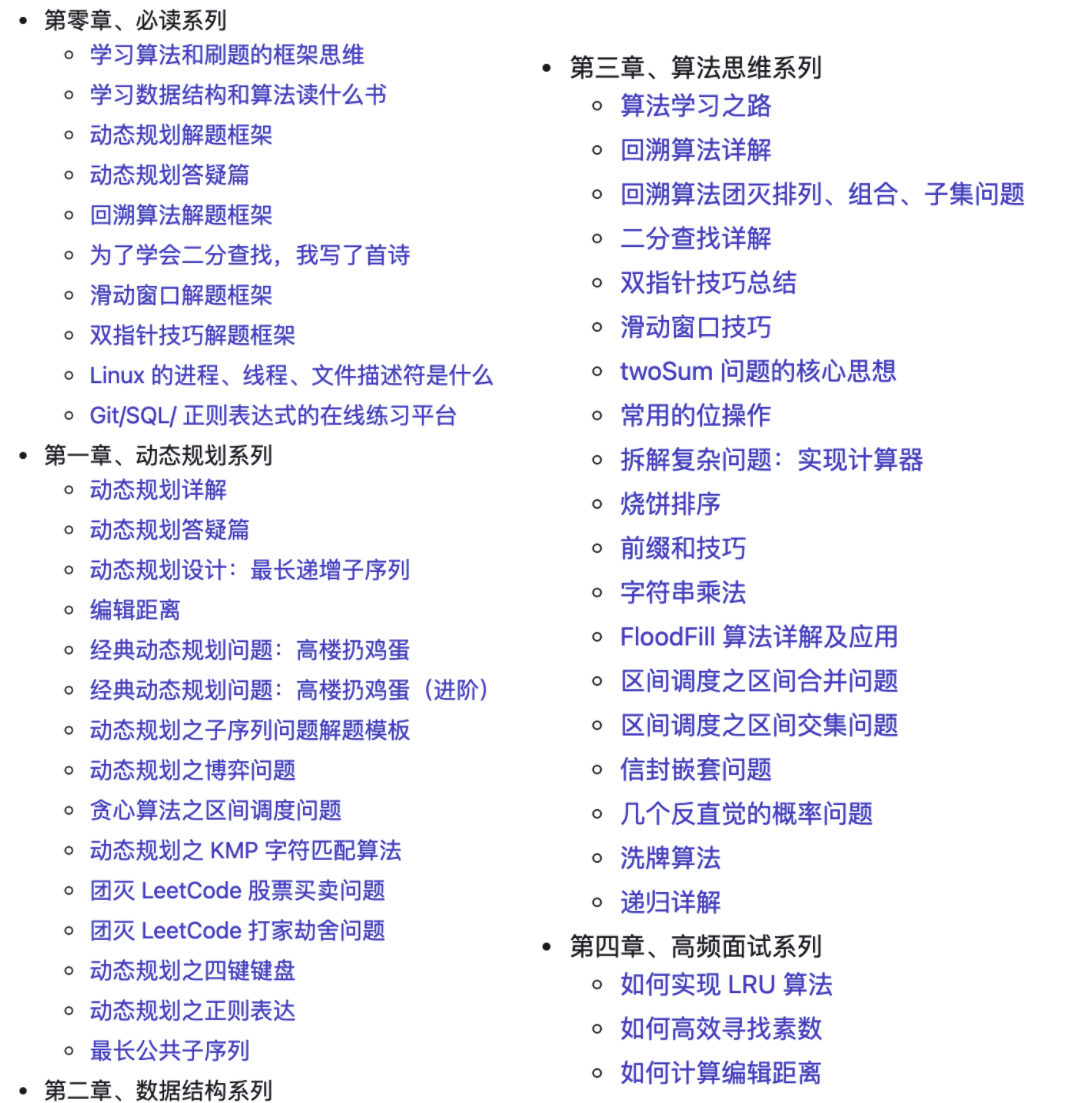
最后,再給大家分享一份很好的算法刷題指南,我們都知道面試的不可避免的就是手撕代碼,而且一般都是很難掌握的,我在前面面試中就是每天刷題,很費時間,也是很辛苦的,今天給大家推薦份來自字節(jié)跳動大佬的算法手冊,我看過,感覺很不錯,大家可以先看一下下面的內容:
點擊關注下方公眾號,回復「算法」獲取
評論
圖片
表情