
介紹一個新一代的請求庫-Undici
前言
在瀏覽器中,如果想發(fā)起一個請求,我們以前會使用到 xhr,不過這種底層 api,往往調(diào)用方式比較簡陋。為了提高開發(fā)效率, jQuery 的 $.ajax 可能是最好的選擇,好在后來出現(xiàn)了更加現(xiàn)代化的 fetch api 。
但是考慮到 fetch 的兼容性,而且它也不支持一些全局性的配置,以及請求中斷,在實際的使用過程中,我們可能會用到 axios 請求庫,來進(jìn)行一些請求。到了 Node.js 中,幾乎都會通過 request 這個庫,來進(jìn)行請求。遺憾的是,request 在兩年前就停止維護(hù)了,在 Node.js 中需要找到一個能夠替代的庫還挺不容易的。
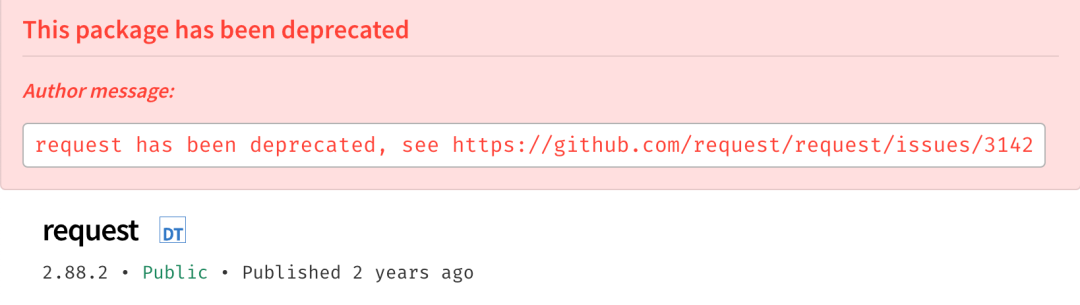
在 request 的 issues[1] 中,有一個表格推薦了一些在 Node.js 中常用的請求庫:
| 包名 | 包大小 | API風(fēng)格 | 簡介 |
|---|---|---|---|
| node-fetch[2] | 0.4kb | promise / stream | A light-weight module that brings window.fetch to Node.js |
| got[3] | 48.4kb | promise / stream | Simplified HTTP requests |
| axios[4] | 11.9kb | promise / stream | Promise based HTTP client for the browser and node.js |
| superagent[5] | 18kb | chaining / promise | Small progressive client-side HTTP request library, and Node.js module with the same API, sporting many high-level HTTP client features |
| urllib[6] | 816kb | callback / promise | Help in opening URLs (mostly HTTP) in a complex world — basic and digest authentication, redirections, cookies and more. |
瀏覽器中使用比較多的 axios,在 Node.js 中并不好用,特別是要進(jìn)行文件上傳的時候,會有很多意想不到的問題。
最近我在網(wǎng)上????的時候,發(fā)現(xiàn) Node.js 官方是有一個請求庫的:undici,名字取得還挺復(fù)雜的。所以,今天的文章就來介紹一下 undici。順便提一句,undici 是意大利語 11 的意思,好像雙十一也快到了,利好茅臺??。
Undici means eleven in Italian. 1.1 -> 11 -> Eleven -> Undici. It is also a Stranger Things reference.
上手
我們可以直接通過 npm 來安裝 undici:
npm?install?undici?-S
undici 對外暴露一個對象,該對象下面提供了幾個 API:
undici.fetch:發(fā)起一個請求,和瀏覽器中的fetch方法一致;undici.request:發(fā)起一個請求,和request庫有點類似,該方法支持 Promise;undici.stream:處理文件流,可以用來進(jìn)行文件的下載;
undici.fetch
注意:該方法需要 node 版本 >= v16.5.0
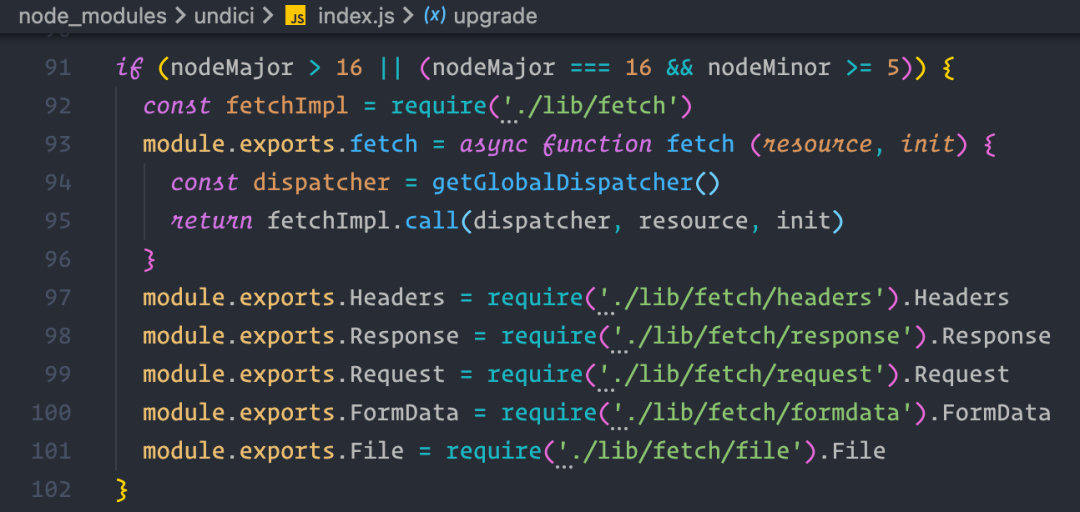
在通過 undici.fetch 請求服務(wù)之前,需要先通過 koa 啟動一個簡單登錄服務(wù)。
const?Koa?=?require('koa')
const?bodyParser?=?require('koa-bodyparser')

const?app?=?new?Koa()

app.use(bodyParser())
app.use(ctx?=>?{
??const?{?url,?method,?body?}?=?ctx.request
??if?(url?===?'/login')?{
????if?(method?===?'POST')?{
??????if?(body.account?===?'shenfq'?&&?body.password?===?'123456')?{
????????ctx.body?=?JSON.stringify({
??????????name:?'shenfq',
??????????mobile:?'130xxxxxx'
????????})
????????return
??????}
????}
??}
??ctx.status?=?404
??ctx.body?=?JSON.stringify({})
})

app.listen(3100)
上面代碼很簡單,只支持接受一個 POST 方法到 /login 路由。下面使用 undici.fetch 發(fā)起一個 POST 請求。
const?{?fetch?}?=?require('undici')

const?bootstrap?=?async?()?=>?{
??const?api?=?'http://localhost:3100/login'
??const?rsp?=?await?fetch(api,?{
????method:?'POST',
????headers:?{
??????'content-type':?'application/json'
????},
????body:?JSON.stringify({
??????account:?'shenfq',
??????password:?'123456'
????})
??})
??if?(rsp.status?!==?200)?{
????console.log(rsp.status,?'請求失敗')
????return
??}
??const?json?=?await?rsp.json()
??console.log(rsp.status,?json)
}

bootstrap()

如果將請求的方式改為 GET,就會返回 404。
const?rsp?=?await?fetch(api,?{
??method:?'GET'
})

undici.request
undici.request 的調(diào)用方式與 undici.fetch 類似,傳參形式也差不多。
const?{?request?}?=?require('undici')

const?bootstrap?=?async?()?=>?{
??const?api?=?'http://localhost:3100/login'
??const?{?body,?statusCode?}?=?await?request(api,?{
????method:?'POST',
????headers:?{
??????'content-type':?'application/json'
????},
????body:?JSON.stringify({
??????account:?'shenfq',
??????password:?'123456'
????})
??})
??const?json?=?await?body.json()
??console.log(statusCode,?json)
}

bootstrap()

只是返回結(jié)果有點不一樣,request 方法返回的 http 響應(yīng)結(jié)果在 body 屬性中,而且該屬性也支持同 fetch 類似的 .json()/.text() 等方法。
中斷請求
安裝 abort-controller 庫,然后實例化 abort-controller,將中斷信號傳入 request 配置中。
npm?i?abort-controller
const?undici?=?require('undici')
const?AbortController?=?require('abort-controller')

//?實例化?abort-controller
const?abortController?=?new?AbortController()
undici.request('http://127.0.0.1:3100',?{
??method:?'GET',
??//?傳入中斷信號量
??signal:?abortController.signal,
}).then(({?statusCode,?body?})?=>?{
??body.on('data',?(data)?=>?{
????console.log(statusCode,?data.toString())
??})
})

我們運(yùn)行代碼,發(fā)現(xiàn)是可以請求成功的,是因為我們沒有主動調(diào)用中斷方法。
undici.request('http://127.0.0.1:3100',?{
??method:?'GET',
??signal:?abortController.signal,
}).then(({?statusCode,?body?})?=>?{
??console.log('請求成功')
??body.on('data',?(data)?=>?{
????console.log(statusCode,?data.toString())
??})
}).catch(error?=>?{
??//?捕獲由于中斷觸發(fā)的錯誤
??console.log('error',?error.name)
})

//?調(diào)用中斷
abortController.abort()
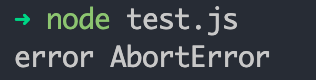
現(xiàn)在運(yùn)行代碼會發(fā)現(xiàn),并沒有輸出 請求成功 的日志,進(jìn)入了 catch 邏輯,成功的進(jìn)行了請求的中斷。
undici.steam
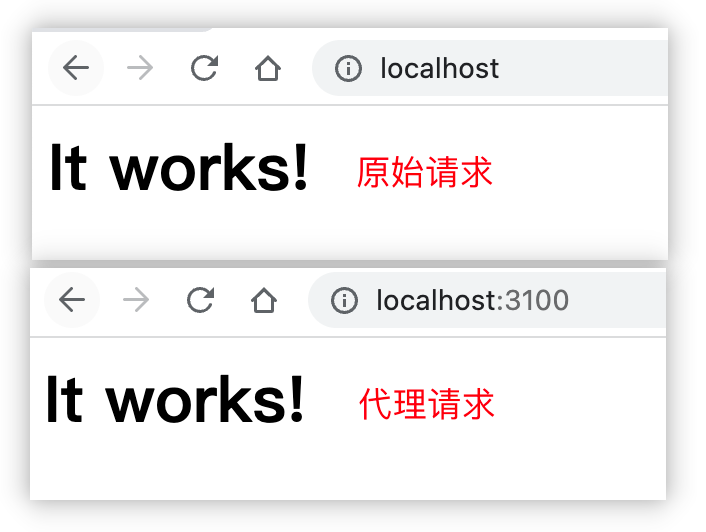
undici.steam 方法可以用來進(jìn)行文件下載,或者接口代理。
文件下載
const?fs?=?require('fs')
const?{?stream?}?=?require('undici')

const?out?=?fs.createWriteStream('./宋代-哥窯-金絲鐵線.jpg')
const?url?=?'https://img.dpm.org.cn/Uploads/Picture/dc/cegift/cegift6389.jpg'

stream(url,?{?opaque:?out?},?({?opaque?})?=>?opaque)

接口代理
const?http?=?require('http')
const?undici?=?require('undici')

//?將?3100?端口的請求,代理到?80?端口
const?client?=?new?undici.Client('http://localhost')
http.createServer((req,?res)?=>?{
??const?{?url,?method?}?=?req
??client.stream(
????{?method,?path:?url,opaque:?res?},
????({?opaque?})?=>?opaque
??)
}).listen(3100)
總結(jié)
本文只是介紹了 undici 幾個 api 的使用方式,看起來 undici 上手難度還是比較低的。但是兼容性還不太行,比如,fetch 只支持 [email protected] 以上的版本。
對于這種比較新的庫,個人還是建議多觀望一段時間,雖然 request 已經(jīng)廢棄了,我們還是使用一些經(jīng)過較長時間考驗過的庫,比如,egg 框架中使用的 urllib[7],還有一個 node-fetch[8],上手難度也比較低,與瀏覽器中的 fetch api 使用方式一致。
參考資料
issues: https://github.com/request/request/issues/3143
[2]node-fetch: https://www.npmjs.com/package/node-fetch
[3]got: https://www.npmjs.com/package/got
[4]axios: https://www.npmjs.com/package/axios
[5]superagent: https://www.npmjs.com/package/superagent
[6]urllib: https://www.npmjs.com/package/urllib
[7]urllib: https://www.npmjs.com/package/urllib
[8]node-fetch: https://www.npmjs.com/package/node-fetch