
有了 Swagger,再也不用寫 API說明文檔啦!

前言
Swagger 是什么?
1.作用:
啟動項目后在線自動生成API文檔
在線高效調試
2.官網(wǎng):https://swagger.io
knife4j 是什么?
為Java MVC框架集成Swagger的增強解決方案-前身是 swagger-bootstrap-ui
swagger-bootstrap-ui是springfox-swagger的增強UI實現(xiàn),為Java開發(fā)者在使用Swagger的時候,能擁有一份簡潔、強大的接口文檔體驗
1.作用:
接口排序
自定義文檔說明
訪問權限控制
請求參數(shù)緩存
調試動態(tài)請求參數(shù)
文檔說明等
2.官網(wǎng):https://doc.xiaominfo.com
整合
一、pom.xml 引入 依賴
????<dependency>
??????<groupId>io.springfoxgroupId>
??????<artifactId>springfox-swagger2artifactId>
??????<version>2.9.2version>
??????<exclusions>
??????????<exclusion>
??????????????<groupId>io.swaggergroupId>
??????????????<artifactId>swagger-annotationsartifactId>
??????????exclusion>
??????????<exclusion>
??????????????<groupId>io.swaggergroupId>
??????????????<artifactId>swagger-modelsartifactId>
??????????exclusion>
??????exclusions>
????dependency>
????
????
????????<dependency>
????????????<groupId>io.swaggergroupId>
????????????<artifactId>swagger-annotationsartifactId>
????????????<version>1.5.21version>
????????dependency>
????????
????????<dependency>
????????????<groupId>io.swaggergroupId>
????????????<artifactId>swagger-modelsartifactId>
????????????<version>1.5.21version>
????????dependency>

????
????<dependency>
??????<groupId>io.springfoxgroupId>
??????<artifactId>springfox-swagger-uiartifactId>
??????<version>2.9.2version>
????dependency>
????<dependency>
??????<groupId>com.github.xiaoymingroupId>
??????<artifactId>knife4j-spring-boot-starterartifactId>
??????<version>2.0.2version>
????dependency>
二、創(chuàng)建swagger配置文件(swaggerConfig.java)
@Configuration // 聲明為配置文件,讓spring加載
@EnableSwagger2 // 支持swagger2插件配置
@EnableKnife4j
@Import(BeanValidatorPluginsConfiguration.class)
public?class?Swagger2Config?{

??// apiInfo對象主要是設置我們api文檔的標題,描述,訪問的地址,創(chuàng)建者等信息
??@SuppressWarnings("deprecation")
??@Bean
??public?ApiInfo apiInfo() {
????return?new?ApiInfoBuilder()
????????.title("濃密秀發(fā)之謙先生的Api接口文檔")
????????.description("快速進行Api接口調試")
????????.termsOfServiceUrl("127.0.0.1:8080")
????????.contact("Qian")
????????.version("1.0")
????????.build();
??}

??/**
???* 創(chuàng)建API
???*/
??@Bean
??public?Docket createRestApi() {
????return?new?Docket(DocumentationType.SWAGGER_2)
????????// .pathMapping("/dev-api")
????????// 用來創(chuàng)建該API的基本信息,展示在文檔的頁面中(自定義展示的信息)
????????.apiInfo(apiInfo())
????????// 設置哪些接口暴露給Swagger展示
????????.select()
????????// 掃描所有有注解的api,用這種方式更靈活
????????// .apis(RequestHandlerSelectors.withMethodAnnotation(ApiOperation.class))
????????// 掃描指定包中的swagger注解
????????.apis(RequestHandlerSelectors.basePackage("cn.timer.api"))
????????// 掃描所有 .apis(RequestHandlerSelectors.any())
????????.paths(PathSelectors.any()).build()
????????/* 設置安全模式,swagger可以設置訪問token */
????????.securitySchemes(securitySchemes()).securityContexts(securityContexts());
??}

??/**
???* 安全模式,這里指定token通過Authorization頭請求頭傳遞
???*/
??private?List securitySchemes() {
????List apiKeyList = new?ArrayList();
????apiKeyList.add(new?ApiKey("Authorization", "Authorization", "header"));
????return?apiKeyList;
??}

??/**
???* 安全上下文
???*/
??private?List securityContexts() {
????List securityContexts = new?ArrayList<>();
????securityContexts.add(SecurityContext.builder().securityReferences(defaultAuth())
????????.forPaths(PathSelectors.regex("^(?!auth).*$")).build());
????return?securityContexts;
??}

??/**
???* 默認的安全上引用
???*/
??private?List defaultAuth() {
????AuthorizationScope authorizationScope = new?AuthorizationScope("global", "accessEverything");
????AuthorizationScope[] authorizationScopes = new?AuthorizationScope[1];
????authorizationScopes[0] = authorizationScope;
????List securityReferences = new?ArrayList<>();
????securityReferences.add(new?SecurityReference("Authorization", authorizationScopes));
????return?securityReferences;
??}

}
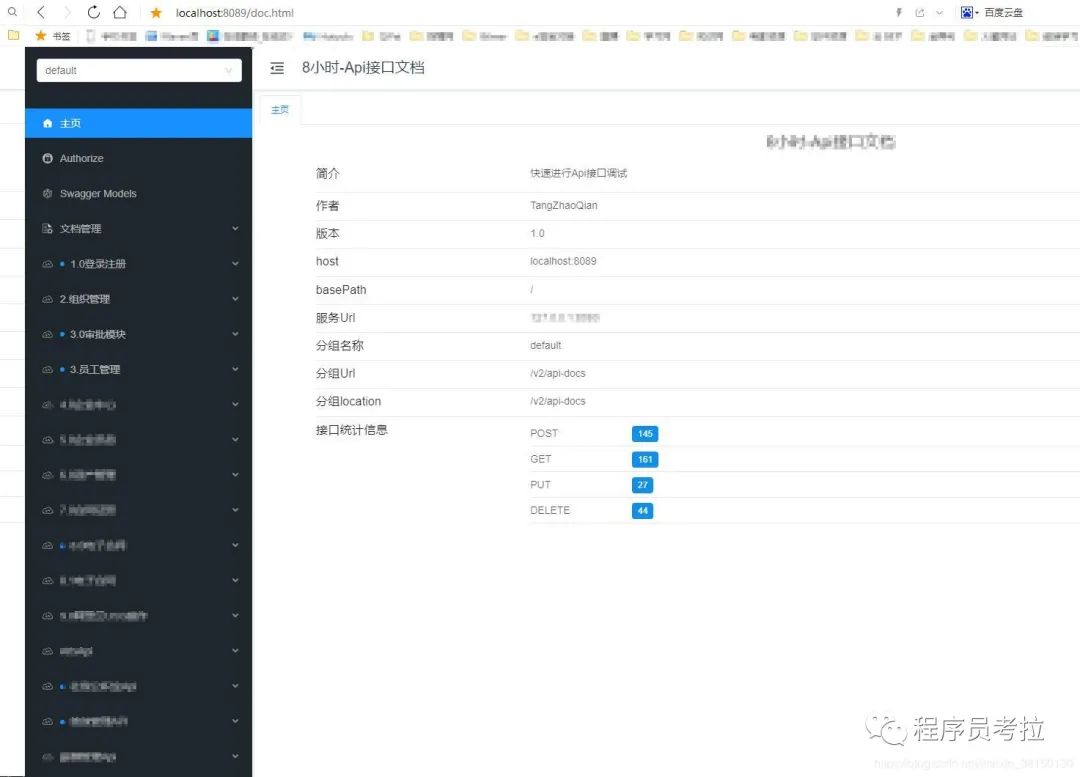
三、啟動項目,訪問 http://localhost:8089/doc.html (請求的端口看自身情況,我項目配置的是8089)
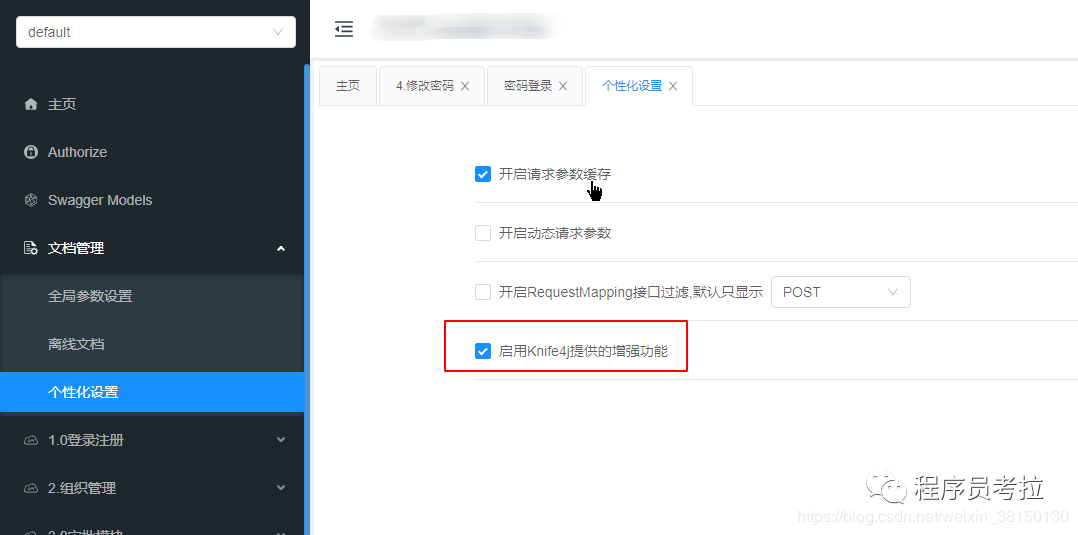
補充:API排序需要開啟 增強模式
若無法訪問或訪問后API無法正常顯示,原因有以下幾點:
路徑 http://localhost:8089/doc.html 被攔截
靜態(tài)資源被后端攔截,如 js、html等
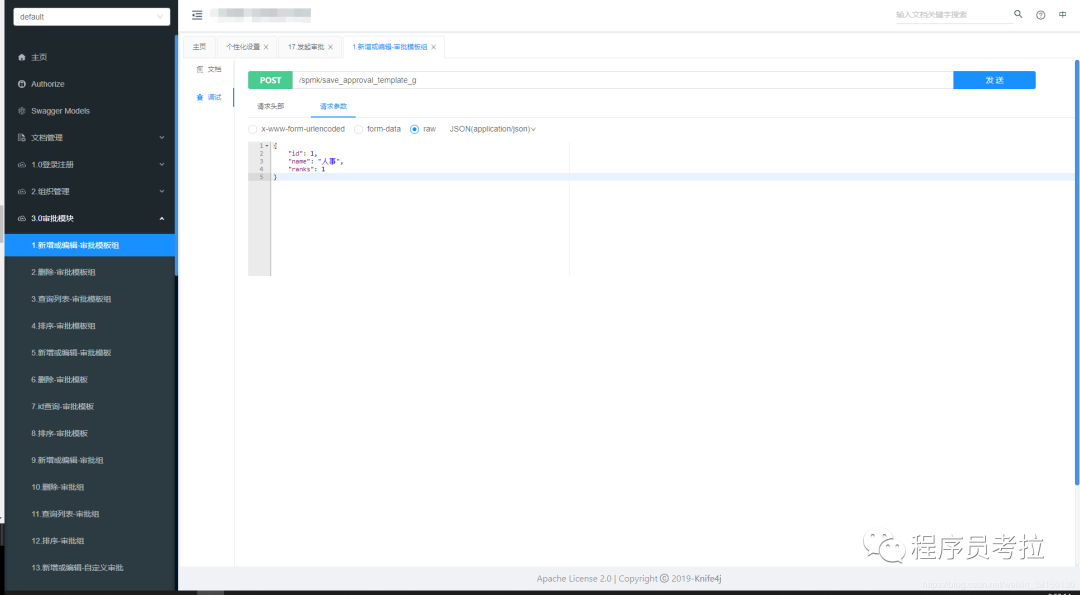
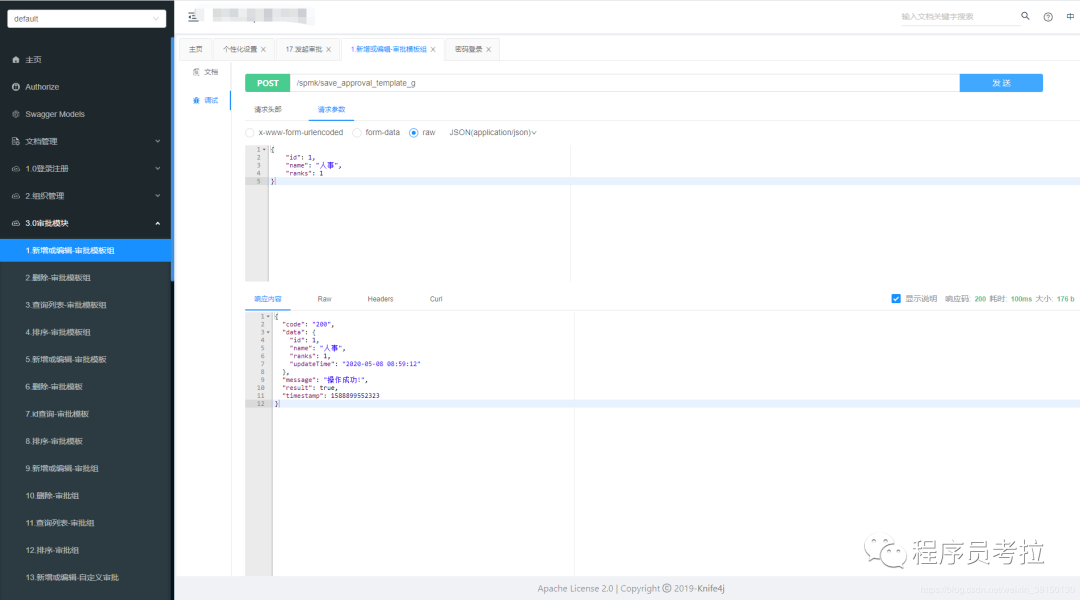
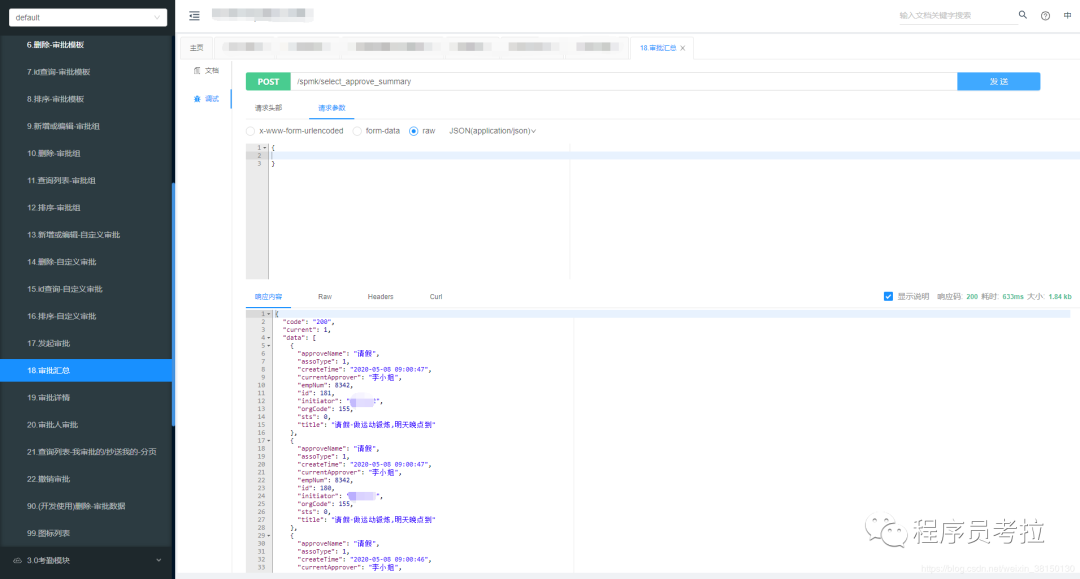
效果圖
注解
tag排序:
@Api(tags = "1.0登錄")
@Api(tags = "2.0注冊")
api排序:
@ApiOperationSupport(order = 1)
@ApiOperationSupport(order = 2)
整合過程中遇到的問題:
@ApiModelProperty注解example屬性格式無法被解析
@ApiModelProperty(value = "是否默認", example = "["0","1"]")
example 的值 [“0”,“1”] 數(shù)組格式無法被解析,建議該為{}或字符串
出處:blog.csdn.net/weixin_38150130/article/details/105650695
點個“在看”哦!