
前端架構探索與實踐
前文
從思考、到探索、到腳手架的產生,后面經過一系列的項目開發(fā),不斷優(yōu)化和改良。目前已經成功應用到房產中間頁(改名天貓房產)中。這里,做一下總結。
?「僅為拋磚,希望看完這個系列的同學可以相互探討學習一下」
?
為什么使用源碼
目前,我們大多數(shù)頁面,包括搜索頁、頻道頁都是大黃蜂搭建的頁面。至于搭建的優(yōu)點,這里就不多贅述了。而我們使用源碼編寫,主要是基于以下幾點思考:
穩(wěn)定性要求高 頁面模塊多而不定 快速回滾方案 模塊通信復雜
源碼架構

?架構圖需要調整。此為稿圖,位置放的有些不合理,表述不清
?
底層技術支撐主要采用 Rax1.0 + TypeScript + Jest 編碼。通過 pmcli生成項目腳手架。腳手架提供基礎的文件代碼組織和組件。包括 Components,commonUtils,document,modules等。當然,這些組件最終會被抽離到 puicom group 下。
再往上,是容器層。容器提供一些可插拔的 hooks 能力。并且根據(jù) component 的配置來渲染不同的組件到頁面中,首屏組件和按需加載組件。最后,支撐到每一個對應的頁面里面。
分工組織
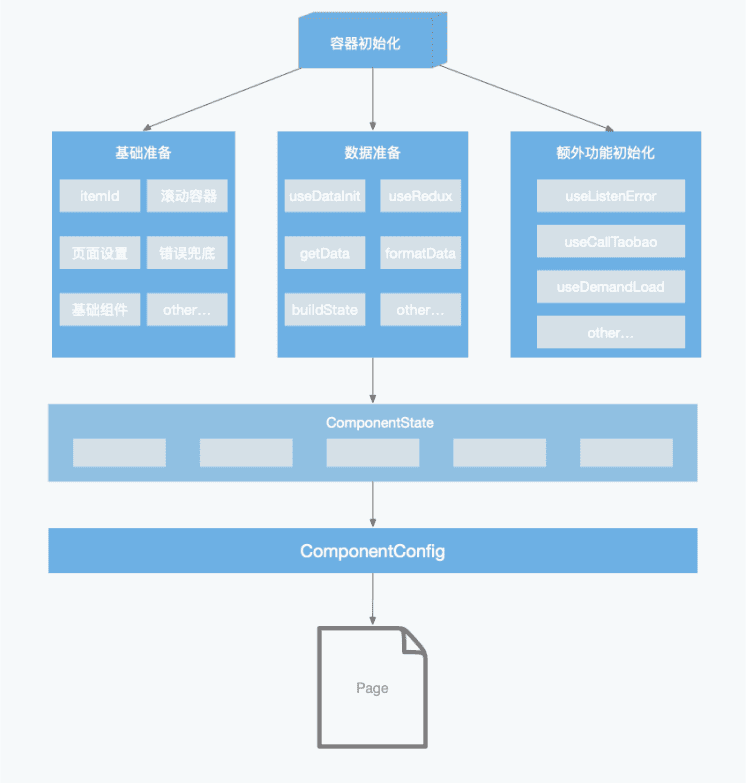
對于一個頁面,無論是 react 還是 rax,其實都是 fn(x)=>UI 的過程。所以整理流程無非就是拿到接口屬于渲染到 UI 中。所以對于中間頁的架構而言也是如此。
首先拿到基本的接口數(shù)據(jù),通過自定義的狀態(tài)管理,掛載到全局 state 對應的組件名下。容器層通過組件的配置文件,渲染對應的組件。最終呈現(xiàn)出完成的一個頁面。當然,其中會有一些額外的容器附屬功能,比如喚起手淘、監(jiān)聽鍵盤彈起等這個按需插入對應 hooks 即可。屬于業(yè)務層邏輯。
工程目錄
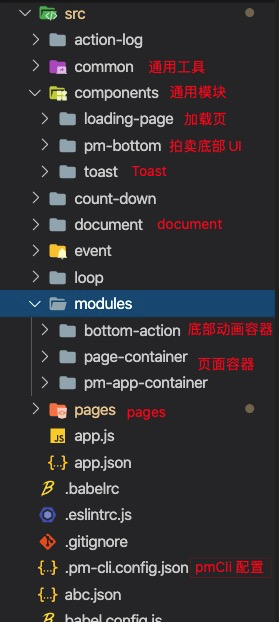
工程結構
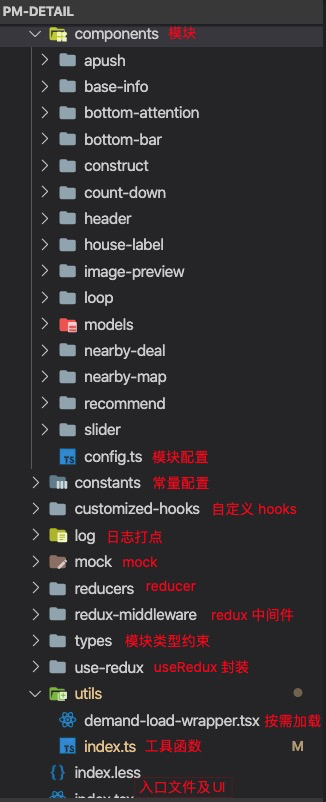
頁面結構
模塊結構

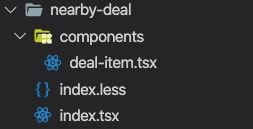
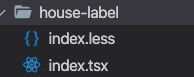
?以上結構在之前文章中都有介紹到
?
補充
?這里補充下動態(tài)加載,以及入口 index 的寫法。理論上這部分,在使用這套架構的同學,無需關心
?
index.tsx
return?(
????<H5PageContainer
??????title={PAGE_TITLE}
??????showPlaceHolder={isLoading}
??????renderPlaceHolder={renderLoadingPage}
??????renderHeader={renderHeader}
??????renderFooter={renderFooter}
??????toTopProps={{
????????threshold:?400,
????????bottom:?203,
??????}}
??????customStyles={{
????????headWrapStyles:?{
??????????zIndex:?6,
????????},
??????}}
????>
??????{renderSyncCom(
????????asyncComConfig,
????????dao,
????????dispatch,
????????reloadPageNotRefresh,
????????reloadTick
??????)}
??????{renderDemandCom(
????????demandComConfig,
????????offsetBottom,
????????dao,
????????dispatch,
????????reloadPageNotRefresh,
????????reloadTick
??????)}
??????<BottomAttention?/>
????H5PageContainer>
??);
模塊動態(tài)加載
/**
?*?按需按需加載容器組件
?*
?*?@export
?*?@param?{*}?props?按需加載的組件?props+path
?*?@returns?需按需加載的子組件
?*/
export?default?function(props:?IWrapperProps)?{
??const?placeHolderRef:?any?=?useRef(null);
??const?{?offsetBottom,?...otherProps?}?=?props;
??const?canLoad?=?useDemandLoad(offsetBottom,?placeHolderRef);
??const?[comLoaded,?setComLoaded]?=?useState(false);
??//?加入?hasLoaded?回調
??const?wrapProps?=?{
????...otherProps,
????hasLoaded:?setComLoaded,
??};
??return?(
????
??????????????x-if={!comLoaded}
????????ref={placeHolderRef}
????????style={{?width:?750,?height:?500,?marginTop:?20?}}
????????source={{?uri:?PLACEHOLDER_PIC?}}
????????resizeMode={"contain"}
??????/>
??????
????
??);
}
/**
?*?動態(tài)加載
?*?@param?props
?*/
function?ImportWrap(props:?IWrapperProps)?{
??const?{?path,?...otherProps?}?=?props;
??const?[Com,?error]?=?useImport(path);
??if?(Com)?{
????return?
??}?else?if?(error)?{
????console.error(error);
????return?null;
??}?else?{
????return?null;
??}
}
use-demand-load.ts
import?{?useState,?useEffect?}?from?'rax';
import?{?px2rem?}?from?'@ali/puicom-universal-common-unit';

/**
?*?判斷組件按需加載,即將進去可視區(qū)
?*/
export?function?useDemandLoad(offsetBottom,?comRef):?boolean?{
????const?[canLoad,?setCanLoad]?=?useState(false);
????const?comOffsetTop?=?px2rem(comRef?.current?.offsetTop?||?0);

????useEffect(()?=>?{
????????if?(canLoad)?return;
????????if?(offsetBottom?>?comOffsetTop?&&?!canLoad)?{
????????????setCanLoad(true);
????????}
????},?[offsetBottom]);

????useEffect(()?=>?{
????????setCanLoad(comRef?.current?.offsetTop?0));
????},?[comRef]);

????return?canLoad;
}
模塊編寫與狀態(tài)分發(fā)
模塊編寫
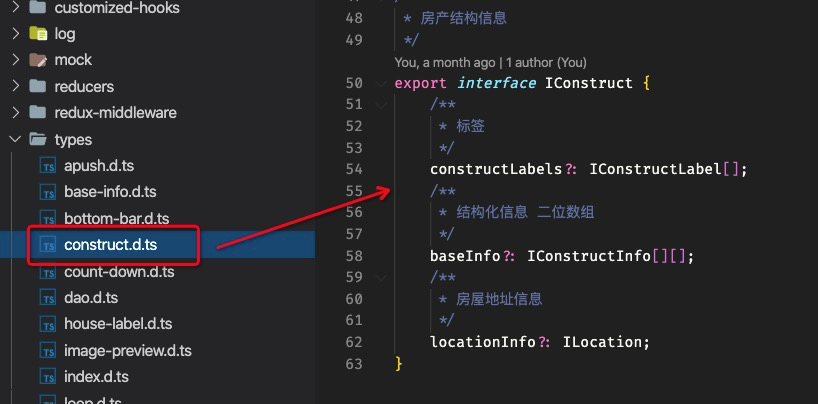
types
編寫模塊數(shù)據(jù)類型
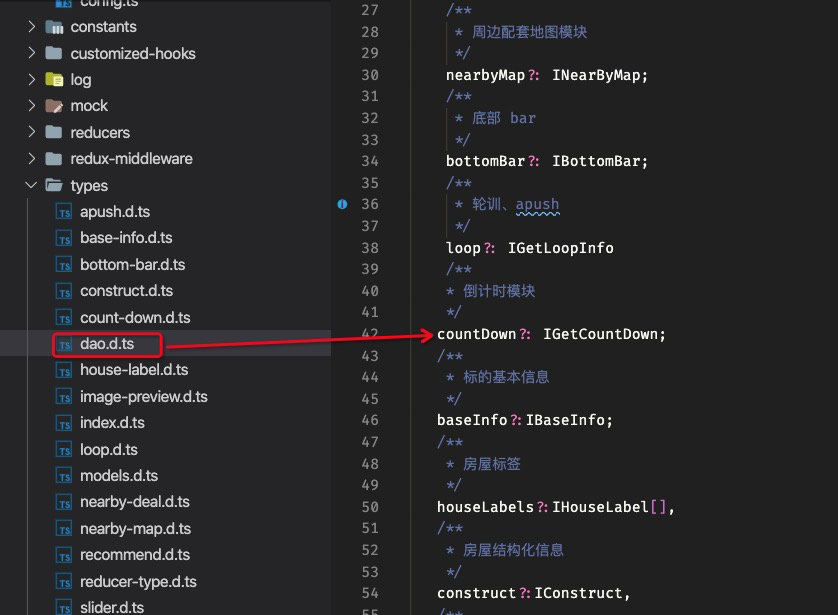
掛載到 dao(dataAccessObject) 下
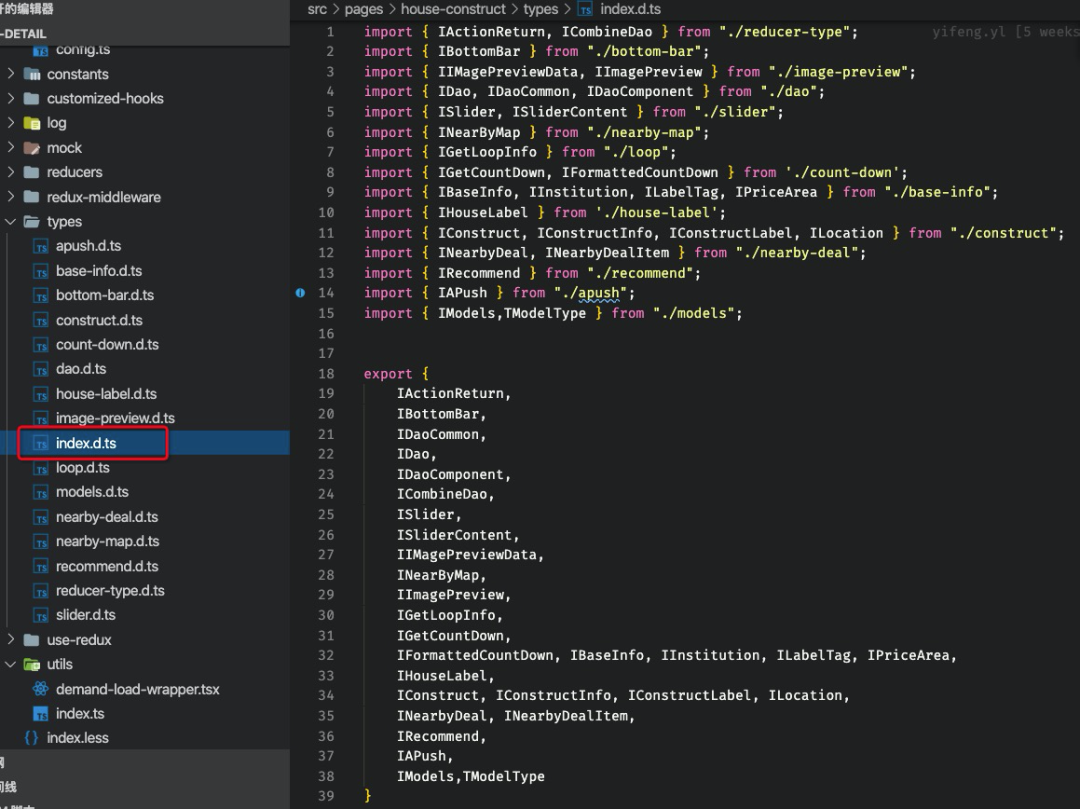
統(tǒng)一導出
?避免文件引入過多過雜
?
type/index.d.ts
reducers
編寫模塊對應reducer
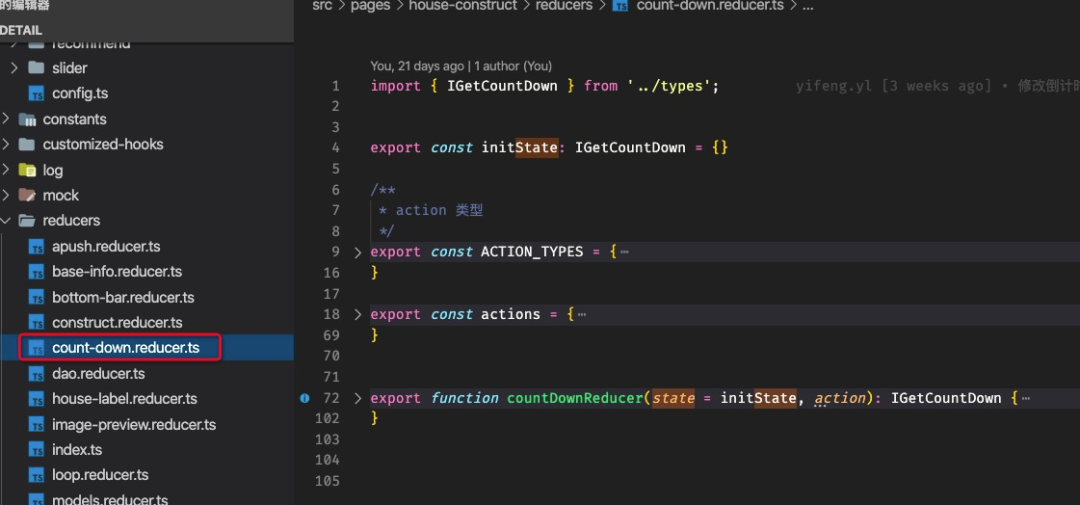
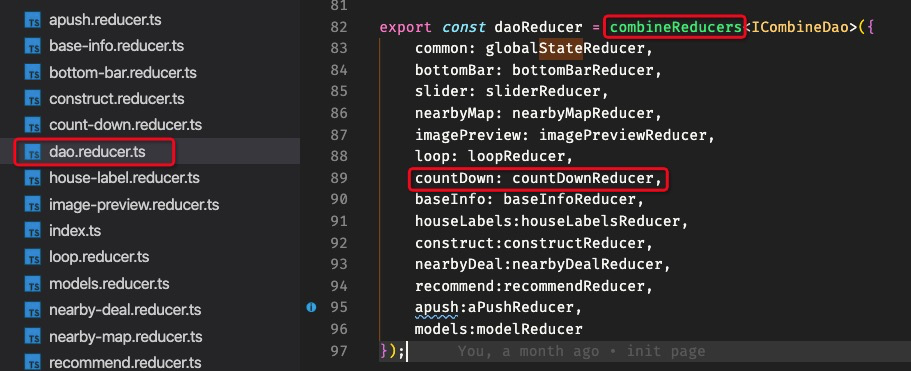
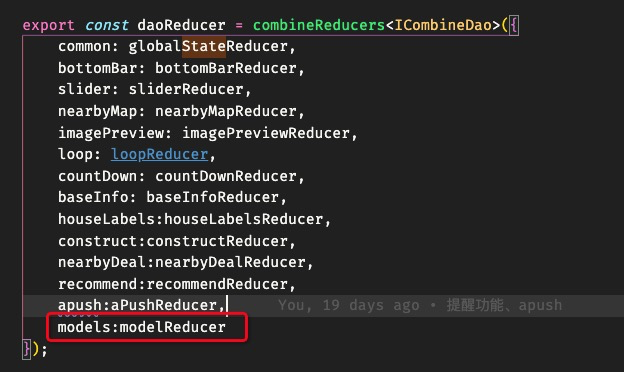
在 daoReducer 中統(tǒng)一掛載
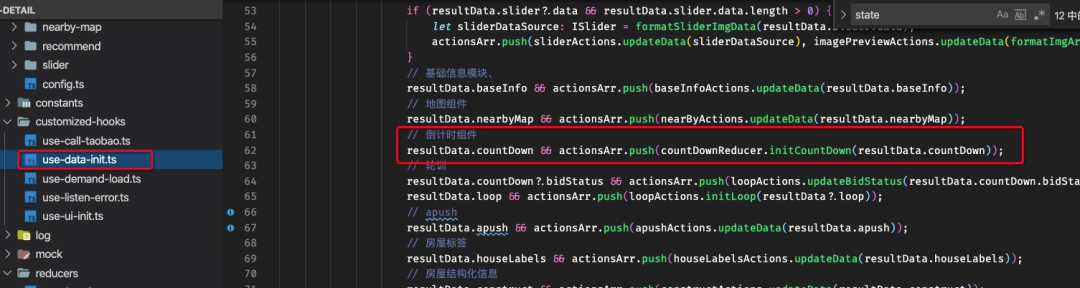
數(shù)據(jù)分發(fā)
componentConfig
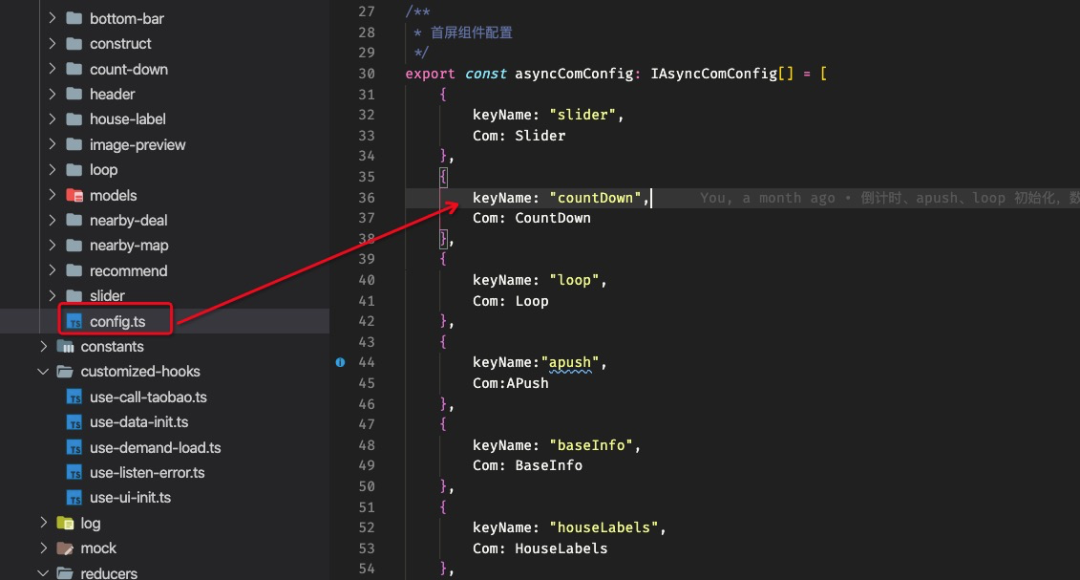
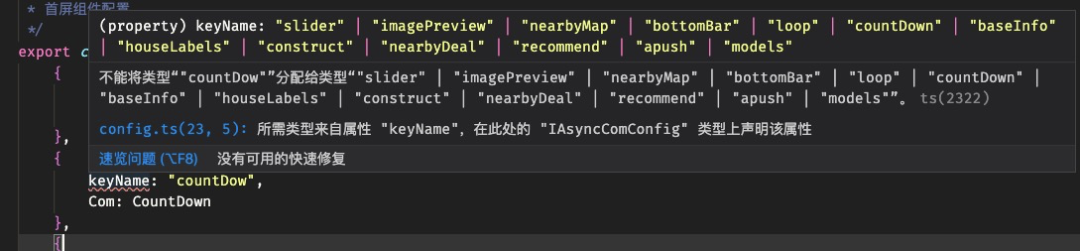
?此處 keyName 是 type/dao.d.ts 下聲明的值。會進行強校驗。填錯則分發(fā)不到對應的組件中
?
component

數(shù)據(jù)在 props.dataSource 中
狀態(tài)分發(fā)
模塊聲明需要掛載到 type/dao.d.ts中reducer?需要combine?到dao.reduer.ts中在 useDataInit中dispatch對應Action在 config?中配置 (才會被渲染到 UI)
Demo 演示
?以彈層為例
?
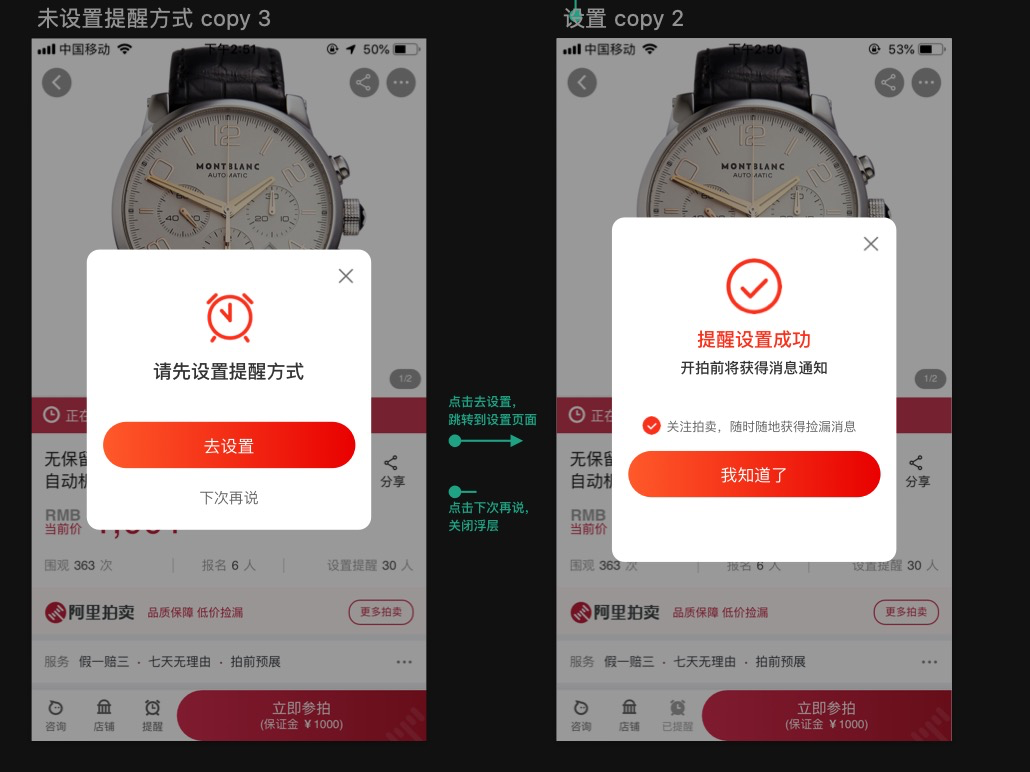
將所有彈層看做為一個模塊,只是內容不同而已。而內容,即為我們之前說的組件目錄結構中的 components 內容
定義模塊 Models
定義模塊類型
編寫模塊屬于類型
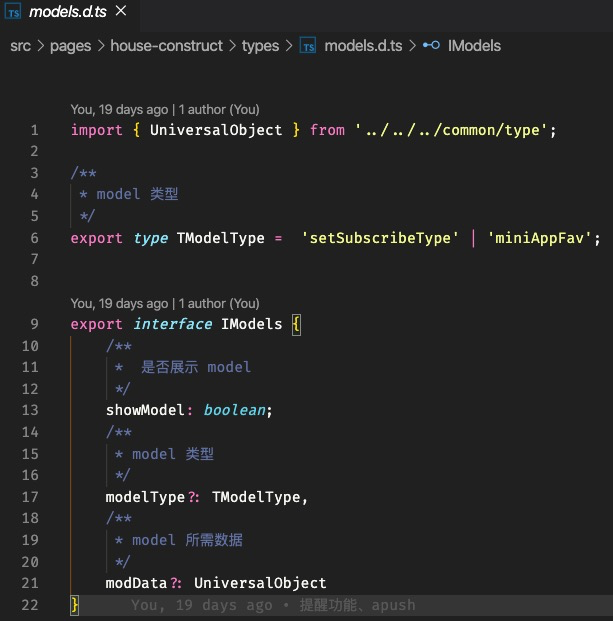
掛載到 dao 中
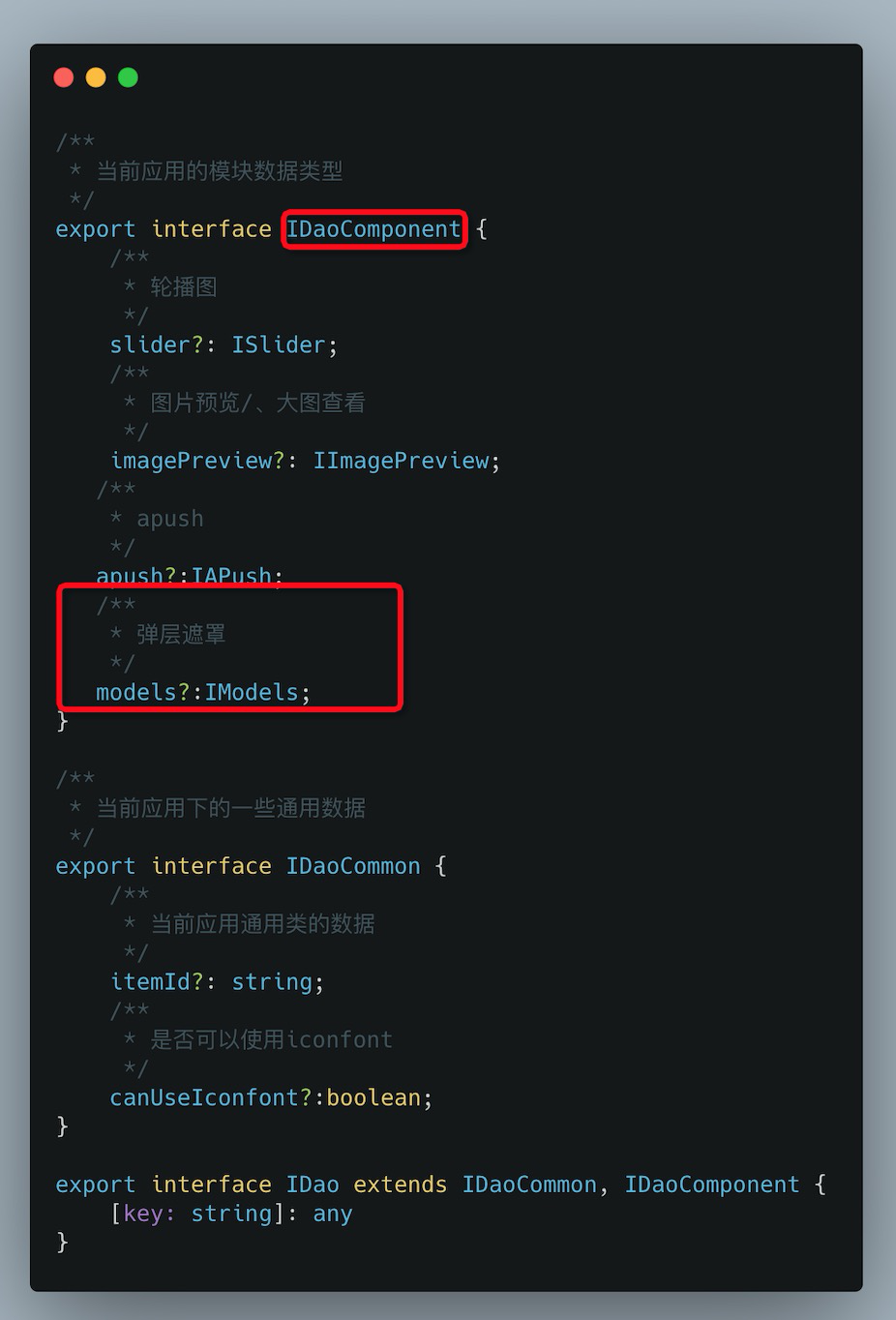
reducer
編寫組件所需的 reducer
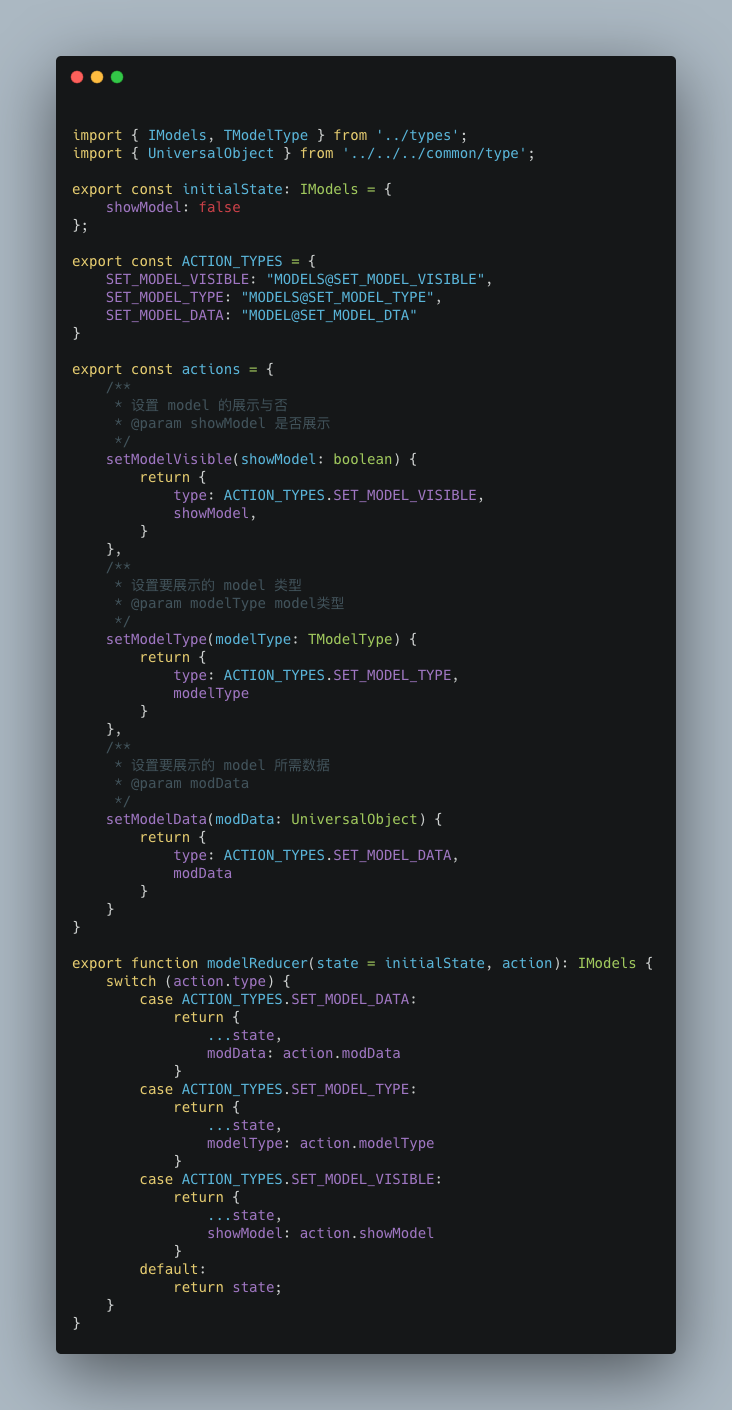
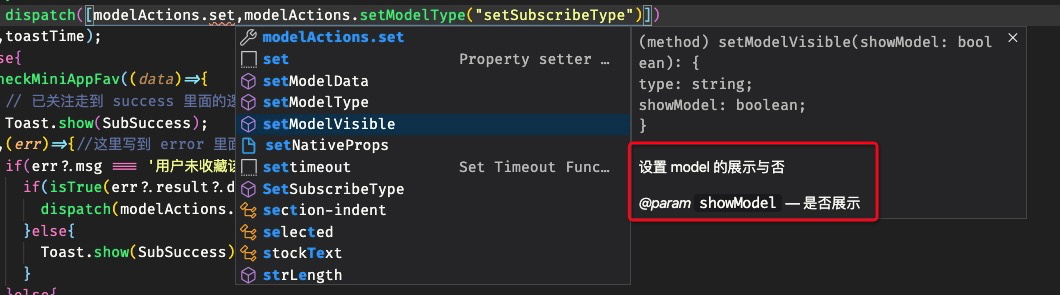
?actions 的注釋非常有必要
?
combine 到 dao 中
編寫組件


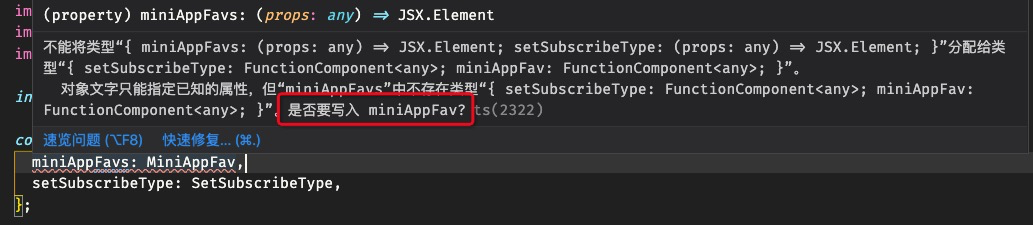
組件編寫
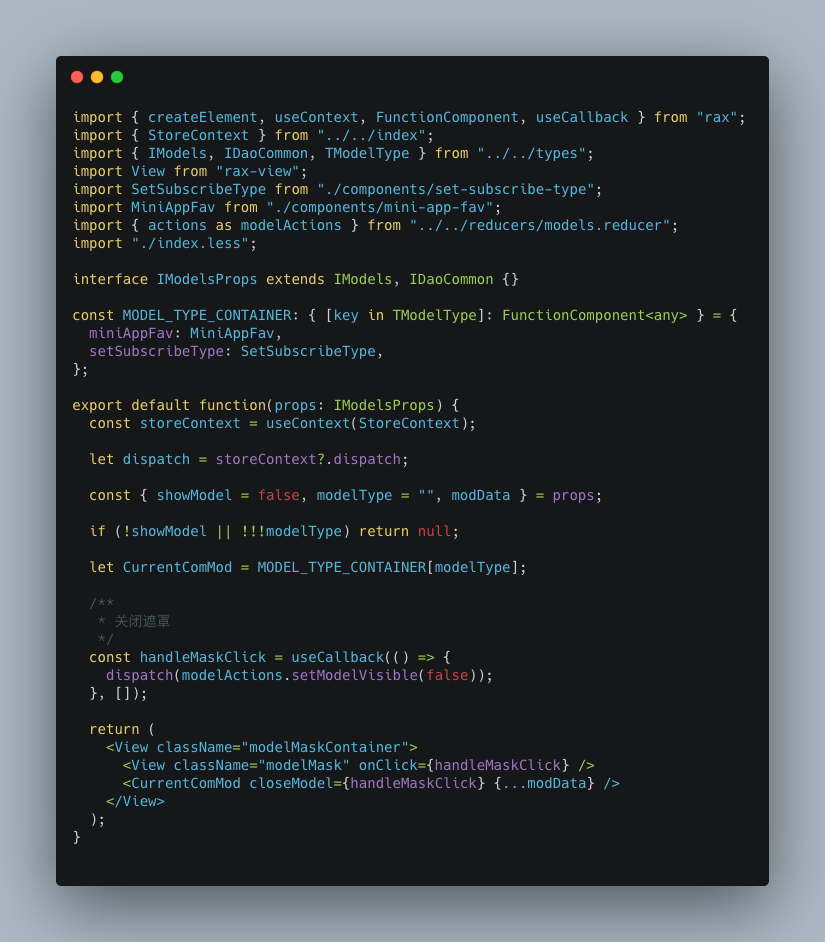
通信
導入對應 action
import?{?actions?as?modelActions?}?from?"../../../reducers/models.reducer";
dispatch
?dispatch([modelActions.setModelVisible(true),modelActions.setModelType("setSubscribeType")])
?觸發(fā) ts 校驗
?


效果
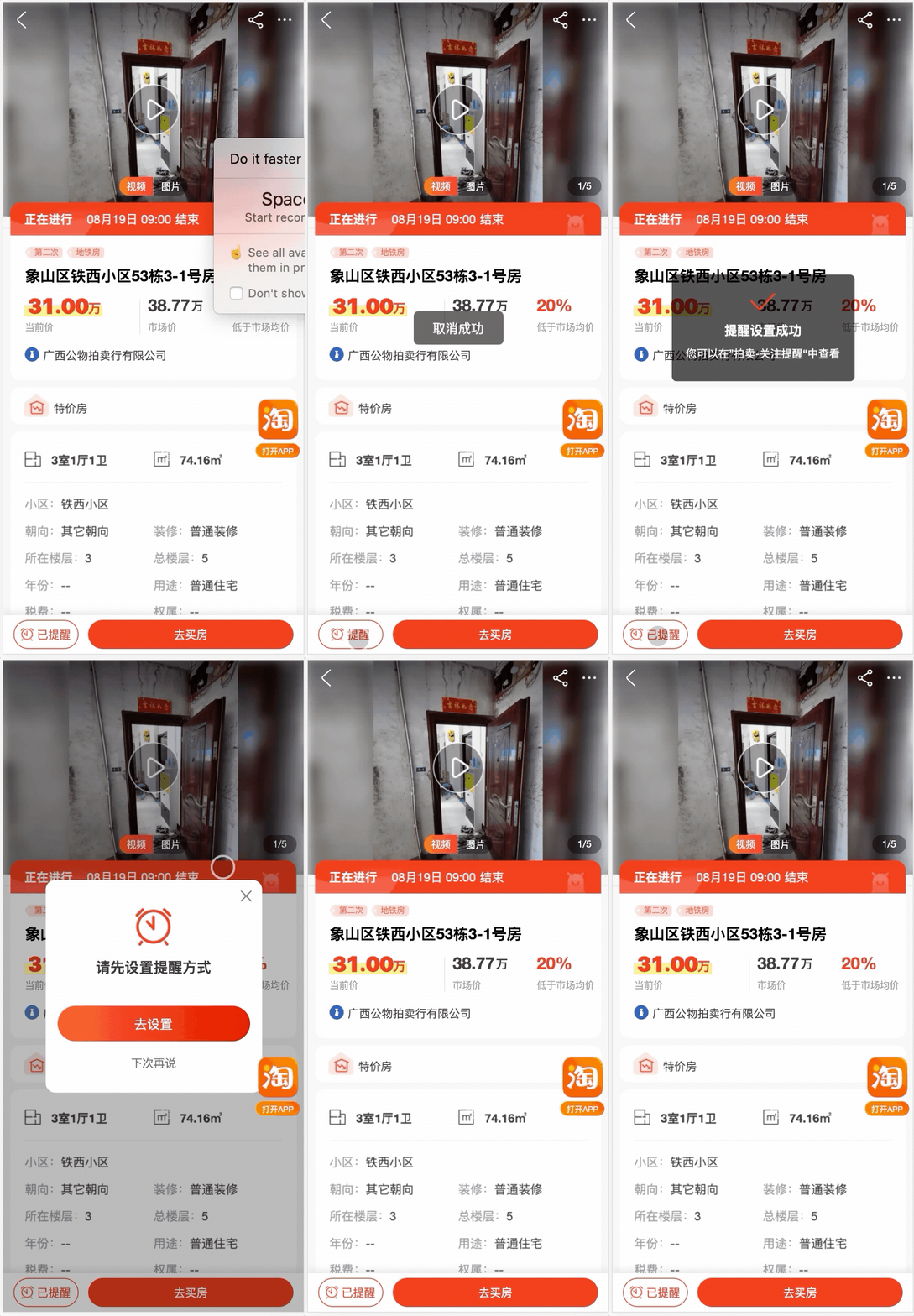
頁面容器
?基于拍賣通用容器組件改造
?
改造點:「基于 body 滾動」。
因為我們目前頁面都是 h5 頁面了,之前則是 weex 的。所以對于容器的底層,之前使用的 RecycleView :固定 div 高度,基于 overflow 來實現(xiàn)滾動的。
雖然,在 h5 里面這種滾動機制有些”難受“,但是罪不至”換“。但是尷尬至于在于,iOS 的橡皮筋想過,在頁面滾動到頂部以后,如果頁面有頻繁的動畫或者 setState 的時候,會導致頁面重繪,重新回到頂部。與手動下拉頁面容器的橡皮筋效果沖突,而「倒是頁面瘋狂抖動」。所以。。。。重構。
舊版容器功能點
?源碼頁面中使用的部分
?

重構后的使用
?基本沒有太大改變
?
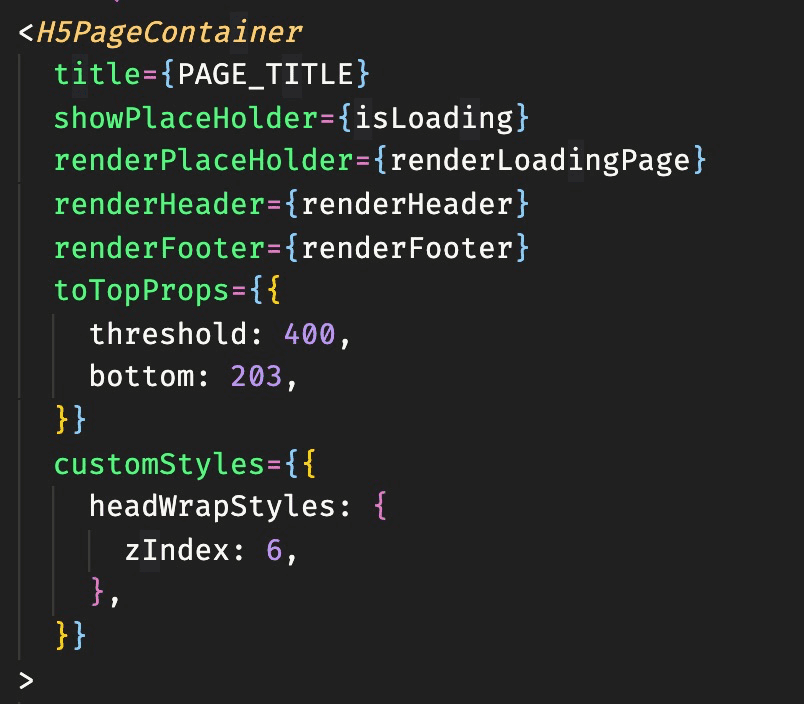
簡單拆解實現(xiàn)
type
import?{?FunctionComponent,?RaxChild,?RaxChildren,?RaxNode,?CSSProperties?}?from?'rax';

export?interface?IHeadFootWrapperProps?{
????/**
?????*?需要渲染的子組件
?????*/
????comFunc?:?()?=>?FunctionComponent?|?JSX.Element;
????/**
?????*?組件類型
?????*/
????type:?"head"?|?"foot",
????/**
?????*?容器樣式
?????*/
????wrapStyles?:?CSSProperties;
}

/**
?*?滾動到頂部組件屬性
?*/
export?interface?IScrollToTopProps?{
????/**
?????*?距離底部距離
?????*/
????bottom?:?number;
????/**
?????*?zIndex
?????*/
????zIndex?:?number;
????/**
?????*?icon?圖片地址
?????*/
????icon?:?string;
????/**
?????*?暗黑模式的?icon?圖片地址
?????*/
????darkModeIcon?:?string;
????/**
?????*?icon寬度
?????*/
????iconWidth?:?number;
????/**
?????*?icon?高度
?????*/
????iconHeight?:?number;
????/**
?????*?滾動距離(滾動多少觸發(fā))
?????*/
????threshold?:?number;
????/**
?????*?點擊回滾到頂部是否有動畫
?????*/
????animated?:?boolean;
????/**
?????*?距離容器右側距離
?????*/
????right?:?number;
????/**
?????*?展示回調
?????*/
????onShow?:?(...args)?=>?void;
????/**
?????*?消失回調
?????*/
????onHide?:?(...args)?=>?void;
}
/**
?*?內容容器
?*/
export?interface?IContentWrapProps{
????/**
?????*?children
?????*/
????children:RaxNode;
????/**
?????*?隱藏滾動到頂部
?????*/
????hiddenScrollToTop?:boolean;
?????/**
?????*?返回頂部組件?Props
?????*/
????toTopProps?:?IScrollToTopProps;
????/**
?????*?渲染頭部
?????*/
????renderHeader?:?()?=>?FunctionComponent?|?JSX.Element;
????/**
?????*?渲染底部
?????*/
????renderFooter?:?()?=>?FunctionComponent?|?JSX.Element;
????/**
?????*?自定義容器樣式
?????*/
????customStyles?:?{
????????/**
?????????*?body?容器樣式
?????????*/
????????contentWrapStyles?:?CSSProperties;
????????/**
?????????*?頭部容器樣式
?????????*/
????????headWrapStyles?:?CSSProperties;
????????/**
?????????*?底部容器樣式
?????????*/
????????bottomWrapStyle?:?CSSProperties;
????};
????/**
?????*?距離底部多少距離開始觸發(fā)?endReached
?????*/
????onEndReachedThreshold?:?number;
}

export?interface?IContainerProps?extends?IContentWrapProps?{
????/**
?????*?頁面標題
?????*/
????title:?string;
????/**
?????*?頁面?placeHolder
?????*/
????renderPlaceHolder?:?()?=>?FunctionComponent?|?JSX.Element;
????/**
?????*?是否展示?placeH
?????*/
????showPlaceHolder?:?boolean;
}
index.tsx
const isDebug = isTrue(getUrlParam('pm-debug'));
export default function({
  children,
  renderFooter,
  renderHeader,
  title,
  onEndReachedThreshold = 0,
  customStyles = {},
  toTopProps = {},
  showPlaceHolder,
  renderPlaceHolder,
  hiddenScrollToTop=false
}: IContainerProps) {
  if (!isWeb) return null;

  // 監(jiān)聽滾動
  useListenScroll();
  // 設置標題
  useSetTitle(title);
  // 監(jiān)聽 error 界面觸發(fā)
  const { errorType } = useListenError();

  return (

              x-if={errorType === "" && !showPlaceHolder}
        renderFooter={renderFooter}
        customStyles={customStyles}
        renderHeader={renderHeader}
        onEndReachedThreshold={onEndReachedThreshold}
        toTopProps={toTopProps}
        hiddenScrollToTop={hiddenScrollToTop}
      >
        {children}

      {renderPlaceHolder && showPlaceHolder && renderPlaceHolder()}


  );
}

export { APP_CONTAINER_EVENTS };
通過 Fragment 包裹,主題是 ContentWrap,ErrorPage、VConsole、Holder放置主體以外。
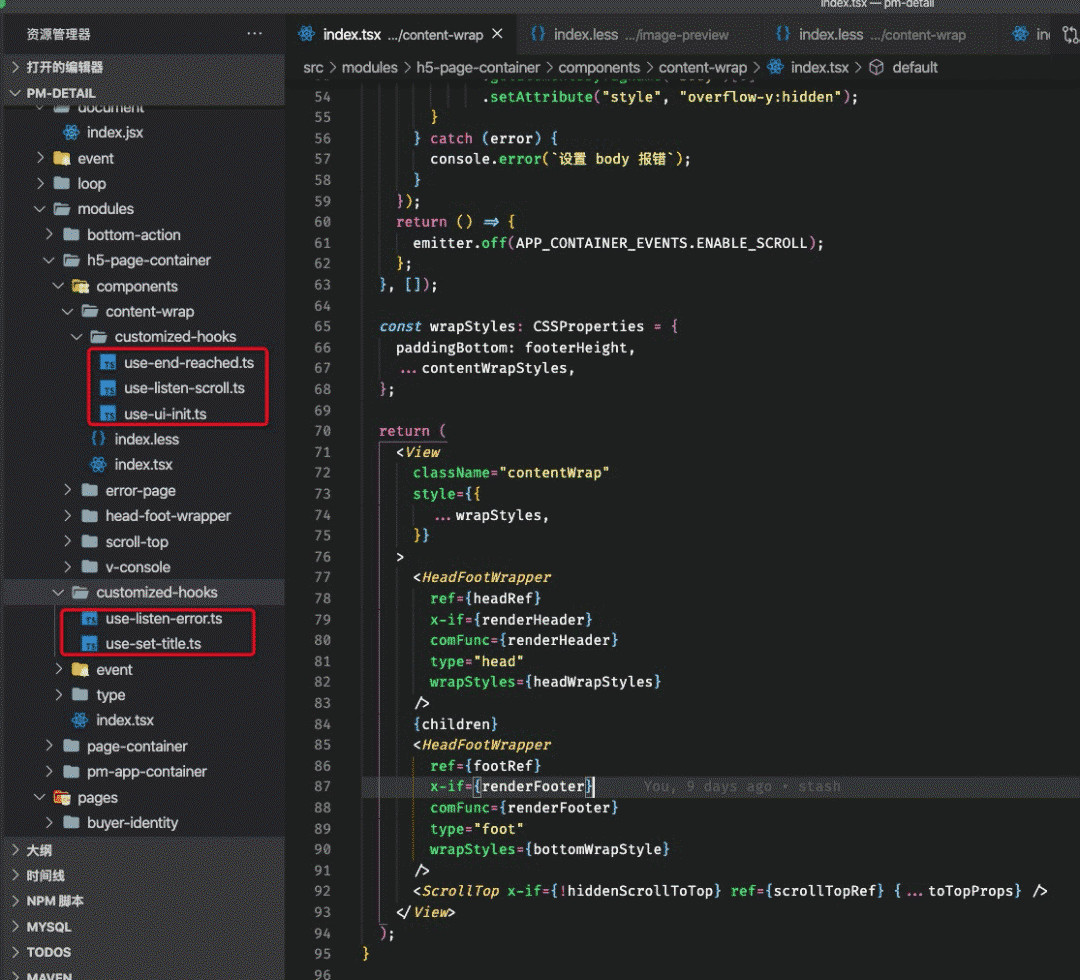
?相關 hooks 功能點完全區(qū)分開來
?
廣播事件
/**
?*?Events?以頁面為單位
?*/
export?const?APP_CONTAINER_EVENTS?=?{
????SCROLL:?'H5_PAGE_CONTAINER:SCROLL',
????TRIGGER_ERROR:?'H5_PAGE_CONTAINER:TRIGGER_ERROR',
????END_REACHED:?'H5_PAGE_CONTAINER:END_REACHED',
????HIDE_TO_TOP:?'H5_PAGE_CONTAINER:HIDE_TO_TOP',
????RESET_SCROLL:?'H5_PAGE_CONTAINER:RESET_SCROLL',
????ENABLE_SCROLL:"H5_PAGE_CONTAINER:H5_PAGE_CONTAINER"
}
pm-cli
安裝:tnpm install -g @ali/pmcli
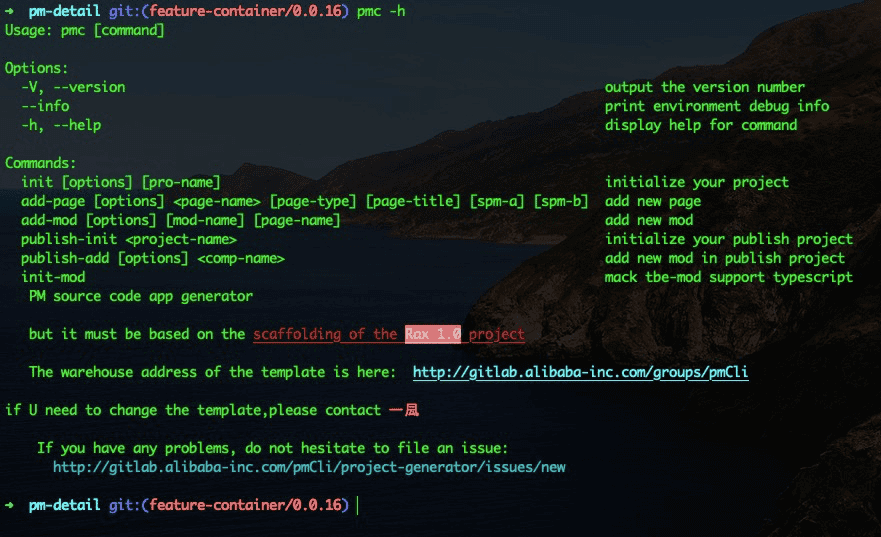
這里在介紹下命令:
基本使用
pmc init
在空目錄中調用,則分兩步工作: 首先調用 tnpm init rax初始化出來 rax 官方腳手架目錄修改 package.json中name為當前所在文件夾的文件夾名稱升級為拍賣源碼架構,下載對應腳手架模板:init-project 在已 init rax后的項目中調用升級為拍賣源碼架構,下載對應腳手架模板:init-project
?注意:經過 pmc 初始化的項目,在項目根目錄下回存有
?.pm-cli.config.json配置文件
pmc add-page
在當前 項目中新增頁面,選擇三種頁面類型

推薦使用 simpleSource、customStateManage
頁面模板地址:add-page
pmc add-mod
根據(jù)所選擇頁面,初始化不同類型的模塊
模塊模板地址為:add-mod
pmc init-mod
調用def init tbe-mod,并且將倉庫升級為支持 ts 開發(fā)模式
pmc publish-init
發(fā)布端架構初始化,基于 react 應用
發(fā)布端架構模板地址:publish-project
pmc publish-add
添加發(fā)布端模塊
模塊模板地址:publish-mod
pmc init-mod
調用 def init tbe-mod 命令,并同時升級為 ts 編碼環(huán)境。
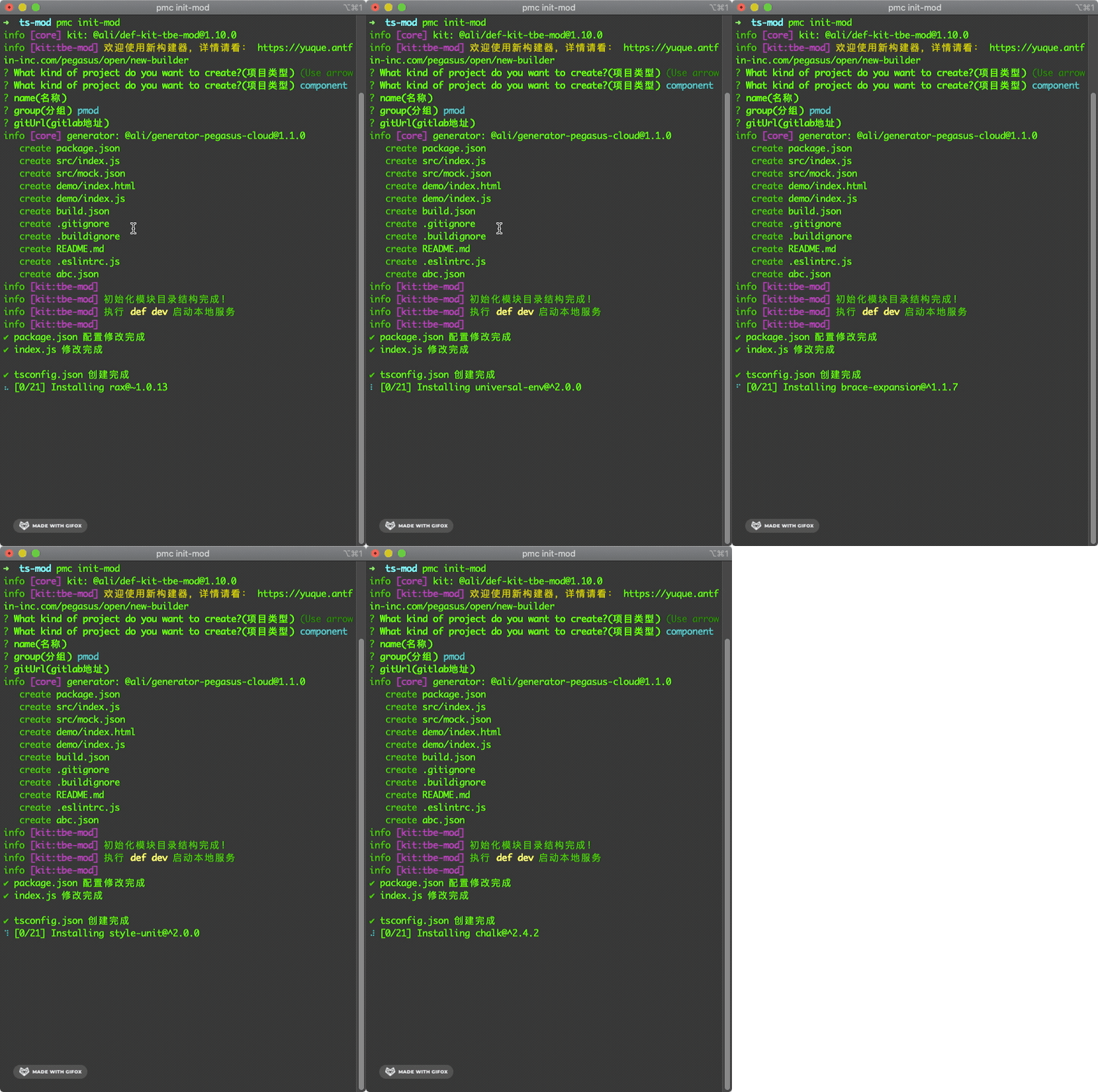
?配置環(huán)境、安裝依賴、直接運行
?
相關體驗地址(部分無法訪問)
阿里房產 底層容器 (單獨抽離組件ing) pmCli ts tbeMod