
Python Web實(shí)戰(zhàn):Flask + Vue 開發(fā)一個(gè)漂亮的詞云網(wǎng)站
關(guān)注"Python學(xué)習(xí)與數(shù)據(jù)挖掘",
設(shè)為“置頂或星標(biāo)”,第一時(shí)間送達(dá)干貨
今天就分享一個(gè)用Flask做的詞云生成網(wǎng)站,非常有意思的小web,適合練手。
這是一個(gè)前端用 Vue,后端用 Python 的 Web 框架 Flask 開發(fā)的詞云生成應(yīng)用,代碼已上傳到 flask-vue-word-cloud
項(xiàng)目地址:https://github.com/77Y/flask-vue-word-cloud
目錄結(jié)構(gòu)
先簡(jiǎn)單看一下項(xiàng)目的目錄結(jié)構(gòu),backend 是 Flask 實(shí)現(xiàn)的服務(wù)端,frontend 是 Vue 實(shí)現(xiàn)的前端。
.
├── backend
│?? ├── app
│?? └── venv
└── frontend
    ├── README.md
    ├── build
    ├── config
    ├── dist
    ├── index.html
    ├── node_modules
    ├── package-lock.json
    ├── package.json
    ├── src
    └── static
再來(lái)看一下目前代碼的運(yùn)行效果:
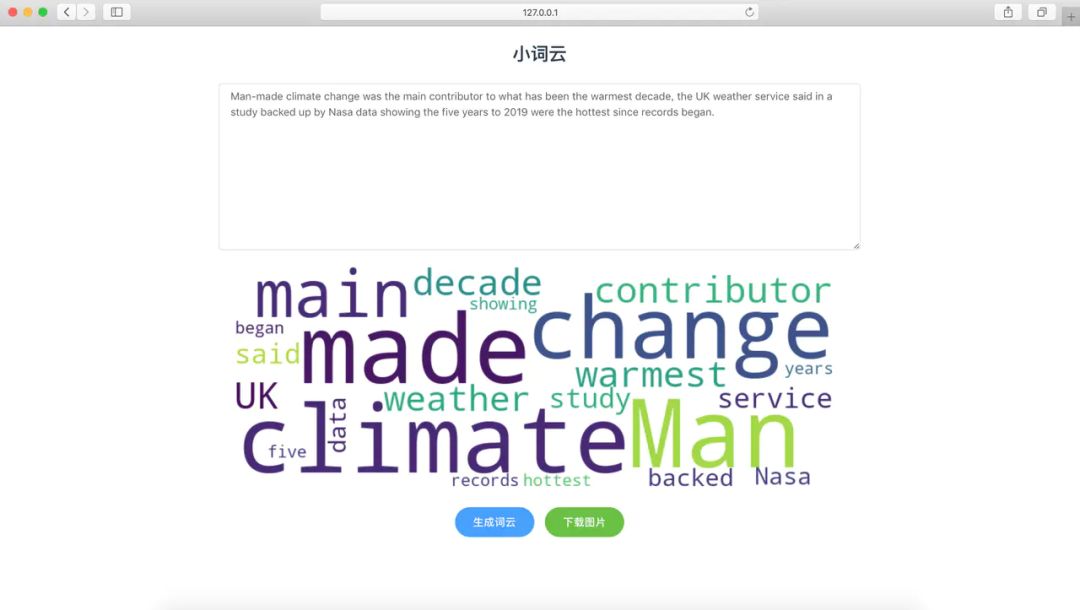
開發(fā)環(huán)境
硬件:
macOS Mojave 10.14.6
軟件:
nodejs v11.6.0 Python 3.7.4
請(qǐng)確保已經(jīng)安裝好了node js 環(huán)境,可參考nodejs官網(wǎng)進(jìn)行安裝。
前端開發(fā)
1、安裝vue-cli
安裝 vue-cli Vue CLI 是一個(gè)基于 Vue.js 進(jìn)行快速開發(fā)的完整系統(tǒng)。
$ npm install -g vue-cli
2、創(chuàng)建項(xiàng)目
新建目錄
$ mkdir word-cloud
$ cd word-cloud/
創(chuàng)建項(xiàng)目
$ vue init webpack frontend
執(zhí)行完上面的命令后,會(huì)讓你設(shè)置項(xiàng)目的基本信息,我的配置如下:
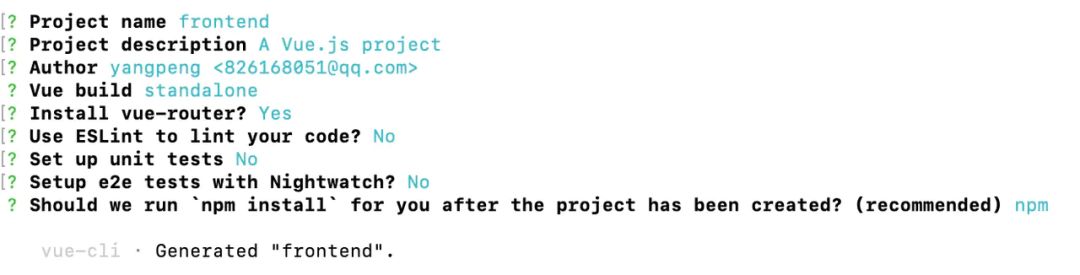
然后等待安裝一些基本的依賴,完成之后進(jìn)入到 frontend 目錄
$ cd frontend
$ npm run dev
執(zhí)行完后會(huì)在控制臺(tái)提示
Your application is running here: http://localhost:8080
說(shuō)明我們現(xiàn)在已經(jīng)可以跑起來(lái)了,可以訪問(wèn)一下http://localhost:8080,如下:
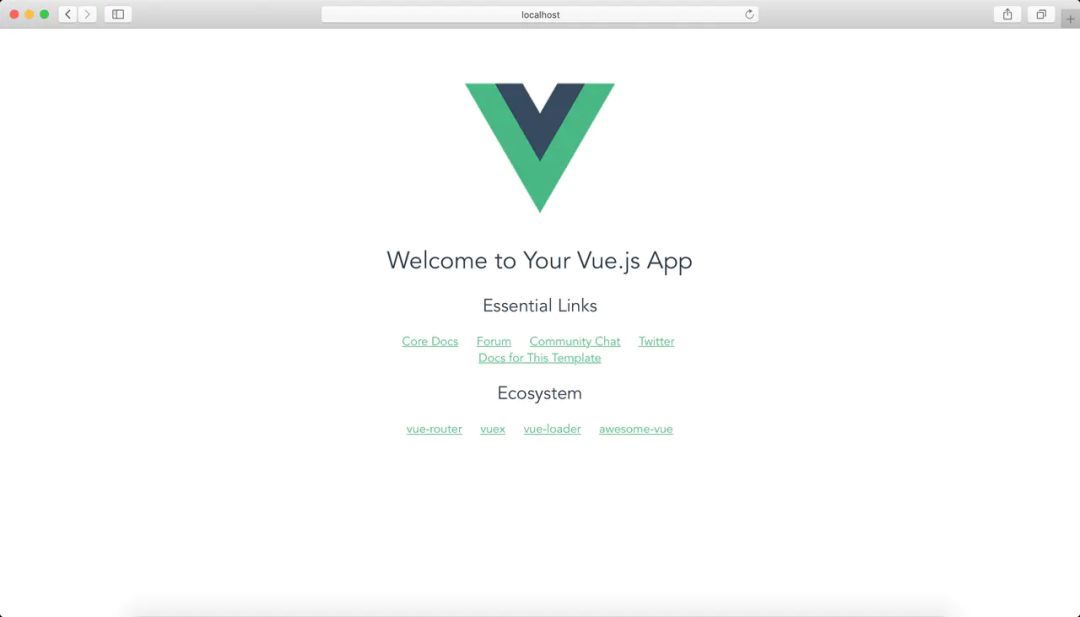
這時(shí)我們?cè)倏匆幌?frontend 的目錄結(jié)構(gòu),已經(jīng)默認(rèn)幫我們生成了一些目錄和代碼。
.
├── README.md
├── build
├── config
├── index.html
├── node_modules
├── package-lock.json
├── package.json
├── src
└── static
3、安裝element-ui
Element 是一套為開發(fā)者、設(shè)計(jì)師和產(chǎn)品經(jīng)理準(zhǔn)備的基于 Vue 2.0 的桌面端組件庫(kù)。
$ npm i element-ui -S
使用插件
在 vue-cli 幫我們生成的目錄中/src/main.js中導(dǎo)入ElementUI
import ElementUI from'element-ui'
import'element-ui/lib/theme-chalk/index.css'
最后使用
Vue.use(ElementUI)
4、安裝axios
因?yàn)槭乔昂蠖朔蛛x的應(yīng)用,所以還要安裝請(qǐng)求的庫(kù)axios。axios 是基于 promise 的 HTTP 客戶端。
$ npm install --save axios
同樣在/src/main.js導(dǎo)入axios
import axios from 'axios'
注冊(cè)axios
Vue.prototype.axios = axios
之后我們就可以使用 axios 發(fā)送請(qǐng)求了。
5、編寫頁(yè)面
先找到App.vue,把我們不需要的 logo 刪掉。
<template>
  <div id="app">

    <router-view/>
  div>
template>
新建WordCloud.vue,這就是我們的主要頁(yè)面。一個(gè)標(biāo)題,一個(gè)輸入框,兩個(gè)按鈕。
<template>
    <div>
        <h2>小詞云h2>
        <div id="word-text-area">
            <el-input type="textarea" :rows="10" placeholder="請(qǐng)輸入內(nèi)容" v-model="textarea">
            el-input>
            <div id="word-img">
                <el-image :src="'data:image/png;base64,'+pic" :fit="fit">
                    <div slot="error" class="image-slot">
                        <i class="el-icon-picture-outline">i>
                    div>
                el-image>
            div>
            <div id="word-operation">
                <el-row>
                    <el-button type="primary" @click="onSubmit" round>生成詞云el-button>
                    <el-button type="success" @click="onDownload" round>下載圖片el-button>
                el-row>
            div>
        div>
    div>
template>
實(shí)現(xiàn)點(diǎn)擊事件并發(fā)送請(qǐng)求
<kbd id="afajh"><form id="afajh"></form></kbd> <strong id="afajh"><dl id="afajh"></dl></strong>
<del id="afajh"><form id="afajh"></form></del>
<th id="afajh"><progress id="afajh"></progress></th>
<b id="afajh"><abbr id="afajh"></abbr></b>
<th id="afajh"><progress id="afajh"></progress></th>