
手把手教你用Python+Pyecharts讓微博熱搜榜動起來

今天教大家如何用pyecharts制作微博熱搜榜動態(tài)展示視頻,先上視頻看看效果:
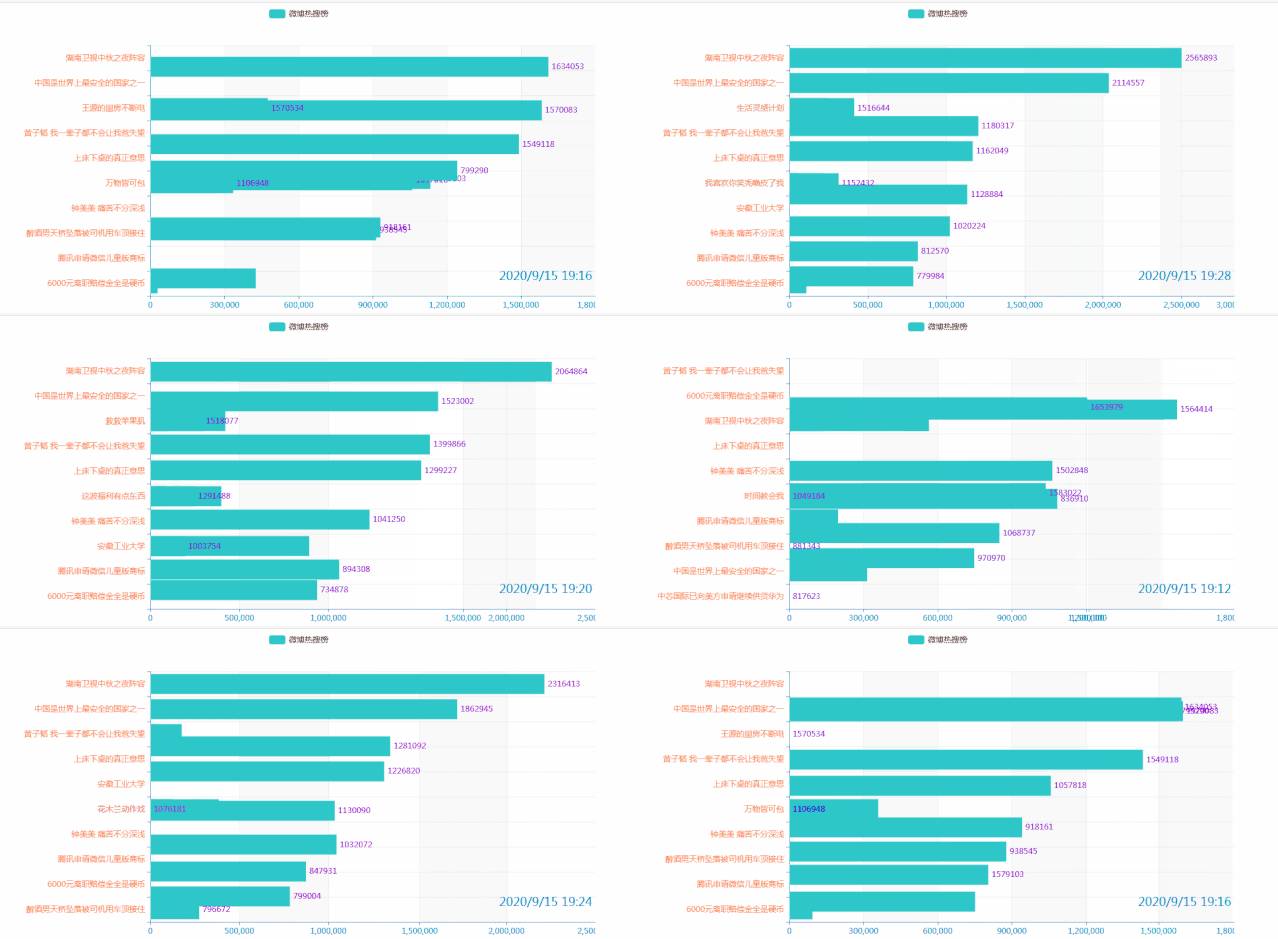
教程主要有2部分:
一是python爬取微博熱搜內(nèi)容 二是用pyecharts制作動態(tài)視頻
下面給大家詳細(xì)介紹一下
一、爬取微博熱搜內(nèi)容
微博熱搜網(wǎng)址為:
https://s.weibo.com/top/summary
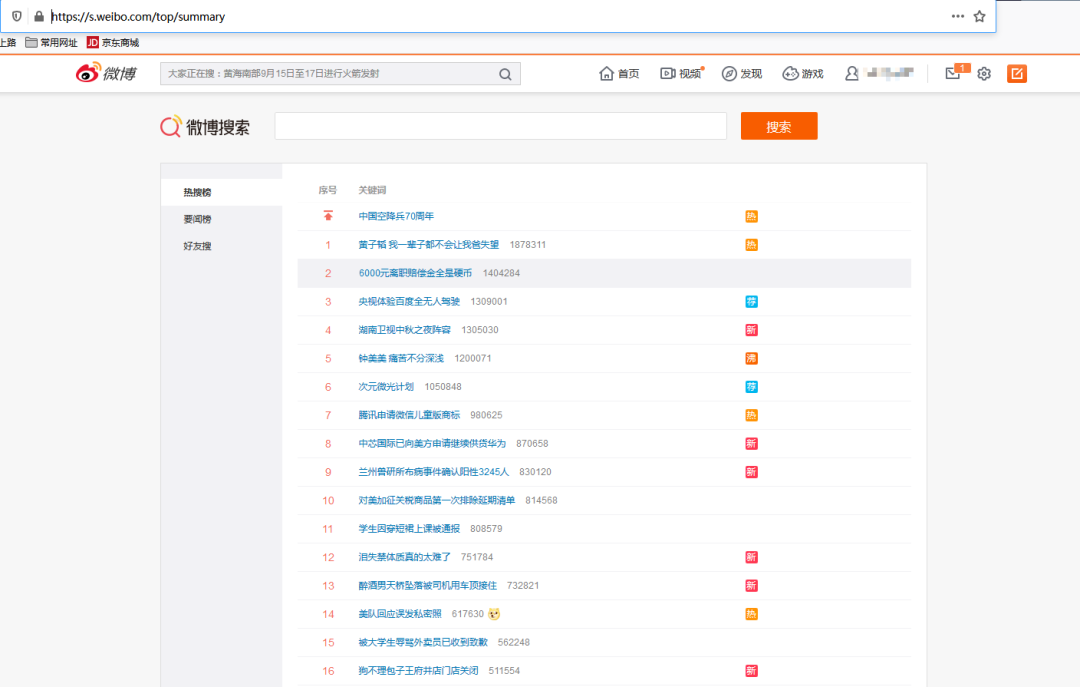
經(jīng)分析,微博熱搜數(shù)據(jù)就在網(wǎng)頁中,可以直接requests請求,然后BeautifulSoup解析獲取內(nèi)容,最后存入表格中,代碼如下(完整代碼在文末):
for?i,?item?in?enumerate(items[1:11]):
????result?=?[]
????rank?=?'第{0}名'.format(i+1)?????#?微博排名
????num?=?str(item.find('span')).replace('',?'').replace('',?'')??#?微博熱度
????title?=?item.find('a').text??#?微博內(nèi)容
????result.append(time_stamp)
????result.append(rank)
????result.append(num)
????result.append(title)
????with?open('1.csv',?'a+',newline='')?as?f:
????????f_csv?=?csv.writer(f)
????????f_csv.writerow(result)
微博熱搜一般是1分鐘更新一次,所以再給代碼加個定時器:
schedule.every(1).minutes.do(run)??#run為自定義熱搜爬蟲函數(shù),設(shè)置1分鐘爬取1次
while?True:
????schedule.run_pending()
讓程序跑一會,我們的數(shù)據(jù)就弄好了
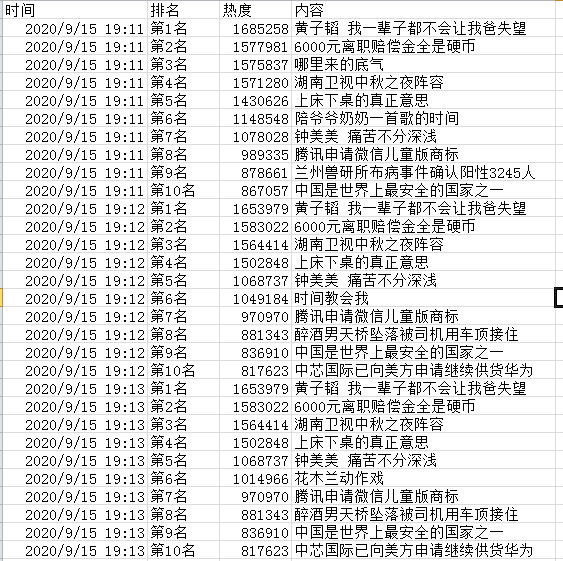
二、開始畫動態(tài)圖
1.pandas讀取數(shù)據(jù)
import?pandas?as?pd
data=pd.read_csv('微博熱搜.csv',encoding='gbk')
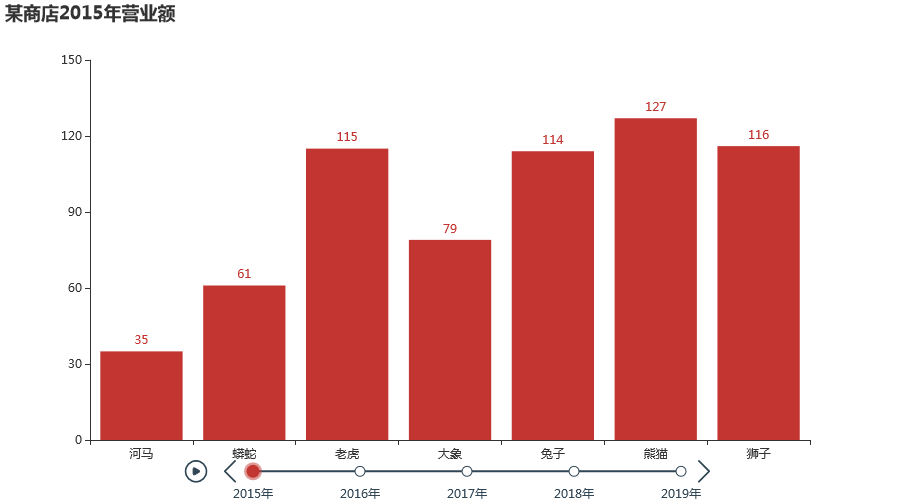
2.基本動態(tài)圖畫法
from?pyecharts?import?options?as?opts
from?pyecharts.charts?import?Bar,?Timeline
from?pyecharts.faker?import?Faker

x?=?Faker.choose()
tl?=?Timeline()
for?i?in?range(2015,?2020):
????bar?=?(
????????Bar()
????????.add_xaxis(x)
????????.add_yaxis("",?Faker.values())
????????.set_global_opts(title_opts=opts.TitleOpts("某商店{}年?duì)I業(yè)額".format(i)))
????)
????tl.add(bar,?"{}年".format(i))
tl.render_notebook()
3.將圖形反轉(zhuǎn),導(dǎo)入橫坐標(biāo)(排名)、縱坐標(biāo)(熱度)
tl?=?Timeline()
for?i?in?range(20):
????bar?=?(
????????Bar()
????????.add_xaxis(list(data['內(nèi)容'])[i*10:i*10+10][::-1])
????????.add_yaxis("微博熱搜榜",?list(data['熱度'])[i*10:i*10+10][::-1])
????????.reversal_axis()
????????.set_global_opts(title_opts=opts.TitleOpts("某商店{}年?duì)I業(yè)額".format(i)))
????)
????tl.add(bar,?"{}年".format(i))
tl.render_notebook()
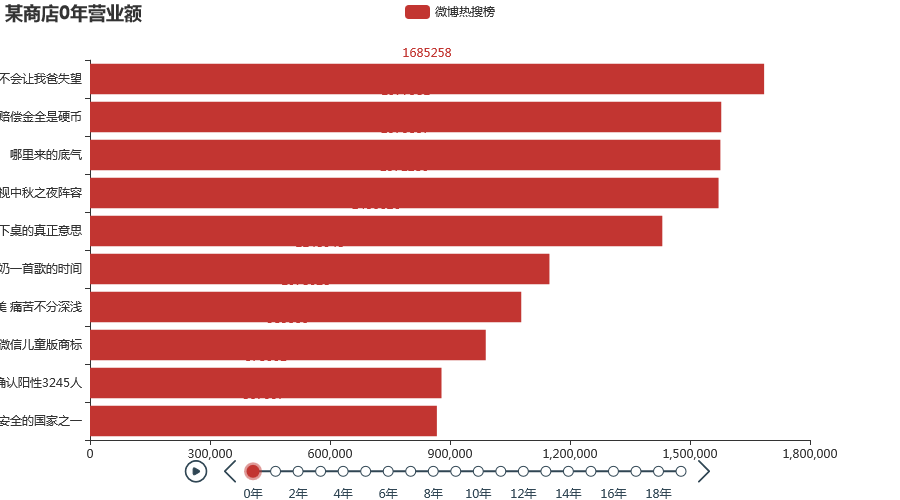
4.將標(biāo)簽放置在圖形右邊,將圖形整體右移
from?pyecharts.charts?import?Bar,?Timeline,Grid
tl?=?Timeline()
for?i?in?range(20):
????bar?=?(
????????Bar()
????????.add_xaxis(list(data['內(nèi)容'])[i*10:i*10+10][::-1])
????????.add_yaxis("微博熱搜榜",?list(data['熱度'])[i*10:i*10+10][::-1])
????????.reversal_axis()
????????.set_global_opts(title_opts=opts.TitleOpts("某商店{}年?duì)I業(yè)額".format(i)))
????????.set_series_opts(label_opts=opts.LabelOpts(position="right"))??#將標(biāo)簽放置在圖形右邊
????)
????tl.add(bar,?'')
????grid?=?(
????????Grid()
????????.add(bar,?grid_opts=opts.GridOpts(pos_left="25%",pos_right="0%"))??#將圖形整體右移
????)
????tl.add(grid,?'')
tl.render_notebook()
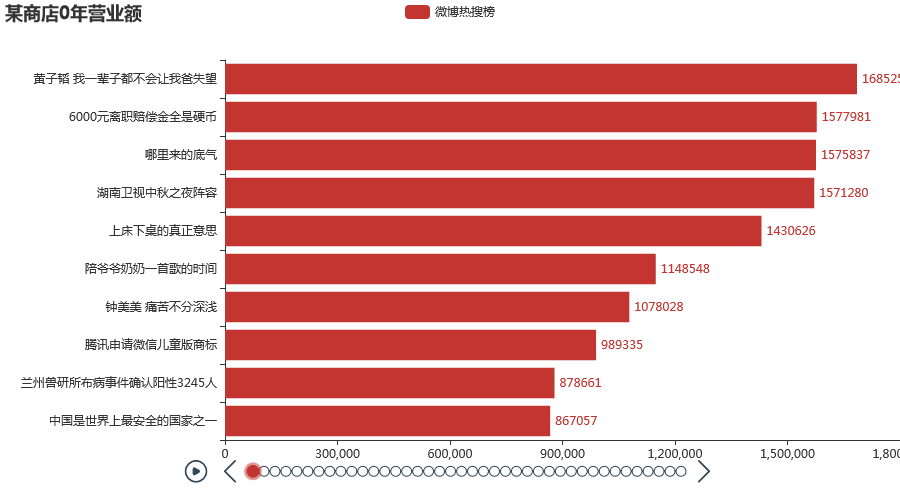
5.設(shè)置播放速度,隱藏timeline組件,設(shè)置自動播放
tl?=?Timeline()
for?i?in?range(20):
????bar?=?(
????????Bar()
????????.add_xaxis(list(data['內(nèi)容'])[i*10:i*10+10][::-1])
????????.add_yaxis("微博熱搜榜",?list(data['熱度'])[i*10:i*10+10][::-1])
????????.reversal_axis()
????????.set_global_opts(title_opts=opts.TitleOpts("某商店{}年?duì)I業(yè)額".format(i)))
????????.set_series_opts(label_opts=opts.LabelOpts(position="right"))??#將標(biāo)簽放置在圖形右邊
????)
????tl.add(bar,?"")
????grid?=?(
????????Grid()
????????.add(bar,?grid_opts=opts.GridOpts(pos_left="25%",pos_right="0%"))??#將圖形整體右移
????)
????tl.add(grid,?"")
????tl.add_schema(
????????play_interval=100,???#播放速度
????????is_timeline_show=False,??#是否顯示?timeline?組件
????????is_auto_play=False,)?????#是否自動播放
tl.render_notebook()
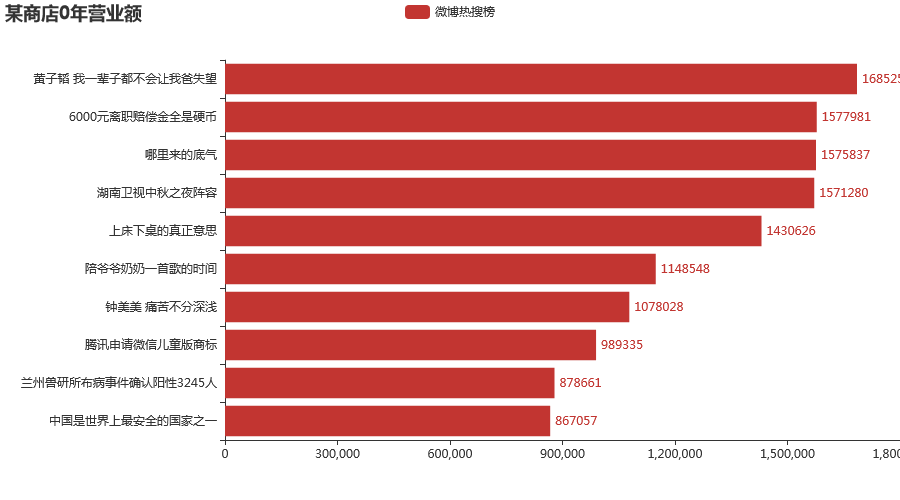
6.設(shè)置主題,增加時間標(biāo)簽
tl?=?Timeline({"theme":?ThemeType.MACARONS})
for?i?in?range(20):
????bar?=?(
????????Bar({"theme":?ThemeType.MACARONS})
????????.add_xaxis(list(data['內(nèi)容'])[i*10:i*10+10][::-1])
????????.add_yaxis("微博熱搜榜",?list(data['熱度'])[i*10:i*10+10][::-1])
????????.reversal_axis()
????????.set_global_opts(
????????????title_opts=opts.TitleOpts("{}".format(list(data['時間'])[i*10]),pos_right='0%',pos_bottom='15%'),
????????????xaxis_opts=opts.AxisOpts(
????????????????splitline_opts=opts.SplitLineOpts(is_show=True)),
????????????yaxis_opts=opts.AxisOpts(splitline_opts=opts.SplitLineOpts(is_show=True),
?????????????????????????????????????axislabel_opts=opts.LabelOpts(color='#FF7F50')),)
????????.set_series_opts(label_opts=opts.LabelOpts(position="right",color='#9400D3'))
????)
????grid?=?(
????????Grid()
????????.add(bar,?grid_opts=opts.GridOpts(pos_left="25%",pos_right="0%"))
????)
????tl.add(grid,?"{}年".format(i))??#設(shè)置標(biāo)簽
????tl.add_schema(
????????play_interval=100,???#播放速度
????????is_timeline_show=False,??#是否顯示?timeline?組件
????????is_auto_play=True,
????)
tl.render_notebook()
-END-

評論
圖片
表情