
跑馬燈簡單版
背景
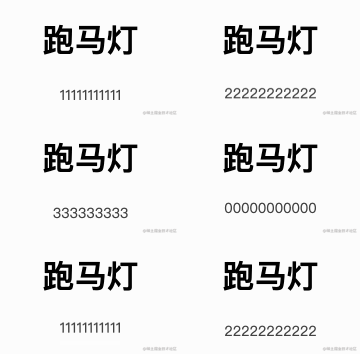
跑馬燈對前端來說,再常見不過了,市面上也有很多封裝好的插件,但是對于一些簡單效果,總覺得是殺雞用牛刀。項(xiàng)目中正好遇到了,決定自己實(shí)現(xiàn)一個(gè)簡潔版的,先看下效果:
實(shí)現(xiàn)原理
主要操作就是:在滾動(dòng)到最后一個(gè)數(shù)字時(shí),快速的回滾到第一個(gè),這樣才能實(shí)現(xiàn)循環(huán)的滾動(dòng)。
實(shí)現(xiàn)邏輯:通過控制translateY來實(shí)現(xiàn)元素的滾動(dòng),通過transitionDuration來控制滾動(dòng)時(shí)間。
在快速切換為第一個(gè)時(shí),把transitionDuration設(shè)置0,這樣就看不出元素被快速切換了。切換為第一個(gè)后,再把動(dòng)畫時(shí)間周期設(shè)置為原來的值就可以了。
import React, { FC, useEffect, useMemo, useState } from 'react';
import './index.less';

const list = [
  '00000000000',
  '11111111111',
  '22222222222',
  '333333333',
];
const transitionDuration = 0.3;
const ScrollText: FC = () => {
  const endList = [...list, list[0]];
  const [index, setIndex] = useState(0);
  const [time, setTime] = useState(transitionDuration);
  const translateY = useMemo(() => {
    if (time === 0 && index === endList.length - 1) {
      return 0;
    }
    return -index * 30;
  }, [index, time]);
  useEffect(() => {
    const timeId = setInterval(() => {
      const nextIndex = (index + 1) % endList.length;
      setIndex(nextIndex === 0 ? 1 : nextIndex);
      setTime(transitionDuration);
    }, 2000);
    return () => {
      clearInterval(timeId);
    };
  }, [index]);
  return (
    <div className="scrollTextContainer">
      <div
        className="list"
        style={{ transform: `translateY(${translateY}px)`, transitionDuration: `${time}s` }}
        onTransitionEnd={() => {
          if (index === endList.length - 1) {
            setTime(0);
          }
        }}
      >
        {endList.map((item: string, index: number) => (
          <span key={index}>{item}</span>
        ))}
      </div>
    </div>
  );
};
export default ScrollText;
評論
圖片
表情