
HttpReports 2.0 發(fā)布了 !!!
值得推薦的一個APM 框架
前言介紹
HttpReports?是基于.Net Core 開發(fā)的APM監(jiān)控系統(tǒng),使用MIT開源協(xié)議,主要功能包括,統(tǒng)計(jì), 分析, 可視化, 監(jiān)控,追蹤等,適合在微服務(wù)環(huán)境中使用。
Github地址:https://github.com/dotnetcore/HttpReports
在線預(yù)覽:?http://122.51.188.23:8080?(帶寬有限,第一次會有點(diǎn)慢)
在線文檔:?https://www.yuque.com/httpreports/docs
賬號:?admin?密碼?123456
開源不易,感興趣的同學(xué)還希望點(diǎn)個Star,支持下
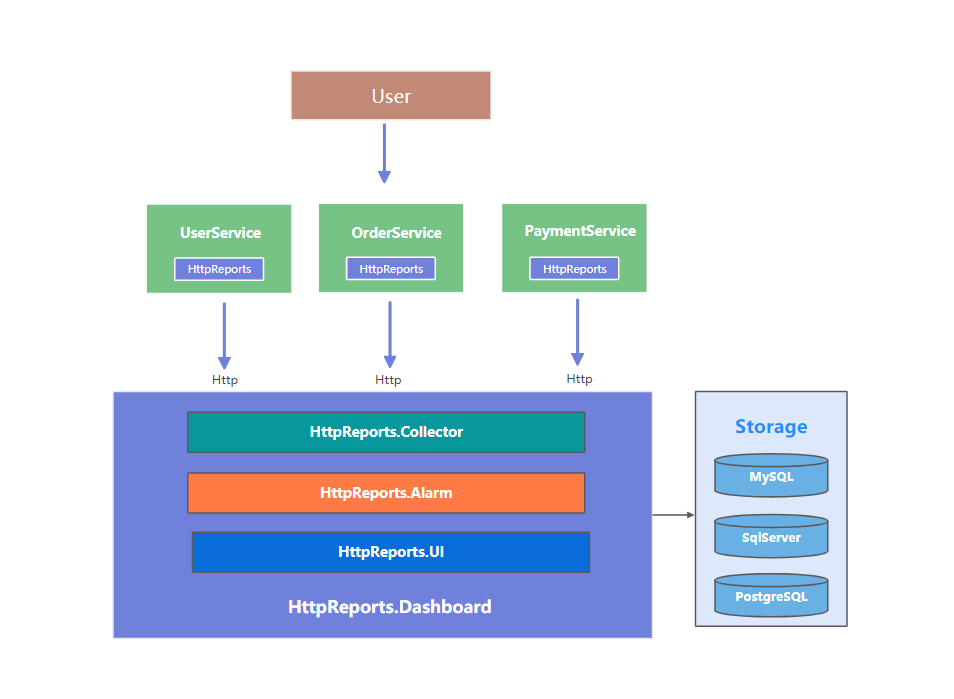
? 簡單架構(gòu)
? 主要功能
接口調(diào)用指標(biāo)分析
多服務(wù)節(jié)點(diǎn)數(shù)據(jù)聚合分析
慢請求,錯誤請求分析
接口調(diào)用日志查詢
多類型預(yù)警監(jiān)控
HTTP,Grpc 調(diào)用分析
分布式追蹤
多數(shù)據(jù)庫支持,集成方便
程序性能監(jiān)控
2.0 更新
HttpReports 上一次發(fā)布HttpReports 還是在3個月前,HttpReports 2.0 版本的改動還是挺大的,所以建議老版本的升級前,還是先看下文檔,本次更新主要以下幾個方面
項(xiàng)目結(jié)構(gòu)調(diào)整,統(tǒng)一使用 HttpTransport
使用 Vue + Antv + ElementUI 重構(gòu)了Dashboard
使用FreeSql ORM重構(gòu)了存儲層,之前兼容多數(shù)據(jù)庫是個很頭疼的問題,要寫很多sql,F(xiàn)reeSql兼容的很好,現(xiàn)在項(xiàng)目里面你找不到一行sql, 用起來非常方便,性能也有提升,這里給葉老板點(diǎn)個贊
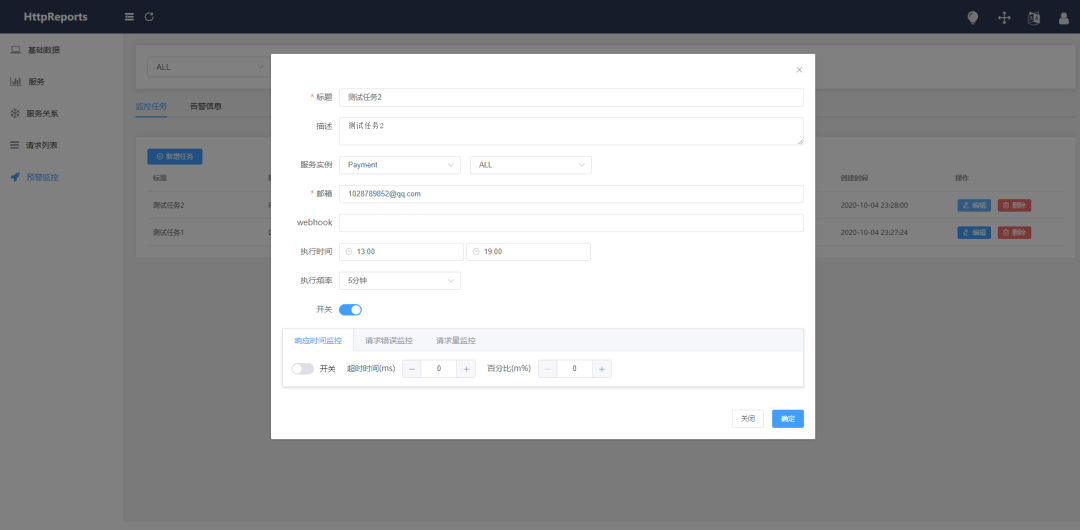
? 預(yù)覽
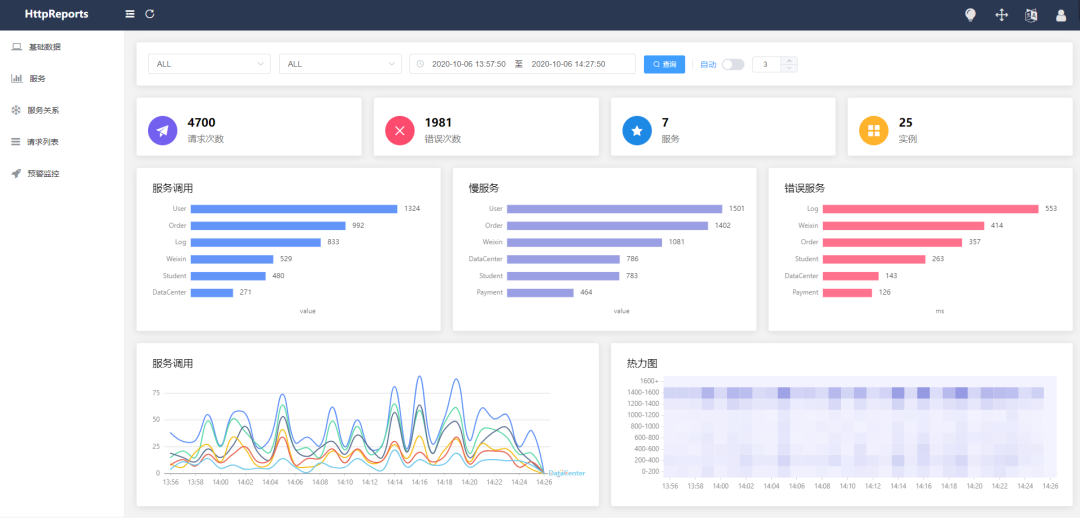
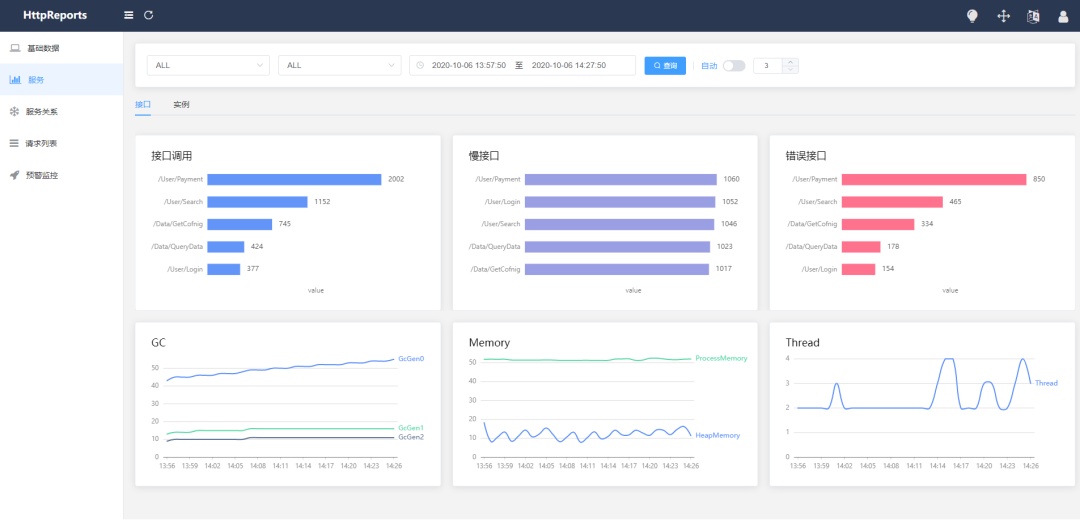
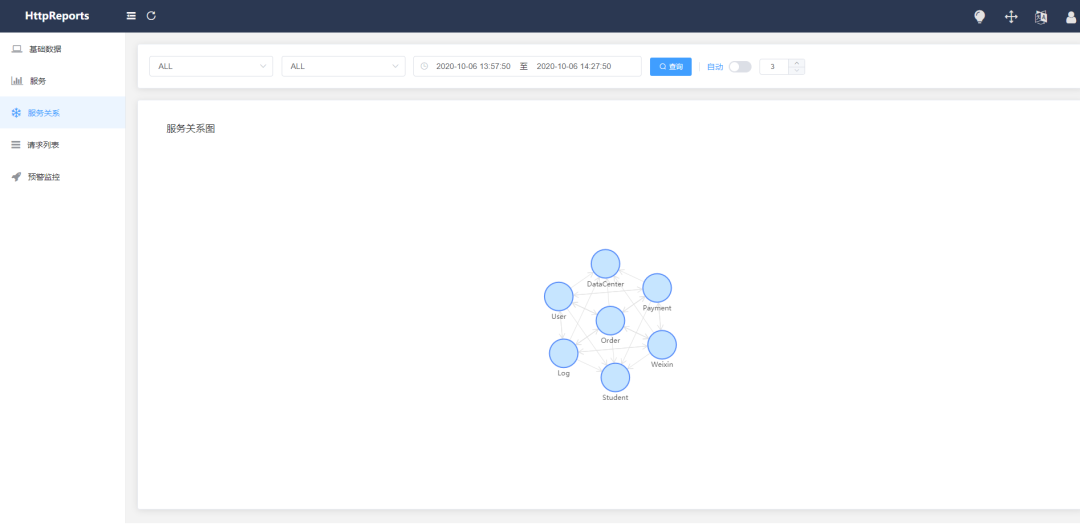
引用 HttpReports.Dashboard
首先,需要創(chuàng)建Dashboard 項(xiàng)目來接收,處理和展示數(shù)據(jù),Dashboard 使用了 Vue + Antv +ElementUI 構(gòu)建頁面并打包到程序集,只需要Web項(xiàng)目引用 Nuget包安裝即可,非常方便。
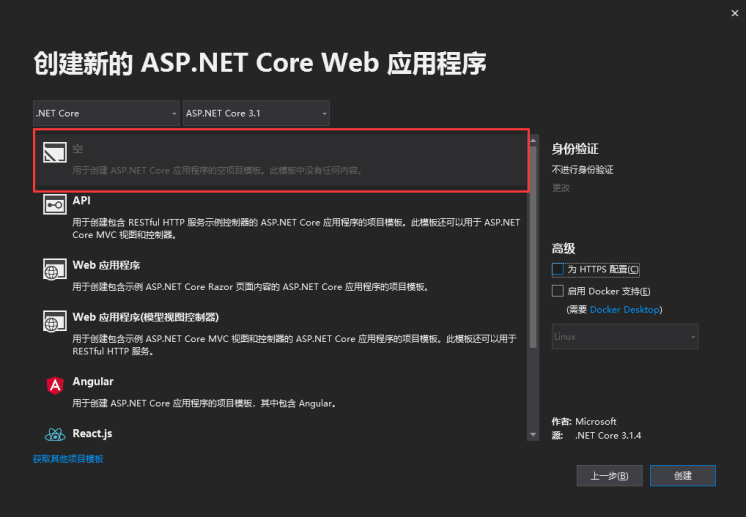
新建一個 .Net Core 的空Web項(xiàng)目,支持 2.1 及以上版本
新建完成后,通過Nuget包分別安裝 HttpReports.Dashboard ,HttpReports.MySQL(或者是HttpReports.SqlServer, HttpReports.PostgreSQL)
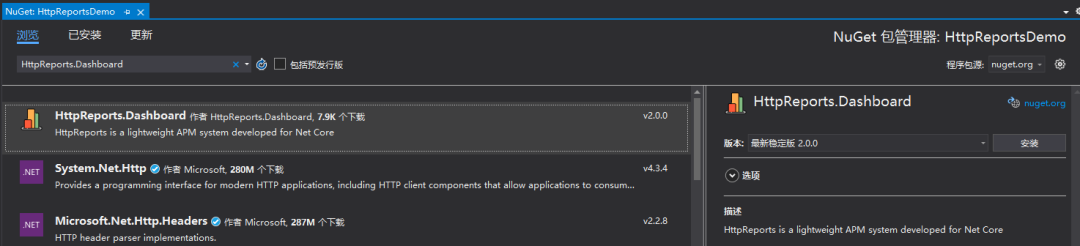
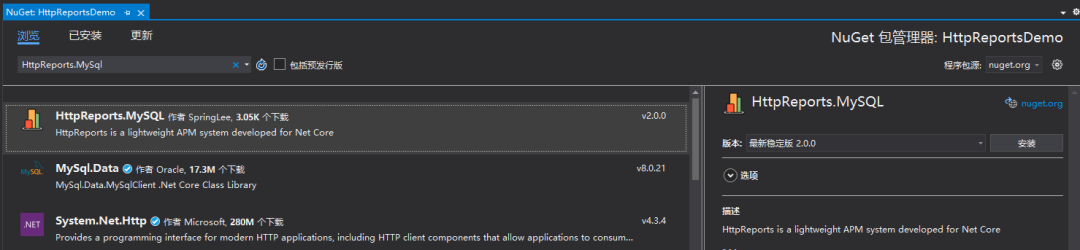
引用完成后,簡單配置一下, 修改項(xiàng)目的 appsetting.json 文件
{
 "HttpReportsDashboard": {
    "ExpireDay": 3,
    "Storage": {
      "ConnectionString": "DataBase=HttpReports;Data Source=localhost;User Id=root;Password=123456;",
      "DeferSecond": 10,
      "DeferThreshold": 100
    },
    "Mail": {
      "Server": "smtp.163.com",
      "Port": 465,
      "Account": "[email protected]",
      "Password": "*******",
      "EnableSsL": true,
      "Switch": true
    }
  }
}
參數(shù)介紹:
ExpireDay - 數(shù)據(jù)過期天數(shù),默認(rèn)3天,HttpReports 會自動清除過期的數(shù)據(jù)
Storage - 存儲信息
DeferSecond - 批量數(shù)據(jù)入庫的秒數(shù),建議值 5-60
DeferThreshold - 批量數(shù)據(jù)入庫的數(shù)量,建議值100-1000
Mail - 郵箱信息,配置監(jiān)控的話,可以發(fā)告警郵件
修改完成后,我們接著修改 Dahboard 項(xiàng)目的 Startup.cs 文件
public void ConfigureServices(IServiceCollection services)
{
	services.AddHttpReportsDashboard().UseMySqlStorage();
}

public void Configure(IApplicationBuilder app, IWebHostEnvironment env)
{
	app.UseHttpReportsDashboard();
}
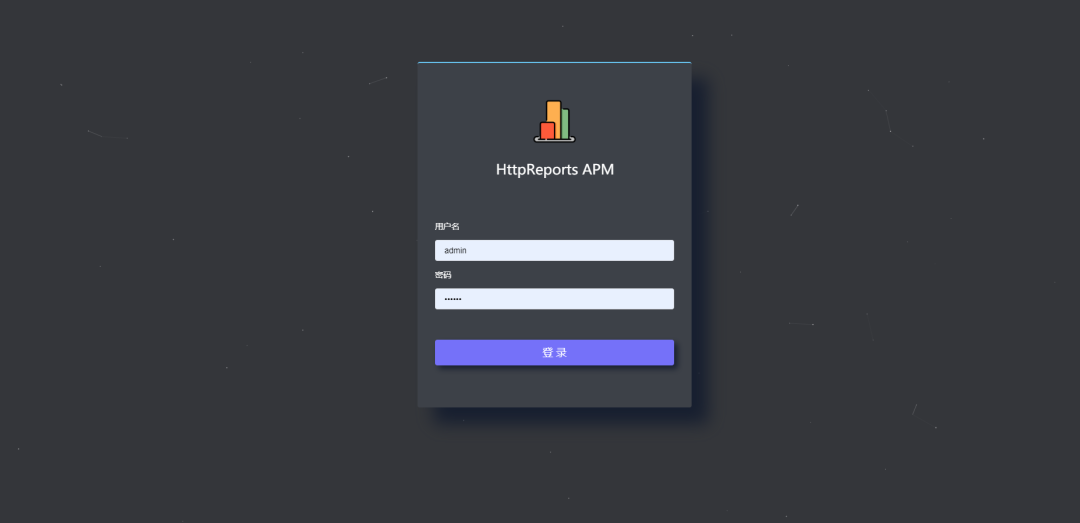
把Dashboard 程序啟動起來,如果沒有問題的話,會跳轉(zhuǎn)到Dashboard的登陸頁面 默認(rèn)賬號:admin 密碼: 123456
現(xiàn)在可視化有了,但是沒有數(shù)據(jù),我們還需要 給服務(wù)端程序,添加 HttpReports 來收集信息。
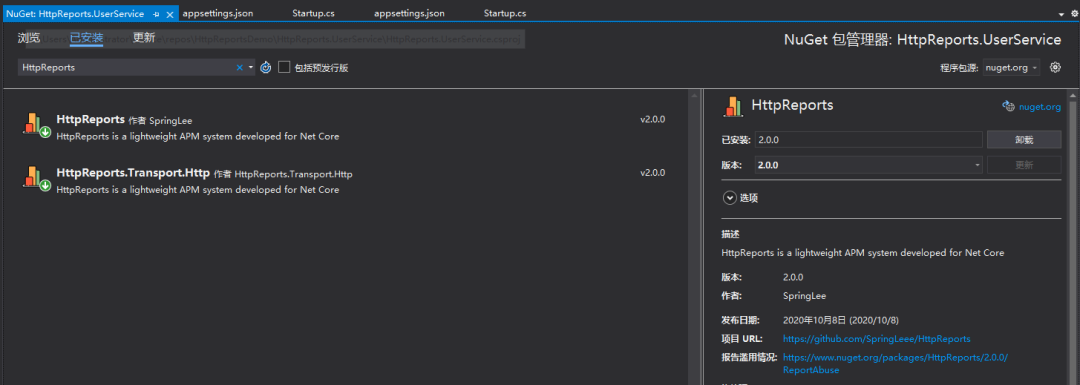
引用HttpReports
我新建一個WebAPI 項(xiàng)目 UserService ,來充當(dāng)用戶服務(wù),然后安裝 HttpReports,當(dāng)然你可以在你的項(xiàng)目中直接使用
Nuget 引用 HttpReports , HttpReports.Transport.Http
修改 appsettings.json,簡單配置一下
{
 "HttpReports": {
   "Transport": {
     "CollectorAddress": "http://localhost:5000/",
     "DeferSecond": 10,
     "DeferThreshold": 10
   },
   "Server": "http://localhost:7000",
   "Service": "User",
   "Switch": true,
   "RequestFilter": [ "/api/Helath/*", "/HttpReports*" ],
   "WithRequest": true,
   "WithResponse": true,
   "WithCookie": true,
   "WithHeader": true
 }
}
參數(shù)介紹:
Transport -
CollectorAddress - 數(shù)據(jù)發(fā)送的地址,配置Dashboard 的項(xiàng)目地址即可
DeferSecond - 批量數(shù)據(jù)入庫的秒數(shù),建議值 5-60
DeferThreshold - 批量數(shù)據(jù)入庫的數(shù)量,建議值100-1000
Server - 服務(wù)的地址,
Service - 服務(wù)的名稱
Switch - 是否開啟收集數(shù)據(jù)
RequestFilter - 數(shù)據(jù)過濾,用 * 來模糊匹配
WithRequest - 是否記錄接口的入?yún)?br>WithResponse - 是否記錄接口的出參
WithCookie - 是否記錄Cookie 信息
WithHeader - 是否記錄請求Header信息
修改完成后,我們接著修改 UserService 項(xiàng)目的 Startup.cs 文件
public void ConfigureServices(IServiceCollection services)
{
     services.AddHttpReports().UseHttpTransport();
     services.AddControllers();
}


public void Configure(IApplicationBuilder app, IWebHostEnvironment env)
{
     app.UseHttpReports();
     ....
修改 UserService 項(xiàng)目的啟動端口為7000, 然后 VS 設(shè)置多項(xiàng)目啟動, 同時運(yùn)行 UserService 和Dashboard
public static IHostBuilder CreateHostBuilder(string[] args) =>
    Host.CreateDefaultBuilder(args)
    .ConfigureWebHostDefaults(webBuilder =>
                {
                     webBuilder.UseStartup().UseUrls("http://localhost:7000");
                });
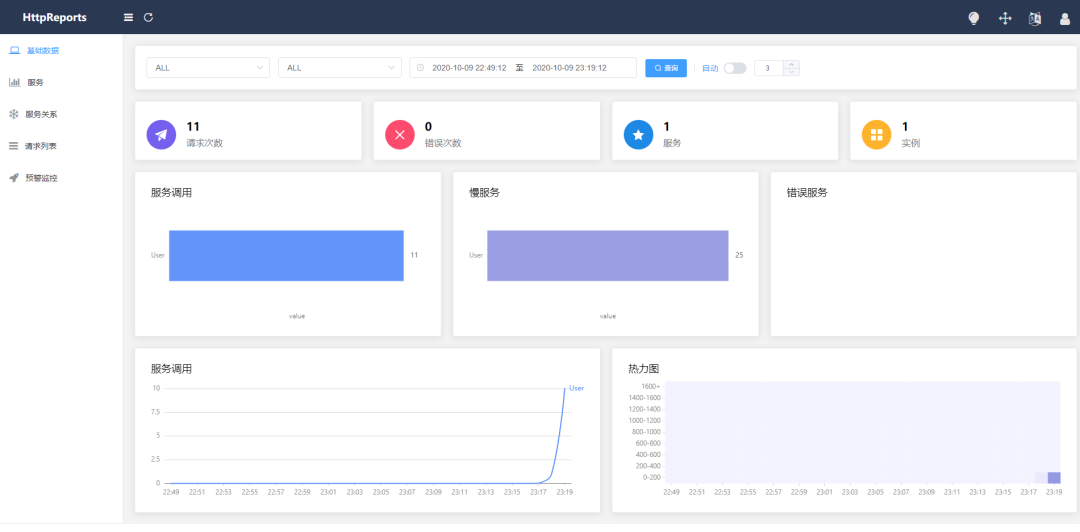
刷新下 UserService 的接口,再回到Dashboard的頁面上面,已經(jīng)可以看到數(shù)據(jù)了,一個簡單的服務(wù)接入HttpReports,已經(jīng)完成了,是不是很簡單!
配置IP和端口 Server
HttpReports 需要顯式指定Web程序的IP和端口,當(dāng)然這個地址用外網(wǎng)和內(nèi)網(wǎng)的都可以,在微服務(wù)環(huán)境中, 一個服務(wù)會開啟多個實(shí)例, HttpReports 通過IP和端口來區(qū)分不同的程序?qū)嵗?/p>
在appsetting.json 中配置
我們直接在 appsetting.json 中設(shè)置 Urls 屬性,你可以設(shè)置 "Server": "http://127.0.0.1:3000"
在命令行參數(shù)中配置
dotnet UserService.dll --urls="http://127.0.0.1:3000"
或者
dotnet UserService.dll --HttpReports:Server="http://127.0.0.1:5000"
交流溝通
貢獻(xiàn)的最簡單的方法之一就是是參與討論和討論問題(issue)。你也可以通過提交的 Pull Request 代碼變更作出貢獻(xiàn)。
可以添加QQ群溝通,也可以添加的微信,我拉你進(jìn)微信群