TypeScript 中提升幸福感的 10 個高級技巧

用了一年時間的 TypeScript 了,項目中用到的技術(shù)是 Vue + TypeScript 的,深感中大型項目中 TypeScript 的必要性,特別是生命周期比較長的大型項目中更應(yīng)該使用 TypeScript。
以下是我在工作中總結(jié)到的經(jīng)常會用到的 TypeScript 技巧。
1. 注釋
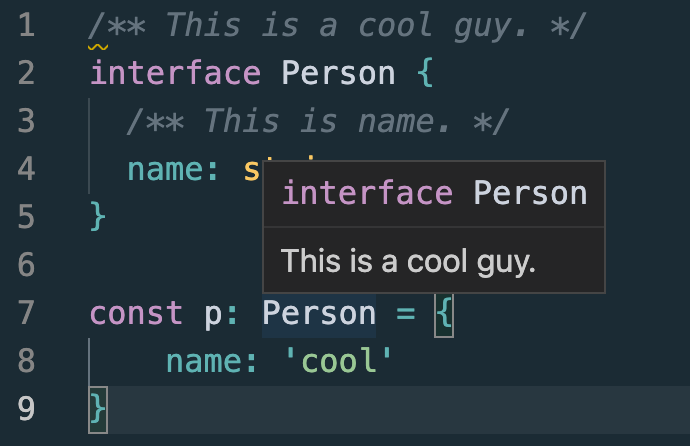
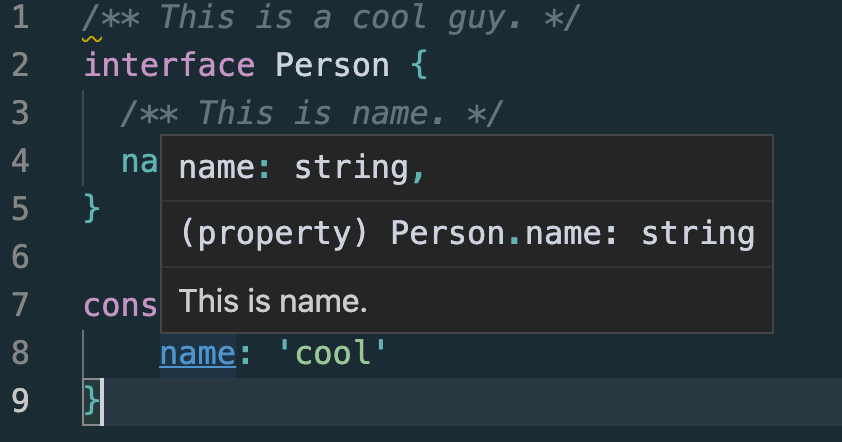
通過 /** */ 形式的注釋可以給 TS 類型做標(biāo)記提示,編輯器會有更好的提示:
/** This is a cool guy. */
interface Person {
  /** This is name. */
  name: string,
}

const p: Person = {
    name: 'cool'
}
如果想給某個屬性添加注釋說明或者友好提示,這種是很好的方式了。
2. 接口繼承
和類一樣,接口也可以相互繼承。
這讓我們能夠從一個接口里復(fù)制成員到另一個接口里,可以更靈活地將接口分割到可重用的模塊里。
interface Shape {
    color: string;
}

interface Square extends Shape {
    sideLength: number;
}

let square = <Square>{};
square.color = "blue";
square.sideLength = 10;
一個接口可以繼承多個接口,創(chuàng)建出多個接口的合成接口。
interface Shape {
    color: string;
}

interface PenStroke {
    penWidth: number;
}

interface Square extends Shape, PenStroke {
    sideLength: number;
}

let square = <Square>{};
square.color = "blue";
square.sideLength = 10;
square.penWidth = 5.0;
3. interface & type
TypeScript 中定義類型的兩種方式:接口(interface)和 類型別名(type alias)。
比如下面的 Interface 和 Type alias 的例子中,除了語法,意思是一樣的:
Interface
interface Point {
  x: number;
  y: number;
}

interface SetPoint {
  (x: number, y: number): void;
}
Type alias
type Point = {
  x: number;
  y: number;
};

type SetPoint = (x: number, y: number) => void;
而且兩者都可以擴(kuò)展,但是語法有所不同。此外,請注意,接口和類型別名不是互斥的。接口可以擴(kuò)展類型別名,反之亦然。
Interface extends interface
interface PartialPointX { x: number; }
interface Point extends PartialPointX { y: number; }
Type alias extends type alias
type PartialPointX = { x: number; };
type Point = PartialPointX & { y: number; };
Interface extends type alias
type PartialPointX = { x: number; };
interface Point extends PartialPointX { y: number; }
Type alias extends interface
interface PartialPointX { x: number; }
type Point = PartialPointX & { y: number; };
它們的差別可以看下面這圖或者看 TypeScript: Interfaces vs Types。
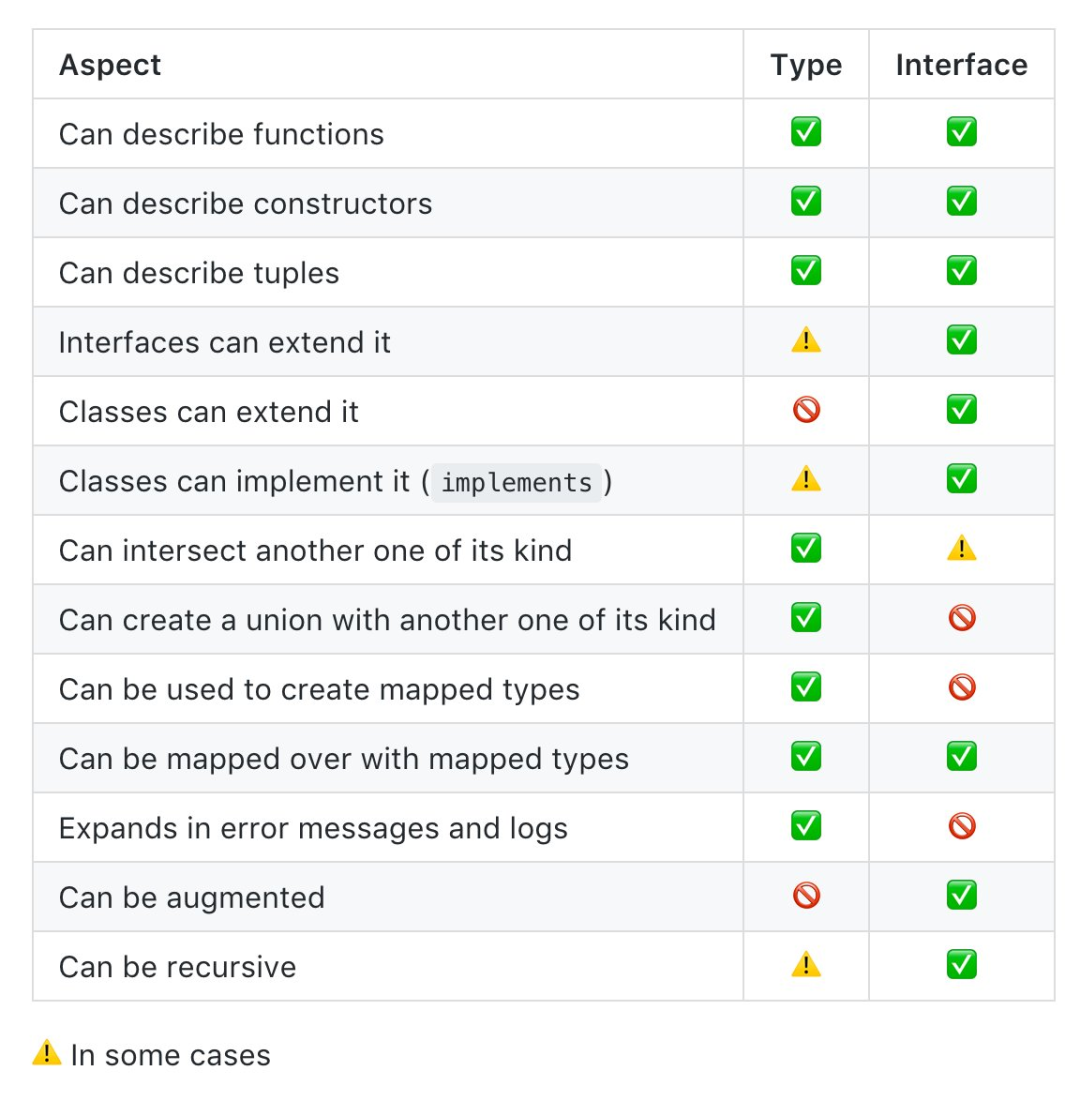
所以檙想巧用 interface & type 還是不簡單的。
如果不知道用什么,記住:能用 interface 實(shí)現(xiàn),就用 interface , 如果不能就用 type 。
4. typeof
typeof 操作符可以用來獲取一個變量或?qū)ο蟮念愋汀?/p>
我們一般先定義類型,再使用:
interface Opt {
  timeout: number
}
const defaultOption: Opt = {
  timeout: 500
}
有時候可以反過來:
const defaultOption = {
  timeout: 500
}
type Opt = typeof defaultOption
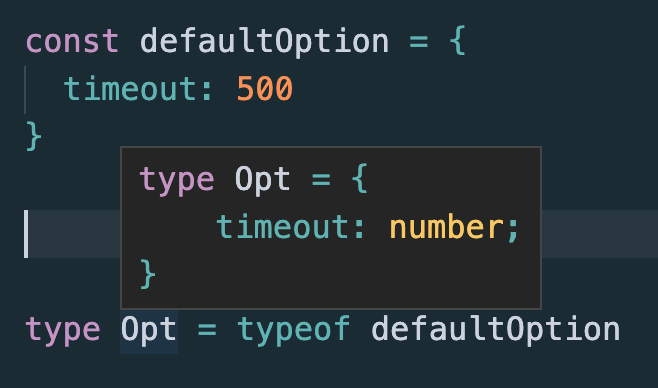
當(dāng)一個 interface 總有一個字面量初始值時,可以考慮這種寫法以減少重復(fù)代碼,至少減少了兩行代碼是吧,哈哈~
5. keyof
TypeScript 允許我們遍歷某種類型的屬性,并通過 keyof 操作符提取其屬性的名稱。
keyof 操作符是在 TypeScript 2.1 版本引入的,該操作符可以用于獲取某種類型的所有鍵,其返回類型是聯(lián)合類型。
keyof 與 Object.keys 略有相似,只不過 keyof 取 interface 的鍵。
const persion = {
  age: 3,
  text: 'hello world'
}

// type keys = "age" | "text"
type keys = keyof Point;
寫一個方法獲取對象里面的屬性值時,一般人可能會這么寫
function get1(o: object, name: string) {
  return o[name];
}

const age1 = get1(persion, 'age');
const text1 = get1(persion, 'text');
但是會提示報錯
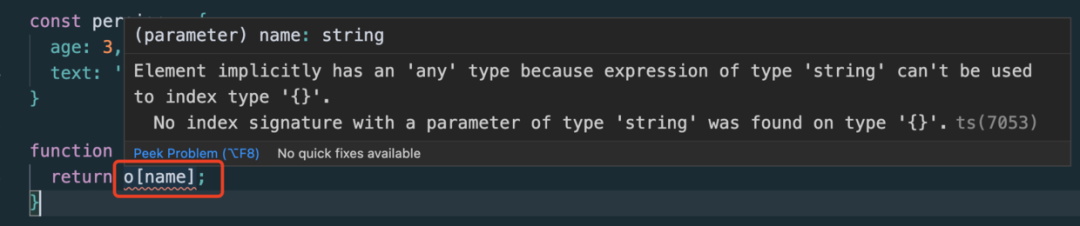
因為 object 里面沒有事先聲明的 key。
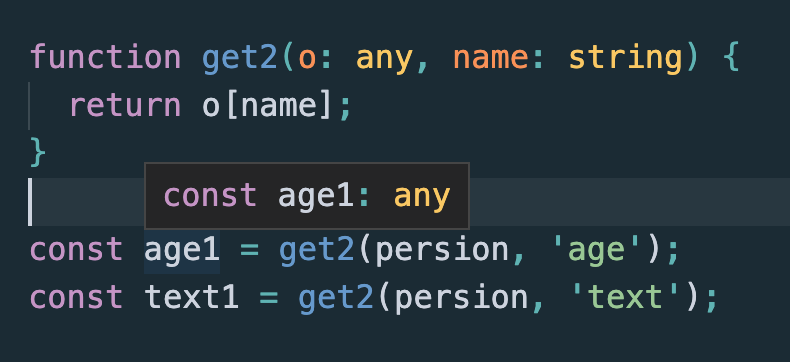
當(dāng)然如果把 o: object 修改為 o: any 就不會報錯了,但是獲取到的值就沒有類型了,也變成 any 了。
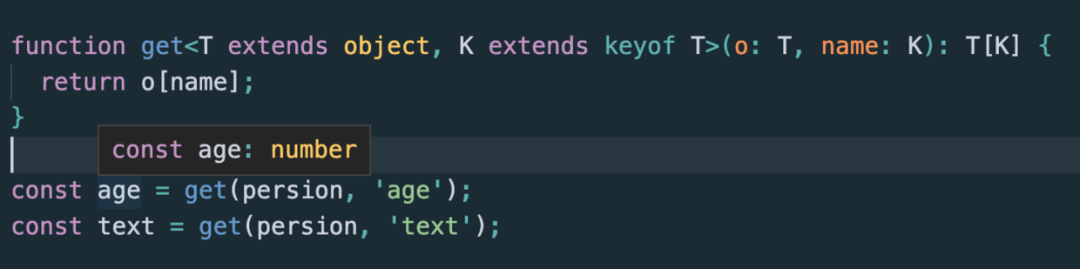
這時可以使用 keyof 來加強(qiáng) get 函數(shù)的類型功能,有興趣的同學(xué)可以看看 _.get 的 type 標(biāo)記以及實(shí)現(xiàn)
function get<T extends object, K extends keyof T>(o: T, name: K): T[K] {
  return o[name]
}
6. 查找類型
interface Person {
    addr: {
        city: string,
        street: string,
        num: number,
    }
}
當(dāng)需要使用 addr 的類型時,除了把類型提出來
interface Address {
    city: string,
    street: string,
    num: number,
}

interface Person {
    addr: Address,
}
還可以
Person["addr"] // This is Address.
比如:
const addr: Person["addr"] = {
    city: 'string',
    street: 'string',
    num: 2
}
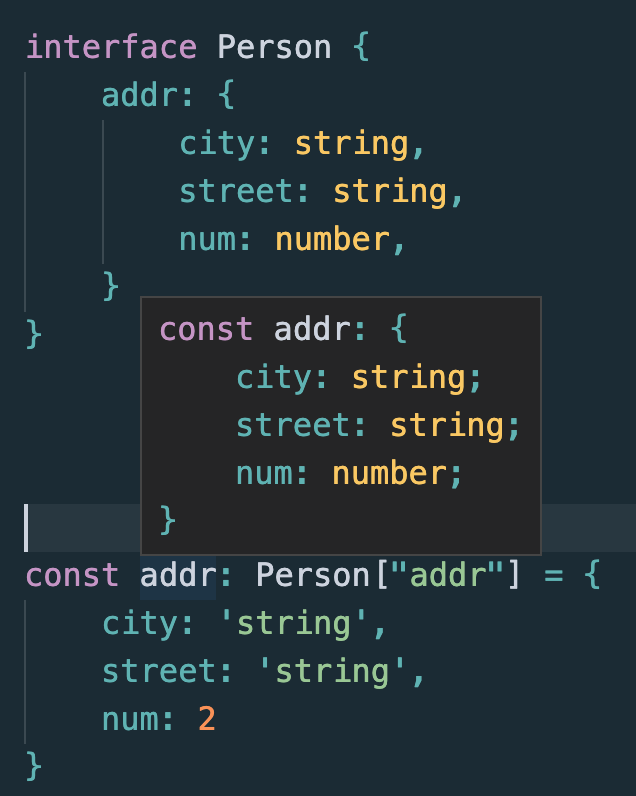
有些場合后者會讓代碼更整潔、易讀。
7. 查找類型 + 泛型 + keyof
泛型(Generics)是指在定義函數(shù)、接口或類的時候,不預(yù)先指定具體的類型,而在使用的時候再指定類型的一種特性。
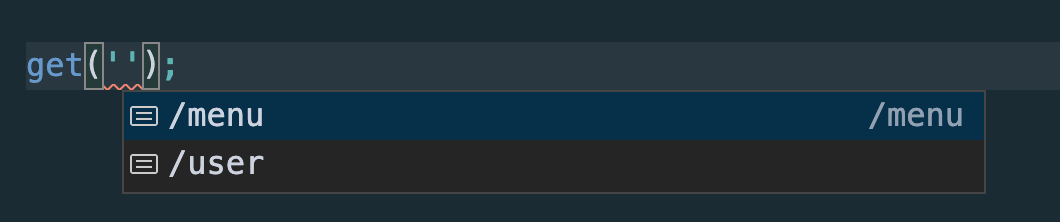
interface API {
    '/user': { name: string },
    '/menu': { foods: string[] }
}
const get = <URL extends keyof API>(url: URL): Promise<API[URL]> => {
    return fetch(url).then(res => res.json());
}

get('');
get('/menu').then(user => user.foods);

8. 類型斷言
Vue 組件里面經(jīng)常會用到 ref 來獲取子組件的屬性或者方法,但是往往都推斷不出來有啥屬性與方法,還會報錯。
子組件:
<script lang="ts">
import { Options, Vue } from "vue-class-component";

@Options({
  props: {
    msg: String,
  },
})
export default class HelloWorld extends Vue {
  msg!: string;
}
</script>
父組件:
<template>
  <div class="home">
    <HelloWorld
      ref="helloRef"
      msg="Welcome to Your Vue.js + TypeScript App"
    />
  </div>
</template>

<script lang="ts">
import { Options, Vue } from "vue-class-component";
import HelloWorld from "@/components/HelloWorld.vue"; // @ is an alias to /src

@Options({
  components: {
    HelloWorld,
  },
})
export default class Home extends Vue {
  print() {
    const helloRef = this.$refs.helloRef;
    console.log("helloRef.msg: ", helloRef.msg);
  }

  mounted() {
    this.print();
  }
}
</script>
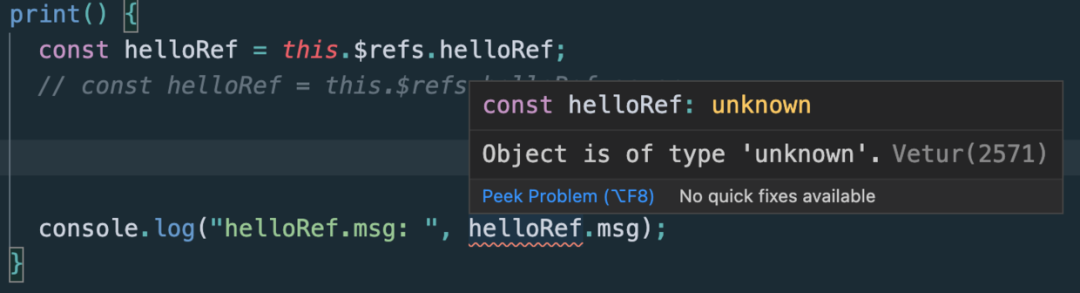
因為 this.$refs.helloRef 是未知的類型,會報錯誤提示:
做個類型斷言即可:
  print() {
    // const helloRef = this.$refs.helloRef;
    const helloRef = this.$refs.helloRef as any;
    console.log("helloRef.msg: ", helloRef.msg); // helloRef.msg:  Welcome to Your Vue.js + TypeScript App
  }
但是類型斷言為 any 時是不好的,如果知道具體的類型,寫具體的類型才好,不然引入 TypeScript 冒似沒什么意義了。
9. 顯式泛型
$('button') 是個 DOM 元素選擇器,可是返回值的類型是運(yùn)行時才能確定的,除了返回 any ,還可以
function $<T extends HTMLElement>(id: string): T {
    return (document.getElementById(id)) as T;
}

// 不確定 input 的類型
// const input = $('input');

// Tell me what element it is.
const input = $<HTMLInputElement>('input');
console.log('input.value: ', input.value);
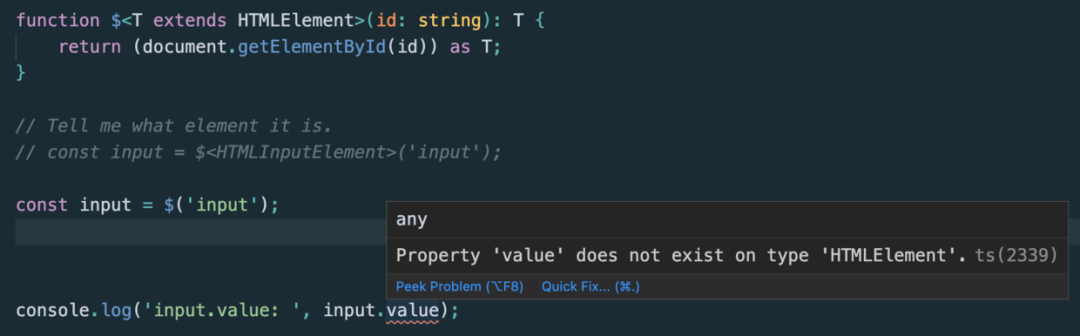
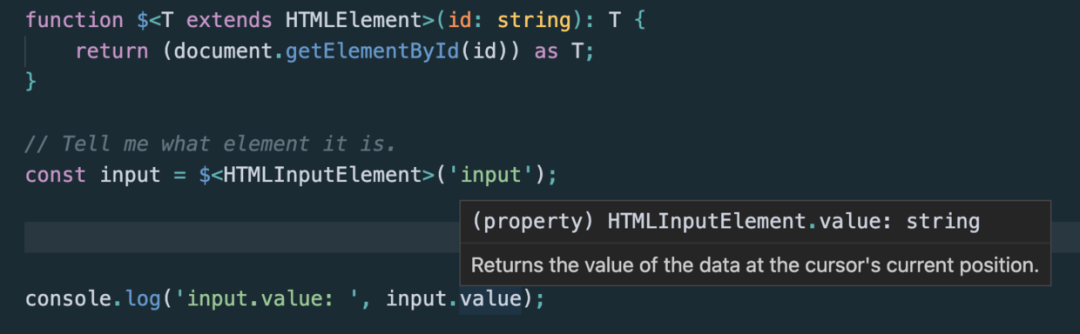
函數(shù)泛型不一定非得自動推導(dǎo)出類型,有時候顯式指定類型就好。
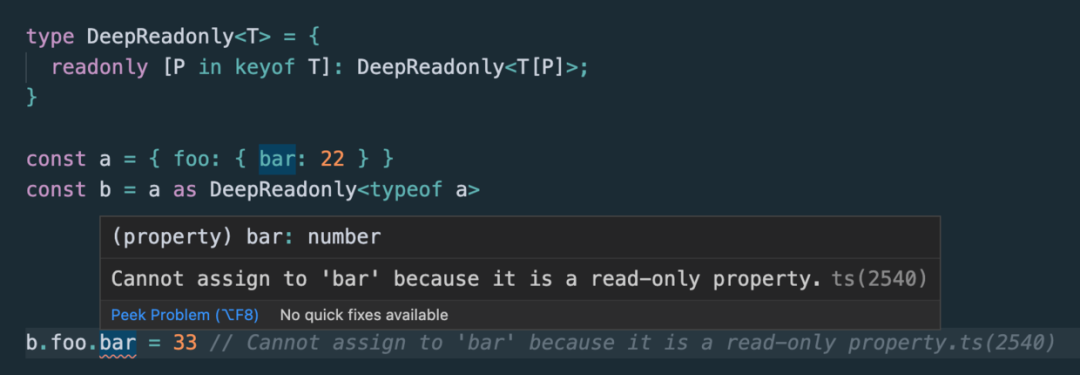
10. DeepReadonly
被 readonly 標(biāo)記的屬性只能在聲明時或類的構(gòu)造函數(shù)中賦值。
之后將不可改(即只讀屬性),否則會拋出 TS2540 錯誤。
與 ES6 中的 const 很相似,但 readonly 只能用在類(TS 里也可以是接口)中的屬性上,相當(dāng)于一個只有 getter 沒有 setter 的屬性的語法糖。
下面實(shí)現(xiàn)一個深度聲明 readonly 的類型:
type DeepReadonly<T> = {
  readonly [P in keyof T]: DeepReadonly<T[P]>;
}

const a = { foo: { bar: 22 } }
const b = a as DeepReadonly<typeof a>
b.foo.bar = 33 // Cannot assign to 'bar' because it is a read-only property.ts(2540)