
你不知道的 CSS 進度條
作者:陳大魚頭 github:KRISACHAN
進度條是一個非常常見的功能,實現(xiàn)起來也不難,一般我們都會用 div 來實現(xiàn)。
作為一個這么常見的需求, whatwg 肯定是不會沒有原生組件提供(雖然有我們也不一定會用),那么就讓我們來康康有哪些有意思的進度條實現(xiàn)方式。
常規(guī)版 — div 一波流
這是比較常規(guī)的實現(xiàn)方式,先看效果:
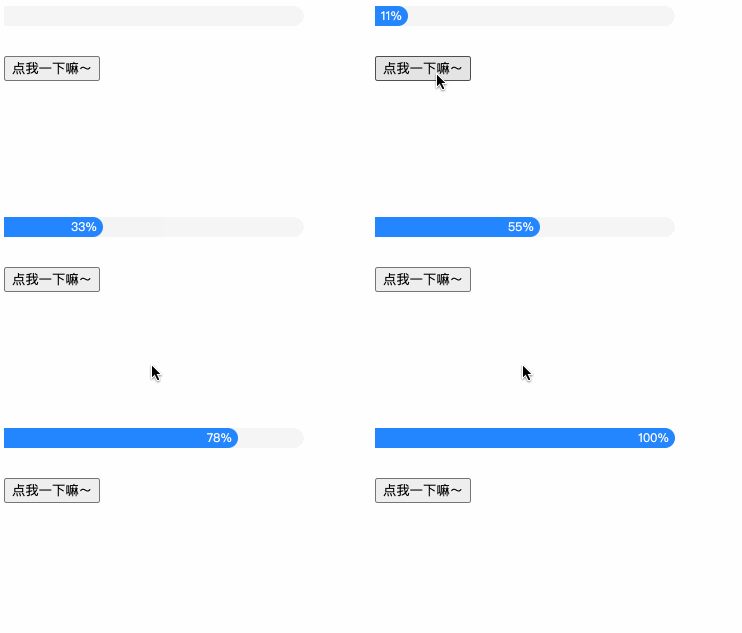
源碼如下:
<style>
??.progress1?{
????height:?20px;
????width:?300px;
????background-color:?#f5f5f5;
????border-bottom-right-radius:?10px;
????border-top-right-radius:?10px;
??}
??.progress1::before?{
????counter-reset:?progress?var(--percent,?0);
????content:?counter(progress)?'%\2002';
????display:?block;
????height:?20px;
????line-height:?20px;
????width:?calc(300px?*?var(--percent,?0)?/?100);
????font-size:?12px;
????color:?#fff;
????background-color:?#2486ff;
????text-align:?right;
????white-space:?nowrap;
????overflow:?hidden;
????border-bottom-right-radius:?10px;
????border-top-right-radius:?10px;
??}
??.btn?{
????margin-top:?30px;
??}
style>
<div?id="progress1"?class="progress1">div>
<button?id="btn"?class="btn">點我一下嘛~button>
<script>
??'use?strict';
??let?startTimestamp?=?(new?Date()).getTime();
??let?currentPercentage?=?0;
??let?maxPercentage?=?100;
??let?countDelay?=?100;
??let?timer?=?null;
??let?start?=?false;
??const?percentageChange?=?()?=>?{
????const?currentTimestamp?=?(new?Date()).getTime();
????if?(currentTimestamp?-?startTimestamp?>=?countDelay)?{
??????currentPercentage++;
??????startTimestamp?=?(new?Date()).getTime();
??????progress1.style?=?`--percent:?${currentPercentage}`;
????};
????if?(currentPercentage???????timer?=?window.requestAnimationFrame(percentageChange);
????}?else?{
??????window.cancelAnimationFrame(timer);
????};
??};
??const?clickHander?=?()?=>?{
????if?(!start)?{
??????start?=?true;
??????percentageChange();
????};
??};
??btn.addEventListener('click',?clickHander);
script>
這種方法的核心就是以當(dāng)前盒子為容器,以 源碼如下: 寫完這個 demo 才發(fā)現(xiàn), 另一個是因為 range 有專屬語意 —— 范圍,所以它更適合做下面這種事: 以上demo來自:https://developer.mozilla.org/en-US/docs/Web/HTML/Element/input/range 當(dāng)然,上述兩種方式都是模擬進度條,實際上我們并不需要模擬,因為 whatwg 有為我們提供原生的進度條標(biāo)簽 —— 我們先看效果: 實現(xiàn)如下: 雖然有原生的進度條標(biāo)簽,但是規(guī)范里并沒有規(guī)定它的具體表現(xiàn),所以各個瀏覽器廠商完全可以按照自己的喜好去定制,樣式完全不可控,所以標(biāo)簽雖好。。可用性卻不強,有點可惜。 當(dāng)然,能夠?qū)崿F(xiàn)進度條功能的標(biāo)簽,除了上面所說的,還有 代碼如下: 這個標(biāo)簽可能比較陌生,實際上它跟 本文測評了4種實現(xiàn)進度條的方式,得出的結(jié)論就是 —— 嗯,萬能的 以上 demo 都可以我的 codepen 上查看:https://codepen.io/krischan77/pen/QPezjB 點 “查看原文” 也可以看哦~ 如果你喜歡探討技術(shù),或者對本文有任何的意見或建議,非常歡迎加魚頭微信好友一起探討,當(dāng)然,魚頭也非常希望能跟你一起聊生活,聊愛好,談天說地。魚頭的微信號是:krisChans95
也可以掃碼關(guān)注公眾號,訂閱更多精彩內(nèi)容。公眾號窗口回復(fù)『 前端資料 』,即可獲取約 200M 前端面試資料,不要錯過。::before 為內(nèi)容填充。用 進階版 — input type="range"
是一個非常實用的替換元素,不同的 type 可以做不同的事情。第二種就是用 來實現(xiàn)的。首先我們來看看效果: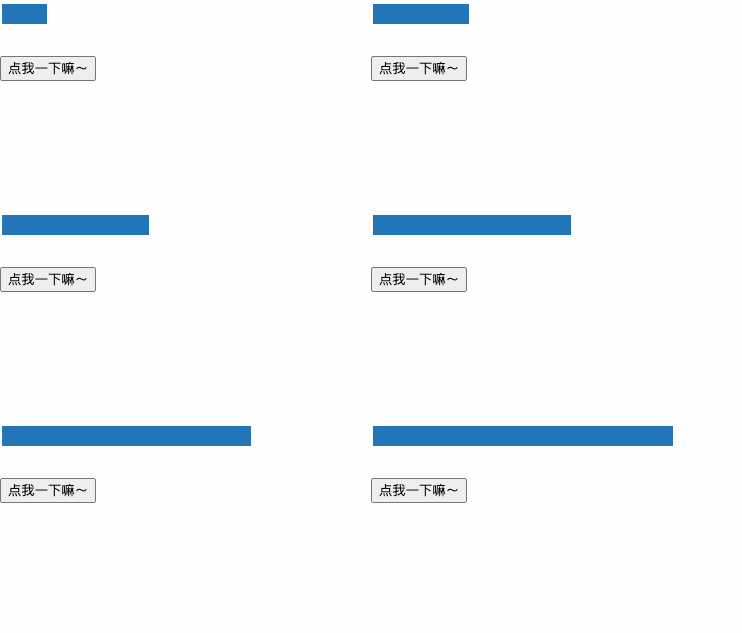
<style>
??.progress2[type='range']?{
????display:?block;?
????font:?inherit;
????height:?20px;
????width:?300px;
????pointer-events:?none;
????background-color:?linear-gradient(to?right,?#2376b7?100%,?#FFF?0%);
??}
??.progress2[type='range'],
??.progress2[type='range']::-webkit-slider-thumb?{?
????-webkit-appearance:?none;
??};
??.progress2[type='range']::-webkit-slider-runnable-track?{
????border:?none;
????border-bottom-right-radius:?10px;
????border-top-right-radius:?10px;
????height:?20px;
????width:?300px;
??}
??.btn?{
????margin-top:?30px;
??}
style>
<input?id="progress2"?class="progress2"?type='range'?step="1"?min="0"?max="100"?value="0"/>
<button?id="btn"?class="btn">點我一下嘛~button>
<script>
??'use?strict';
??let?startTimestamp?=?(new?Date()).getTime();
??let?currentPercentage?=?0;
??let?maxPercentage?=?100;
??let?countDelay?=?100;
??let?timer?=?null;
??let?start?=?false;
??let?percentageGap?=?10;
??const?percentageChange?=?()?=>?{
????const?currentTimestamp?=?(new?Date()).getTime();
????if?(currentTimestamp?-?startTimestamp?>=?countDelay)?{
??????currentPercentage++;
??????startTimestamp?=?(new?Date()).getTime();
??????progress2.value?=?currentPercentage;
??????progress2.style.background?=?`linear-gradient(to?right,?#2376b7?${currentPercentage}%,?#FFF?0%`;
????};
????if?(currentPercentage???????timer?=?window.requestAnimationFrame(percentageChange);
????}?else?{
??????window.cancelAnimationFrame(timer);
????};
??};
??const?clickHander?=?()?=>?{
????if?(!start)?{
??????start?=?true;
??????percentageChange();
????};
??};
??btn.addEventListener('click',?clickHander);
script> 并不適合做這個功能。。一個是實現(xiàn)困難,這個 type 組件的每個元件都可以單獨修改樣式,但是效果并不是很好。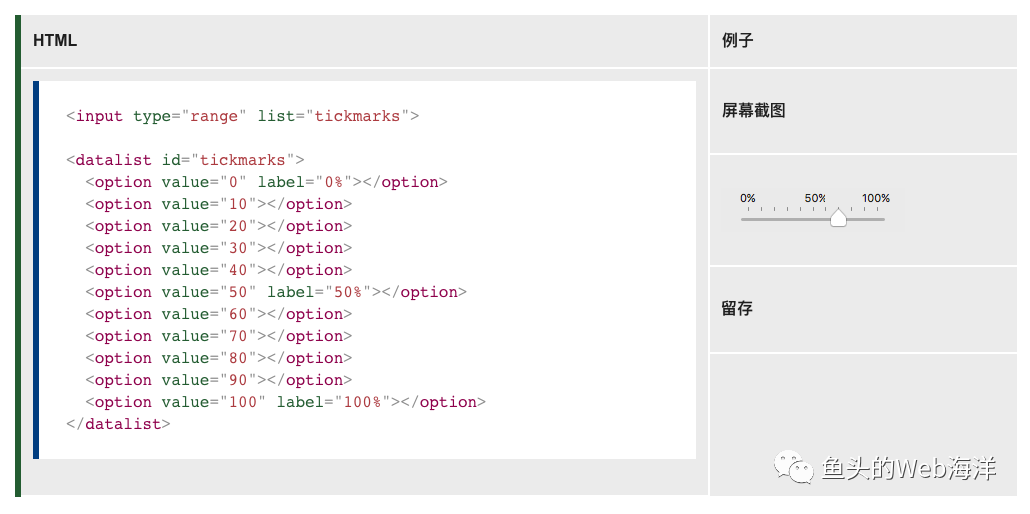
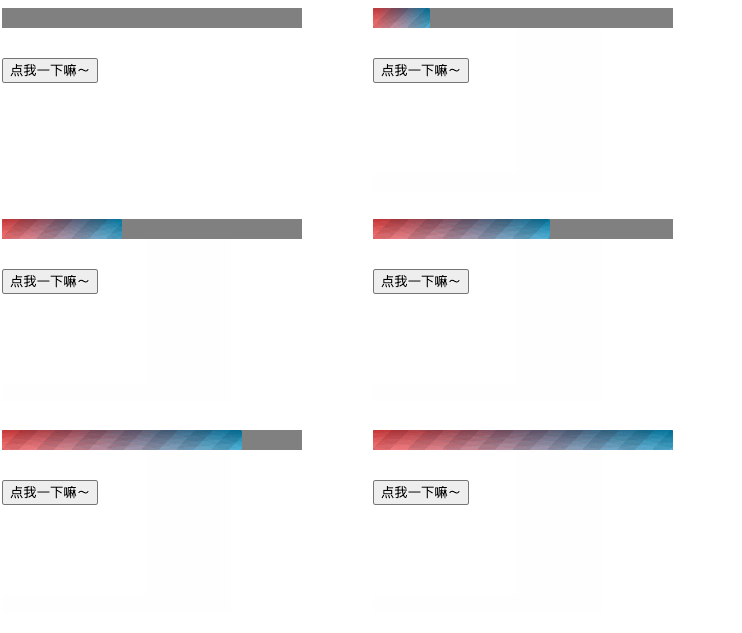
高級版 — progress 鴨
。
<style>
??.progress3?{
????height:?20px;
????width:?300px;
????-webkit-appearance:?none;
????display:?block;
??}
??.progress3::-webkit-progress-value?{
????background:?linear-gradient(
??????-45deg,?
??????transparent?33%,?
??????rgba(0,?0,?0,?.1)?33%,?
??????rgba(0,0,?0,?.1)?66%,?
??????transparent?66%
????),
??????linear-gradient(
????????to?top,?
????????rgba(255,?255,?255,?.25),?
????????rgba(0,?0,?0,?.25)
??????),
??????linear-gradient(
????????to?left,
????????#09c,
????????#f44);
????border-radius:?2px;?
????background-size:?35px?20px,?100%?100%,?100%?100%;
??}
??.btn?{
????margin-top:?30px;
??}
style>
<progress?id="progress3"?class="progress3"?max="100"?value="0">progress>
<button?id="btn"?class="btn">點我一下嘛~button>
<script>
??'use?strict';
??let?startTimestamp?=?(new?Date()).getTime();
??let?currentPercentage?=?0;
??let?maxPercentage?=?100;
??let?countDelay?=?100;
??let?timer?=?null;
??let?start?=?false;
??const?percentageChange?=?()?=>?{
????const?currentTimestamp?=?(new?Date()).getTime();
????if?(currentTimestamp?-?startTimestamp?>=?countDelay)?{
??????currentPercentage++;
??????startTimestamp?=?(new?Date()).getTime();
??????progress3.setAttribute('value',?currentPercentage);
????};
????if?(currentPercentage???????timer?=?window.requestAnimationFrame(percentageChange);
????}?else?{
??????window.cancelAnimationFrame(timer);
????};
??};
??const?clickHander?=?()?=>?{
????if?(!start)?{
??????start?=?true;
??????percentageChange();
????};
??};
??btn.addEventListener('click',?clickHander);
script>終極版 — meter 賽高
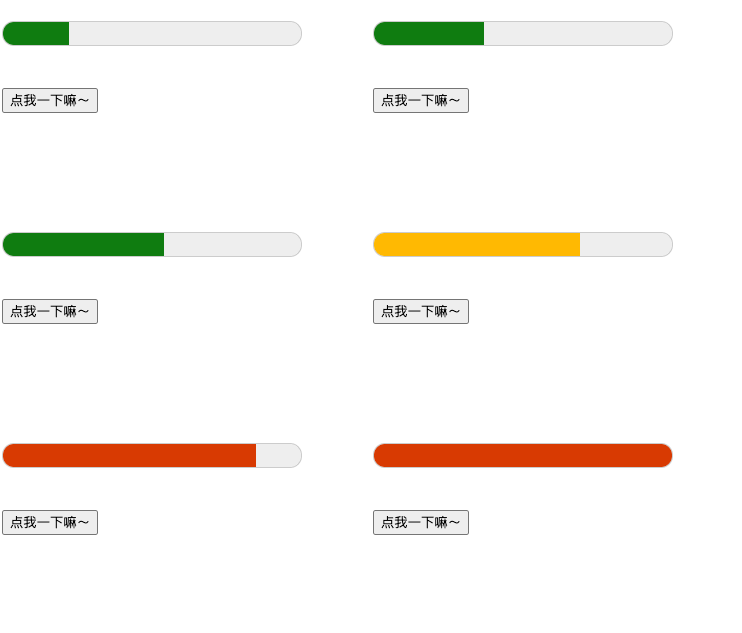
<style>
??.progress4?{
????display:?block;?
????font:?inherit;
????height:?50px;
????width:?300px;
????pointer-events:?none;
??}
??.btn?{
????margin-top:?30px;
??}
style>
<meter?id="progress4"?class="progress4"?low="60"?high="80"?min="0"?max="100"?value="0">meter>
<button?id="btn"?class="btn">點我一下嘛~button>
<script>
??'use?strict';
??let?startTimestamp?=?(new?Date()).getTime();
??let?currentPercentage?=?0;
??let?maxPercentage?=?100;
??let?countDelay?=?100;
??let?timer?=?null;
??let?start?=?false;
??const?percentageChange?=?()?=>?{
????const?currentTimestamp?=?(new?Date()).getTime();
????if?(currentTimestamp?-?startTimestamp?>=?countDelay)?{
??????currentPercentage++;
??????startTimestamp?=?(new?Date()).getTime();
??????progress4.value?=?currentPercentage;
????};
????if?(currentPercentage???????timer?=?window.requestAnimationFrame(percentageChange);
????}?else?{
??????window.cancelAnimationFrame(timer);
????};
??};
??const?clickHander?=?()?=>?{
????if?(!start)?{
??????start?=?true;
??????percentageChange();
????};
??};
??btn.addEventListener('click',?clickHander);
script> 的語義是一樣的,用來顯示已知范圍的標(biāo)量值或者分數(shù)值。不一樣的就是。。。它樣式改起來更麻煩。總結(jié)
后記
<b id="afajh"><abbr id="afajh"></abbr></b>