
SpringBoot+Nacos+Kafka簡(jiǎn)單實(shí)現(xiàn)微服務(wù)流編排
目錄
前言 準(zhǔn)備工作 總結(jié)

前言

準(zhǔn)備工作
| Nacos 安裝及使用入門(mén)
自己學(xué)習(xí)的話(huà)推薦使用 docker 安裝,命令如下:
拉取鏡像:
docker pull nacos/nacos-server
創(chuàng)建服務(wù):
docker run --env MODE=standalone --name nacos -d -p 8848:8848 nacos/nacos-server
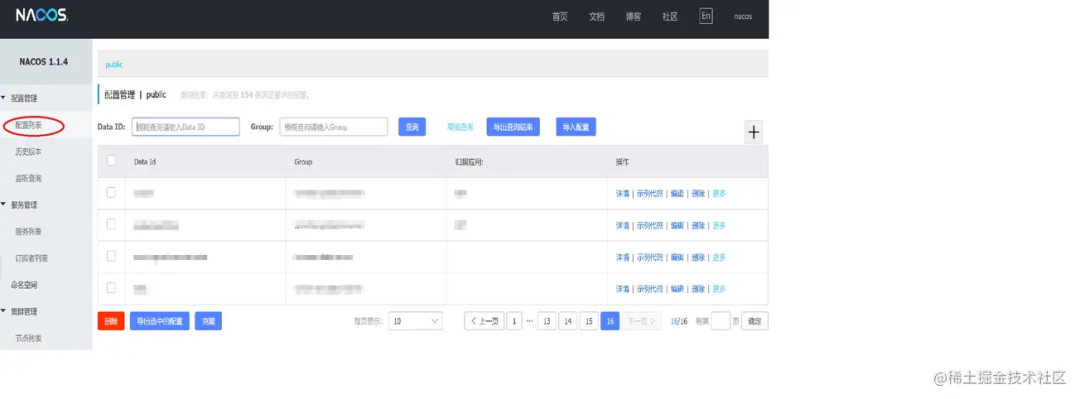
| 準(zhǔn)備三個(gè) SpringBoot 服務(wù),引入 Nacos 及 Kafka
<parent>
   <groupId>org.springframework.boot</groupId>
   <artifactId>spring-boot-starter-parent</artifactId>
   <version>2.1.0.RELEASE</version>
</parent>

<dependency>
   <groupId>org.springframework.kafka</groupId>
   <artifactId>spring-kafka</artifactId>
</dependency>

<dependency>
   <groupId>com.alibaba.boot</groupId>
   <artifactId>nacos-config-spring-boot-starter</artifactId>
   <version>0.2.1</version>
</dependency>
spring:
  kafka:
    bootstrap-servers: kafka-server:9092
    producer:
      acks: all
    consumer:
      group-id: node1-group #三個(gè)服務(wù)分別為node1 node2 node3
      enable-auto-commit: false
# 部署的nacos服務(wù)
nacos:
  config:
    server-addr: nacos-server:8848
| 業(yè)務(wù)解讀
我們現(xiàn)在需要對(duì)三個(gè)服務(wù)進(jìn)行編排,保障每個(gè)服務(wù)可以插拔,也可以調(diào)整服務(wù)的位置。
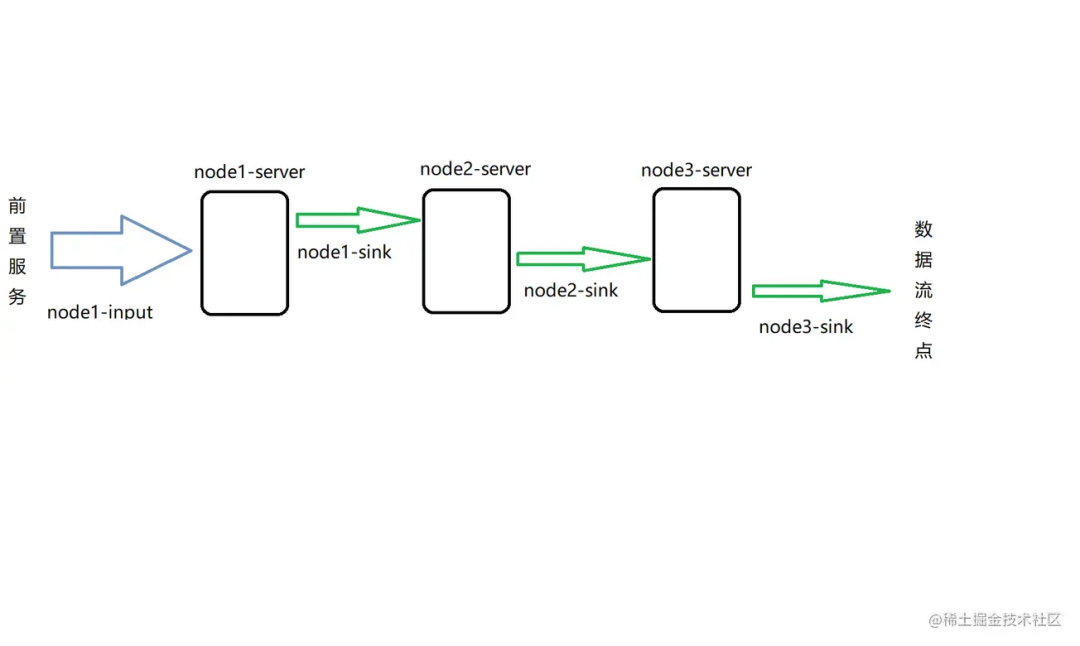
示意圖如上:
node1 服務(wù)監(jiān)聽(tīng)前置服務(wù)發(fā)送的數(shù)據(jù)流,輸入的 topic 為前置數(shù)據(jù)服務(wù)輸出 topic node2 監(jiān)聽(tīng) node1 處理后的數(shù)據(jù),所以 node2 監(jiān)聽(tīng)的 topic 為 node1 輸出的 topic,node3 同理,最終 node3 處理完成后將數(shù)據(jù)發(fā)送到數(shù)據(jù)流終點(diǎn) 我們現(xiàn)在要調(diào)整流程移除 node2-server,我們只需要把 node1-sink 改變成 node2-sink 即可,這樣我們這幾個(gè)服務(wù)就可以靈活的嵌入不同項(xiàng)目的數(shù)據(jù)流處理業(yè)務(wù)中,做到即插即用(當(dāng)然,數(shù)據(jù)格式這些業(yè)務(wù)層面的都是需要約定好的) 動(dòng)態(tài)可調(diào)還可以保證服務(wù)某一節(jié)點(diǎn)出現(xiàn)問(wèn)題時(shí)候,即時(shí)改變數(shù)據(jù)流向,比如發(fā)送到數(shù)暫存服務(wù),避免 Kafka 中積累太多數(shù)據(jù),吞吐不平衡
| Nacos 配置
①創(chuàng)建配置
通常流編排里面每個(gè)服務(wù)都有一個(gè)輸入及輸出,分別為 input 及 sink,所以每個(gè)服務(wù)我們需要配置兩個(gè) topic,分別是 input-topic output-topic,我們就在 nacos 里面添加輸入輸出配置。
nacos 配置項(xiàng)需要配置 groupId,dataId,通常我們用服務(wù)名稱(chēng)作為 groupId,配置項(xiàng)的名稱(chēng)作為 dataId。
如 node1-server 服務(wù)有一個(gè) input 配置項(xiàng),配置如下:
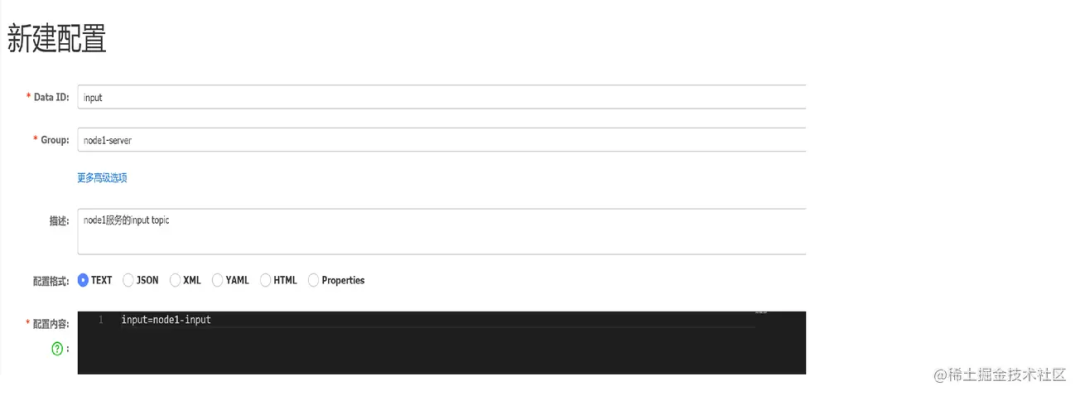
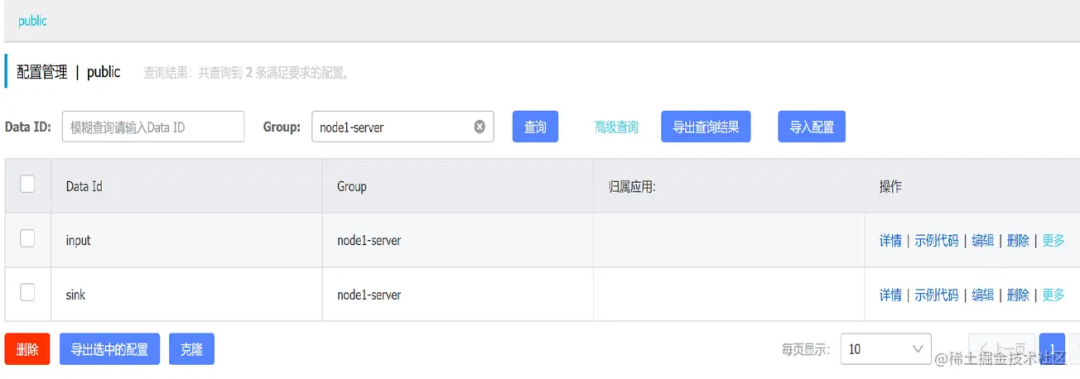
完成其中一個(gè)服務(wù)的配置,其它服務(wù)參考下圖配置即可:
②讀取配置
@Configuration
@NacosPropertySource(dataId = "input", groupId = "node1-server", autoRefreshed = true)
// autoRefreshed=true指的是nacos中配置發(fā)生改變后會(huì)刷新,false代表只會(huì)使用服務(wù)啟動(dòng)時(shí)候讀取到的值
@NacosPropertySource(dataId = "sink", groupId = "node1-server", autoRefreshed = true)
public class NacosConfig {

    @NacosValue(value = "${input:}", autoRefreshed = true)
    private String input;

    @NacosValue(value = "${sink:}", autoRefreshed = true)
    private String sink;

    public String getInput() {
        return input;
    }

    public String getSink() {
        return sink;
    }
}
③監(jiān)聽(tīng)配置改變
服務(wù)的輸入需要在服務(wù)啟動(dòng)時(shí)候創(chuàng)建消費(fèi)者,在 topic 發(fā)生改變時(shí)候重新創(chuàng)建消費(fèi)者,移除舊 topic 的消費(fèi)者,輸出是業(yè)務(wù)驅(qū)動(dòng)的,無(wú)需監(jiān)聽(tīng)改變,在每次發(fā)送時(shí)候讀取到的都是最新配置的 topic。
因?yàn)樵谏厦娴呐渲妙?lèi)中 autoRefreshed = true,這個(gè)只會(huì)刷新 nacosConfig 中的配置值,服務(wù)需要知道配置改變?nèi)ヲ?qū)動(dòng)消費(fèi)的創(chuàng)建業(yè)務(wù),需要?jiǎng)?chuàng)建 nacos 配置監(jiān)聽(tīng)。
/**
 * 監(jiān)聽(tīng)Nacos配置改變,創(chuàng)建消費(fèi)者,更新消費(fèi)
 */
@Component
public class ConsumerManager {

    @Value("${spring.kafka.bootstrap-servers}")
    private String servers;

    @Value("${spring.kafka.consumer.enable-auto-commit}")
    private boolean enableAutoCommit;

    @Value("${spring.kafka.consumer.group-id}")
    private boolean groupId;

    @Autowired
    private NacosConfig nacosConfig;

    @Autowired
    private KafkaTemplate kafkaTemplate;

    // 用于存放當(dāng)前消費(fèi)者使用的topic
    private String topic;

    // 用于執(zhí)行消費(fèi)者線(xiàn)程
    private ExecutorService executorService;

    /**
     * 監(jiān)聽(tīng)input
     */
    @NacosConfigListener(dataId = "node1-server", groupId = "input")
    public void inputListener(String input) {
        // 這個(gè)監(jiān)聽(tīng)觸發(fā)的時(shí)候 實(shí)際NacosConfig中input的值已經(jīng)是最新的值了 我們只是需要這個(gè)監(jiān)聽(tīng)觸發(fā)我們更新消費(fèi)者的業(yè)務(wù)
        String inputTopic = nacosConfig.getInput();
        // 我使用nacosConfig中讀取的原因是因?yàn)楸O(jiān)聽(tīng)到內(nèi)容是input=xxxx而不是xxxx,如果使用需要自己截取一下,nacosConfig中的內(nèi)容框架會(huì)處理好,大家看一下第一張圖的配置內(nèi)容就明白了
        // 先檢查當(dāng)前局部變量topic是否有值,有值代表是更新消費(fèi)者,沒(méi)有值只需要?jiǎng)?chuàng)建即可
        if(topic != null) {
            // 停止舊的消費(fèi)者線(xiàn)程
            executorService.shutdownNow();
            executorService == null;
        }
        // 根據(jù)為新的topic創(chuàng)建消費(fèi)者
        topic = inputTopic;
        ThreadFactory threadFactory = new ThreadFactoryBuilder().setNameFormat(topic + "-pool-%d").build();
        executorService = new ThreadPoolExecutor(1, 1, 0L, TimeUnit.MILLISECONDS, new LinkedBlockingQueue<Runnable>(2), threadFactory);
        // 執(zhí)行消費(fèi)業(yè)務(wù)
        executorService.execute(() -> consumer(topic));
    }

    /**
     * 創(chuàng)建消費(fèi)者
     */
    public void consumer(String topic) {
        Properties properties = new Properties();
        properties.put("bootstrap.servers", servers);
        properties.put("enable.auto.commit", enableAutoCommit);
        properties.put("key.deserializer", "org.apache.kafka.common.serialization.StringDeserializer");
        properties.put("value.deserializer", "org.apache.kafka.common.serialization.StringDeserializer");
        properties.put("group.id", groupId);
        KafkaConsumer<String, String> consumer = new KafkaConsumer<>(properties);
        consumer.subscribe(Arrays.asList(topic));
        try {
            while (!Thread.currentThread().isInterrupted()) {
                Duration duration = Duration.ofSeconds(1L);
                ConsumerRecords<String, String> records = consumer.poll(duration);
                for (ConsumerRecord<String, String> record : records) {
                    String message = record.value();
                    // 執(zhí)行數(shù)據(jù)處理業(yè)務(wù) 省略業(yè)務(wù)實(shí)現(xiàn)
                    String handleMessage =  handle(message);
                    // 處理完成后發(fā)送到下一個(gè)節(jié)點(diǎn)
                    kafkaTemplate.send(nacosConfig.getSink(), handleMessage);
                }
            }
            consumer.commitAsync();
        }
        } catch (Exception e) {
            LOGGER.error(e.getMessage(), e);
        } finally {
            try {
                consumer.commitSync();
            } finally {
                consumer.close();
            }
        }
    }
}
總結(jié)
在實(shí)際業(yè)務(wù)中,還有許多業(yè)務(wù)問(wèn)題需要去突破,我們這樣處理更多是因?yàn)榉?wù)可插拔,便于流處理微服務(wù)在項(xiàng)目靈活搭配。
因?yàn)槲椰F(xiàn)在工作是在傳統(tǒng)公司,由于一些原因很難去推動(dòng)新框架的使用,經(jīng)常會(huì)用一些現(xiàn)有技術(shù)棧組合搞一些 sao 操作,供大家參考,希望大家多多指教。
作者:熱黃油啤酒
來(lái)源:juejin.cn/post/6997704312835047438
版權(quán)申明:內(nèi)容來(lái)源網(wǎng)絡(luò),僅供分享學(xué)習(xí),版權(quán)歸原創(chuàng)者所有。除非無(wú)法確認(rèn),我們都會(huì)標(biāo)明作者及出處,如有侵權(quán)煩請(qǐng)告知,我們會(huì)立即刪除并表示歉意。謝謝!
END
推薦閱讀
END
一鍵生成Springboot & Vue項(xiàng)目!【畢設(shè)神器】
Java可視化編程工具系列(一)
Java可視化編程工具系列(二)
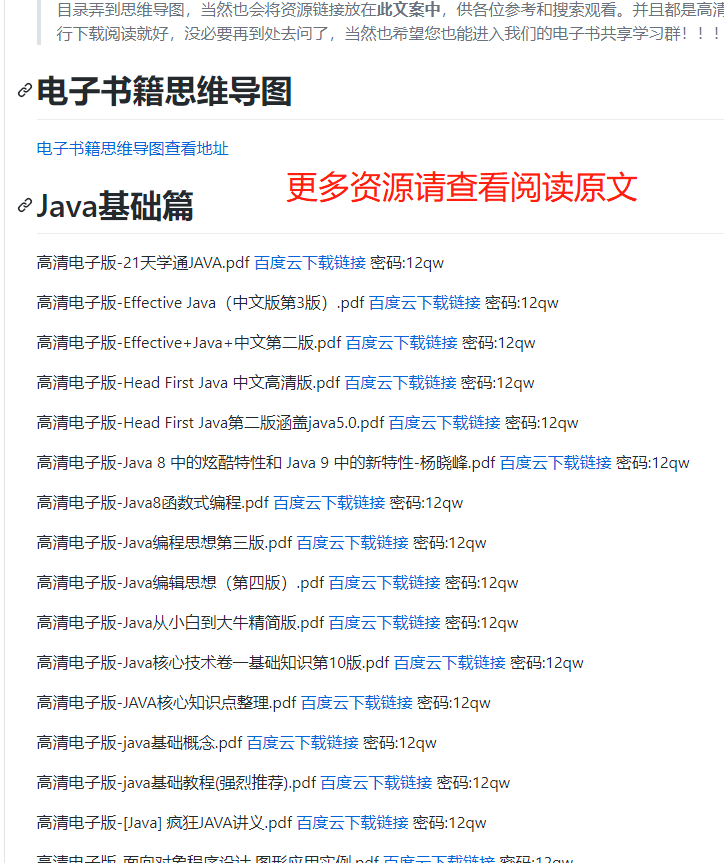
順便給大家推薦一個(gè)GitHub項(xiàng)目,這個(gè) GitHub 整理了上千本常用技術(shù)PDF,絕大部分核心的技術(shù)書(shū)籍都可以在這里找到,
GitHub地址:https://github.com/javadevbooks/books
電子書(shū)已經(jīng)更新好了,你們需要的可以自行下載了,記得點(diǎn)一個(gè)star,持續(xù)更新中..
順便給大家推薦一個(gè)GitHub項(xiàng)目,這個(gè) GitHub 整理了上千本常用技術(shù)PDF,絕大部分核心的技術(shù)書(shū)籍都可以在這里找到,
GitHub地址:https://github.com/javadevbooks/books
電子書(shū)已經(jīng)更新好了,你們需要的可以自行下載了,記得點(diǎn)一個(gè)star,持續(xù)更新中..
評(píng)論
圖片
表情