
使用 React hooks 監(jiān)聽(tīng)系統(tǒng)的暗黑模式
前言
蘋(píng)果的“暗黑模式”帶來(lái)了全然一新的外觀,它能使您的眼睛放松,并有助于您專(zhuān)心工作。暗黑模式使用一種較深的配色方案,這種配色作用于整個(gè)系統(tǒng),現(xiàn)在大部分網(wǎng)站也加入了暗黑模式,包括 Tailwindcss、antd design 等都支持了暗黑模式,因此我們的網(wǎng)站也要適配系統(tǒng)皮膚。
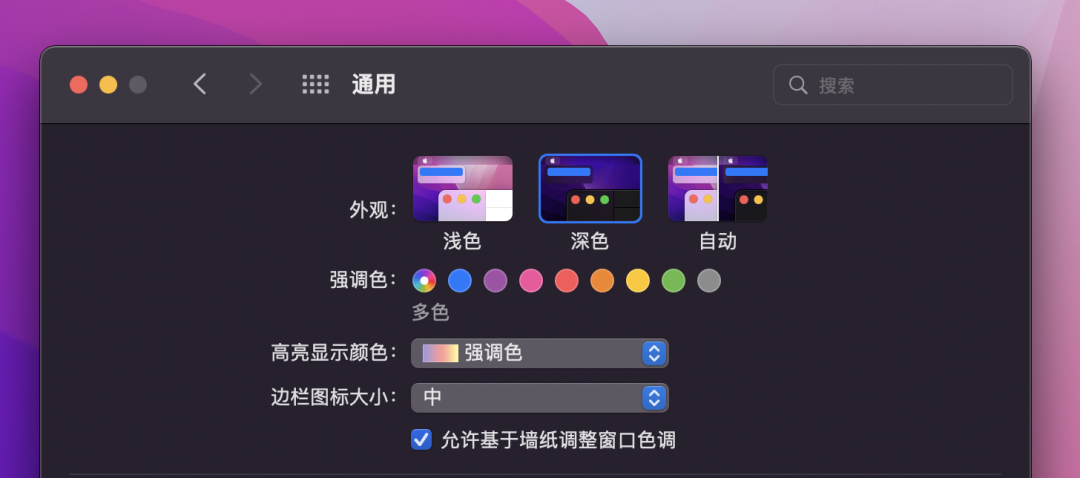
css 實(shí)現(xiàn)
暗模式傳統(tǒng)上是通過(guò)使用 prefers-color-scheme 媒體查詢來(lái)實(shí)現(xiàn)的,當(dāng)暗黑模式被激活時(shí),它可以重新應(yīng)用一套樣式。
body?{
??color:?black;
??background:?white;
}
@media?(prefers-color-scheme:?dark)?{
??body?{
????color:?white;
????background:?black;
??}
}
React hooks 實(shí)現(xiàn)
前端頁(yè)面中除了使用 css 實(shí)現(xiàn)外,還有很大部分是使用 JavaScript 實(shí)現(xiàn)的,比如 echarts 圖表等,這時(shí)就需要使用 JavaScript, 可以使用window.matchMedia[1] 來(lái)獲取皮膚顏色。我們可以把這個(gè)邏輯寫(xiě)成一個(gè)自定義 hooks
import?{?useEffect,?useState?}?from?"react"

export?type?ThemeName?=?"light"?|?"dark"

function?useTheme()?{
??const?[themeName,?setThemeName]?=?useState("light")
??useEffect(()?=>?{
????//?設(shè)置初始皮膚
????if?(window.matchMedia("(prefers-color-scheme:?dark)").matches)?{
??????setThemeName("dark")
????}?else?{
??????setThemeName("light")
????}
????//?監(jiān)聽(tīng)系統(tǒng)顏色切換
????window
??????.matchMedia("(prefers-color-scheme:?dark)")
??????.addEventListener("change",?(event)?=>?{
????????if?(event.matches)?{
??????????setThemeName("dark")
????????}?else?{
??????????setThemeName("light")
????????}
??????})
??},?[])
??return?{
????themeName,
????isDarkMode:?themeName?===?"dark",
????isLightMode:?themeName?===?"light",
??}
}

export?default?useTheme
使用
下面代碼是配合 echarts 使用
import?'./styles.css'
import?React,?{?useRef,?useEffect?}?from?'react'
import?*?as?echarts?from?'echarts'
import?useTheme?from?'./hooks/useTheme'

export?default?function?App()?{
??const?domRef?=?useRef(null)
??const?{?isDarkMode?}?=?useTheme()
??useEffect(()?=>?{
????var?myChart?=?echarts.init(domRef.current,?isDarkMode???'dark'?:?'light')
????var?option?=?{
??????xAxis:?{
????????type:?'category',
????????data:?['Mon',?'Tue',?'Wed',?'Thu',?'Fri',?'Sat',?'Sun'],
??????},
??????yAxis:?{
????????type:?'value',
??????},
??????series:?[
????????{
??????????data:?[820,?932,?901,?934,?1290,?1330,?1320],
??????????type:?'line',
??????????smooth:?true,
????????},
??????],
????}

????myChart.setOption(option)
????return?()?=>?{
??????myChart.dispose()
????}
??},?[isDarkMode])
??return?(
????<div?className='App'>
??????<h1>Hello?CodeSandboxh1>
??????<h2>Start?editing?to?see?some?magic?happen!h2>
??????<div?ref={domRef}?style={{?height:?500?}}>div>
????div>
??)
}
效果
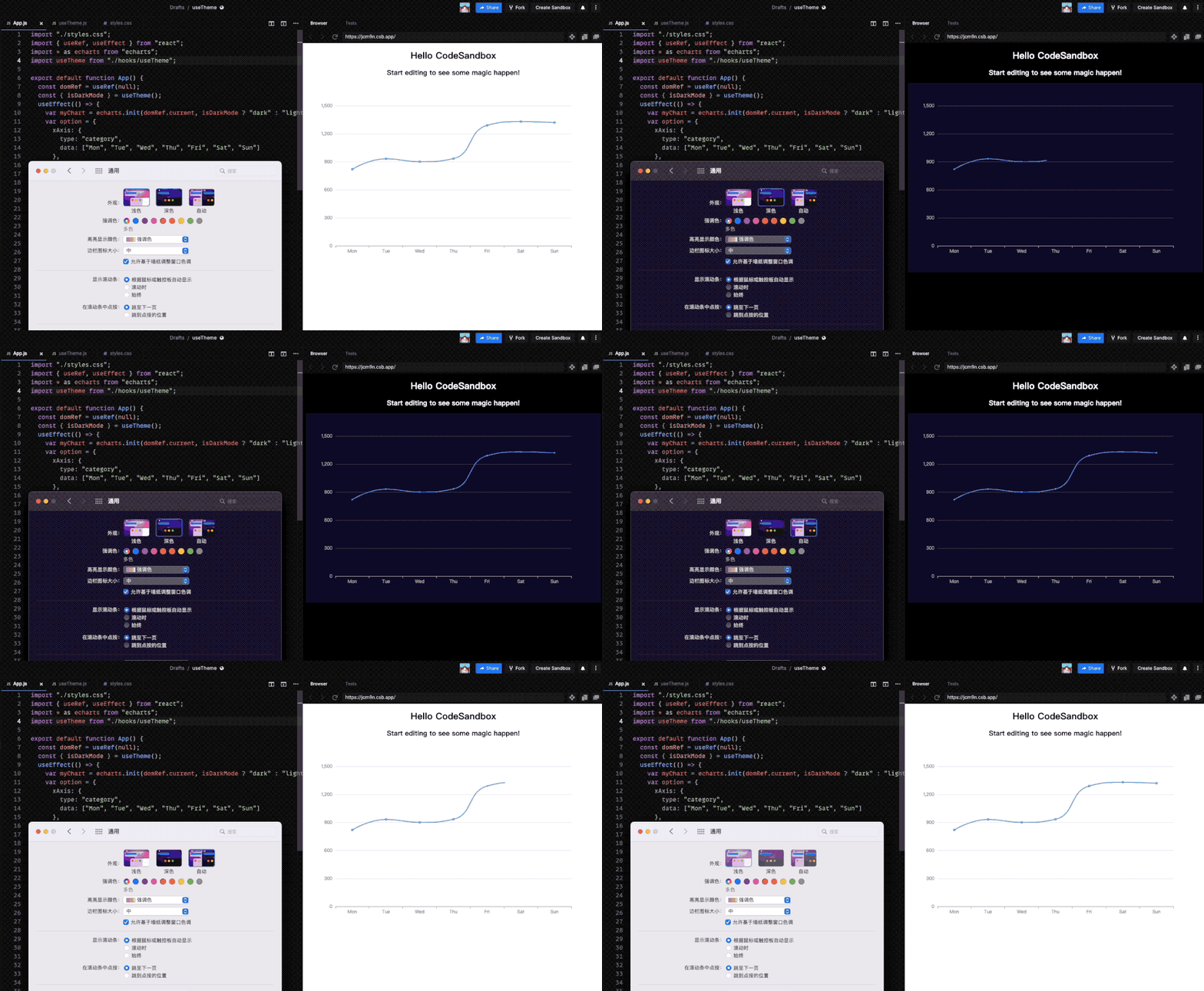
代碼示例
codesandbox[2]
以上就是本文全部?jī)?nèi)容,希望這篇文章對(duì)大家有所幫助,也可以參考我往期的文章或者在評(píng)論區(qū)交流你的想法和心得,歡迎一起探索前端。
相關(guān)文章
參考資料
window.matchMedia: https://developer.mozilla.org/zh-CN/docs/Web/API/Window/matchMedia
[2]codesandbox: https://codesandbox.io/s/usetheme-jcm9n?file=/src/hooks/useTheme.js
The End
點(diǎn)個(gè)?「在看」,讓更多的人也能看到這篇文章;
關(guān)注公眾號(hào)?「JS 酷」?,我們持續(xù)分享 Javascript 熱門(mén)框架和前端工程師進(jìn)階內(nèi)容;