
你可能不知道的 React Hooks

本文是譯文,原文地址是:https://medium.com/@sdolidze/the-iceberg-of-react-hooks-af0b588f43fb
React Hooks 與類組件不同,它提供了用于優(yōu)化和組合應(yīng)用程序的簡(jiǎn)單方式,并且使用了最少的樣板文件。
如果沒有深入的知識(shí),由于微妙的 bug 和抽象層漏洞,可能會(huì)出現(xiàn)性能問題,代碼復(fù)雜性也會(huì)增加。
我已經(jīng)創(chuàng)建了 12 個(gè)案例研究來(lái)演示常見的問題以及解決它們的方法。 我還編寫了 React Hooks Radar 和 React Hooks Checklist,來(lái)推薦和快速參考。
案例研究: 實(shí)現(xiàn) Interval
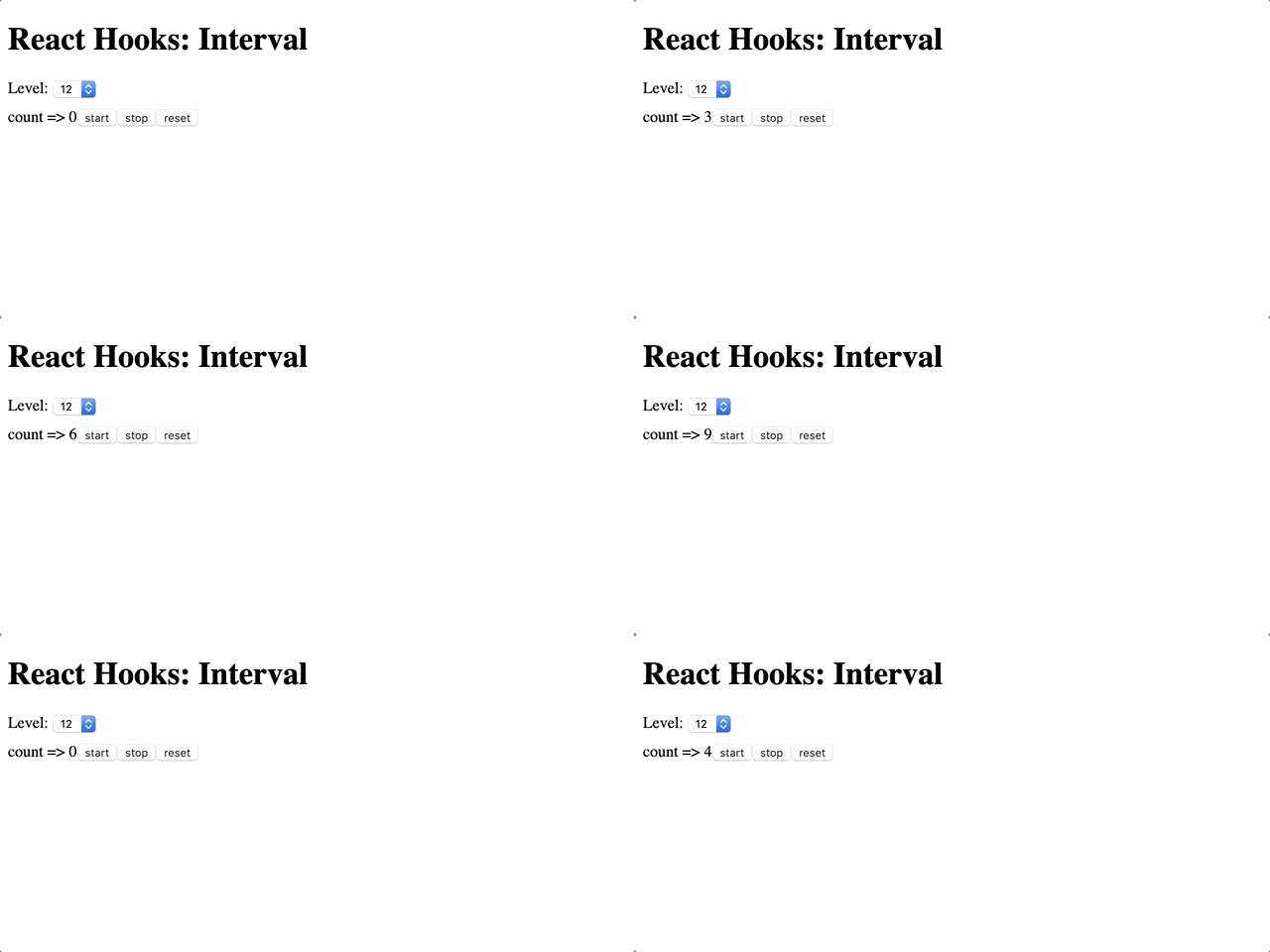
目標(biāo)是實(shí)現(xiàn)計(jì)數(shù)器,從 0 開始,每 500 毫秒增加一次。 應(yīng)提供三個(gè)控制按鈕: 啟動(dòng)、停止和清除。
Level 0:Hello World
export default function Level00() {
console.log('renderLevel00');
const [count, setCount] = useState(0);
return (
<div>
      count => {count}
<button onClick={() => setCount(count + 1)}>+button>
<button onClick={() => setCount(count - 1)}>-button>
div>
  );
}
這是一個(gè)簡(jiǎn)單的、正確實(shí)現(xiàn)的計(jì)數(shù)器,用戶單擊時(shí)計(jì)數(shù)器的增加或減少。
Level 1:setInterval
export default function Level01() {
console.log('renderLevel01');
const [count, setCount] = useState(0);
  setInterval(() => {
    setCount(count + 1);
  }, 500);
return <div>count => {count}div>;
}
此代碼的目的是每 500 毫秒增加計(jì)數(shù)器。 這段代碼存在巨大的內(nèi)存泄漏并且實(shí)現(xiàn)不正確。 它很容易讓瀏覽器標(biāo)簽崩潰。 由于 Level01 函數(shù)在每次渲染發(fā)生時(shí)被調(diào)用,所以每次觸發(fā)渲染時(shí)這個(gè)組件都會(huì)創(chuàng)建新的 interval。
突變、訂閱、計(jì)時(shí)器、日志記錄和其他副作用不允許出現(xiàn)在函數(shù)組件的主體中(稱為 React 的 render 階段)。 這樣做會(huì)導(dǎo)致用戶界面中的錯(cuò)誤和不一致。
Hooks API Reference[1]: useEffect[2]
Level 2:useEffect
export default function Level02() {
console.log('renderLevel02');
const [count, setCount] = useState(0);
  useEffect(() => {
    setInterval(() => {
      setCount(count + 1);
    }, 500);
  });
return <div>Level 2: count => {count}div>;
}
大多數(shù)副作用放在 useEffect 內(nèi)部。 但是此代碼還有巨大的資源泄漏,并且實(shí)現(xiàn)不正確。 useEffect 的默認(rèn)行為是在每次渲染后運(yùn)行,所以每次計(jì)數(shù)更改都會(huì)創(chuàng)建新的 Interval。
Hooks API Reference[3]: useEffect[4], Timing of Effects[5].
Level 3: 只運(yùn)行一次
export default function Level03() {
console.log('renderLevel03');
const [count, setCount] = useState(0);
  useEffect(() => {
    setInterval(() => {
      setCount(count + 1);
    }, 300);
  }, []);
return <div>count => {count}div>;
}
將 [] 作為 useEffect 的第二個(gè)參數(shù),將在 mount 之后只調(diào)用一次 function,即使只調(diào)用一次 setInterval,這段代碼的實(shí)現(xiàn)也是不正確的。
雖然 count 會(huì)從 0 增加到 1,但是不會(huì)再增加,只會(huì)保持成 1。 因?yàn)榧^函數(shù)只被創(chuàng)建一次,所以箭頭函數(shù)里面的 count 會(huì)一直為 0.
這段代碼也存在微妙的資源泄漏。 即使在組件卸載之后,仍將調(diào)用 setCount。
Hooks API Reference[6]: useEffect[7], Conditionally firing an effect[8].
Level 4:清理
useEffect(() => {
const interval = setInterval(() => {
      setCount(count + 1);
    }, 300);
return () => clearInterval(interval);
  }, []);
為了防止資源泄漏,Hooks 的生命周期結(jié)束時(shí),必須清理所有內(nèi)容。 在這種情況下,組件卸載后將調(diào)用返回的函數(shù)。
這段代碼沒有資源泄漏,但是實(shí)現(xiàn)不正確,就像之前的代碼一樣。
Hooks API Reference[9]: Cleaning up an effect[10].
Level 5:使用 count 作為依賴項(xiàng)
useEffect(() => {
const interval = setInterval(() => {
    setCount(count + 1);
  }, 500);
return () => clearInterval(interval);
}, [count]);
給 useEffect 提供依賴數(shù)組會(huì)改變它的生命周期。 在這個(gè)例子中,useEffect 在 mount 之后會(huì)被調(diào)用一次,并且每次 count 都會(huì)改變。 清理函數(shù)將在每次 count 更改時(shí)被調(diào)用以釋放前面的資源。
這段代碼工作正常,沒有任何錯(cuò)誤,但是還是有點(diǎn)不好,每 500 毫秒創(chuàng)建和釋放 setInterval, 每個(gè) setInterval 總是調(diào)用一次。
Hooks API Reference[11]: useEffect[12], Conditionally firing an effect[13].
Level 6:setTimeout
useEffect(() => {
const timeout = setTimeout(() => {
    setCount(count + 1);
  }, 500);
return () => clearTimeout(timeout);
}, [count]);
這段代碼和上面的代碼可以正常工作。 因?yàn)?useEffect 是在每次 count 更改時(shí)調(diào)用的,所以使用 setTimeout 與調(diào)用 setInterval 具有相同的效果。
這個(gè)例子效率很低,每次渲染發(fā)生時(shí)都會(huì)創(chuàng)建新的 setTimeout,React 有一個(gè)更好的方式來(lái)解決問題。
Level 7:useState 的函數(shù)更新
useEffect(() => {
const interval = setInterval(() => {
    setCount(c => c + 1);
  }, 500);
return () => clearInterval(interval);
}, []);
在前面的例子中,我們對(duì)每次 count 更改運(yùn)行 useEffect,這是必要的,因?yàn)槲覀冃枰冀K保持最新的當(dāng)前值。
useState 提供 API 來(lái)更新以前的狀態(tài),而不用捕獲當(dāng)前值。 要做到這一點(diǎn),我們需要做的就是向 setState 提供 lambda(匿名函數(shù))。
這段代碼工作正常,效率更高。 在組件的生命周期中,我們使用單個(gè) setInterval, clearInterval 只會(huì)在卸載組件之后調(diào)用一次。
Hooks API Reference[14]: useState[15], Functional updates[16].
Level 8:局部變量
export default function Level08() {
console.log('renderLevel08');
const [count, setCount] = useState(0);
let interval = null;

const start = () => {
    interval = setInterval(() => {
      setCount(c => c + 1);
    }, 500);
  };
const stop = () => {
    clearInterval(interval);
  };
return (
<div>
      count => {count}
<button onClick={start}>startbutton>
<button onClick={stop}>stopbutton>
div>
  );
}
我們?cè)黾恿?start 和 stop 按鈕。 此代碼實(shí)現(xiàn)不正確,因?yàn)?stop 按鈕不工作。 因?yàn)樵诿看武秩酒陂g都會(huì)創(chuàng)建新的引用(指 interval 的引用),因此 stop 函數(shù)里面 clearInterval 里面的 interval 是 null。
Hooks API Reference[17]: Is there something like instance variables?[18]
Level 9:useRef
export default function Level09() {
console.log('renderLevel09');
const [count, setCount] = useState(0);
const intervalRef = useRef(null);

const start = () => {
    intervalRef.current = setInterval(() => {
      setCount(c => c + 1);
    }, 500);
  };

const stop = () => {
    clearInterval(intervalRef.current);
  };

return (
<div>
      count => {count}
<button onClick={start}>startbutton>
<button onClick={stop}>stopbutton>
div>
  );
}
如果需要變量,useRef 是首選的 Hook。 與局部變量不同,React 確保在每次渲染期間返回相同的引用。
這個(gè)代碼看起來(lái)是正確的,但是有一個(gè)微妙的錯(cuò)誤。 如果 start 被多次調(diào)用,那么 setInterval 將被多次調(diào)用,從而觸發(fā)資源泄漏。
Hooks API Reference[19]: useRef[20]
Level 10: 判空處理
export default function Level10() {
console.log('renderLevel10');
const [count, setCount] = useState(0);
const intervalRef = useRef(null);

const start = () => {
if (intervalRef.current !== null) {
return;
    }
    intervalRef.current = setInterval(() => {
      setCount(c => c + 1);
    }, 500);
  };

const stop = () => {
if (intervalRef.current === null) {
return;
    }
    clearInterval(intervalRef.current);
    intervalRef.current = null;
  };

return (
<div>
      count => {count}
<button onClick={start}>startbutton>
<button onClick={stop}>stopbutton>
div>
  );
}
為了避免資源泄漏,如果 interval 已經(jīng)啟動(dòng),我們只需忽略調(diào)用。 盡管調(diào)用 clearInterval (null) 不會(huì)觸發(fā)任何錯(cuò)誤,但是只釋放一次資源仍然是一個(gè)很好的實(shí)踐。
此代碼沒有資源泄漏,實(shí)現(xiàn)正確,但可能存在性能問題。
memoization 是 React 中主要的性能優(yōu)化工具。 React.memo 進(jìn)行淺比較,如果引用相同,則跳過 render 階段。
如果 start 函數(shù) 和 stop 函數(shù)被傳遞給一個(gè) memoized 組件,整個(gè)優(yōu)化就會(huì)失敗,因?yàn)樵诿看武秩局蠖紩?huì)返回新的引用。
React Hooks: Memoization[21]
Level 11: useCallback
const intervalRef = useRef(null);

const start = useCallback(() => {
if (intervalRef.current !== null) {
return;
    }
    intervalRef.current = setInterval(() => {
      setCount(c => c + 1);
    }, 500);
  }, []);

const stop = useCallback(() => {
if (intervalRef.current === null) {
return;
  }

  clearInterval(intervalRef.current);
    intervalRef.current = null;
  }, []);

return (
<div>
      count => {count}
<button onClick={start}>startbutton>
<button onClick={stop}>stopbutton>
div>
  );
}
為了使 React.memo 能夠正常工作,我們需要做的就是使用 useCallback 來(lái)記憶(memoize)函數(shù)。 這樣,每次渲染后都會(huì)提供相同的函數(shù)引用。
此代碼沒有資源泄漏,實(shí)現(xiàn)正確,沒有性能問題,但代碼相當(dāng)復(fù)雜,即使對(duì)于簡(jiǎn)單的計(jì)數(shù)器也是如此。
Hooks API Reference[22]: useCallback[23]
Level 12: 自定義 Hook
function useCounter(initialValue, ms) {
const [count, setCount] = useState(initialValue);
const intervalRef = useRef(null);

const start = useCallback(() => {
if (intervalRef.current !== null) {
return;
    }
    intervalRef.current = setInterval(() => {
      setCount(c => c + 1);
    }, ms);
  }, []);

const stop = useCallback(() => {
if (intervalRef.current === null) {
return;
    }
    clearInterval(intervalRef.current);
    intervalRef.current = null;
  }, []);

const reset = useCallback(() => {
    setCount(0);
  }, []);

return { count, start, stop, reset };
}
為了簡(jiǎn)化代碼,我們需要將所有復(fù)雜性封裝在 useCounter 自定義鉤子中,并暴露 api: { count,start,stop,reset }。
export default function Level12() {
console.log('renderLevel12');
const { count, start, stop, reset } = useCounter(0, 500);

return (
<div>
      count => {count}
<button onClick={start}>startbutton>
<button onClick={stop}>stopbutton>
<button onClick={reset}>resetbutton>
div>
  );
}
Hooks API Reference[24]: Using a Custom Hook[25]
React Hooks Radar

? Green
綠色 hooks 是現(xiàn)代 React 應(yīng)用程序的主要構(gòu)件。 它們幾乎在任何地方都可以安全地使用,而不需要太多的思考
useReduceruseStateuseContext
? Yellow
黃色 hooks 通過使用記憶(memoize)提供了有用的性能優(yōu)化。 管理生命周期和輸入應(yīng)該謹(jǐn)慎地進(jìn)行。
useCallbackuseMemo
? Red
紅色 hooks 與易變的世界相互作用,使用副作用。 它們是最強(qiáng)大的,應(yīng)該極其謹(jǐn)慎地使用。 自定義 hooks 被推薦用于所有重要用途的情況。
useRefuseEffectuseLayoutEffect
用好 React Hooks 的清單
- 服從Rules of Hooks 鉤子的規(guī)則[26].
- 不要在主渲染函數(shù)中做任何副作用
- 取消訂閱 / 棄置 / 銷毀所有已使用的資源
- Prefer 更喜歡
useReduceror functional updates for 或功能更新useStateto prevent reading and writing same value in a hook. 防止在鉤子上讀寫相同的數(shù)值 - 不要在渲染函數(shù)中使用可變變量,而應(yīng)該使用
useRef - 如果你保存在
useRef的值的生命周期小于組件本身,在處理資源時(shí)不要忘記取消設(shè)置值 - 謹(jǐn)慎使用無(wú)限遞歸導(dǎo)致資源衰竭
- 在需要的時(shí)候使用 Memoize 函數(shù)和對(duì)象來(lái)提高性能
- 正確捕獲輸入依賴項(xiàng)(
undefined=> 每一次渲染,[a, b]=> 當(dāng)aor 或b改變的時(shí)候渲染, 改變,[]=> 只改變一次) - 對(duì)于復(fù)雜的用例可以通過自定義 Hooks 來(lái)實(shí)現(xiàn)。
參考資料
[1]Hooks API Reference: https://reactjs.org/docs/hooks-reference.html
[2]useEffect: https://reactjs.org/docs/hooks-reference.html#useeffect
[3]Hooks API Reference: https://reactjs.org/docs/hooks-reference.html
[4]useEffect: https://reactjs.org/docs/hooks-reference.html#useeffect
[5]Timing of Effects: https://reactjs.org/docs/hooks-reference.html#timing-of-effects
[6]Hooks API Reference: https://reactjs.org/docs/hooks-reference.html
[7]useEffect: https://reactjs.org/docs/hooks-reference.html#useeffect
[8]Conditionally firing an effect: https://reactjs.org/docs/hooks-reference.html#conditionally-firing-an-effect
[9]Hooks API Reference: https://reactjs.org/docs/hooks-reference.html
[10]Cleaning up an effect: https://reactjs.org/docs/hooks-reference.html#cleaning-up-an-effect
[11]Hooks API Reference: https://reactjs.org/docs/hooks-reference.html
[12]useEffect: https://reactjs.org/docs/hooks-reference.html#useeffect
[13]Conditionally firing an effect: https://reactjs.org/docs/hooks-reference.html#conditionally-firing-an-effect
[14]Hooks API Reference: https://reactjs.org/docs/hooks-reference.html
[15]useState: https://reactjs.org/docs/hooks-reference.html#usestate
[16]Functional updates: https://reactjs.org/docs/hooks-reference.html#functional-updates
[17]Hooks API Reference: https://reactjs.org/docs/hooks-reference.html
[18]Is there something like instance variables?: https://reactjs.org/docs/hooks-faq.html#is-there-something-like-instance-variables
[19]Hooks API Reference: https://reactjs.org/docs/hooks-reference.html
[20]useRef: https://reactjs.org/docs/hooks-reference.html#useref
[21]React Hooks: Memoization: https://medium.com/@sdolidze/react-hooks-memoization-99a9a91c8853
[22]Hooks API Reference: https://reactjs.org/docs/hooks-reference.html
[23]useCallback: https://reactjs.org/docs/hooks-reference.html#usecallback
[24]Hooks API Reference: https://reactjs.org/docs/hooks-reference.html
[25]Using a Custom Hook: https://reactjs.org/docs/hooks-custom.html#using-a-custom-hook
[26]Rules of Hooks 鉤子的規(guī)則: https://reactjs.org/docs/hooks-rules.html
推薦閱讀
學(xué)習(xí) React Hooks 可能會(huì)遇到的五個(gè)靈魂問題
深入淺出 React Hooks
React 函數(shù)式組件性能優(yōu)化指南