
數(shù)據(jù)日?qǐng)?bào)自動(dòng)化了!


需求詳解
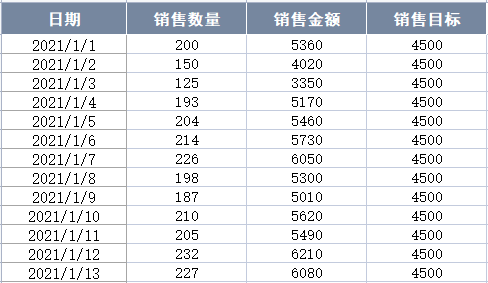
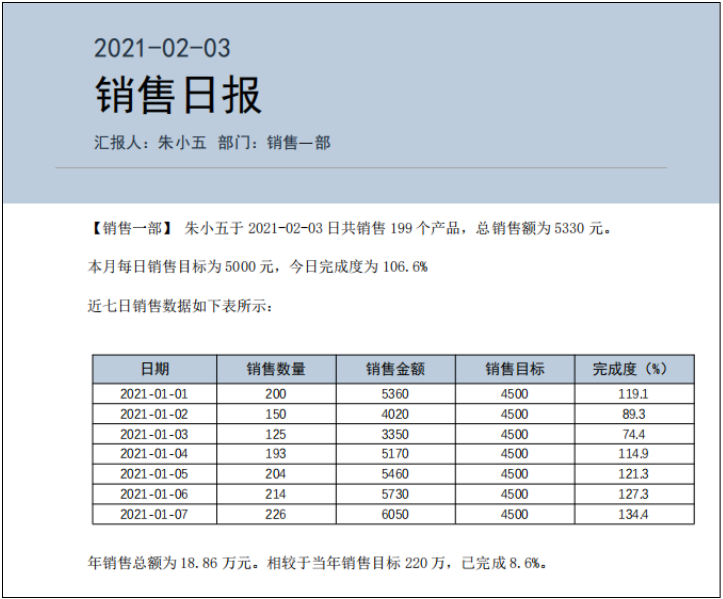
數(shù)據(jù)處理
import pandas as pd
df = pd.read_excel("日?qǐng)?bào)數(shù)據(jù).xlsx")
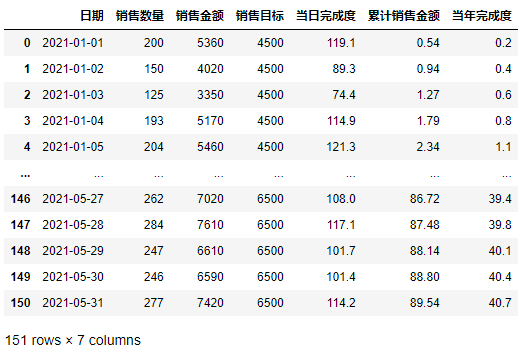
df
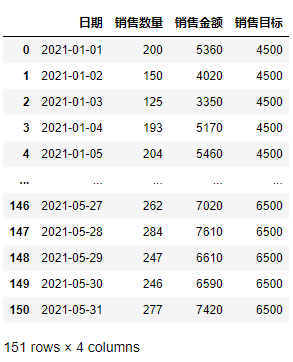
df["日期"] = df["日期"].apply(lambda x:x.strftime("%Y-%m-%d"))
df["當(dāng)日完成度"] = (df["銷售金額"]/df["銷售目標(biāo)"]*100).round(1)
df["累計(jì)銷售金額"] = df["銷售金額"].cumsum()
df["當(dāng)年完成度"] = (df["累計(jì)銷售金額"]/2200000*100).round(1)
df["累計(jì)銷售金額"] = (df["累計(jì)銷售金額"]/10000).round(2)
df
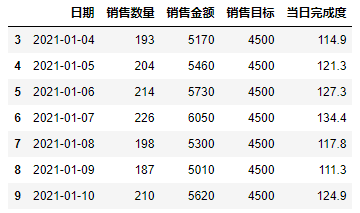
num = 10
df.iloc[num-7:num, :5]
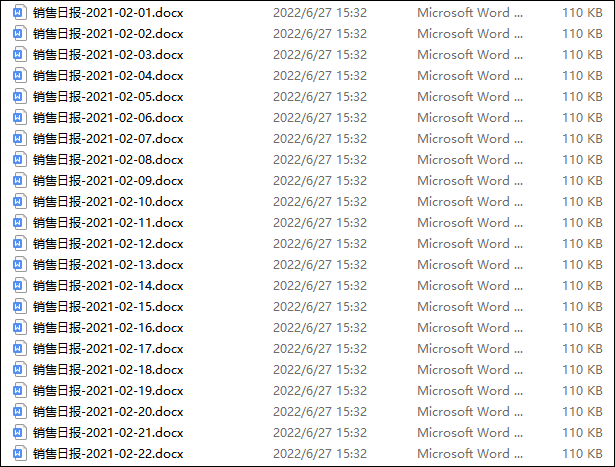
自動(dòng)生成日?qǐng)?bào)
python-docx模塊,而批量生成Word文檔一般有兩種方法:使用add_ paragraph()、add_table()等方法給Word文檔添加各種內(nèi)容。另一種就是我們這次要用的,即按照位置替換原Word文檔中的文字和表格數(shù)據(jù)等。for index, rows in df.iterrows():
if index > 30:
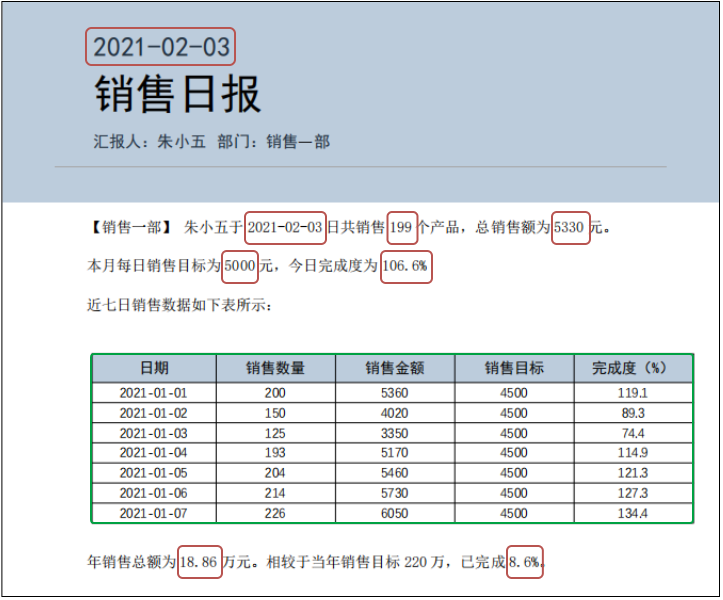
doc.paragraphs[0].runs[1].text = rows[0]
doc.paragraphs[4].runs[4].text = rows[0]
doc.paragraphs[4].runs[6].text = str(rows[1])
doc.paragraphs[4].runs[8].text = str(rows[2])
doc.paragraphs[5].runs[1].text = str(rows[3])
doc.paragraphs[5].runs[3].text = str(rows[4])
doc.paragraphs[9].runs[2].text = str(rows[5])
doc.paragraphs[9].runs[7].text = str(rows[6])
table = doc.tables[0]
data_table = df.iloc[index-6:index+1,:5]
for i in range(7):
for j in range(5):
table.cell(i+1,j).text = str(df.iloc[i,j])
doc.save(f"銷售日?qǐng)?bào)-{rows[0]}.docx")

python-docx模塊在讀取Word文檔有優(yōu)勢(shì),但是向模板中寫入文本時(shí),可以考慮使用docxtpl模塊(學(xué)一點(diǎn)Jinja2語法)。
評(píng)論
圖片
表情