
Spring Boot + Web Socket 實(shí)現(xiàn)掃碼登錄,這種方式太香了!!
點(diǎn)擊上方藍(lán)色字體,選擇“設(shè)為星標(biāo)”

來(lái)源:blog.csdn.net/q826qq1878/
article/details/91041679
一、首先咱們需要一張表 二、角色都有哪些 三、接口都需要哪些? 四、步驟 五、瘋狂貼代碼 springBoot中如何操作webSocket
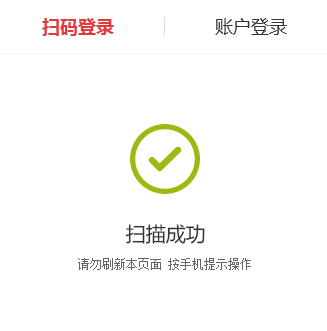
最近單位又有一個(gè)新Java項(xiàng)目。
涉及到掃碼登錄。之前項(xiàng)目使用的是 ajax輪詢的方式。感覺(jué)太low了。
所以這次用webSocket的方式進(jìn)行實(shí)現(xiàn)
好。廢話不多說(shuō)!咱們開(kāi)始!!
一、首先咱們需要一張表
這表是干啥的呢?就是記錄一下誰(shuí)掃碼了。誰(shuí)登錄了。
User_Token表
字段如下:
uuid : 用于確保唯一性 userId :誰(shuí)登錄的 loginTime :登錄時(shí)間 createTime :創(chuàng)建時(shí)間 用于判斷是否過(guò)期 state:是否二維碼失效 ?0有效 1失效
二、角色都有哪些
咱們還需要分析一下子。掃碼登錄這個(gè)業(yè)務(wù)邏輯都有哪些角色
android端 or 微信Web端 :掃碼 PC端 :被掃。登錄 服務(wù)端:掌控全局,提供接口。
三、接口都需要哪些?
有了角色。你用大腿也能想出來(lái)接口了對(duì)不對(duì)!!
所以咱們的接口有2個(gè)!
生成二維碼接口:生成一個(gè)二維碼。二維碼中有UUID。 確認(rèn)身份接口:確定身份以及判斷是否二維碼過(guò)期等
四、步驟
那句話怎么說(shuō)的來(lái)著。要把大象裝冰箱一共分幾步?
PC端打開(kāi)。調(diào)用生成二維碼接口 并與 服務(wù)端建立鏈接。鏈接使用uuid進(jìn)行綁定 微信Web端進(jìn)行掃碼。獲取二維碼中的uuid。 微信Web端拿到uuid以后。顯示是否登錄頁(yè)面。點(diǎn)擊確定后 調(diào)用 確認(rèn)身份接口。 確認(rèn)身份接口通過(guò)以后。服務(wù)端給PC端發(fā)送信息。完成登錄。此時(shí)鏈接斷開(kāi)。
好了!分析完了這些。你們一定在想。。還有完沒(méi)完啊。。不要在BB了。。趕緊貼代碼吧。。
作者:觀眾老爺們。我這是在教給你們?nèi)绾嗡伎嫉姆椒ㄑ?
那么開(kāi)始貼代碼吧!希望大家在看到的同時(shí)也可以自己進(jìn)行思考。
五、瘋狂貼代碼
首先需要獲取二維碼的代碼對(duì)不對(duì)!貼!
//獲取登錄二維碼、放入Token
????@RequestMapping(value?=?"/getLoginQr"?,method?=?RequestMethod.GET)
????public?void?createCodeImg(HttpServletRequest?request,?HttpServletResponse?response){
????????response.setHeader("Pragma",?"No-cache");
????????response.setHeader("Cache-Control",?"no-cache");

????????response.setDateHeader("Expires",?0);
????????response.setContentType("image/jpeg");

????????try?{
????????????//這里沒(méi)啥操作?就是生成一個(gè)UUID插入?數(shù)據(jù)庫(kù)的表里
????????????String?uuid?=?userService.createQrImg();
????????????response.setHeader("uuid",?uuid);
????????????//?這里是開(kāi)源工具類?hutool里的QrCodeUtil
????????????//?網(wǎng)址:http://hutool.mydoc.io/
????????????QrCodeUtil.generate(uuid,?300,?300,?"jpg",response.getOutputStream());
????????}?catch?(Exception?e)?{
????????????e.printStackTrace();
????????}
????}
有了獲取二維碼的接口。相對(duì)的前端需要調(diào)用。
知識(shí)點(diǎn):動(dòng)態(tài)加載圖片流并取出header中的參數(shù)
這里使用了xmlhttp進(jìn)行處理。
為什么?
因?yàn)楹蠖朔祷氐氖且粋€(gè)流。
那么流中。就是放置了二維碼中的uuid。這個(gè)uuid作為一次會(huì)話的標(biāo)識(shí)符使用。
那么前端也需要拿到。跟后端進(jìn)行webSocket鏈接。
這樣有人掃碼后。服務(wù)端才可以使用webSocket的方式通知前端。有人掃碼成功了。你做你的業(yè)務(wù)吧。醬紫。
所以為了拿到請(qǐng)求中 header中放置的uuid 所以這樣通過(guò)xmlhttp進(jìn)行處理
?<div?class="qrCodeImg-box"?id="qrImgDiv">div>
js
$(document).ready(function(){
????initQrImg();
});


?function?initQrImg(){
????????????$("#qrImgDiv").empty();

????????????var?xmlhttp;
????????????xmlhttp=new?XMLHttpRequest();
????????????xmlhttp.open("GET",getQrPath,true);
????????????xmlhttp.responseType?=?"blob";
????????????xmlhttp.onload?=?function(){
????????????????console.log(this);
????????????????uuid?=?this.getResponseHeader("uuid");

????????????????if?(this.status?==?200)?{
????????????????????var?blob?=?this.response;
????????????????????var?img?=?document.createElement("img");
????????????????????img.className?=?'qrCodeBox-img';
????????????????????img.onload?=?function(e)?{
????????????????????????window.URL.revokeObjectURL(img.src);
????????????????????};
????????????????????img.src?=?window.URL.createObjectURL(blob);
????????????????????document.getElementById("qrImgDiv").appendChild(img);

????????????????????initWebSocket();
????????????????}
????????????}
????????????xmlhttp.send();
????????}


???????var?path?=?"://localhost:8085";
???????var?getQrPath?=??"http"?+?path?+?"/user/getLoginQr";
???????var?wsPath?=?????"ws"?+?path?+?"/websocket/";


???????function?initWebSocket(){

???????????if(typeof(WebSocket)?==?"undefined")?{
???????????????console.log("您的瀏覽器不支持WebSocket");
???????????}else{
???????????????console.log("您的瀏覽器支持WebSocket");
???????????????//實(shí)現(xiàn)化WebSocket對(duì)象,指定要連接的服務(wù)器地址與端口??建立連接
???????????????//等同于socket?=?new?WebSocket("ws://localhost:8083/checkcentersys/websocket/20");
???????????????var?wsPathStr?=?wsPath+uuid;
???????????????socket?=?new?WebSocket(wsPathStr);
???????????????//打開(kāi)事件
???????????????socket.onopen?=?function()?{
???????????????????console.log("Socket?已打開(kāi)");
???????????????????//socket.send("這是來(lái)自客戶端的消息"?+?location.href?+?new?Date());
???????????????};
???????????????//獲得消息事件
???????????????socket.onmessage?=?function(msg)?{
???????????????????console.log(msg.data);
???????????????????var?data?=?JSON.parse(msg.data);
???????????????????if(data.code?==?200){
???????????????????????alert("登錄成功!");
???????????????????????//這里存放自己業(yè)務(wù)需要的數(shù)據(jù)。怎么放自己看
???????????????????????window.sessionStorage.uuid?=?uuid;
???????????????????????window.sessionStorage.userId?=?data.userId;
???????????????????????window.sessionStorage.projId?=?data.projId;

???????????????????????window.location.href?=?"pages/upload.html"
???????????????????}else{
???????????????????????//如果過(guò)期了,關(guān)閉連接、重置連接、刷新二維碼
???????????????????????socket.close();
???????????????????????initQrImg();
???????????????????}
???????????????????//發(fā)現(xiàn)消息進(jìn)入????開(kāi)始處理前端觸發(fā)邏輯
???????????????};
???????????????//關(guān)閉事件
???????????????socket.onclose?=?function()?{
???????????????????console.log("Socket已關(guān)閉");
???????????????};
???????????????//發(fā)生了錯(cuò)誤事件
???????????????socket.onerror?=?function()?{
???????????????????alert("Socket發(fā)生了錯(cuò)誤");
???????????????????//此時(shí)可以嘗試刷新頁(yè)面
???????????????}
???????????}

???????}
好了。上面已經(jīng)提到了前端如何配置webSocket。
下面說(shuō)一下
springBoot中如何操作webSocket
1、增加pom.xml
<dependency>
????<groupId>org.springframework.bootgroupId>
????<artifactId>spring-boot-starter-websocketartifactId>
dependency>
2、增加一個(gè)Bean
/**
?*?WebSocket的支持
?*?@return
?*/
@Bean
public?ServerEndpointExporter?serverEndpointExporter()?{
????return?new?ServerEndpointExporter();
}
3、定義WebSocketServer
package?com.stylefeng.guns.rest.modular.inve.websocket;

/**
?*?Created?by?jiangjiacheng?on?2019/6/4.
?*/
import?java.io.IOException;
import?java.util.concurrent.CopyOnWriteArraySet;

import?javax.websocket.OnClose;
import?javax.websocket.OnError;
import?javax.websocket.OnMessage;
import?javax.websocket.OnOpen;
import?javax.websocket.Session;
import?javax.websocket.server.PathParam;
import?javax.websocket.server.ServerEndpoint;
import?org.springframework.stereotype.Component;
import?cn.hutool.log.Log;
import?cn.hutool.log.LogFactory;

@ServerEndpoint("/websocket/{sid}")
@Component
public?class?WebSocketServer?{

????static?Log?log=LogFactory.get(WebSocketServer.class);

????//靜態(tài)變量,用來(lái)記錄當(dāng)前在線連接數(shù)。應(yīng)該把它設(shè)計(jì)成線程安全的。
????private?static?int?onlineCount?=?0;

????//concurrent包的線程安全Set,用來(lái)存放每個(gè)客戶端對(duì)應(yīng)的MyWebSocket對(duì)象。
????private?static?CopyOnWriteArraySet?webSocketSet?=?new?CopyOnWriteArraySet();

????//與某個(gè)客戶端的連接會(huì)話,需要通過(guò)它來(lái)給客戶端發(fā)送數(shù)據(jù)
????private?Session?session;

????//接收sid
????private?String?sid="";

????/**
?????*?連接建立成功調(diào)用的方法*/
????@OnOpen
????public?void?onOpen(Session?session,@PathParam("sid")?String?sid)?{
????????this.session?=?session;
????????webSocketSet.add(this);?????//加入set中
????????addOnlineCount();???????????//在線數(shù)加1
????????log.info("有新窗口開(kāi)始監(jiān)聽(tīng):"+sid+",當(dāng)前在線人數(shù)為"?+?getOnlineCount());
????????this.sid=sid;
????????/*try?{
????????????sendMessage("連接成功");
????????}?catch?(IOException?e)?{
????????????log.error("websocket?IO異常");
????????}*/
????}

????/**
?????*?連接關(guān)閉調(diào)用的方法
?????*/
????@OnClose
????public?void?onClose()?{
????????webSocketSet.remove(this);??//從set中刪除
????????subOnlineCount();???????????//在線數(shù)減1
????????log.info("有一連接關(guān)閉!當(dāng)前在線人數(shù)為"?+?getOnlineCount());
????}

????/**
?????*?收到客戶端消息后調(diào)用的方法
?????*
?????*?@param?message?客戶端發(fā)送過(guò)來(lái)的消息*/
????@OnMessage
????public?void?onMessage(String?message,?Session?session)?{
????????log.info("收到來(lái)自窗口"+sid+"的信息:"+message);
????????//群發(fā)消息
????????for?(WebSocketServer?item?:?webSocketSet)?{
????????????try?{
????????????????item.sendMessage(message);
????????????}?catch?(IOException?e)?{
????????????????e.printStackTrace();
????????????}
????????}
????}

????/**
?????*
?????*?@param?session
?????*?@param?error
?????*/
????@OnError
????public?void?onError(Session?session,?Throwable?error)?{
????????log.error("發(fā)生錯(cuò)誤");
????????error.printStackTrace();
????}
????/**
?????*?實(shí)現(xiàn)服務(wù)器主動(dòng)推送
?????*/
????public?void?sendMessage(String?message)?throws?IOException?{
????????this.session.getBasicRemote().sendText(message);
????}


????/**
?????*?群發(fā)自定義消息
?????*?*/
????public?static?void?sendInfo(String?message,@PathParam("sid")?String?sid)?throws?IOException?{
????????log.info("推送消息到窗口"+sid+",推送內(nèi)容:"+message);
????????for?(WebSocketServer?item?:?webSocketSet)?{
????????????try?{
????????????????//這里可以設(shè)定只推送給這個(gè)sid的,為null則全部推送
????????????????if(sid?==?null)?{
????????????????????item.sendMessage(message);
????????????????}else?if(item.sid.equals(sid)){
????????????????????item.sendMessage(message);
????????????????}
????????????}?catch?(IOException?e)?{
????????????????continue;
????????????}
????????}
????}

????public?static?synchronized?int?getOnlineCount()?{
????????return?onlineCount;
????}

????public?static?synchronized?void?addOnlineCount()?{
????????WebSocketServer.onlineCount++;
????}

????public?static?synchronized?void?subOnlineCount()?{
????????WebSocketServer.onlineCount--;
????}
}
這樣就增加了webSocket的支持啦。
那么回到剛才的步驟。
1、首先PC端調(diào)用接口展示出來(lái)了二維碼。
2、請(qǐng)求二維碼中的http請(qǐng)求。就有uuid在 header中。直接取到uuid 作為webSocket的標(biāo)識(shí)sid進(jìn)行連接。
3、然后手機(jī)端使用相機(jī)拿到二維碼中的uuid。使用uuid + userid 請(qǐng)求 掃碼成功接口。
貼掃碼成功接口
Controller代碼:
??/**
?????*?確認(rèn)身份接口:確定身份以及判斷是否二維碼過(guò)期等
?????*?@param?token
?????*?@param?userId
?????*?@return
?????*/
????@RequestMapping(value?=?"/bindUserIdAndToken"?,method?=?RequestMethod.GET)
????@ResponseBody
????public?Object?bindUserIdAndToken(@RequestParam("token")?String?token?,
?????????????????????????????????????@RequestParam("userId")?Integer?userId,
?????????????????????????????????????@RequestParam(required?=?false,value?=?"projId")?Integer?projId){

????????try?{
????????????return?new?SuccessTip(userService.bindUserIdAndToken(userId,token,projId));
????????}?catch?(Exception?e)?{
????????????e.printStackTrace();
????????????return?new?ErrorTip(500,e.getMessage());
????????}

????}
Service代碼
@Override
????public?String?bindUserIdAndToken(Integer?userId,?String?token,Integer?projId)?throws?Exception?{

????????QrLoginToken?qrLoginToken?=?new?QrLoginToken();
????????qrLoginToken.setToken(token);
????????qrLoginToken?=?qrLoginTokenMapper.selectOne(qrLoginToken);

????????if(null?==?qrLoginToken){
????????????throw??new?Exception("錯(cuò)誤的請(qǐng)求!");
????????}

????????Date?createDate?=?new?Date(qrLoginToken.getCreateTime().getTime()?+?(1000?*?60?*?Constant.LOGIN_VALIDATION_TIME));
????????Date?nowDate?=?new?Date();
????????if(nowDate.getTime()?>?createDate.getTime()){//當(dāng)前時(shí)間大于校驗(yàn)時(shí)間

????????????JSONObject?jsonObject?=?new?JSONObject();
????????????jsonObject.put("code",500);
????????????jsonObject.put("msg","二維碼失效!");
????????????WebSocketServer.sendInfo(jsonObject.toJSONString(),token);

????????????throw??new?Exception("二維碼失效!");
????????}

????????qrLoginToken.setLoginTime(new?Date());
????????qrLoginToken.setUserId(userId);

????????int?i?=?qrLoginTokenMapper.updateById(qrLoginToken);

????????JSONObject?jsonObject?=?new?JSONObject();
????????jsonObject.put("code",200);
????????jsonObject.put("msg","ok");
????????jsonObject.put("userId",userId);
????????if(ToolUtil.isNotEmpty(projId)){
????????????jsonObject.put("projId",projId);
????????}
????????WebSocketServer.sendInfo(jsonObject.toJSONString(),token);

????????if(i?>?0?){
????????????return?null;
????????}else{
????????????throw??new?Exception("服務(wù)器異常!");
????????}
????}
邏輯大概就是判斷一下 token對(duì)不對(duì)
如果對(duì)的話。時(shí)間是否過(guò)期。如果沒(méi)有過(guò)期進(jìn)行業(yè)務(wù)邏輯操作
//這句話比較關(guān)鍵WebSocketServer.sendInfo(jsonObject.toJSONString(),token);
就是通知前端 已經(jīng)登錄成功了。并且給他業(yè)務(wù)所需要的內(nèi)容。
然后前端代碼接收到了。就進(jìn)行業(yè)務(wù)邏輯操作就可以啦。
后臺(tái)回復(fù)?學(xué)習(xí)資料?領(lǐng)取學(xué)習(xí)視頻