
阿里&螞蟻聯(lián)合開(kāi)源的 IDE 研發(fā)框架 - OpenSumi
VSCode 號(hào)稱宇宙最強(qiáng) IDE,平時(shí)我們基本上都是在以本地客戶端的方式來(lái)使用的,那么有沒(méi)有 WEB IDE 的方式呢?其實(shí)從 VSCode 1.40 版本開(kāi)始我們已經(jīng)可以編譯出 Web 版的 VSCode 了,VSCode 官方也提供了一個(gè)在線的 IDE:https://vscode.dev/。
除了基于原始的 VSCode 代碼構(gòu)建 Web 服務(wù)來(lái)運(yùn)行之外,其實(shí)還有一些比較優(yōu)秀的基于 VSCode 的 WEB IDE 項(xiàng)目,接下來(lái)我們就來(lái)和大家盤點(diǎn)下。
1. code-server
code-server 是 Coder 公司( https://coder.com/ )基于VSCode的開(kāi)源項(xiàng)目,可以實(shí)現(xiàn)通過(guò)瀏覽器訪問(wèn)在遠(yuǎn)程服務(wù)器上的 VSCode,專門為瀏覽器做了設(shè)計(jì)優(yōu)化,以便作為可托管的 Web 服務(wù)來(lái)運(yùn)行。
使用 code-server 具有很多的優(yōu)勢(shì):
隨時(shí)隨地編寫代碼:使用一致的開(kāi)發(fā)環(huán)境,在平板電腦和筆記本電腦上設(shè)置代碼。在 Linux 計(jì)算機(jī)上進(jìn)行開(kāi)發(fā),然后通過(guò) Web 瀏覽器從任何設(shè)備中獲取。 云服務(wù)器支持:利用大型云服務(wù)器加快測(cè)試、編譯、下載等速度。
要運(yùn)行 code-server 最低的服務(wù)器要求是 1GB 內(nèi)存和 2CPU 的 Linux 機(jī)器。
要安裝 code-server 也非常簡(jiǎn)單的,只需要執(zhí)行下面的腳本命令即可一鍵安裝:
curl -fsSL https://code-server.dev/install.sh | sh
不過(guò)一般情況下推薦使用 Docker 或者 Kubernetes 來(lái)部署。
# This will start a code-server container and expose it at http://127.0.0.1:8080.
# It will also mount your current directory into the container as `/home/coder/project`
# and forward your UID/GID so that all file system operations occur as your user outside
# the container.
#
# Your $HOME/.config is mounted at $HOME/.config within the container to ensure you can
# easily access/modify your code-server config in $HOME/.config/code-server/config.json
# outside the container.
mkdir -p ~/.config
docker run -it --name code-server -p 127.0.0.1:8080:8080 \
  -v "$HOME/.config:/home/coder/.config" \
  -v "$PWD:/home/coder/project" \
  -u "$(id -u):$(id -g)" \
  -e "DOCKER_USER=$USER" \
  codercom/code-server:latest
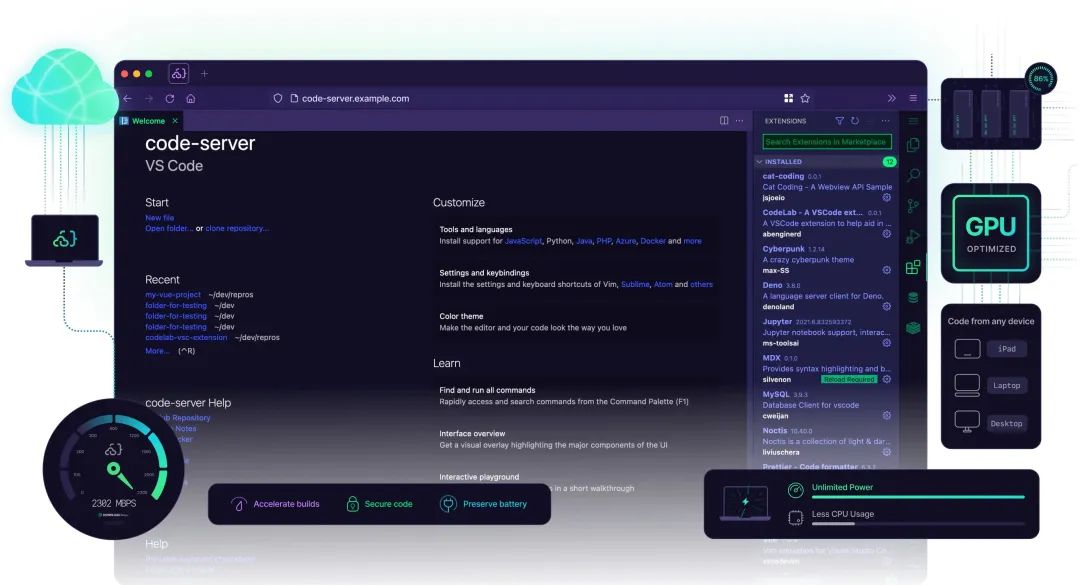
Git 倉(cāng)庫(kù):https://github.com/coder/code-server
2. Eclipse Theia
Theia 是一個(gè)可擴(kuò)展的平臺(tái),用于使用最新的 Web 技術(shù)開(kāi)發(fā)多語(yǔ)言的云端和桌面的 IDE。Theia 作為后起之秀,借鑒了 VSCode 的一些設(shè)計(jì)理念,發(fā)展到現(xiàn)在社區(qū)比較繁榮,背后是 Eclipse 基金會(huì)。Theia 從一開(kāi)始就設(shè)計(jì)為在桌面和云上運(yùn)行,Theia 本身就提供了一種模塊化構(gòu)建 IDE 產(chǎn)品的能力,我們可以通過(guò)模塊的方式去定制 IDE,插件也兼容大部分的 VSCode 的插件。
要使用 Theia 也是比較簡(jiǎn)單的,我們可以根據(jù)自己的需求去創(chuàng)建一個(gè)定制的文件,如下所示。
mkidr my-app && cd my-app
在目錄下創(chuàng)建一個(gè) package.json 的文件,內(nèi)容如下所示:
```json
{
  "private": true,
  "dependencies": {
    "@theia/callhierarchy": "next",
    "@theia/file-search": "next",
    "@theia/git": "next",
    "@theia/markers": "next",
    "@theia/messages": "next",
    "@theia/mini-browser": "next",
    "@theia/navigator": "next",
    "@theia/outline-view": "next",
    "@theia/plugin-ext-vscode": "next",
    "@theia/preferences": "next",
    "@theia/preview": "next",
    "@theia/search-in-workspace": "next",
    "@theia/terminal": "next"
  },
  "devDependencies": {
    "@theia/cli": "next"
  }
}
Theia 應(yīng)用程序和擴(kuò)展是 Node.js 包,上面的文件顯示包的元數(shù)據(jù),如名稱、版本、其運(yùn)行時(shí)和構(gòu)建時(shí)間依賴項(xiàng)等。作為應(yīng)用程序的一部分,還可以使用 VSCode 擴(kuò)展。如下所示:
```json
{
  "private": true,
  "dependencies": {
    "@theia/callhierarchy": "next",
    "@theia/file-search": "next",
    "@theia/git": "next",
    "@theia/markers": "next",
    "@theia/messages": "next",
    "@theia/navigator": "next",
    "@theia/outline-view": "next",
    "@theia/plugin-ext-vscode": "next",
    "@theia/preferences": "next",
    "@theia/preview": "next",
    "@theia/search-in-workspace": "next",
    "@theia/terminal": "next",
    "@theia/vsx-registry": "next"
  },
  "devDependencies": {
    "@theia/cli": "next"
  },
  "scripts": {
    "prepare": "yarn run clean && yarn build && yarn run download:plugins",
    "clean": "theia clean",
    "build": "theia build --mode development",
    "start": "theia start --plugins=local-dir:plugins",
    "download:plugins": "theia download:plugins"
  },
  "theiaPluginsDir": "plugins",
  "theiaPlugins": {
    "vscode-builtin-extensions-pack": "https://open-vsx.org/api/eclipse-theia/builtin-extension-pack/1.50.1/file/eclipse-theia.builtin-extension-pack-1.50.1.vsix"
  },
  "theiaPluginsExcludeIds": [
    "vscode.extension-editing",
    "vscode.git",
    "vscode.git-ui",
    "vscode.github",
    "vscode.markdown-language-features",
    "vscode.microsoft-authentication"
  ]
}
然后我們直接使用 yarn 命令就可以安裝相關(guān)依賴,然后使用 Theia 命令來(lái)構(gòu)建即可:
yarn theia build
構(gòu)建后可以使用下面的命令來(lái)啟動(dòng)應(yīng)用:
yarn theia start --plugins=local-dir:plugins
當(dāng)然也可以使用 Docker 來(lái)一鍵啟動(dòng):
docker run -it --init -p 3000:3000 -v "$(pwd):/home/project:cached" theiaide/theia-full:latest
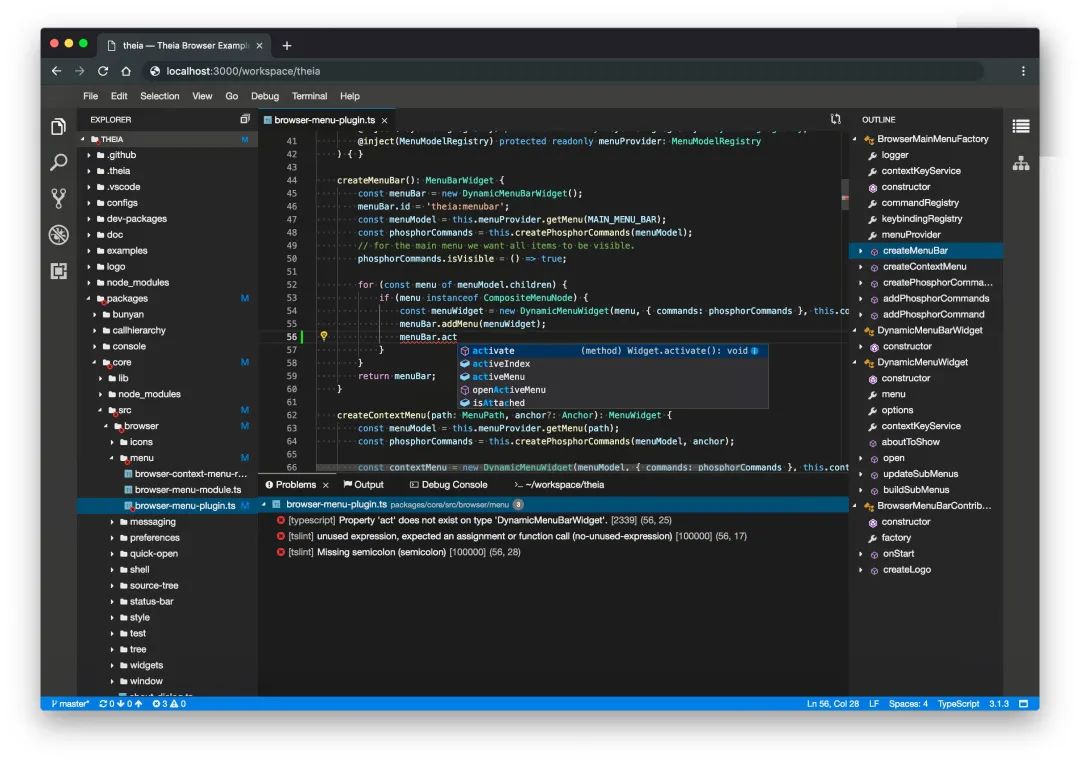
Git 倉(cāng)庫(kù):https://github.com/eclipse-theia/theia
3. OpenSumi
OpenSumi 是阿里&螞蟻聯(lián)合開(kāi)源的 IDE 研發(fā)框架,基于 TypeScript 和 React 進(jìn)行編碼,實(shí)現(xiàn)了包含資源管理器、編輯器、調(diào)試、Git 面板、搜索面板等核心功能模塊,開(kāi)發(fā)者只需要進(jìn)行簡(jiǎn)單的配置,就可以快速搭建屬于自己的本地或云端 IDE 產(chǎn)品。和 Theia 類似,OpenSumi 也兼容了 VSCode 的插件生態(tài),大部分的 VSCode 的插件都可以無(wú)縫在基于 OpenSumi 的 IDE 中運(yùn)行。
OpenSumi 框架旨在解決阿里經(jīng)濟(jì)體內(nèi)部 IDE 產(chǎn)品研發(fā)的重復(fù)建設(shè)問(wèn)題,滿足 IDE 在更多垂直場(chǎng)景的定制能力,同時(shí)實(shí)現(xiàn) Web 與本地客戶端共用底層,讓 IDE 研發(fā)從早期的“刀耕火種”時(shí)代向“機(jī)器化大生產(chǎn)”時(shí)代邁進(jìn)。
OpenSumi 支持三種模式:Web、Electron、純前端。比如 OpenSumi 提供的純前端版本,可以讓你脫離 node 的環(huán)境,在純?yōu)g覽器環(huán)境下,通過(guò)簡(jiǎn)單的 B/S 架構(gòu)提供相對(duì)完整的 IDE 能力。
同樣我們可以使用 Docker 來(lái)進(jìn)行一鍵啟動(dòng):
# 拉取鏡像
docker pull ghcr.io/opensumi/opensumi-web:latest

# 運(yùn)行
docker run --rm -d  -p 8080:8000/tcp ghcr.io/opensumi/opensumi-web:latest
然后瀏覽器打開(kāi) http://127.0.0.1:8080 進(jìn)行預(yù)覽或開(kāi)發(fā)。OpenSumi 支持通過(guò)模塊的方式對(duì)界面主題、內(nèi)置命令、菜單等基礎(chǔ)能力進(jìn)行定制,我們可以根據(jù)自己的需求去定制屬于自己的 IDE。
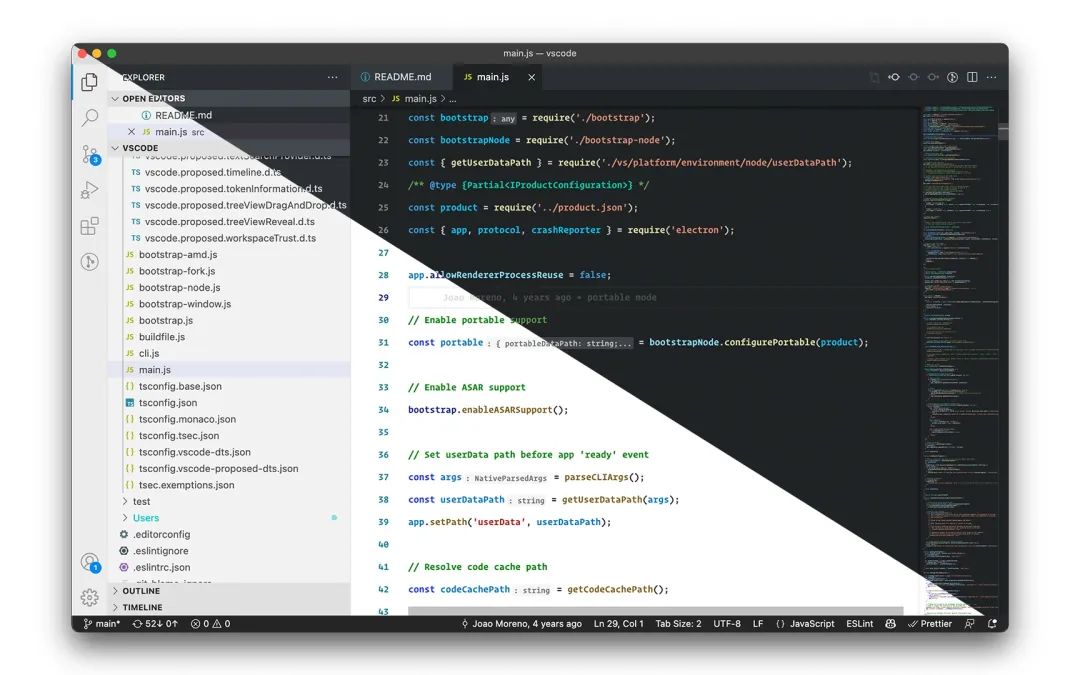
Git 倉(cāng)庫(kù):https://github.com/opensumi/core