
Android登錄界面軟鍵盤適配
一、軟鍵盤屬性
1. 屬性介紹
第1:在當(dāng)前Activity獲取焦點(diǎn)時(shí)軟鍵盤是隱藏還是可見。屬性如下:
| 屬性 | 說明 |
|---|---|
| stateAlwaysHidden | 一直隱藏軟鍵盤 |
| stateAlwaysVisible | 打開Activity即顯示軟鍵盤 |
| stateHidden | 默認(rèn)隱藏,EditText獲取焦點(diǎn)時(shí)顯示 |
| stateVisible | 默認(rèn)顯示 |
| stateUnchanged | |
| stateUnspecified |
| 屬性 | 說明 |
|---|---|
| adjustNothing | 不調(diào)整主窗口,直接覆蓋 |
| adjustPan | 如果焦點(diǎn)位置距離屏幕底部距離小于軟鍵盤高度,則把整個(gè)布局頂上去到焦點(diǎn)位置,不壓縮多余空間,否則同adjustNothing |
| adjustResize | 重新分配多余空間,保證輸入內(nèi)容不會(huì)被輸入法覆蓋,值得注意的是:全屏狀態(tài)下,adjustResize屬性會(huì)被忽略 |
| adjustUnspecified | 由系統(tǒng)決定(默認(rèn)配置) |
2. 屬性應(yīng)用示例
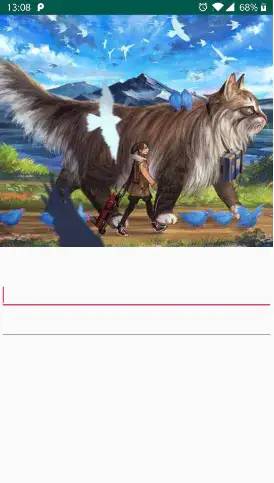
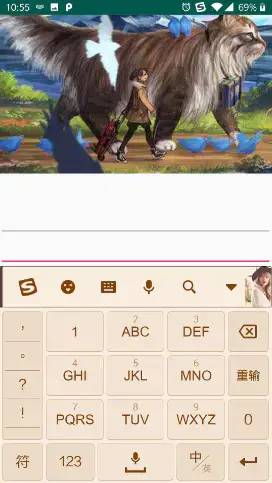
測(cè)試所使用的頁面如下,其根布局是一個(gè)<LinearLayout>
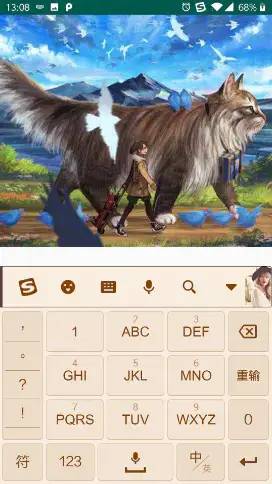
可以發(fā)現(xiàn)軟鍵盤彈出之后直接覆蓋在了原布局之上,如果EditText上方的布局高度較大的話,軟鍵盤就會(huì)將EditText覆蓋住,導(dǎo)致用戶無法看到輸入框里的內(nèi)容
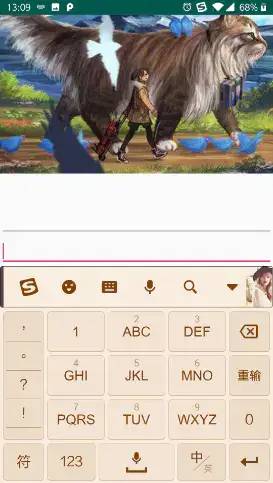
2、adjustPan
在測(cè)試界面下,EditText到底部的距離小于軟鍵盤的高度,當(dāng)軟鍵盤彈出時(shí),整體的布局被頂起來以便顯示獲取焦點(diǎn)的EditText。此時(shí)上方的背景圖會(huì)出現(xiàn)顯示不全的情況
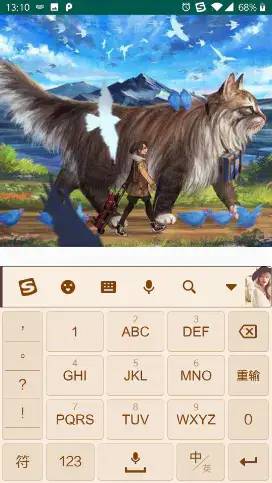
在測(cè)試界面下,adjustResize和adjustNothing的效果是一樣的
二、登錄界面軟鍵盤解決方案
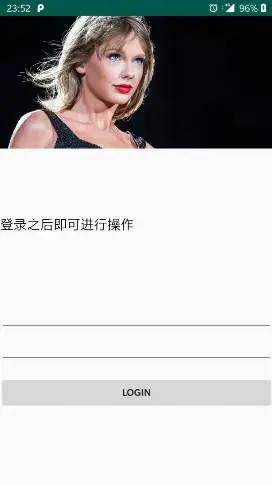
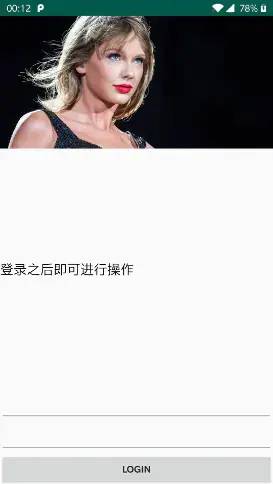
來看這樣一種場(chǎng)景:有個(gè)登錄界面,該界面頂部有圖或者有背景圖片。但是EditText位于界面偏下方,如果將軟鍵盤覆蓋在上面,那么EditText獲取焦點(diǎn)時(shí)是不可見的。該界面如下所示。
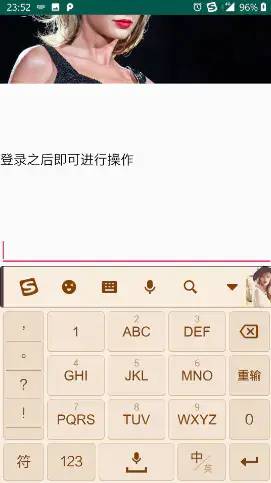
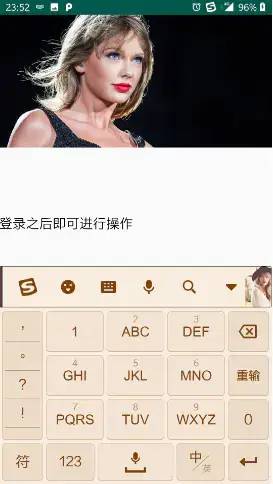
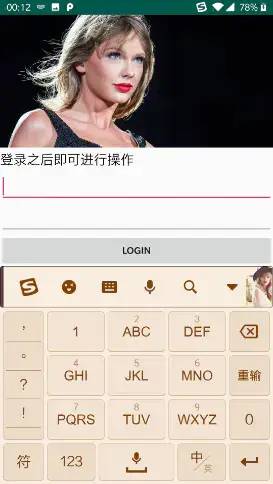
我們平時(shí)隔開布局一般使用margin屬性,這時(shí)View之間的間距都是固定的,即使設(shè)置adjustResize屬性,也不存在多余的空間可供分配。而如果使用weight來表示間隔,那么在軟鍵盤彈出之后,整體的布局高度縮減,weight的空間又會(huì)被重新分配。
<?xml version="1.0" encoding="utf-8"?><ScrollView......android:orientation="vertical"android:fillViewport="true"><LinearLayoutandroid:layout_width="match_parent"android:layout_height="wrap_content"android:orientation="vertical"><ImageView....../><LinearLayoutandroid:layout_width="match_parent"android:layout_height="0dp"android:layout_weight="1"android:orientation="vertical"><Viewandroid:layout_width="match_parent"android:layout_height="0dp"android:layout_weight="1"/><TextViewandroid:layout_width="match_parent"android:layout_height="wrap_content"android:text="登錄之后即可進(jìn)行操作"/><Viewandroid:layout_width="match_parent"android:layout_height="0dp"android:layout_weight="1"/><EditTextandroid:layout_width="match_parent"android:layout_height="wrap_content"/><EditTextandroid:layout_width="match_parent"android:layout_height="wrap_content"/></LinearLayout><Buttonandroid:layout_width="match_parent"android:layout_height="wrap_content"android:text="login"/></LinearLayout></ScrollView>
評(píng)論
圖片
表情