
300元Python私活,實(shí)現(xiàn)網(wǎng)易云課堂爬蟲
今天是周六,起來(lái)的比較晚,突然收到帥帥老師的微信,大概意思是有一個(gè)單子,上次的這個(gè)單子,接單人說(shuō)沒(méi)時(shí)間做,退給他了,前幾天這個(gè)單子其實(shí)我已經(jīng)試著做了一下,也實(shí)現(xiàn)了功能,把結(jié)果也發(fā)給帥帥老師了,正好上次的接單人沒(méi)有時(shí)間,真是一個(gè)意外的驚喜,瞬間睡意全無(wú),開干。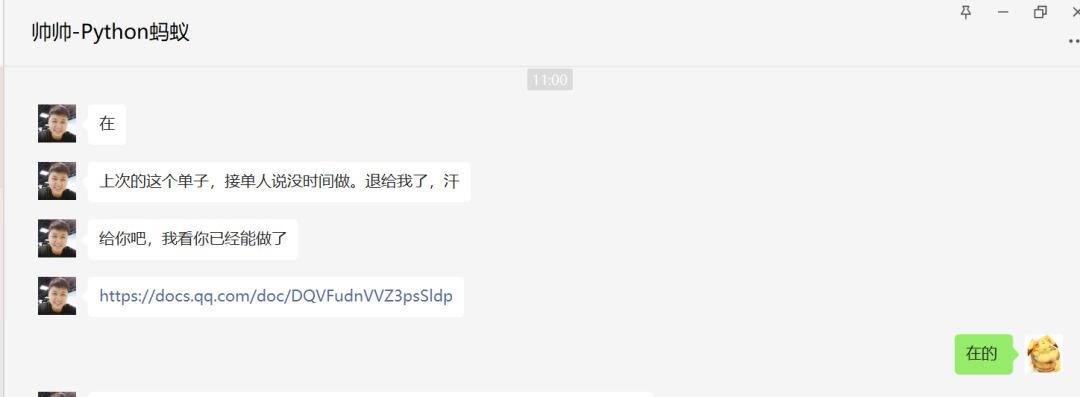
爬取目標(biāo)
網(wǎng)易云課堂套餐的首頁(yè)和單個(gè)課程信息
爬取過(guò)程
1、 打開套餐首頁(yè)測(cè)試鏈接,這里需要記錄套餐名字;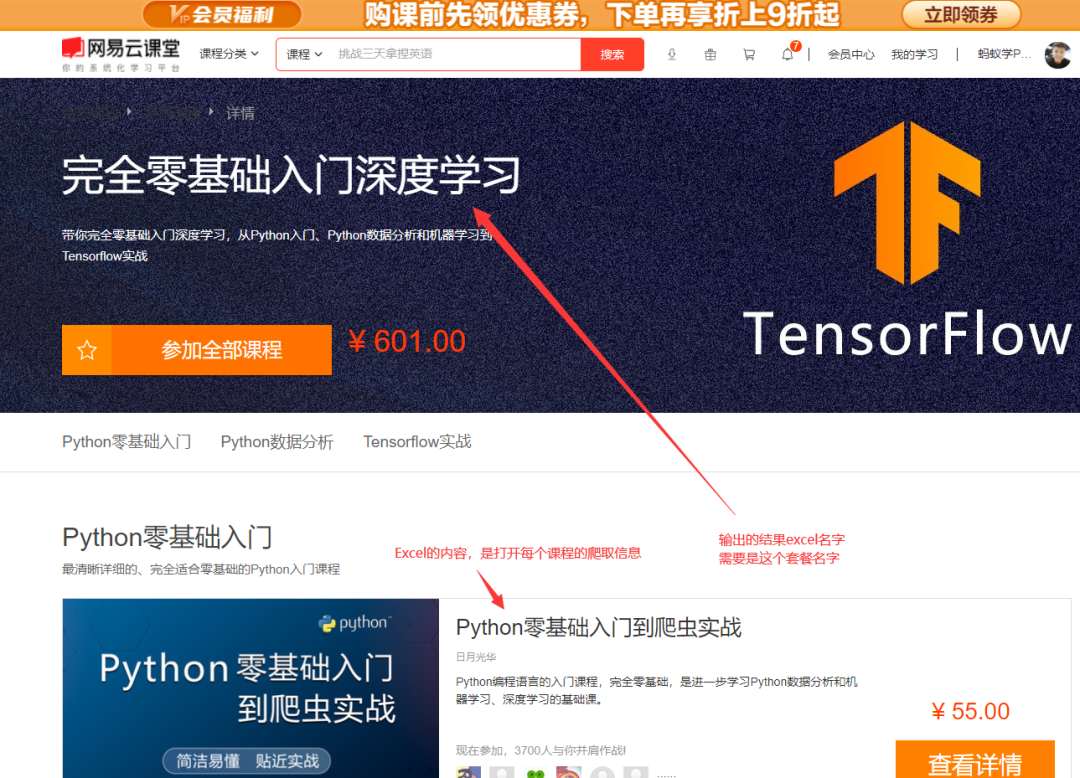 2、 得到里面的每個(gè)課程的URL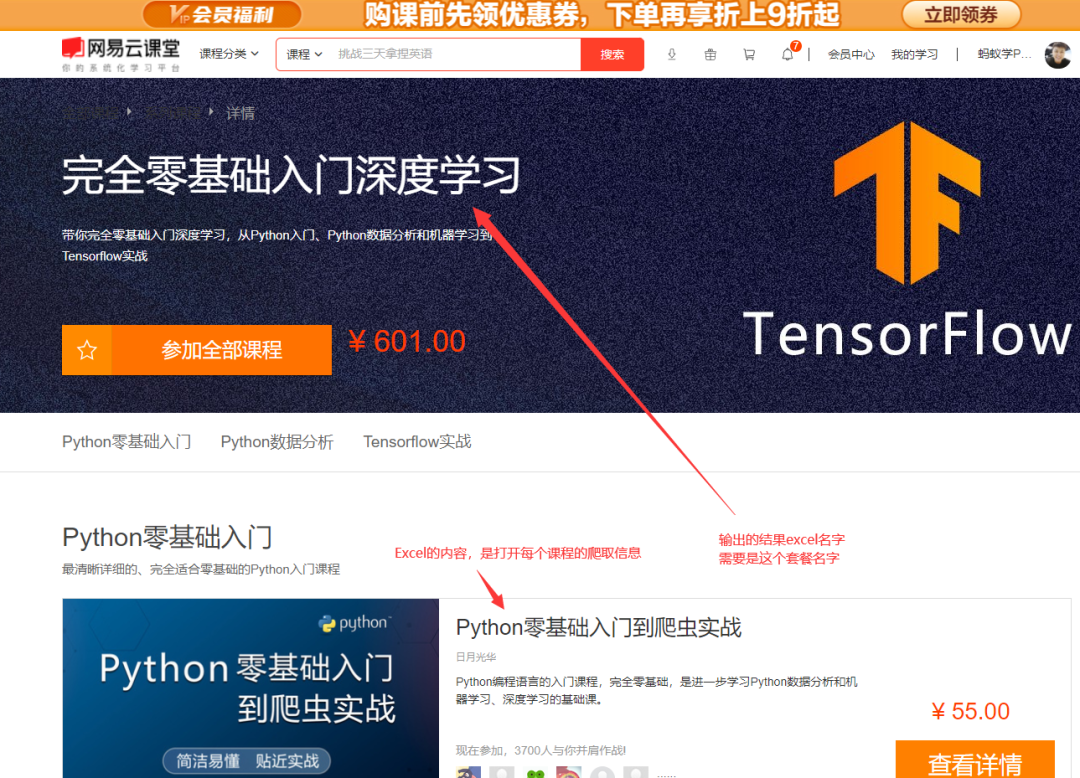
3、 訪問(wèn)每個(gè)課程的URL,得到如下信息:
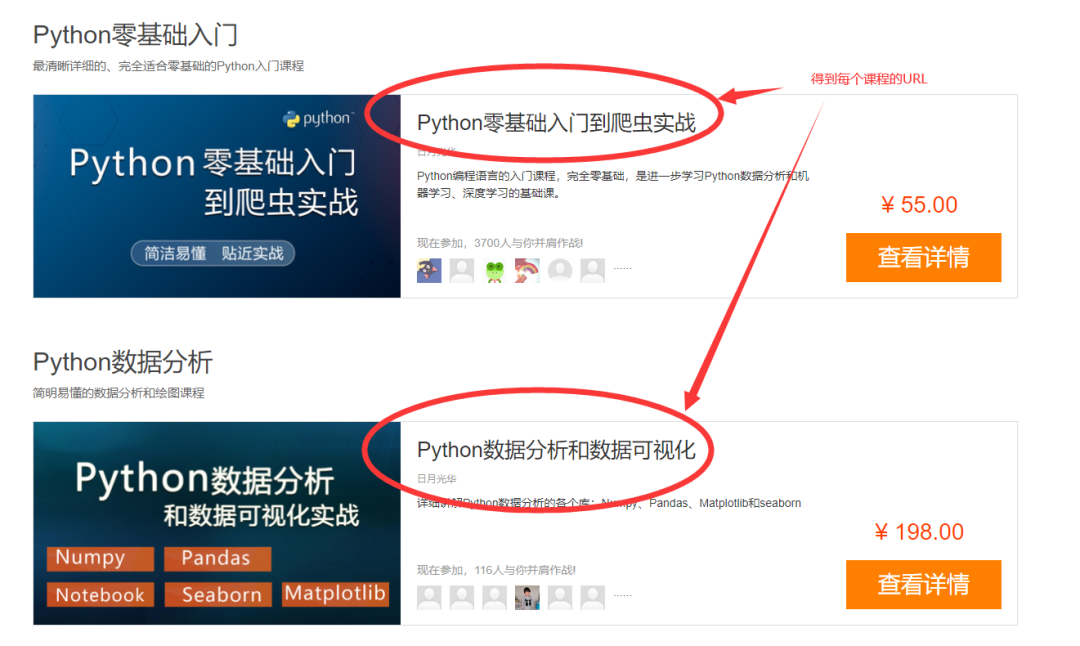
4、 存入最終的Excel文件 文件名:套餐名字,例如 ?完全零基礎(chǔ)入門深度學(xué)習(xí).xlsx
代碼實(shí)現(xiàn)
其中用到的技術(shù),是前不久從帥帥老師視頻那里學(xué)到的selenium,代碼結(jié)構(gòu)如下:
driver?=?webdriver.Chrome()
driver.get(url)
WebDriverWait(self.driver,?timeout=10).until
driver.execute_script
driver.page_source
html.xpath('//*[@class="section"]')
node.xpath('./span[3]/text()')
在帥帥老師的指點(diǎn)下,還用到了顯示等待WebDriverWait()新知識(shí),爬取效率由原來(lái)的196秒縮減到85秒。
保存excel還用到了openpyxl模塊,其實(shí)也可以用pandas的to_excel進(jìn)行數(shù)據(jù)的保存,這里使用了openpyxl。代碼結(jié)構(gòu)如下:
wb?=?Workbook()
ws1?=?self.wb.active
ws1.title
ws1.append(['課程序號(hào)',?'課程名字',?'課程URL'])
ws1.append(content)
wb.save(filename=self.dest_filename)
話不多說(shuō)直接上完整代碼
import?pandas?as?pd
from?lxml?import?etree
import?time,?re
from?openpyxl?import?Workbook
from?selenium?import?webdriver
from?fake_useragent?import?UserAgent
from?selenium.webdriver.support.wait?import?WebDriverWait


class?WangYiYunKeTang():
????def?__init__(self):
????????#?偽裝請(qǐng)求頭
????????user_agent?=?UserAgent().random
????????self.headers?=?{'User-Agent':?user_agent}
????????self.wb?=?Workbook()
????????#?定義一個(gè)工作簿名稱
????????self.dest_filename?=?'網(wǎng)易云課堂的套餐課信息.xlsx'
????????#?激活一個(gè)表單
????????self.ws1?=?self.wb.active
????????#?為工作表起名字
????????self.ws1.title?=?'詳情數(shù)據(jù)'
????????#?添加標(biāo)題
????????self.ws1.append(['課程序號(hào)',?'課程名字',?'課程URL',?'多少人學(xué)過(guò)',?'課程價(jià)格(元)',?'第幾課時(shí)',?'課時(shí)標(biāo)題',?'時(shí)長(zhǎng)',?'時(shí)長(zhǎng)秒數(shù)(秒)'])

????#?獲取每個(gè)課程的URL
????def?getEachCourseUrl(self):
????????url?=?'https://study.163.com/series/1202914611.htm'
????????self.driver.get(url)
????????time.sleep(1)
????????js?=?'window.scrollTo(0,?document.body.scrollHeight)'
????????self.driver.execute_script(js)
????????time.sleep(1)
????????page_text?=?self.driver.page_source
????????html?=?etree.HTML(page_text)
????????#?每個(gè)課程的URL列表
????????href?=?html.xpath('//*[@class="wrap?m-test5-wrap?f-pr?f-cb"]/a/@href')
????????return?href

????#?獲取每個(gè)課程的詳細(xì)信息
????def?getEachCourseDetailed(self):
????????href?=?self.getEachCourseUrl()
????????#?href?=?['/course/introduction/1209400837.htm']
????????#?print(href)
????????for?idx,?i?in?enumerate(list(href)):
????????????#?獲取課程id
????????????id?=?''.join(re.findall('\d',?i))
????????????#?拼接每個(gè)課程的URL完整地址
????????????url?=?f'https://study.163.com/course/introduction.htm?courseId={id}#/courseDetail?tab=1'
????????????#?課程URL
????????????print(url)
????????????self.driver.get(url)
????????????#?課時(shí)、關(guān)于我們等關(guān)鍵詞出現(xiàn)了,頁(yè)面就是加載完畢
????????????WebDriverWait(self.driver,?timeout=10).until(
????????????????lambda?x:?"關(guān)于我們"?in?self.driver.page_source?and?"課時(shí)"?in?self.driver.page_source)
????????????#?time.sleep(1)
????????????js?=?'window.scrollTo(0,?document.body.scrollHeight)'
????????????self.driver.execute_script(js)
????????????#?time.sleep(1)
????????????page_text?=?self.driver.page_source
????????????html?=?etree.HTML(page_text)
????????????#?課程名字
????????????name?=?html.xpath('//*[@class="u-coursetitle?f-fl"]/h2/span/text()')[0]
????????????#?多少人學(xué)過(guò)
????????????many_people?=?html.xpath('//*[@class="u-coursetitle?f-fl"]/div/span[1]/text()')[0].replace('人學(xué)過(guò)',?'')
????????????#?課程價(jià)格
????????????price?=?html.xpath('//*[@class="price"]/text()')[0].replace('¥?',?'')
????????????nodes?=?html.xpath('//*[@class="section"]')
????????????for?node?in?nodes:
????????????????#?第幾課時(shí)
????????????????class_hour?=?node.xpath('./span[1]/text()')[0].replace('課時(shí)',?'')
????????????????#?課程標(biāo)題
????????????????class_title?=?node.xpath('./span[3]/text()')[0]
????????????????#?時(shí)長(zhǎng),時(shí)長(zhǎng)有空的情況需要判斷
????????????????duration?=?node.xpath('./span[4]/span[1]/text()')
????????????????duration?=?duration[0]?if?len(duration)?>?0?else?'無(wú)時(shí)長(zhǎng)'
????????????????#?時(shí)長(zhǎng)切分成分和秒
????????????????if?duration?!=?'無(wú)時(shí)長(zhǎng)':
????????????????????duration_split?=?duration.split(':')
????????????????????#?時(shí)長(zhǎng)秒數(shù)
????????????????????duration_second?=?int(duration_split[0])?*?60?+?int(duration_split[1])
????????????????????content?=?[idx?+?1,?name,?url,?many_people,?price,?class_hour,?class_title,?duration,
???????????????????????????????duration_second]
????????????????????#?調(diào)用寫excel方法
????????????????????self.write_excel(content)
????????????????????print(content,?'寫入excel成功')
????????????????else:
????????????????????duration_second?=?'無(wú)秒數(shù)'
????????????????????content?=?[idx?+?1,?name,?url,?many_people,?price,?class_hour,?class_title,?duration,
???????????????????????????????duration_second]
????????????????????#?調(diào)用寫excel方法
????????????????????self.write_excel(content)
????????????????????print(content,?'寫入excel成功')

????#?寫excel
????def?write_excel(self,?content):
????????#?添加數(shù)據(jù)
????????self.ws1.append(content)
????????#?保存文件
????????self.wb.save(filename=self.dest_filename)

????#?主函數(shù)
????def?main(self):
????????#?開始時(shí)間
????????start_time?=?time.time()
????????#?統(tǒng)一獲取driver
????????self.driver?=?webdriver.Chrome()
????????#?調(diào)用獲取每個(gè)課程的詳細(xì)信息方法
????????self.getEachCourseDetailed()
????????#?總耗時(shí)
????????use_time?=?int(time.time())?-?int(start_time)
????????print(f'爬取總計(jì)耗時(shí):{use_time}秒')
????????#?退出
????????self.driver.quit()


if?__name__?==?'__main__':
????wyykt?=?WangYiYunKeTang()
????wyykt.main()
當(dāng)然,中間調(diào)試花了一些時(shí)間,因?yàn)楂@取到html頁(yè)面后用xpath定位元素的時(shí)候沒(méi)有找對(duì),反復(fù)調(diào)試了一番。運(yùn)行程序之后,只花了85s的時(shí)間就完成了數(shù)據(jù)的爬取,在沒(méi)有用到并發(fā)技術(shù)情況下還算比較快的了。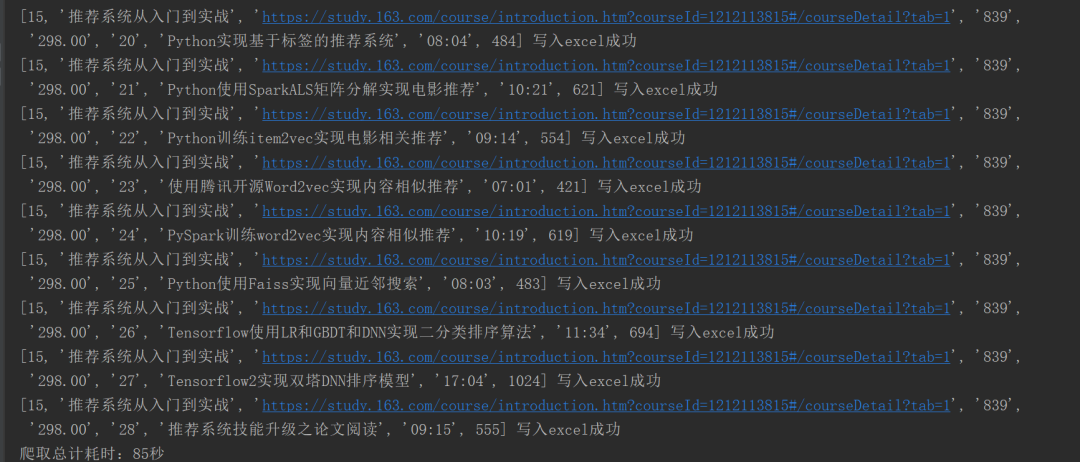
最后展示一下成果
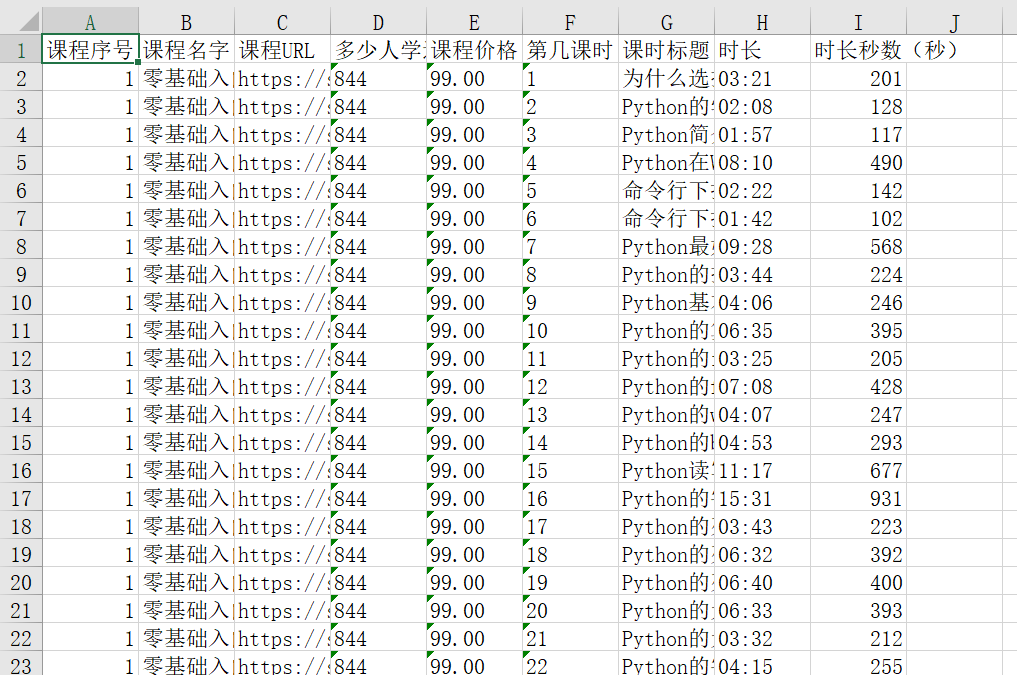
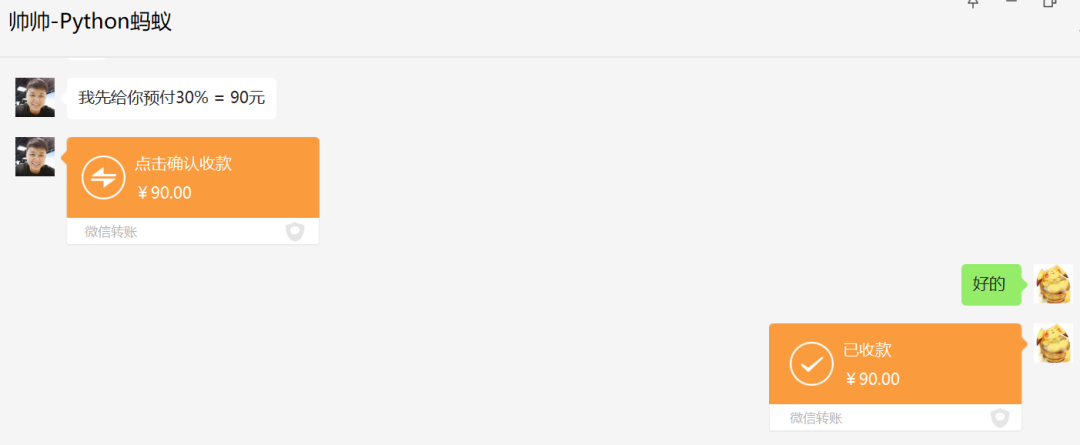
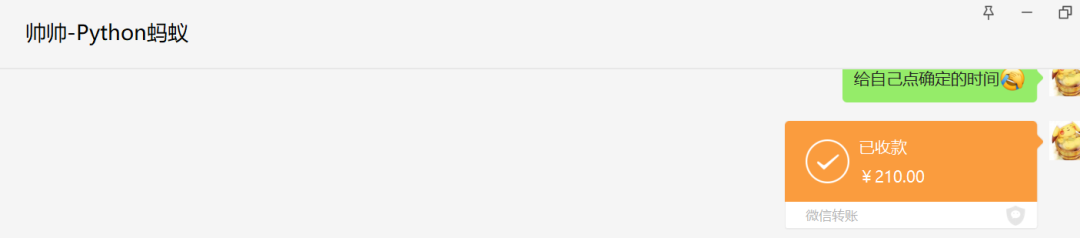
今天也多了一筆額外的收入,開心開心
↓點(diǎn)擊閱讀原文,歡迎了解螞蟻老師的Python大套餐,購(gòu)買課程提供11答疑、副業(yè)接單權(quán)限。