
520 表白不夠,521 來湊!!!

文 | 潮汐
來源:Python 技術(shù)「ID: pythonall」

昨天是520,各地情侶們該表白的表白,該求婚的求婚,該領(lǐng)證的領(lǐng)證,小編也在此祝天下有情人終成眷屬,如果大家昨天因為太忙沒來得及表白或者昨天晚上才找到表白的女神的話,今天的表白小技能請笑納,相信對作為程序員的我們有幫助,顯得更有新意!
簡易字母表白
import matplotlib.pyplot as plt
import seaborn
import numpy

# 定義方法
def draw_love():
 #拼湊字母
    l = numpy.arange(0, 4, 0.01)
    L = 1.0 / l
    theta = numpy.arange(-4, 4, 0.01)
    o = 3.0 * numpy.cos(theta)
    O = 3.0 * numpy.sin(theta)
    v = numpy.arange(-4, 4, 0.01)
    V = numpy.abs(-2.0 * v)
    e = numpy.arange(-3, 3, 0.01)
    E = -1.0 * numpy.abs(numpy.sin(e))
    y = numpy.arange(-10, 10, 0.01)
    Y = numpy.log2(numpy.abs(y))
    u = numpy.arange(-4, 4, 0.01)
    U = 2.0 * u ** 2
    points = []

    for heartY in numpy.linspace(-100, 100, 500):
        for heartX in numpy.linspace(-100, 100, 500):
            if ((heartX * 0.03) ** 2 + (heartY * 0.03) ** 2 - 1) ** 3 - (heartX * 0.03) ** 2 * (
                    heartY * 0.03) ** 3 <= 0:
                points.append({"x": heartX, "y": heartY})
# 設(shè)置直角坐標(biāo)系
    heart_x = list(map(lambda point: point["x"], points))
    heart_y = list(map(lambda point: point["y"], points))

# 添加網(wǎng)格
    fig = plt.figure(figsize=(13, 7))
    ax_L = fig.add_subplot(2, 4, 1)
    ax_O = fig.add_subplot(2, 4, 2)
    ax_V = fig.add_subplot(2, 4, 3)
    ax_E = fig.add_subplot(2, 4, 4)
    ax_Y = fig.add_subplot(2, 4, 5)
    ax_O_2 = fig.add_subplot(2, 4, 6)
    ax_U = fig.add_subplot(2, 4, 7)
    ax_heart = fig.add_subplot(2, 4, 8)

    # 設(shè)置坐標(biāo)
    ax_L.plot(l, L)
    ax_O.plot(o, O)
    ax_V.plot(v, V)
    ax_E.plot(E, e)
    ax_Y.plot(y, Y)
    ax_Y.axis([-10.0, 10.0, -10.0, 5.0])
    ax_O_2.plot(o, O)

    ax_U.plot(u, U)

    ax_heart.scatter(heart_x, heart_y, s=10, alpha=0.5)
 # 設(shè)置顏色
    plt.plot(color='red')
 # 展示結(jié)果
    plt.show()

# 主函數(shù)
if __name__ == '__main__':
    seaborn.set_style('dark')
    draw_love()
結(jié)果圖如下: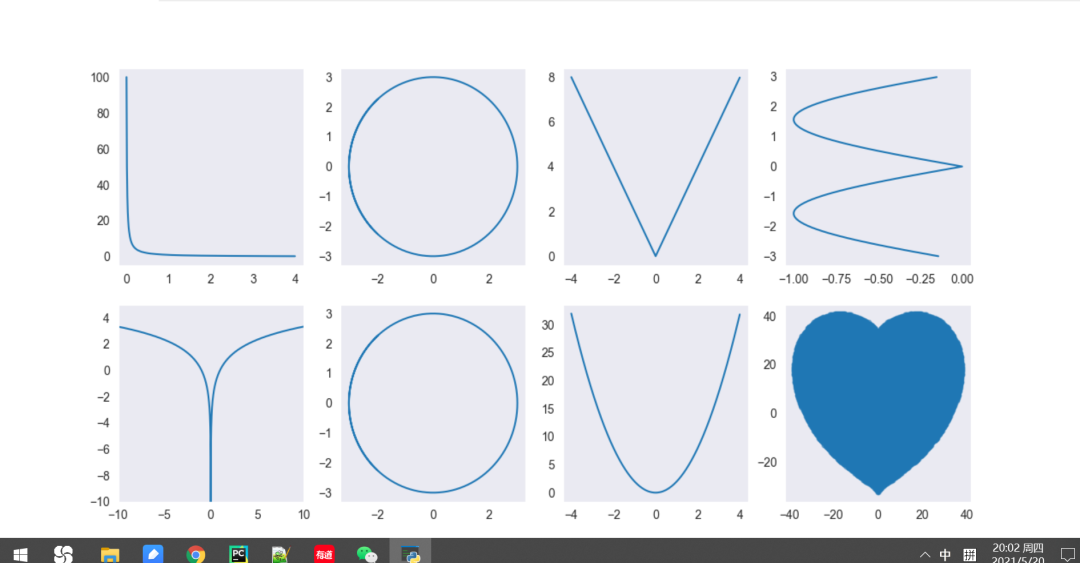
動圖小愛心
小愛心表白詳細代碼如下:
import turtle
import time

def hart_arc():
    for i in range(200):
        turtle.right(1)
        turtle.forward(2)


def move_pen_position(x, y):
    turtle.hideturtle()  # 隱藏畫筆(先)
    turtle.up()  # 提筆
    turtle.goto(x, y)  # 移動畫筆到指定起始坐標(biāo)(窗口中心為0,0)
    turtle.down()  # 下筆
    turtle.showturtle()  # 顯示畫筆


love = input("請輸入表白話語:")
signature = input("請簽署你的名字:")
date=input("請寫上日期:")

if love == '':
    love = 'I Love You'

turtle.setup(width=800, height=500)  # 窗口(畫布)大小
turtle.color('red', 'pink')  # 畫筆顏色
turtle.pensize(3)  # 畫筆粗細
turtle.speed(1)  # 描繪速度
# 初始化畫筆起始坐標(biāo)
move_pen_position(x=0, y=-180)  # 移動畫筆位置
turtle.left(140)  # 向左旋轉(zhuǎn)140度

turtle.begin_fill()  # 標(biāo)記背景填充位置

# 畫圖和展示
turtle.forward(224)  # 向前移動畫筆,長度為224
# 畫愛心圓弧
hart_arc()  # 左側(cè)圓弧
turtle.left(120)  # 調(diào)整畫筆角度
hart_arc()  # 右側(cè)圓弧
# 畫心形直線( 右下方 )
turtle.forward(224)

turtle.end_fill()  # 標(biāo)記背景填充結(jié)束位置

move_pen_position(x=70, y=160)  # 移動畫筆位置
turtle.left(185)  # 向左旋轉(zhuǎn)180度
turtle.circle(-110,185)  # 右側(cè)圓弧
# 畫心形直線( 右下方 )
#turtle.left(20)  # 向左旋轉(zhuǎn)180度
turtle.forward(50)
move_pen_position(x=-180, y=-180)  # 移動畫筆位置
turtle.left(180)  # 向左旋轉(zhuǎn)140度

# 畫心形直線( 左下方 )
turtle.forward(600)  # 向前移動畫筆,長度為224

# 在心形中寫上表白話語
move_pen_position(0,50)  # 表白語位置
turtle.hideturtle()  # 隱藏畫筆
turtle.color('#CD5C5C', 'pink')  # 字體顏色
# font:設(shè)定字體、尺寸(電腦下存在的字體都可設(shè)置)  align:中心對齊
turtle.write(love, font=('Arial', 20, 'bold'), align="center")

# 簽寫署名和日期
if (signature != '') & (date != ''):
    turtle.color('red', 'pink')
    time.sleep(2)
    move_pen_position(220, -180)
    turtle.hideturtle()  # 隱藏畫筆
    turtle.write(signature, font=('Arial', 20), align="center")
    move_pen_position(220, -220)
    turtle.hideturtle()  # 隱藏畫筆
    turtle.write(date, font=('Arial', 20), align="center")

#點擊窗口關(guān)閉程序
window = turtle.Screen()
window.exitonclick()
運行效果如下: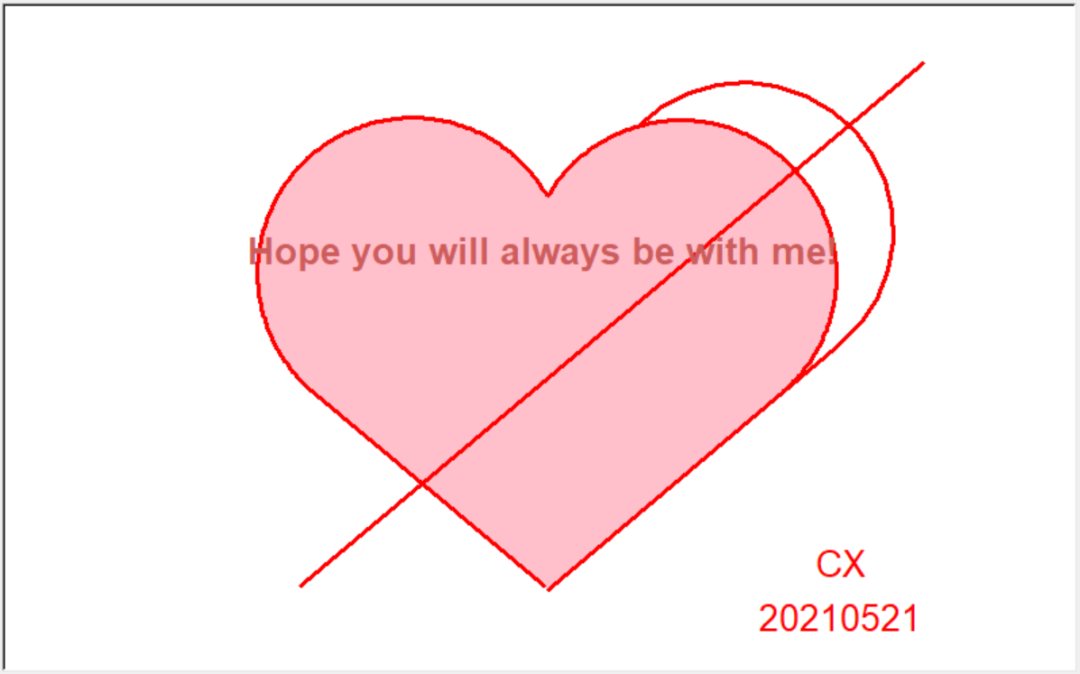
以上小愛心是動圖噢!
總結(jié)
今天的表白小技能到此結(jié)束,大家速速拿去用吧,愿天下有情人終成眷屬!
PS:公號內(nèi)回復(fù)「Python」即可進入Python 新手學(xué)習(xí)交流群,一起 100 天計劃!
老規(guī)矩,兄弟們還記得么,右下角的 “在看” 點一下,如果感覺文章內(nèi)容不錯的話,記得分享朋友圈讓更多的人知道!


【代碼獲取方式】
評論
圖片
表情