
分享幾個 Linux 技巧,讓你提高生產(chǎn)力!

$ rm -i <== 請求確認(rèn)
$ unalias rm
$ alias update=’sudo apt update’
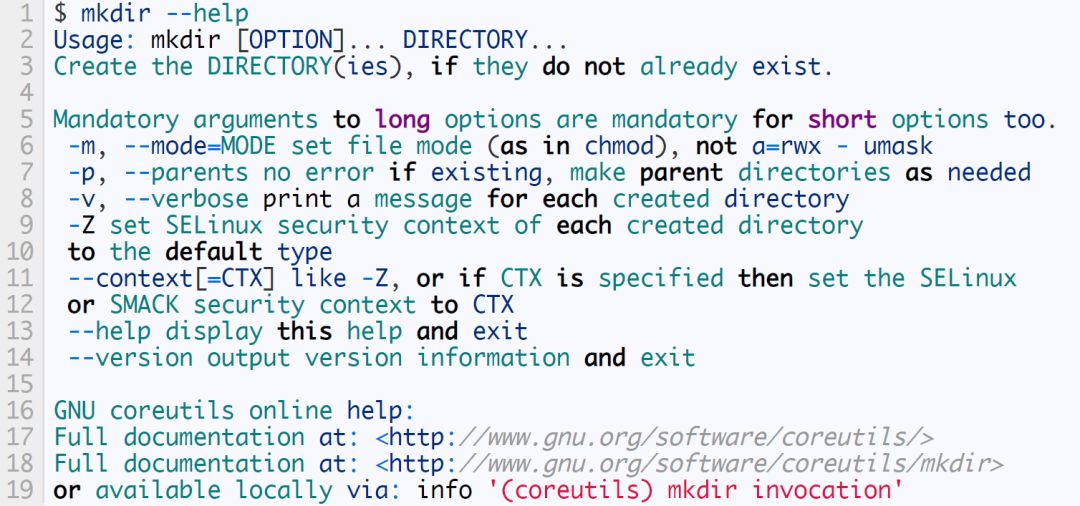
md () { mkdir -p "$@" && cd "$1"; }
命令編輯及光標(biāo)移動
$ cd /proc/tty;ls -al光標(biāo)
$ cd /proc/tty光標(biāo);ls -al
歷史命令快速執(zhí)行
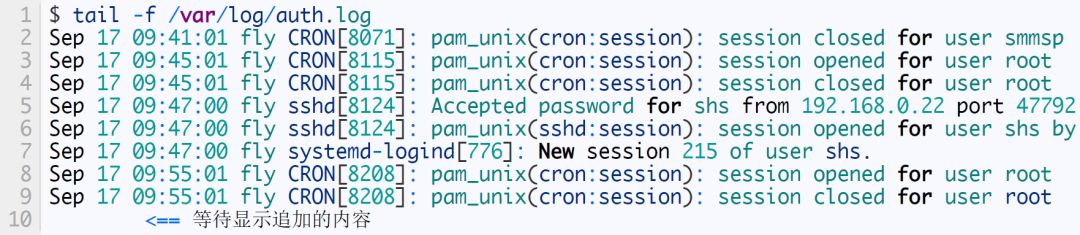
實時查看日志
$ tail -f filename.log
磁盤或內(nèi)存情況查看
$ df -h /dev/sda14 4.6G 10M 4.4G 1% /tmp /dev/sda11 454M 366M 61M 86% /boot /dev/sda15 55G 18G 35G 35% /home /dev/sda1 256M 31M 226M 12% /boot/efi tmpfs 786M 64K 786M 1% /run/user/1000
$ free -h total used free shared buff/cache available Mem: 7.7G 3.5G 452M 345M 3.7G 3.5G Swap: 7.6G 0B 7.6G
根據(jù)名稱查找進(jìn)程id
1.pgrep hello 2.22692
$ pidof hello 22692
根據(jù)名稱殺死進(jìn)程
$ killall hello
$ pkill hello
查看進(jìn)程運(yùn)行時間
$ ps -p 24525 -o lstart,etime STARTED ELAPSED Sat Mar 23 20:52:08 2019 02:45
快速目錄切換
多條命令執(zhí)行
$ cd /temp/log/;rm -rf *
bash: cd: /temp/log: No such file or directory (突然陷入沉默)
$ cd /temp/log/&&rm -rf *
查看壓縮日志文件
$ zcat test.gz test log
$ zless test.gz test log
清空文件內(nèi)容
將日志同時記錄文件并打印到控制臺
$ ./test.sh |tee test.log
終止并恢復(fù)進(jìn)程執(zhí)行
$ cat filename
計算程序運(yùn)行時間
$ time ./fibo 30 the 30 result is 832040 real 0m0.088s user 0m0.084s sys 0m0.004s
查看內(nèi)存占用前10的進(jìn)程
$ ps -aux|sort -k4nr |head -n 10
快速查找你需要的命令
$ man -k "copy files" cp (1) - copy files and directories cpio (1) - copy files to and from archives git-checkout-index (1) - Copy files from the index to the working tree gvfs-copy (1) - Copy files gvfs-move (1) - Copy files install (1) - copy files and set attributes
命令行下的復(fù)制粘貼
搜索包含某個字符串的文件
$ grep -rn "test" test2.txt:1:test
屏幕凍結(jié)
無編輯器情況下編輯文本文件
$ cat >file.txt some words (ctrl+d)
查看elf文件
$ readelf -h filename
$ nm filename |grep interface
$ eho hello world <== 錯誤的命令 Command 'eho' not found, did you mean: command 'echo' from deb coreutils command 'who' from deb coreutils Try: sudo apt install <deb name> $ ^e^ec^ <== 替換 echo hello world hello world
$ alias butterfly=”ssh -v -l jdoe 192.168.0.11”
$ alias alias butterfly='ssh -v -l jdoe 192.168.0.11' alias c='clear' alias egrep='egrep --color=auto' alias fgrep='fgrep --color=auto' alias grep='grep --color=auto' alias l='ls -CF' alias la='ls -A' alias list_repos='grep ^[^#] /etc/apt/sources.list /etc/apt/sources.list.d/*' alias ll='ls -alF' alias ls='ls --color=auto' alias show_dimensions='xdpyinfo | grep '''dimensions:''''
!! <== 復(fù)用上一條命令 !ec <== 復(fù)用上一條以 “ec” 開頭的命令 !76 <== 復(fù)用命令歷史中的 76 號命令

關(guān)注公眾號「高效程序員」??,一起優(yōu)秀!
評論
圖片
表情