
Flutter 開發(fā)從 0 到 1(五)源碼

Flutter 開發(fā)從 0 到 1
明天開始又要上班了,你的假期任務(wù)完成如何啊?由于平時(shí)加班太多了,實(shí)在擠不出更多時(shí)間,從開始想用 Flutter 《Flutter 開發(fā)從 0 到 1(一)需求與準(zhǔn)備》寫一個(gè)完整的 APP 已經(jīng)過去三個(gè)月了,但是我沒有忘記,這個(gè)國(guó)慶時(shí)間我終于完成了。Flutter 確實(shí)強(qiáng)大,不止跨平臺(tái),還支持桌面應(yīng)用,包括 Window、macOS、Linux,以及 Web 應(yīng)用,真正一套代碼,全平臺(tái)支持,野心可見一斑。
以上我嘗試過了,打包成了 APK、macOS 桌面應(yīng)用、Web 應(yīng)用沒問題,只能用兩個(gè)字形容 Flutter:牛皮,今天先分享這個(gè) APP 源碼。
大體功能如下:
| 頁(yè)面 | 知識(shí)點(diǎn) | 效果預(yù)覽 |
|---|---|---|
| 框架 | 1、右滑菜單;2、我的收藏 |  |
| 博客列表 | 1、布局;2、ListView 下拉刷新好和加載更多 | 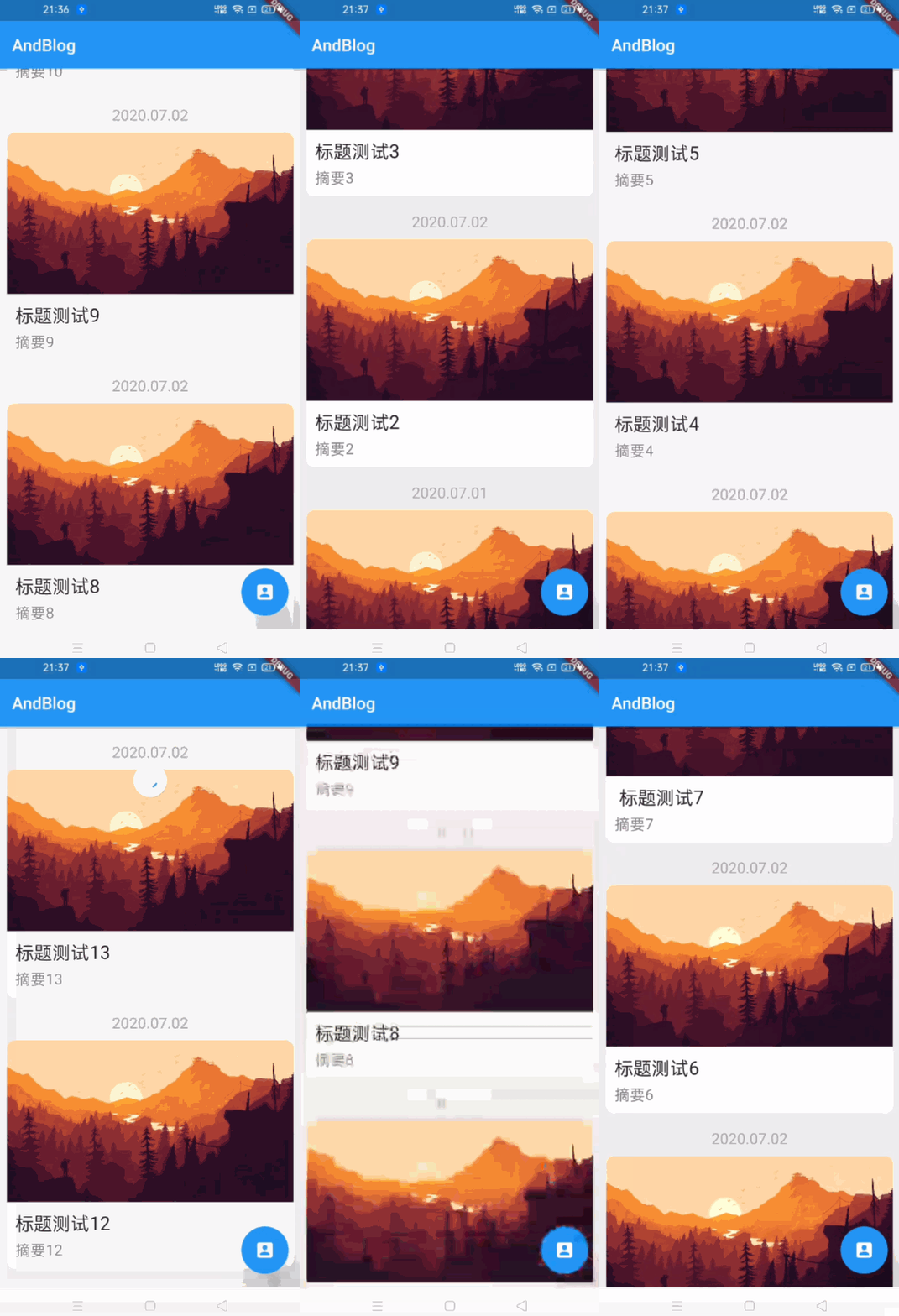 |
| 博客詳情 | 1、Markdown 渲染;2、代碼高亮、3、收縮 FloatingActionButton、4、收藏 | 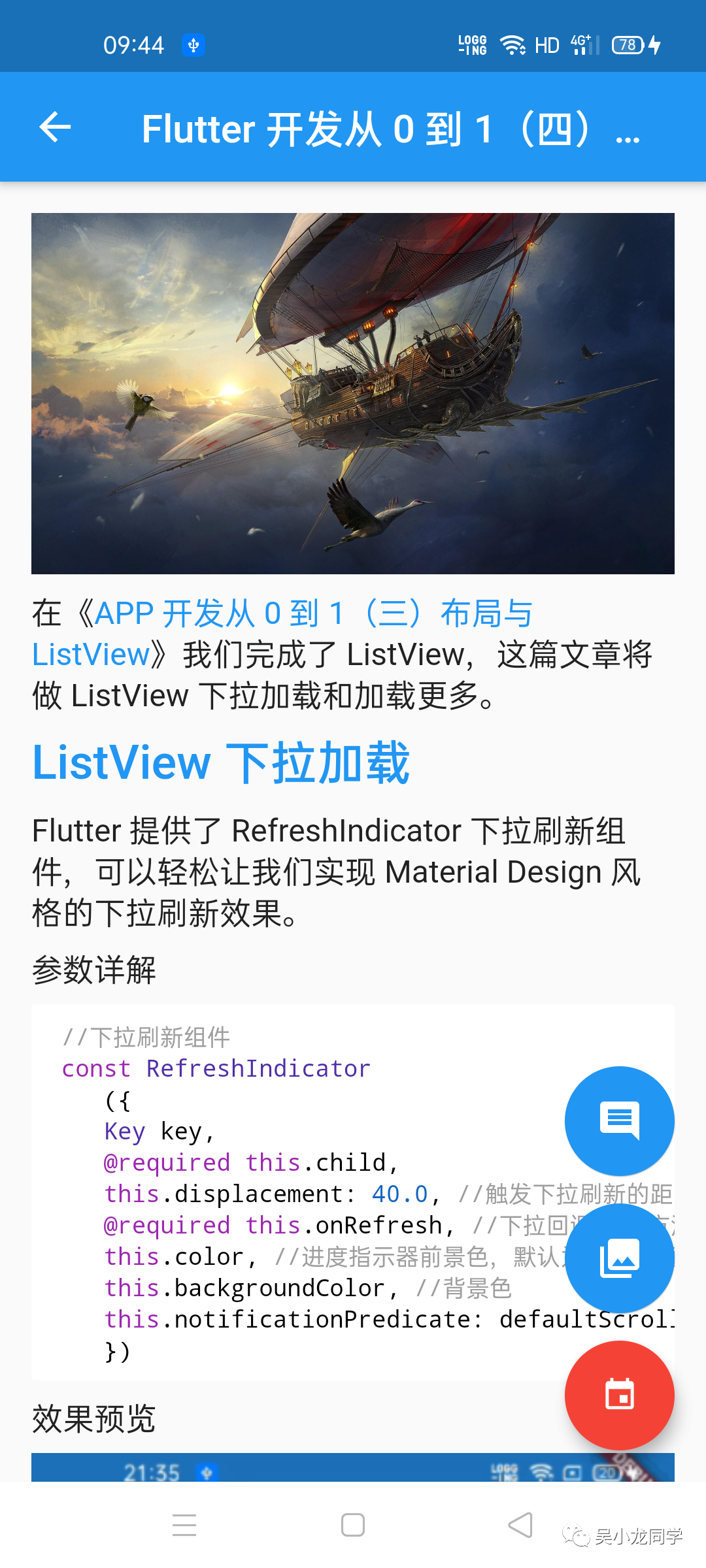 |
| 評(píng)論列表 | 1、布局;2、評(píng)論 | 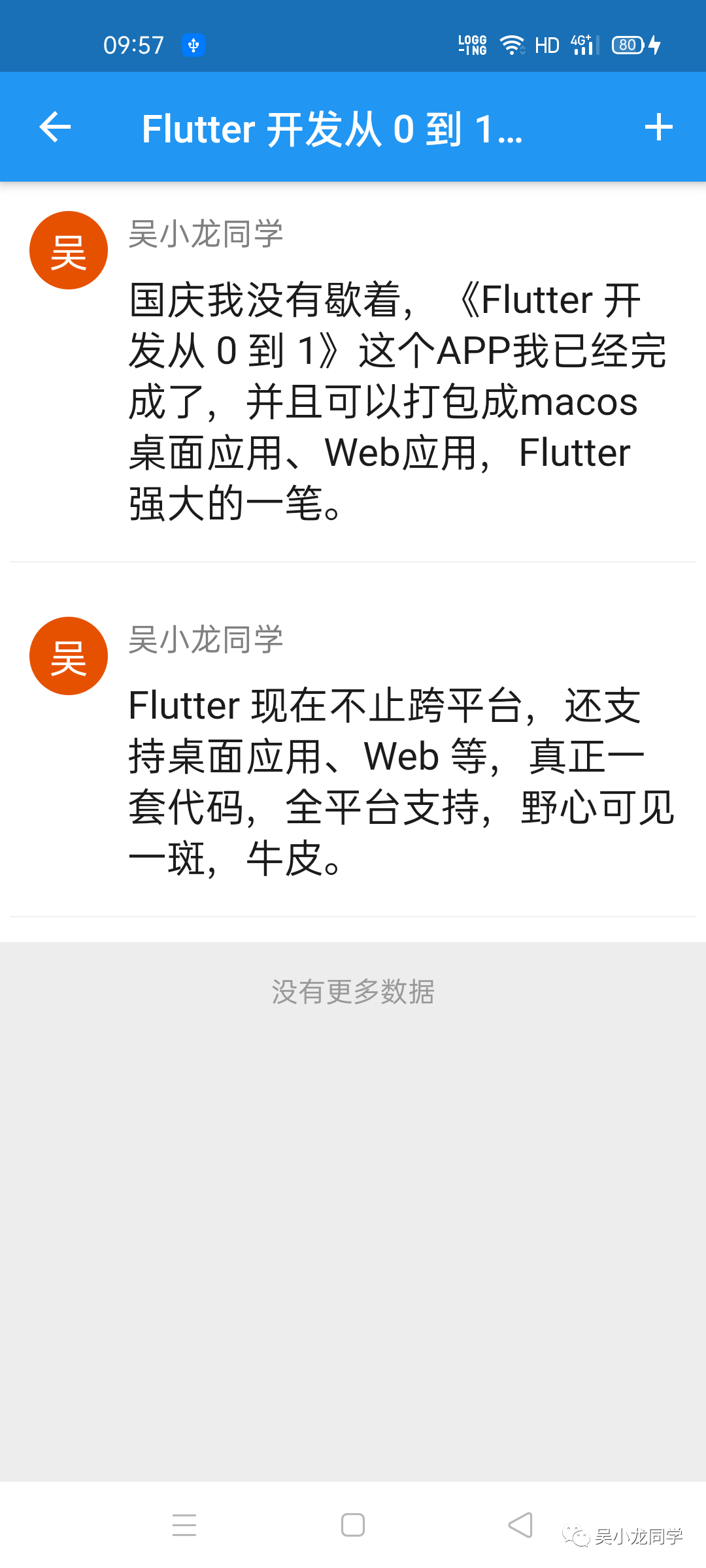 |
| 賬戶 | 1、登錄、2、注冊(cè) |  |
如何運(yùn)行
拿到源碼,可以以 Web Server (web) 或 Chrome (web)運(yùn)行代碼, 如果你是 MacBook Pro,你還可以以 iPhone 11 Pro Max (mobile)或 macOS (desktop)運(yùn)行,運(yùn)行到 Android 手機(jī),開發(fā)的時(shí)候卡在了 Running Gradle task ‘a(chǎn)ssembleDebug’…或者‘a(chǎn)ssembleRelease’,這里記錄下,這時(shí)候一般在下載 Gradle 并配置項(xiàng)目,所以可能出現(xiàn)的問題一般有兩種:
報(bào)錯(cuò)一:
>?Failed?to?apply?plugin?[id?'com.android.internal.version-check']
???>?Minimum?supported?Gradle?version?is?6.1.1.?Current?version?is?5.6.2.?If?using?the?gradle?wrapper,?try?editing?the?distributionUrl?in?/Users/wuxiaolong/AndroidStudioProjects/flutter_andblog/android/gradle/wrapper/gradle-wrapper.properties?to?gradle-6.1.1-all.zip
Gradle 目錄 windows 一般在C:\Users\用戶名\.gradle\ 下,macOS 一般在/Users/用戶名/.gradle下。
如果 Android Studio 開發(fā),該路徑可以在"File | Settings | Build, Execution, Deployment | Build Tools | Gradle"中修改。
我使用的是 “gradle-6.1.1” ,可以在官網(wǎng) https://gradle.org/releases/ 頁(yè)面下載對(duì)應(yīng)的 “complete” 安裝包,放在 /Users/wuxiaolong/.gradle/wrapper/dists/gradle-6.1.1-all/cfmwm155h49vnt3hynmlrsdst目錄下即可。
報(bào)錯(cuò)二:
FAILURE:?Build?failed?with?an?exception.

*?What?went?wrong:
Execution?failed?for?task?':app:desugarDebugFileDependencies'.
>?Could?not?resolve?all?files?for?configuration?':app:debugRuntimeClasspath'.
???>?Could?not?download?arm64_v8a_debug-1.0.0-ee76268252c22f5c11e82a7b87423ca3982e51a7.jar?(io.flutter:arm64_v8a_debug:1.0.0-ee76268252c22f5c11e82a7b87423ca3982e51a7)
??????>?Could?not?get?resource?'https://storage.googleapis.com/download.flutter.io/io/flutter/arm64_v8a_debug/1.0.0-ee76268252c22f5c11e82a7b87423ca3982e51a7/arm64_v8a_debug-1.0.0-ee76268252c22f5c11e82a7b87423ca3982e51a7.jar'.
?????????>?Could?not?HEAD?'https://storage.googleapis.com/download.flutter.io/io/flutter/arm64_v8a_debug/1.0.0-ee76268252c22f5c11e82a7b87423ca3982e51a7/arm64_v8a_debug-1.0.0-ee76268252c22f5c11e82a7b87423ca3982e51a7.jar'.
????????????>?Connect?to?storage.googleapis.com:443?[storage.googleapis.com/34.64.4.16,?storage.googleapis.com/34.64.4.112,?storage.googleapis.com/34.64.4.80]?failed:?connect?timed?out
???>?Could?not?download?x86_debug-1.0.0-ee76268252c22f5c11e82a7b87423ca3982e51a7.jar?(io.flutter:x86_debug:1.0.0-ee76268252c22f5c11e82a7b87423ca3982e51a7)
??????>?Could?not?get?resource?'https://storage.googleapis.com/download.flutter.io/io/flutter/x86_debug/1.0.0-ee76268252c22f5c11e82a7b87423ca3982e51a7/x86_debug-1.0.0-ee76268252c22f5c11e82a7b87423ca3982e51a7.jar'.
?????????>?Could?not?HEAD?'https://storage.googleapis.com/download.flutter.io/io/flutter/x86_debug/1.0.0-ee76268252c22f5c11e82a7b87423ca3982e51a7/x86_debug-1.0.0-ee76268252c22f5c11e82a7b87423ca3982e51a7.jar'.
????????????>?Connect?to?storage.googleapis.com:443?[storage.googleapis.com/34.64.4.16,?storage.googleapis.com/34.64.4.112,?storage.googleapis.com/34.64.4.80]?failed:?connect?timed?out
解決如下:
打開項(xiàng)目中 build.gradle 文件
buildscript?{
????repositories?{
????????//google()
????????//jcenter()
????????maven?{?url?'https://maven.aliyun.com/repository/google'?}
????????maven?{?url?'https://maven.aliyun.com/repository/jcenter'?}
????????maven?{?url?'http://maven.aliyun.com/nexus/content/groups/public'}
????????maven?{?url?"http://download.flutter.io"?}
????}

????dependencies?{
????????classpath?'com.android.tools.build:gradle:4.0.1'
????}
}

allprojects?{
????repositories?{
????????//google()
????????//jcenter()
????????maven?{?url?'https://maven.aliyun.com/repository/google'?}
????????maven?{?url?'https://maven.aliyun.com/repository/jcenter'?}
????????maven?{?url?'http://maven.aliyun.com/nexus/content/groups/public'}
????????maven?{?url?"http://download.flutter.io"?}
????}
}
源碼
對(duì)這個(gè)項(xiàng)目有興趣的,不妨請(qǐng)我喝杯咖啡,謝謝,源碼鏈接如下: