
人人都是 Serverless 架構(gòu)師 | 彈幕應(yīng)用開發(fā)實戰(zhàn)

作者 | 寒斜(阿里云云原生中間件前端負(fù)責(zé)人)
如何使用 Serverless 架構(gòu)實現(xiàn)全雙工通信的應(yīng)用,Serverless 架構(gòu)中數(shù)據(jù)庫是如何使用的,本篇文章將為您揭開答案。
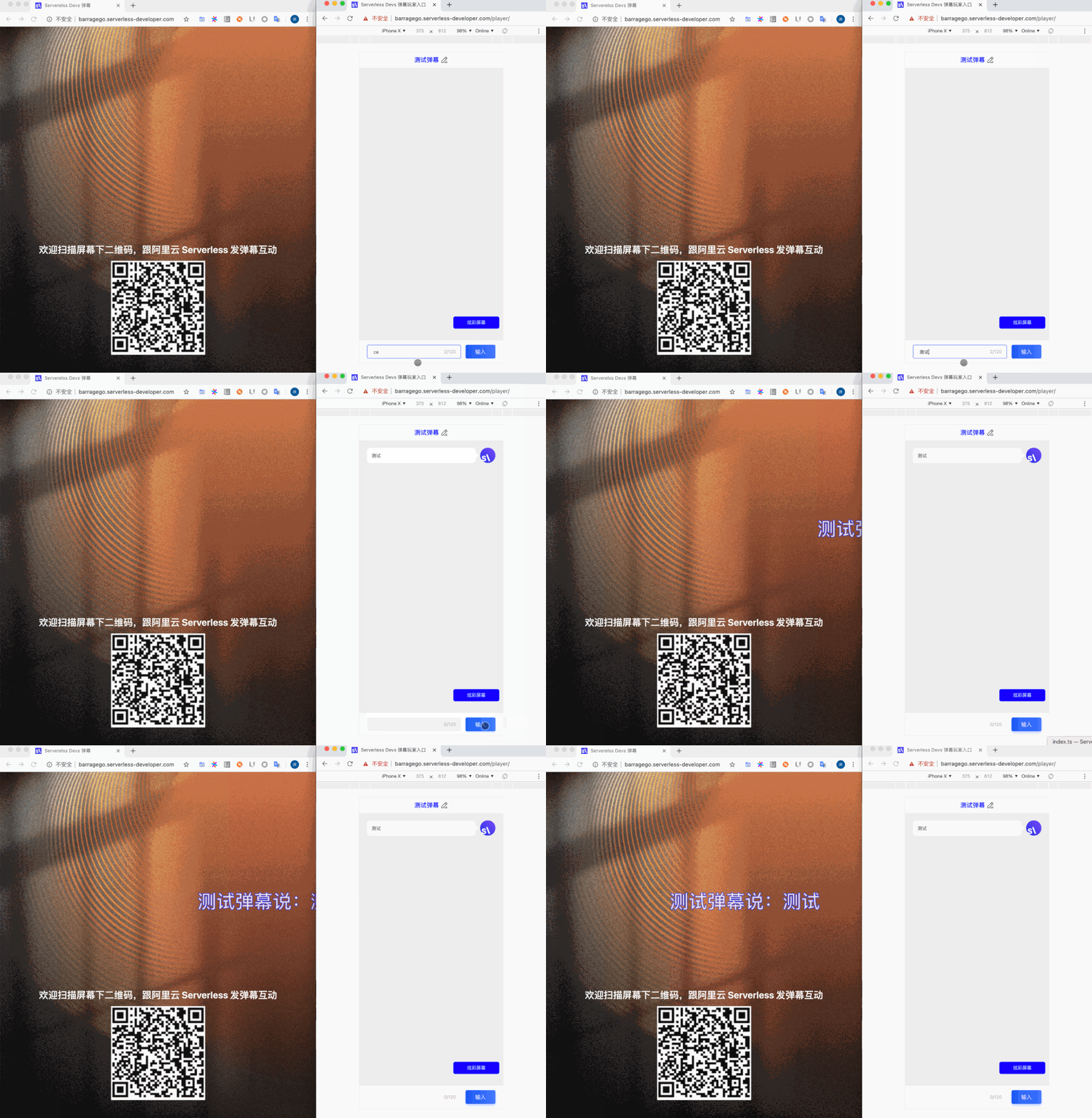
應(yīng)用效果預(yù)覽
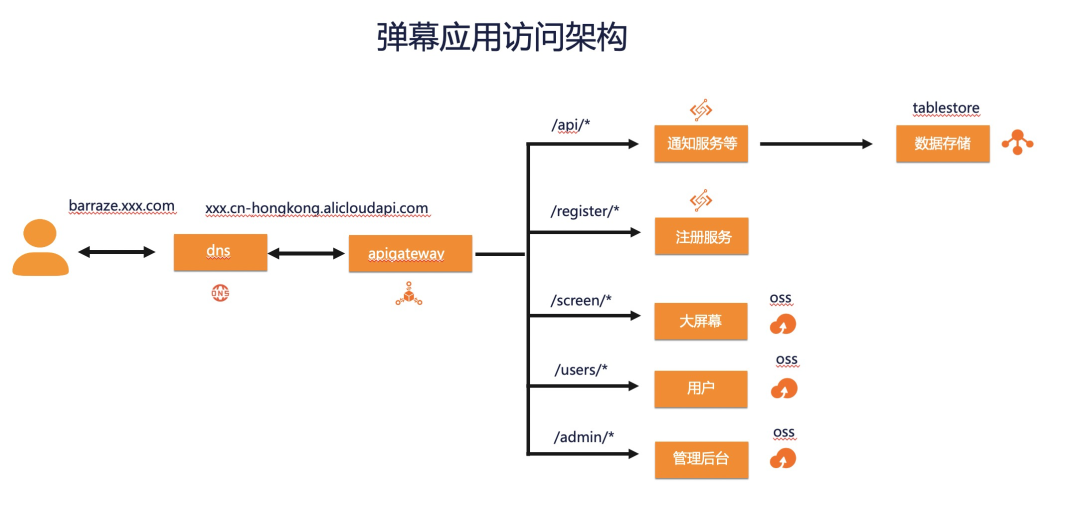
架構(gòu)一覽
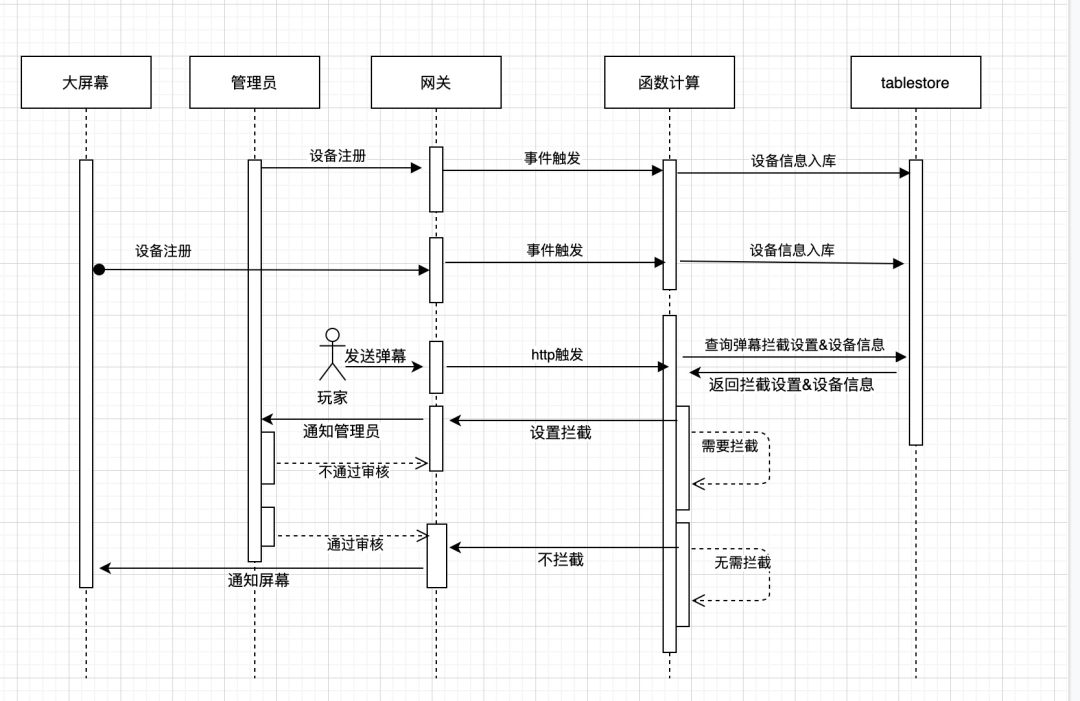
流程說明
數(shù)據(jù)表設(shè)計
equipment(設(shè)備)
字段 | 類型 | 說明 |
id | string | 設(shè)備表主鍵 |
deviceld | string | 設(shè)備id |
docld | string | 備用字段 |
type | string | 設(shè)備類型(screen | admin) |
barrage(彈幕)
字段 | 類型 | 說明 |
gid | string | 分區(qū)鍵 |
id | integer | 主鍵自增 |
fromId | string | 彈幕作者id |
fromName | string | 來源作者名稱 |
color | string | 彈幕顏色 |
fontSize | string | 彈幕字體大小 |
checkStatus | integer | 彈幕狀態(tài)0(未處理)1(審批通過)2(審批未過) |
sendTime | string | 彈幕發(fā)送時間 |
checkTime | string | 彈幕更新時間 |
message | string | 彈幕內(nèi)容 |
interceptor (過濾器)
字段 | 類型 | 說明 |
id | integer | 主鍵/分區(qū)鍵 |
status | integer | 攔截狀態(tài)0不攔截 1攔截 2攔截加過濾 |
filterWords | string | 過濾字段 |
1、準(zhǔn)備工作
云解析 DNS API 網(wǎng)關(guān)
函數(shù)計算 對象存儲 OSS
Tablestore
2、操作步驟
1)秘鑰配置
2)初始化
本次初始化除了需要將應(yīng)用模板下載到本地之外,還會幫忙初始化 tablestore 的表和數(shù)據(jù),因此需要預(yù)配置幾個參數(shù):
秘鑰別名 - 對應(yīng)你的阿里云賬號 域名 - 自定義域名
bucketName - oss 的 bucket 名稱 endpoint - 對應(yīng) tablestore 實例的公網(wǎng)訪問地址
instance - 對應(yīng) tablestore 的實例名
3)構(gòu)建部署
大屏幕,管理后臺和玩家的前端部署;
注冊函數(shù)以及 api 函數(shù)的部署
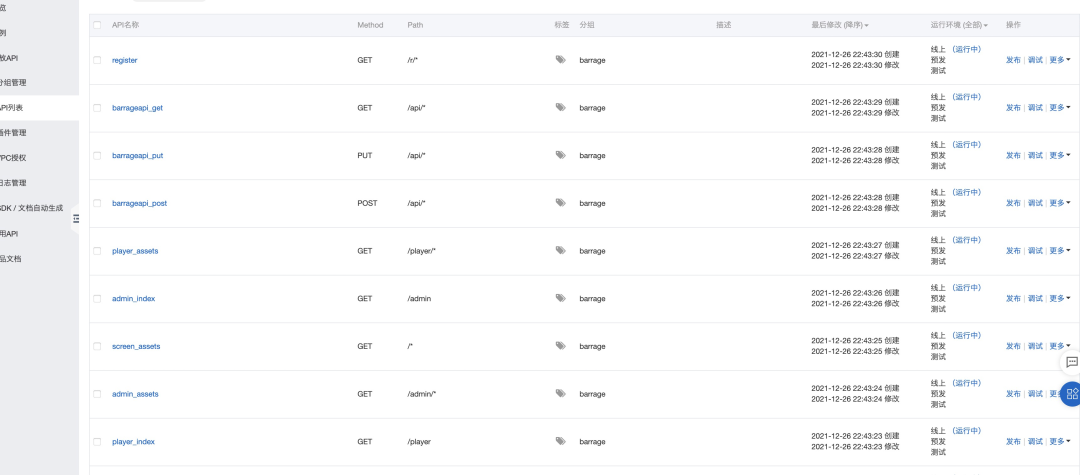
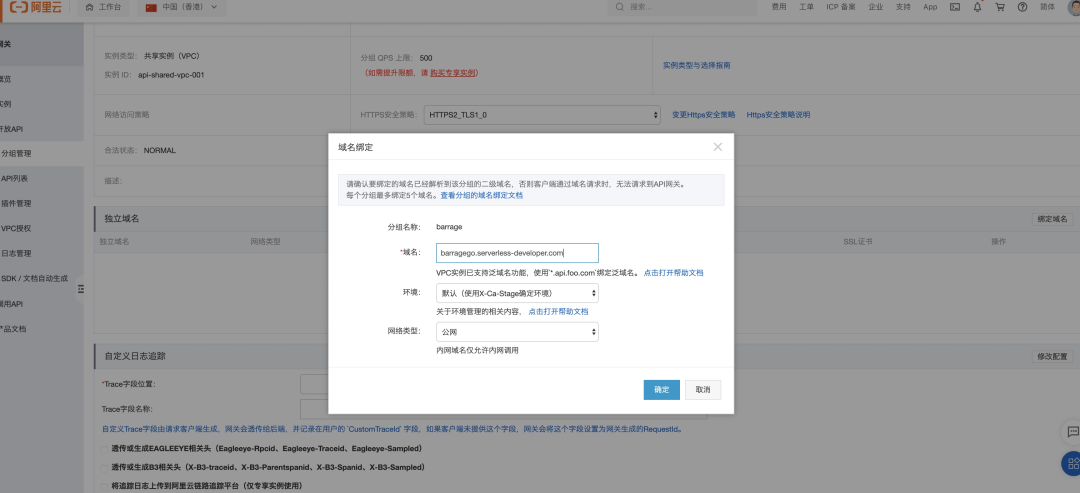
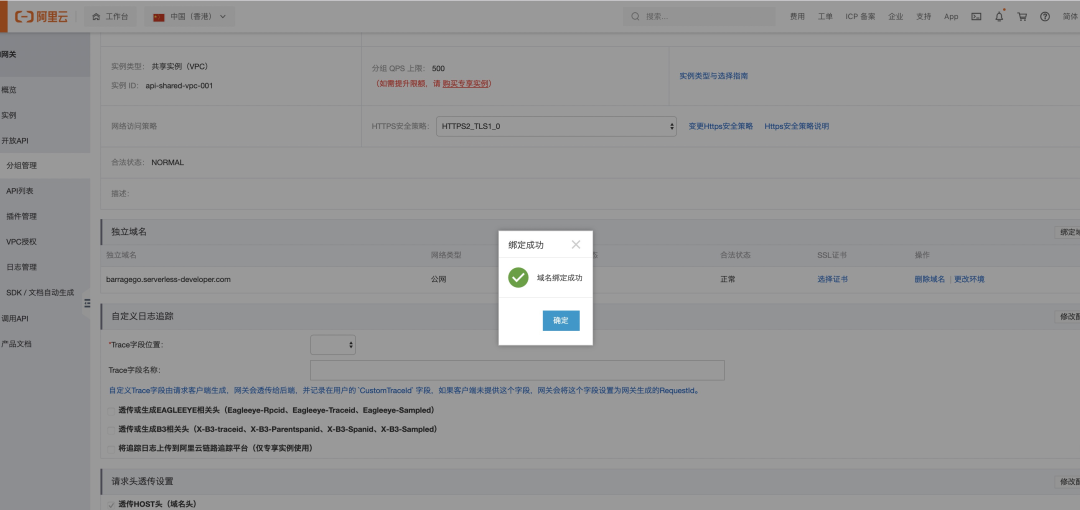
以及網(wǎng)關(guān)的路由設(shè)置和網(wǎng)關(guān)的域名綁定
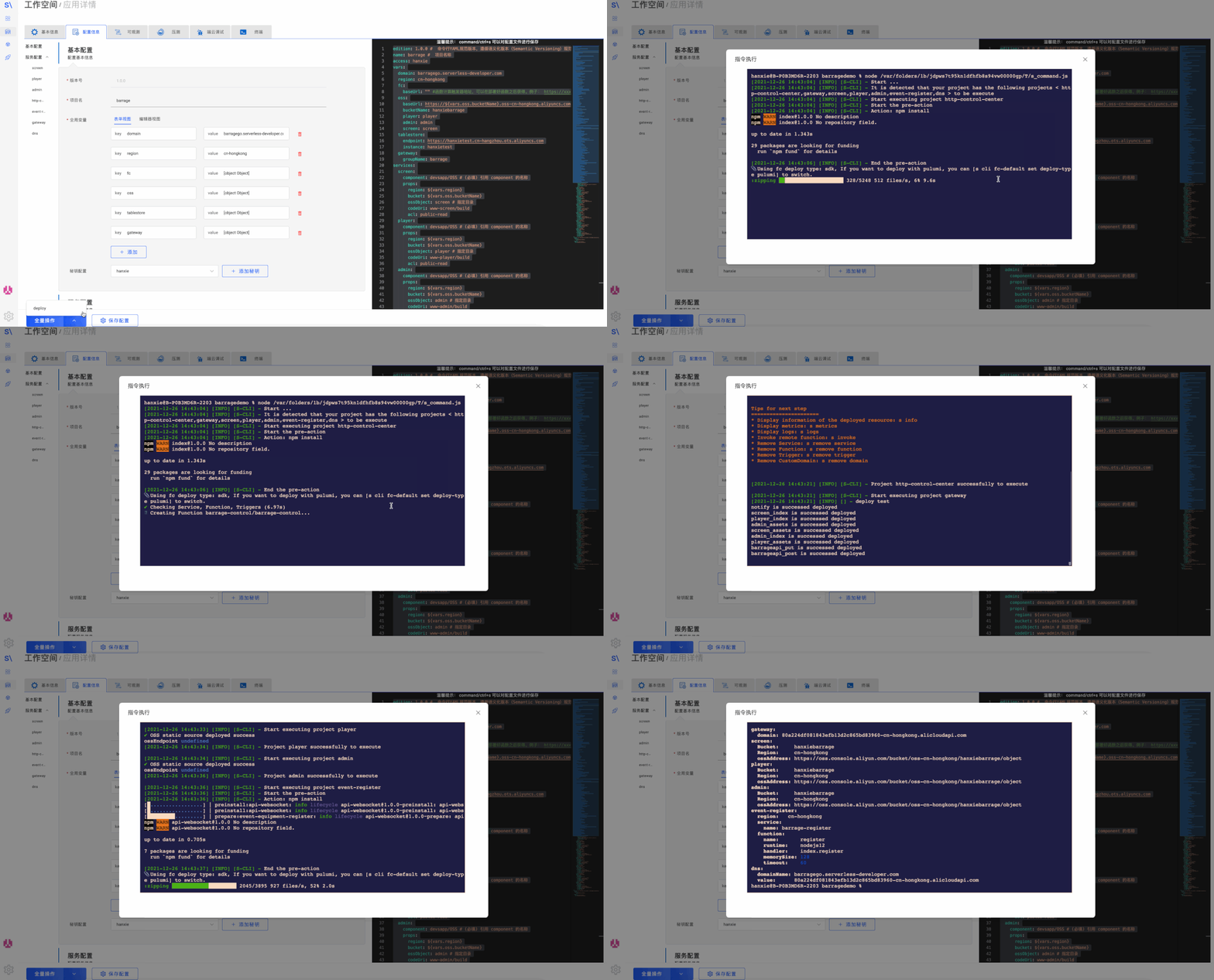
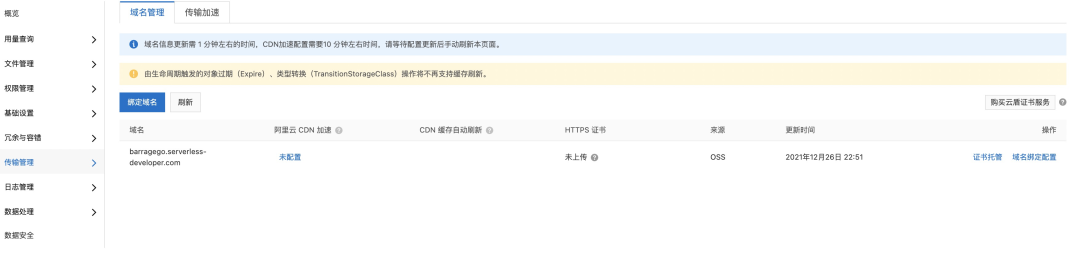
4) 部署效果查看
網(wǎng)關(guān)

函數(shù)計算

Oss

DNS

2、數(shù)據(jù)庫明細(xì)
1)數(shù)據(jù)庫配置傳遞
函數(shù)服務(wù)授權(quán)配置如下:
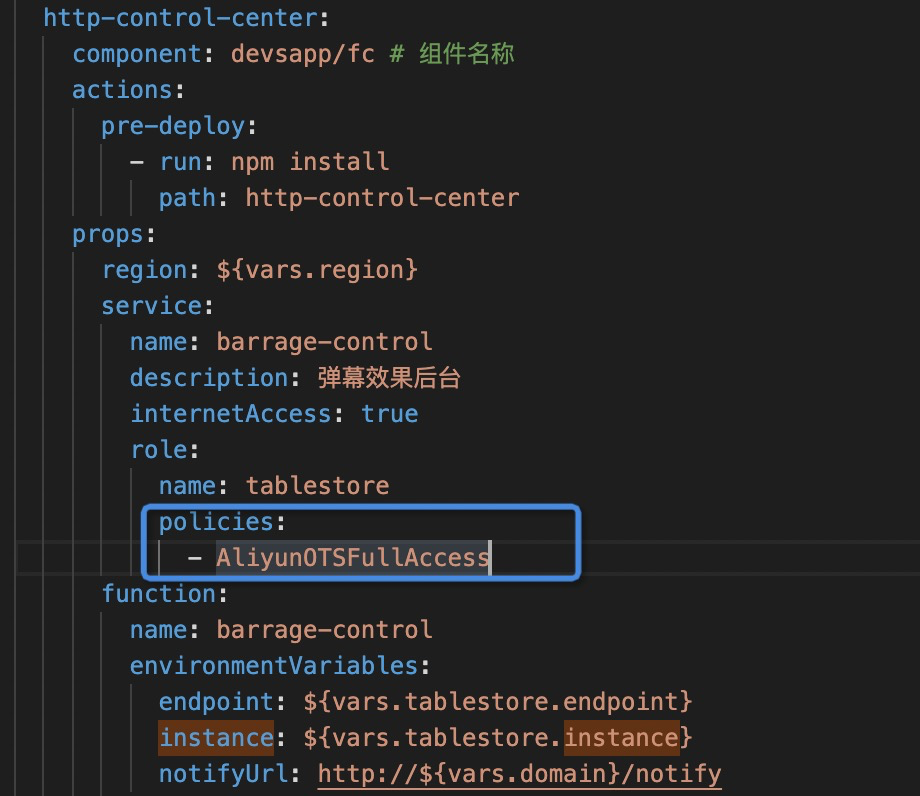
函數(shù)內(nèi)獲取秘鑰信息如下:
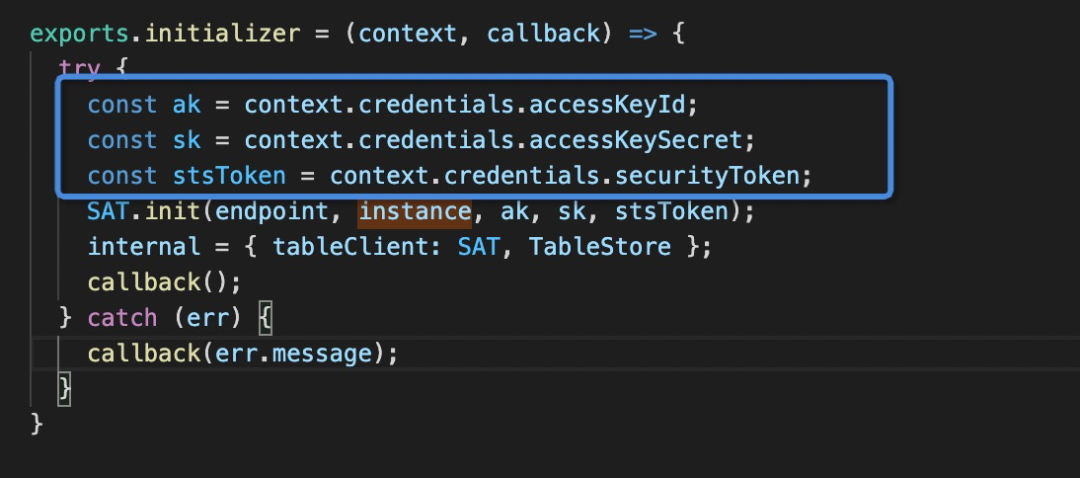
2)數(shù)據(jù)庫初始化
exports.initializer = (context, callback) => {try {const ak = context.credentials.accessKeyId;const sk = context.credentials.accessKeySecret;const stsToken = context.credentials.securityToken;SAT.init(endpoint, instance, ak, sk, stsToken);internal = { tableClient: SAT, TableStore };callback();} catch (err) {callback(err.message);}}
3)CRUD
// 單主鍵查詢const getInterceptor = async (ctx) => {const { tableClient } = ctx.req.requestContext.internal;const res = await tableClient.table('interceptor').get(1, cols = []);return res;}// 查詢?nèi)?/span>const getAllEquipment = async (tableClient,TableStore) => {const res = await tableClient.table('equipment').getRange(TableStore.INF_MIN, TableStore.INF_MAX, cols = [])return Object.keys(res).map((key)=> res[key]);}// 雙主鍵(一個分區(qū)鍵,一個自增鍵)的插入const addBarrage = async (ctx) => {const { tableClient, TableStore } = ctx.req.requestContext.internal;const { fromId, fromName, color, fontSize = '28px', checkStatus = 0, message } = ctx.request.body;const currentTime = Date.now().toString();const newData = Object.assign({}, { fromId, fromName, color, fontSize, checkStatus: parseInt(checkStatus), message }, { sendTime: currentTime, checkTime: currentTime });const res = await tableClient.table('barrage', ['gid', 'id']).put([1, TableStore.PK_AUTO_INCR], newData, c = 'I');return res;}// 更新const updateBarrage = async (ctx) => {const { tableClient } = ctx.req.requestContext.internal;const { checkStatus } = ctx.request.body;const { id } = ctx.request.params;const currentTime = Date.now().toString();const res = await tableClient.table('barrage', ['gid', 'id']).update([1, parseInt(id)], { checkStatus: parseInt(checkStatus), checkTime: currentTime }, c = 'I')return res;}// 條件查詢const getBarrageByCondition = async (ctx) => {const { tableClient, TableStore } = ctx.req.requestContext.internal;const res = await tableClient.table('barrage').search('index', ['checkStatus', 0])return res;}
當(dāng)然如果你想做更高級的查詢,就需要自己去查閱官網(wǎng)文檔了。
總結(jié)
文中涉及網(wǎng)址匯總:
Serverless Devs:https://github.com/Serverless-Devs云解析DNS:https://wanwang.aliyun.com/domain/dnsAPI網(wǎng)關(guān):https://www.aliyun.com/product/apigateway函數(shù)計算:https://www.aliyun.com/product/fc對象存儲OSS:https://www.aliyun.com/product/ossServerlessDesktop:http://www.serverless-devs.com/zh-cn/desktop/index.htmlServerless Devs Cli:http://www.serverless-devs.com/zh-cn/cli/index.htmlServerless Hub:https://serverlesshub.resume.net.cn/#/hubs/specialviewTablestore表格存儲:https://www.aliyun.com/product/ots官網(wǎng)文檔:https://help.aliyun.com/document_detail/27304.html?spm=5176.54465.J_7985555940.4.15942e0c3qkHbU源碼:https://github.com/devsapp/start-barrage
作者介紹:
 ?
?
 ?獎勵看到最后的你:
# 點個在看,并在下方留言;
# 然后,將后臺回復(fù)云小寶,試試手氣?
# 本周互動獎品是“云小寶公仔”
# 本期禮品開獎時間1月12日?

訂閱話題?精彩資訊不錯過

 ?戳原文,跳轉(zhuǎn)至 Serverless Devs~