
Spring Boot 2.x基礎教程:多文件的上傳

昨天,我們介紹了如何在Spring Boot中實現(xiàn)文件的上傳(博客地址:https://blog.didispace.com/spring-boot-learning-21-4-3/)。有讀者問:那么如果有多個文件要同時上傳呢?這就馬上奉上,當碰到多個文件要同時上傳時候的處理方法。
動手試試
本文的動手環(huán)節(jié)將基于Spring Boot中實現(xiàn)文件的上傳一文(鏈接如下:https://blog.didispace.com/spring-boot-learning-21-4-3/)的例子之上,所以讀者可以拿上一篇的例子作為基礎來進行改造,以體會這之間的區(qū)別,下面也主要講解核心區(qū)別的地方。
第一步:修改文件上傳頁面的上傳表單
html>
<html>
<head?lang="en">
????<meta?charset="UTF-8"?/>
????<title>文件上傳頁面?-?didispace.comtitle>
head>
<body>
<h1>文件上傳頁面h1>
<form?method="post"?action="/upload"?enctype="multipart/form-data">
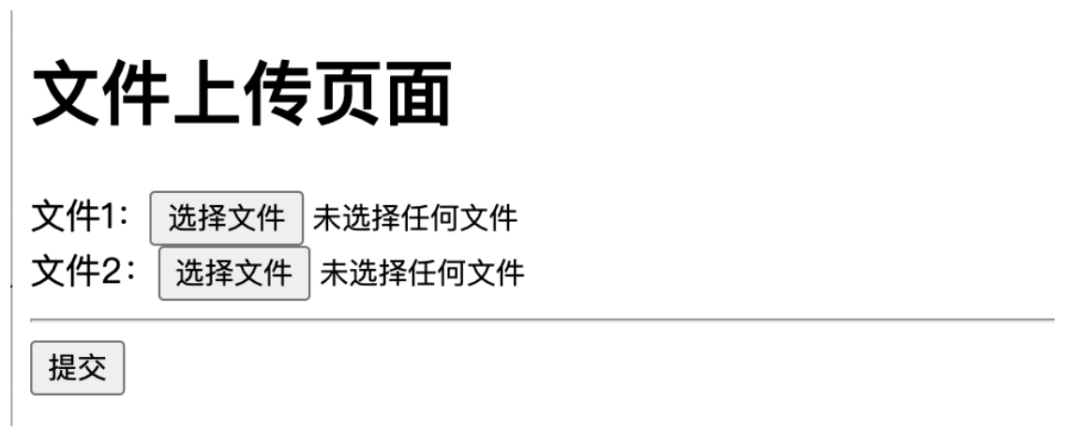
????文件1:<input?type="file"?name="files"><br?data-tomark-pass>
????文件2:<input?type="file"?name="files"><br?data-tomark-pass>
????<hr>
????<input?type="submit"?value="提交">
form>
body>
html>
可以看到這里多增加一個input文件輸入框,同時文件輸入框的名稱修改為了files,因為是多個文件,所以用了復數(shù)。注意:這幾個輸入框的name是一樣的,這樣才能在后端處理文件的時候組織到一個數(shù)組中。
第二步:修改后端處理接口
@PostMapping("/upload")
@ResponseBody
public?String?create(@RequestPart?MultipartFile[]?files)?{
????StringBuffer?message?=?new?StringBuffer();

????for?(MultipartFile?file?:?files)?{
????????String?fileName?=?file.getOriginalFilename();
????????String?filePath?=?path?+?fileName;

????????File?dest?=?new?File(filePath);
????????Files.copy(file.getInputStream(),?dest.toPath());
????????message.append("Upload?file?success?:?"?+?dest.getAbsolutePath()).append("
");
????}
????return?message.toString();
}
幾個重要改動:
MultipartFile使用數(shù)組,參數(shù)名稱files對應html頁面中input的name,一定要對應。 后續(xù)處理文件的主體(for循環(huán)內(nèi))跟之前的一樣,就是對MultipartFile數(shù)組通過循環(huán)遍歷的方式對每個文件進行存儲,然后拼接結(jié)果返回信息。
更多本系列免費教程連載「點擊進入?yún)R總目錄」(鏈接如下:https://blog.didispace.com/spring-boot-learning-2x/)
測試驗證
第一步:啟動Spring Boot應用,訪問http://localhost:8080,可以看到如下的文件上傳頁面。
第二步:選擇2個不大于2MB的文件,點擊“提交”按鈕,完成上傳。
如果上傳成功,將顯示類似下面的頁面:
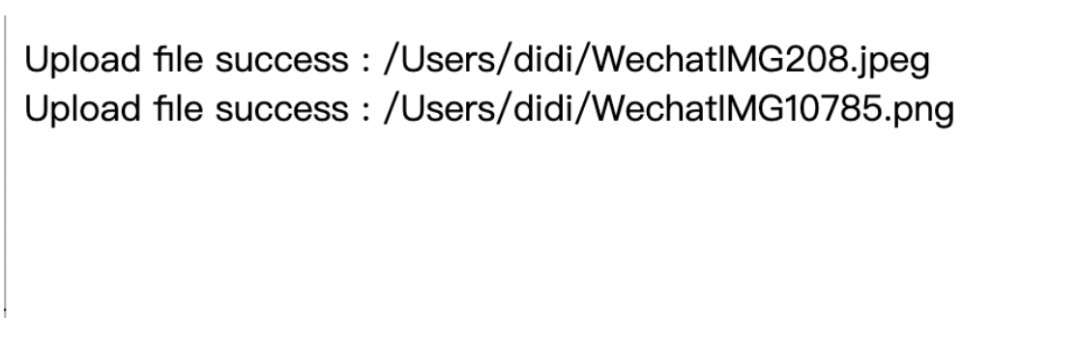
你可以根據(jù)打印的文件路徑去查看文件是否真的上傳了。
代碼示例
本文的相關(guān)例子可以查看下面?zhèn)}庫中的chapter4-4目錄:
Github:https://github.com/dyc87112/SpringBoot-Learning/ Gitee:https://gitee.com/didispace/SpringBoot-Learning/
如果您覺得本文不錯,歡迎Star支持,您的關(guān)注是我堅持的動力!
往期推薦

評論
圖片
表情