
通過(guò)Nginx來(lái)實(shí)現(xiàn)禁止國(guó)外IP訪問(wèn)網(wǎng)站


一、安裝 geoip2 擴(kuò)展依賴
[root@fxkj ~]# yum install libmaxminddb-devel -y
二、下載 ngx_http_geoip2_module 模塊
[root@fxkj tmp]#  git clone https://github.com/leev/ngx_http_geoip2_module.git
[ro tmp]#
三、解壓模塊到指定路徑
[root@fxkj tmp]# mv ngx_http_geoip2_module/ /usr/local/
[root@fxkj local]# ll ngx_http_geoip2_module/
total 60
-rw-r--r-- 1 root root  1199 Aug 13 17:20 config
-rw-r--r-- 1 root root  1311 Aug 13 17:20 LICENSE
-rw-r--r-- 1 root root 23525 Aug 13 17:20 ngx_http_geoip2_module.c
-rw-r--r-- 1 root root 21029 Aug 13 17:20 ngx_stream_geoip2_module.c
-rw-r--r-- 1 root root  3640 Aug 13 17:20 README.md
四、安裝 nginx 模塊
下載 nginx 1.18 版本
[root@fxkj ~]# yum install libmaxminddb-devel -y
解壓 nginx1.18 軟件包并 升級(jí)為 nginx1.18 ,添加 ngx_http_geoip2 模塊
[root@fxkj tmp]# /usr/local/nginx/sbin/nginx -V

nginx version: nginx/1.16.0

built by gcc 4.8.5 20150623 (Red Hat 4.8.5-39) (GCC)

built with OpenSSL 1.0.2k-fips 26 Jan 2017

TLS SNI support enabled

configure arguments: –with-http_stub_status_module –prefix=/usr/local/nginx –user=nginx –group=nginx –with-http_ssl_module –with-stream
[root@fxkj tmp]# tar -xf nginx-1.18.0.tar.gz
[root@fxkj tmp]# cd nginx-1.18.0/
[root@fxkj nginx-1.18.0]# ./configure --with-http_stub_status_module \
 --prefix=/usr/local/nginx \
 --user=nginx --group=nginx --with-http_ssl_module --with-stream \
 --add-module=/usr/local/ngx_http_geoip2_module
[root@fxkj nginx-1.18.0]# make
[root@fxkj nginx-1.18.0]# cp /usr/loca/nginx/sbin/nginx /usr/loca/nginx/sbin/nginx1.16    #備份
[root@fxkj nginx-1.18.0]# cp objs/nginx /usr/local/nginx/sbin/    #用新的去覆蓋舊的
[root@fxkj nginx-1.18.0]# pkill nginx     #殺死nginx
[root@fxkj nginx-1.18.0]# /usr/local/nginx/sbin/nginx    #再次啟動(dòng)Nginx
[root@fxkj nginx-1.18.0]# /usr/local/nginx/sbin/nginx -V

nginx version: nginx/1.18.0

built by gcc 4.8.5 20150623 (Red Hat 4.8.5-39) (GCC)

built with OpenSSL 1.0.2k-fips 26 Jan 2017

TLS SNI support enabled

configure arguments: –with-http_stub_status_module –prefix=/usr/local/nginx –user=nginx –group=nginx –with-http_ssl_module –with-stream –add-module=/usr/local/ngx_http_geoip2_module
五、下載最新的 IP 地址數(shù)據(jù)庫(kù)文件
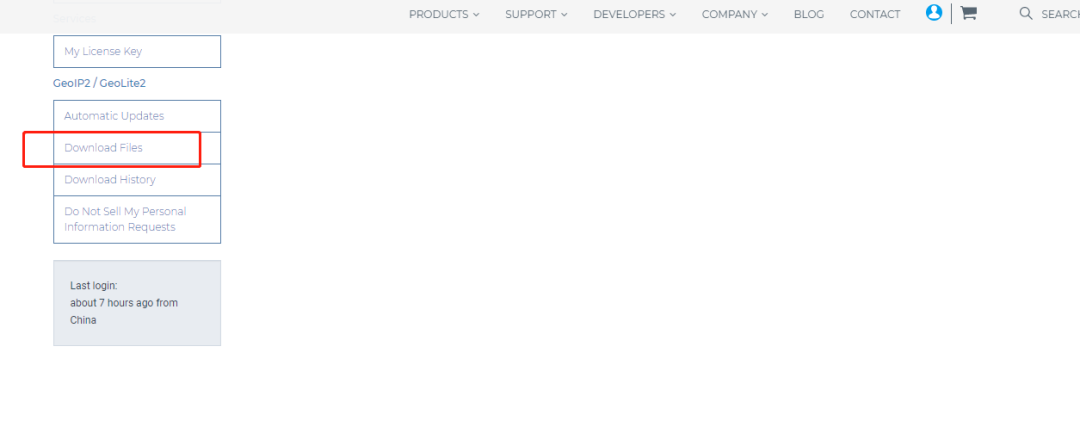
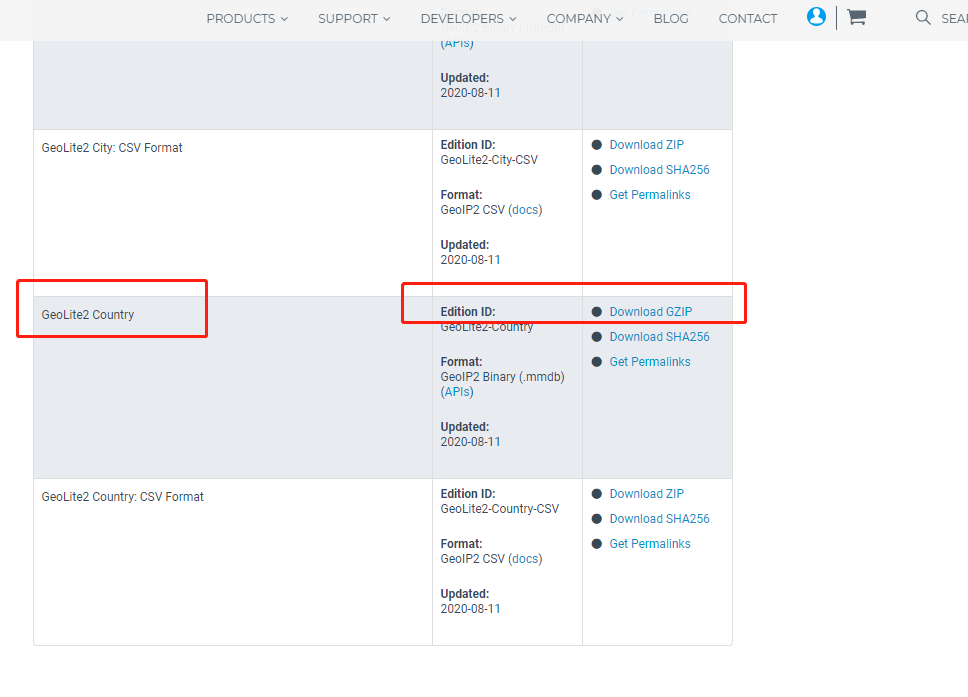
[root@fxkj local]# cd /usr/share/GeoIP/
[root@fxkj GeoIP]# ll
total 69612
lrwxrwxrwx. 1 root root       17 Mar  7  2019 GeoIP.dat -> GeoIP-initial.dat
-rw-r--r--. 1 root root  1242574 Oct 30  2018 GeoIP-initial.dat
lrwxrwxrwx. 1 root root       19 Mar  7  2019 GeoIPv6.dat -> GeoIPv6-initial.dat
-rw-r--r--. 1 root root  2322773 Oct 30  2018 GeoIPv6-initial.dat
-rw-r--r--  1 root root  3981623 Aug 12 02:37 GeoLite2-Country.mmdb
六、配置 nginx 配置文件
[root@fxkj ~]# cp /usr/local/nginx/conf/nginx.conf /usr/local/nginx/conf/nginx.conf-bak
[root@fxkj ~]# vim /usr/local/nginx/conf/nginx.conf
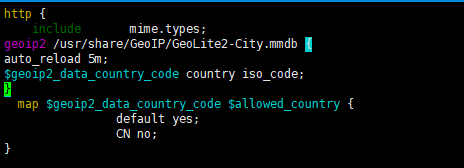
geoip2 /usr/share/GeoIP/GeoLite2-City.mmdb {
auto_reload 5m;
$geoip2_data_country_code country iso_code;
}
  map $geoip2_data_country_code $allowed_country {
                default yes;
                CN no;
}
if ($allowed_country = yes) {
       # return https://www.baidu.com;
       # return /home/japan;
        return 404;
 }
[root@fxkj ~]# /usr/local/nginx/sbin/nginx -t
nginx: the configuration file /usr/local/nginx/conf/nginx.conf syntax is ok
nginx: configuration file /usr/local/nginx/conf/nginx.conf test is successful
[roo@fxkj ~]# /usr/local/nginx/sbin/nginx -s reload
7、模擬測(cè)試驗(yàn)證

“13.125.1.194 – – [14/Aug/2020:16:15:51 +0800] “GET /favicon.ico HTTP/1.1” 404 548 “https://www.fxkjnj.com/” “Mozilla/5.0 (Windows NT 10.0; Win64; x64) AppleWebKit/537.36 (KHTML, like Gecko) Chrome/84.0.4147.125 Safari/537.36”

文章轉(zhuǎn)載:DevOps技術(shù)棧
(版權(quán)歸原作者所有,侵刪)

評(píng)論
圖片
表情