
Springboot 整合微信小程序?qū)崿F(xiàn)登錄與增刪改查
作者:安詳?shù)目喽〔?br>鏈接:https://www.cnblogs.com/ckfeng/p/12812214.html
粉絲福利:已經(jīng)絕版的《數(shù)據(jù)結(jié)構(gòu)和算法(第二版)》高清電子書!我搞到了!
項目描述:在微信小程序中通過與Springboot操作數(shù)據(jù)庫實現(xiàn)簡單的增刪改查,其中我是用springboot整合mybatis-plus 和mysql使用的
1. 開發(fā)前準備1.1 前置知識
- java基礎
- SpringBoot簡單基礎知識
1.2 環(huán)境參數(shù)
- 開發(fā)工具:IDEA
- 基礎環(huán)境:Maven+JDK8
- 主要技術(shù):SpringBoot、lombok、mybatis-plus、mysql 、微信小程序
- SpringBoot版本:2.2.6
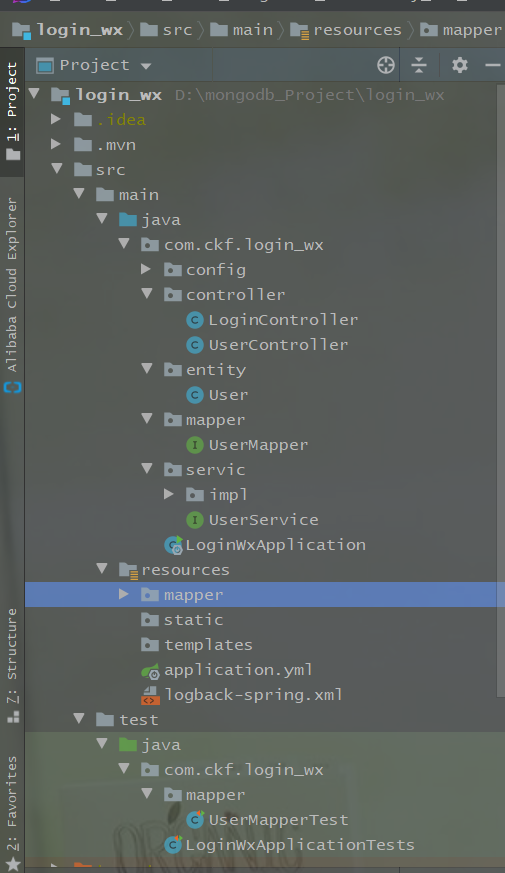
項目結(jié)構(gòu):
2.1 初始配置
(1)pom.xml配置
 <dependencies>
        <dependency>
            <groupId>org.springframework.bootgroupId>
            <artifactId>spring-boot-starter-webartifactId>
        dependency>

        <dependency>
            <groupId>org.mybatis.spring.bootgroupId>
            <artifactId>mybatis-spring-boot-starterartifactId>
            <version>2.1.1version>
        dependency>


        <dependency>
            <groupId>org.springframework.bootgroupId>
            <artifactId>spring-boot-starter-thymeleafartifactId>
        dependency>


        <dependency>
            <groupId>com.alibabagroupId>
            <artifactId>druidartifactId>
            <version>1.1.14version>
        dependency>


        <dependency>
            <groupId>mysqlgroupId>
            <artifactId>mysql-connector-javaartifactId>
            <version>5.1.42version>
            <scope>runtimescope>
        dependency>


        <dependency>
            <groupId>com.baomidougroupId>
            <artifactId>mybatis-plus-boot-starterartifactId>
            <version>3.1.0version>
        dependency>


        <dependency>
            <groupId>org.projectlombokgroupId>
            <artifactId>lombokartifactId>
            <optional>trueoptional>
        dependency>


        <dependency>
            <groupId>com.github.pagehelpergroupId>
            <artifactId>pagehelper-spring-boot-starterartifactId>
            <version>1.2.5version>
        dependency>


        <dependency>
            <groupId>junitgroupId>
            <artifactId>junitartifactId>
            <scope>testscope>
        dependency>

        <dependency>
            <groupId>org.springframework.bootgroupId>
            <artifactId>spring-boot-starter-testartifactId>
            <scope>testscope>
            <exclusions>
                <exclusion>
                    <groupId>org.junit.vintagegroupId>
                    <artifactId>junit-vintage-engineartifactId>
                exclusion>
            exclusions>
        dependency>
    dependencies>

    <build>
        <plugins>
            <plugin>
                <groupId>org.springframework.bootgroupId>
                <artifactId>spring-boot-maven-pluginartifactId>
            plugin>
        plugins>
    build>

project>
(2)application.yml
# Spring Boot 的數(shù)據(jù)源配置
spring:
  datasource:
    name: wx
    url: jdbc:mysql://localhost:3306/wx_mini_program?useUnicode=true&characterEncoding=utf8&zeroDateTimeBehavior=convertToNull&useSSL=true&serverTimezone=GMT%2B8
 username: root
    password: root
    # 使用druid數(shù)據(jù)源
    type: com.alibaba.druid.pool.DruidDataSource
    driver-class-name: com.mysql.jdbc.Driver
    filters: stat
    maxActive: 20 initialSize: 1 maxWait: 60000 minIdle: 1 timeBetweenEvictionRunsMillis: 60000 minEvictableIdleTimeMillis: 300000 validationQuery: select 'x' testWhileIdle: true testOnBorrow: false testOnReturn: false poolPreparedStatements: true maxPoolPreparedStatementPerConnectionSize: 20 maxOpenPreparedStatements: 20 # mybatis-plus相關(guān)配置
mybatis-plus:
  # xml掃描,多個目錄用逗號或者分號分隔(告訴 Mapper 所對應的 XML 文件位置)
  mapper-locations: classpath:mapper/*.xml
  # 以下配置均有默認值,可以不設置
  global-config:
    db-config:
      #主鍵類型 AUTO:"數(shù)據(jù)庫ID自增" INPUT:"用戶輸入ID",ID_WORKER:"全局唯一ID (數(shù)字類型唯一ID)", UUID:"全局唯一ID UUID";
      id-type: auto
      #字段策略 IGNORED:"忽略判斷"  NOT_NULL:"非 NULL 判斷")  NOT_EMPTY:"非空判斷"
      field-strategy: NOT_EMPTY
      #數(shù)據(jù)庫類型
      db-type: MYSQL

  # 指定實體類的包
  type-aliases-package: com.ckf.login_wx.entity
  configuration:
    # 是否開啟自動駝峰命名規(guī)則映射:從數(shù)據(jù)庫列名到Java屬性駝峰命名的類似映射
    map-underscore-to-camel-case: true
    # 如果查詢結(jié)果中包含空值的列,則 MyBatis 在映射的時候,不會映射這個字段
    call-setters-on-nulls: true
    # 這個配置會將執(zhí)行的sql打印出來,在開發(fā)或測試的時候可以用
    log-impl: org.apache.ibatis.logging.stdout.StdOutImpl

# PageHelper分頁插件
pagehelper:
  helperDialect: mysql
  reasonable: true
  supportMethodsArguments: true
  params: count=countSql
2.2 小程序用戶表
CREATE table users(
 id int not null PRIMARY key auto_increment,
 name varchar(255) not null,
 age int not null );

insert into users value(null,'陳克鋒',18);
insert into users value(null,'陳克帥',11);
insert into users value(null,'陳克兵',14); select * from users;
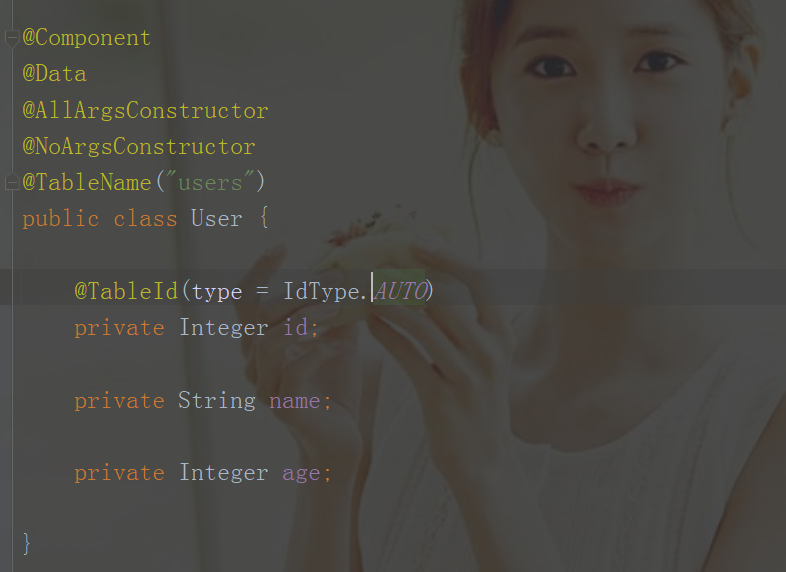
2.3 pojo
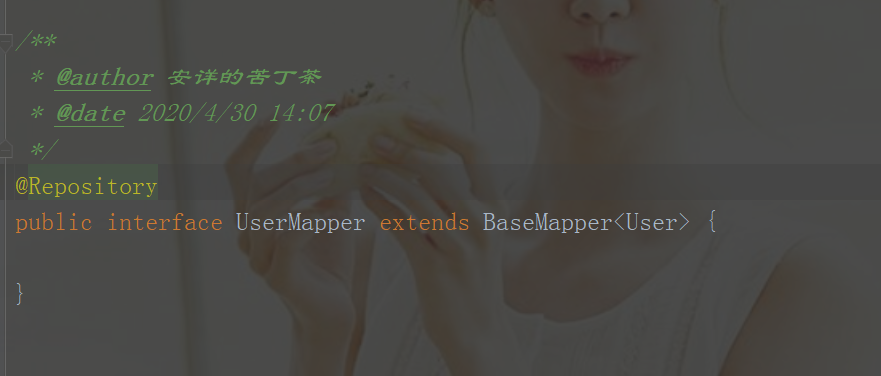
2.4 mapper
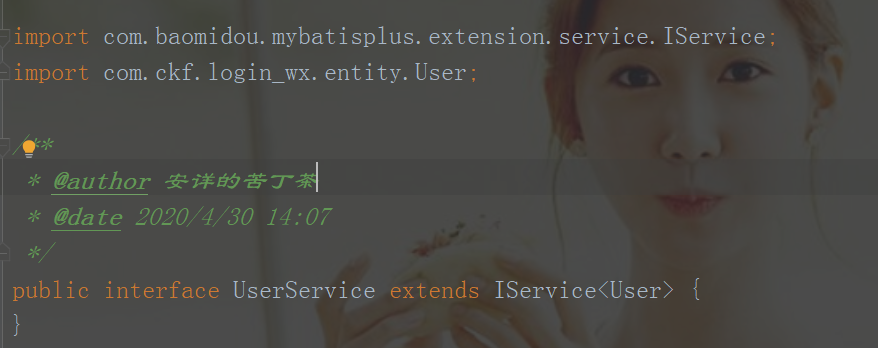
2.5 service
2.5 serviceImpl
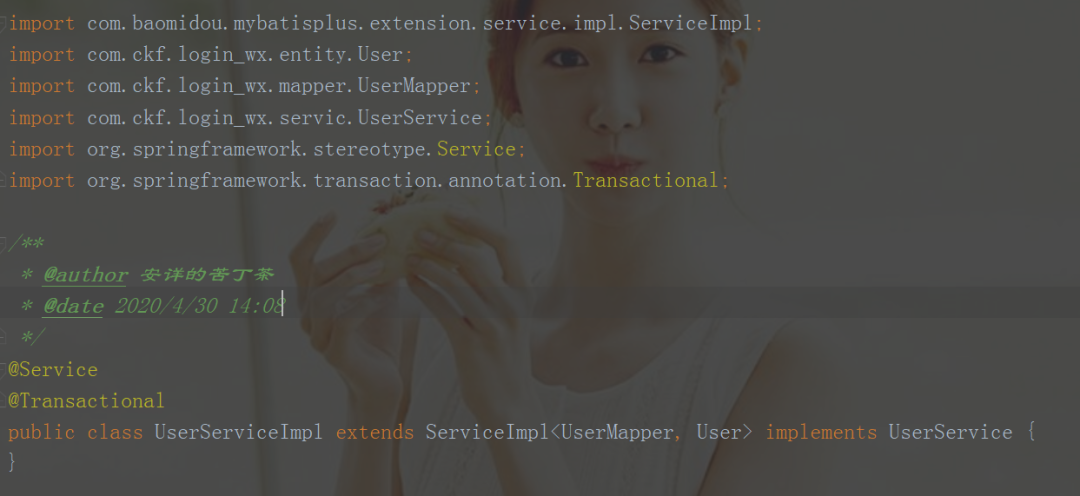
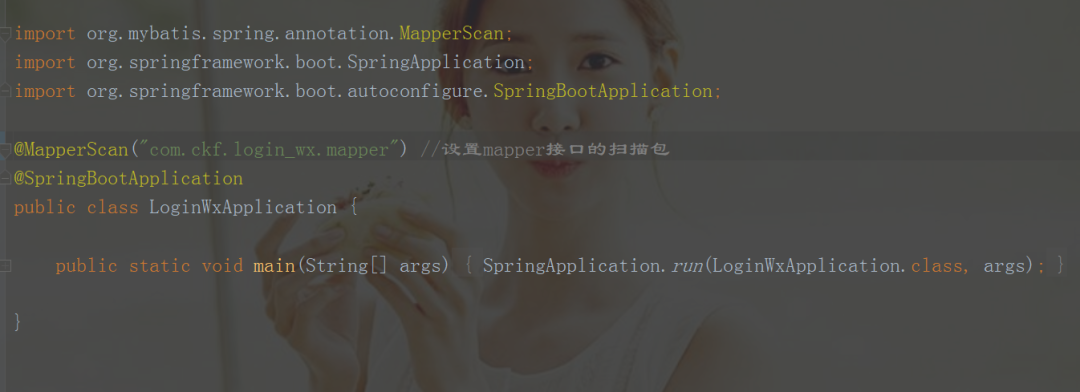
配置SpringBoot掃描mapper
2.6 controller
LoginController
package com.ckf.login_wx.controller;

import org.springframework.web.bind.annotation.PostMapping;
import org.springframework.web.bind.annotation.RestController;

import java.util.HashMap;
import java.util.Map; /**
 * @author 安詳?shù)目喽〔?br> * @date 2020/4/30 11:46 */ @RestController public class LoginController { /**
     * 登錄
     * @param phone
     * @param password
     * @return */ @PostMapping("/doLogin") public Map doLogin(String phone, String password){
        Map map = new HashMap(); if ((phone.equals("10086")&& password.equals("123456"))){
            map.put("code",200);
            map.put("result","登錄成功");
            System.out.println("登錄成功");
        }else {
            map.put("result","no");
        } return map;
    }

}
UserController
package com.ckf.login_wx.controller;
import com.ckf.login_wx.entity.User;
import com.ckf.login_wx.servic.UserService;
import org.springframework.beans.factory.annotation.Autowired;
import org.springframework.web.bind.annotation.*; /**
* @author 安詳?shù)目喽〔?br> * @date 2020/4/30 13:39 */ @RestController
@RequestMapping("/test") public class UserController {
@Autowired private UserService userService; /**
* 查詢?nèi)?br> * @return */ @GetMapping("/list") public Object list(){
System.out.println("查詢成功"); return userService.list();
} /**
* 根據(jù)id刪除
* @param id
* @return */ @GetMapping("/delete") public boolean delete(Integer id){
System.out.println("刪除成功"); return userService.removeById(id);
} /**
* 根據(jù)id查詢
* @param id
* @return */ @GetMapping("/byid") public Object byid(Integer id){
System.out.println("查詢成功"); return userService.getById(id);
} /**
* 修改
* @param user
* @return */ @PostMapping("/update") public boolean update(@RequestBody User user){
System.out.println("修改成功"); return userService.updateById(user);
} /**
* 添加
* @param user
* @return */ @PostMapping("/add") public boolean add(@RequestBody User user){
System.out.println("添加成功"); return userService.save(user);
}
}
項目結(jié)構(gòu):
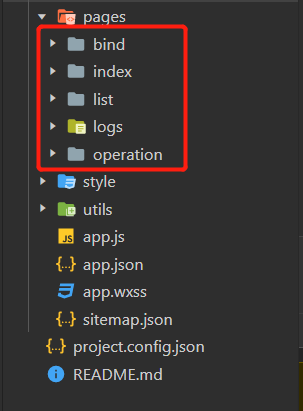
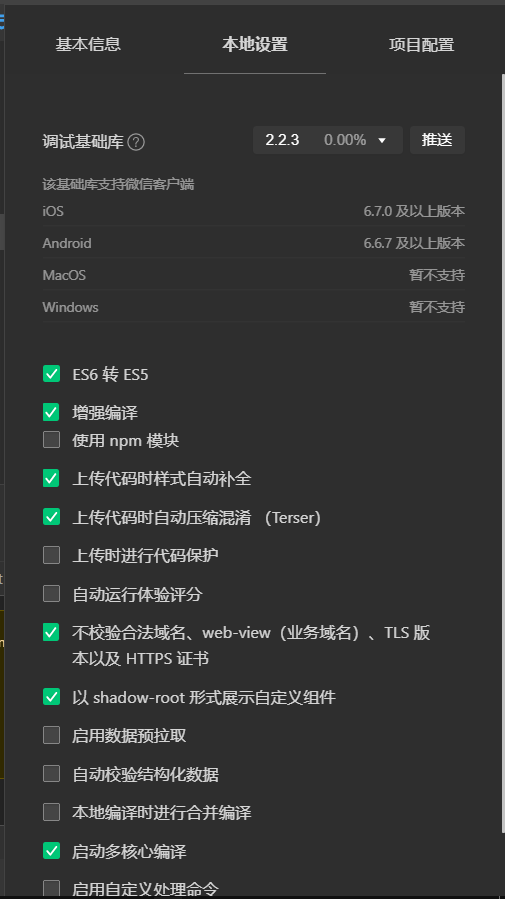
3.1 初始配置
3.2 bing.wxml
<view>

  <form bindsubmit='doLogin'>

            <view class="inputView">

                <label class="loginLabel">賬號label>
                <input name="phone" value='10086' class="inputText" placeholder="請輸入賬號" />
            view>
            <view class="line">view>


            <view class="inputView">

                <label class="loginLabel">密碼label>
                <input name="password" value='123456' class="inputText" password="true" placeholder="請輸入密碼" />
            view>
            <view class="line">view>

            <view class='backColor'>
                <button class="loginBtn" formType="submit"  open-type='getUserInfo' >登錄button>
            view>


        form>

view>
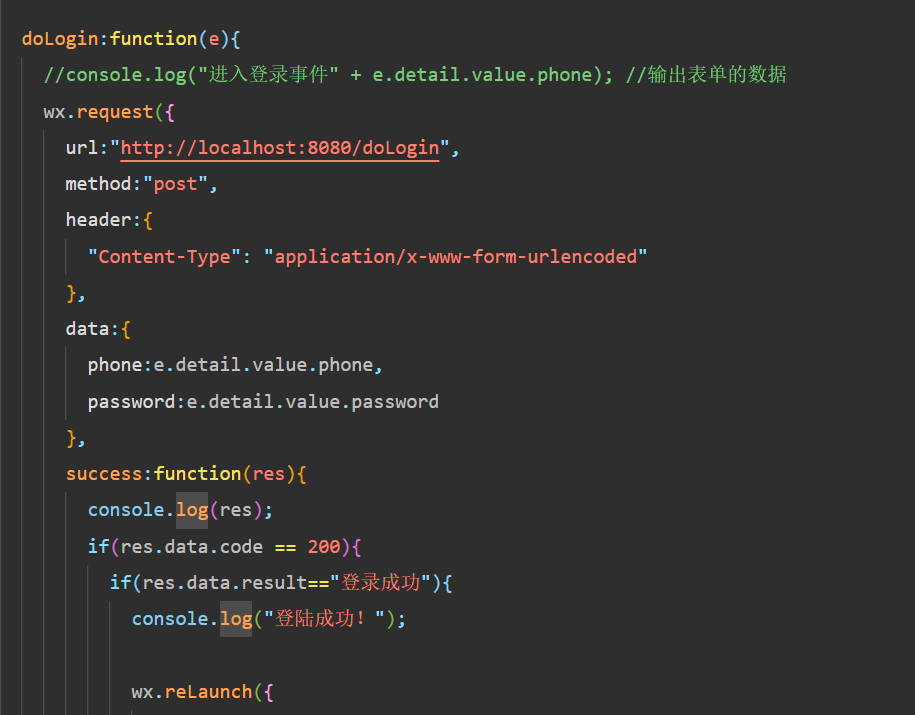
3.3 bing.js
3.3 list.wxml
  <button class="add" type='primary' bindtap='addArea'>添加button>
<view class="container">
  <view class='widget'>
    <text class='column'>編號text>
    <text class='column'>姓名text>
    <text class='column'>年齡text>
    <text class='link-column'>操作text>
  view>
  <scroll-view scroll-y="true">
    <view>
      <block wx:for='{{list}}'>
      <view class='widget'>
        <text class='column'>{{item.id}}text>
        <text class='column'>{{item.name}}text>
         <text class='column'>{{item.age}}text>
        <view class='link-column'>
          <navigator class='link' url='../operation/operation?id={{item.id}}'>編輯navigator> |
          <text class='link' bindtap='deleteArea' data-areaid='{{item.id}}' data-areaname='{{item.name}}' data-index='{{index}}'>刪除text>
        view>
        view>
      block>
    view>
  scroll-view>

view>
3.4 list.js
// pages/list/list.js
Page({ /**
   * 頁面的初始數(shù)據(jù) */ data: {
    list:[]
  }, /**
   * 生命周期函數(shù)--監(jiān)聽頁面加載 */ onLoad: function (options) {

  }, /**
   * 生命周期函數(shù)--監(jiān)聽頁面初次渲染完成 */ onReady: function () {

  }, /**
   * 生命周期函數(shù)--監(jiān)聽頁面顯示 */ onShow: function () { var that=this;
    wx.request({
      url: 'http://localhost:8080/test/list',
      method:'GET',
      data:{},
      success:function(res){ var list=res.data; if(list==null){ var toastText='獲取數(shù)據(jù)失敗';
          wx.showToast({
            title: toastText,
            icon:'',
            duration:2000 //彈出時間
 })
        }else{
          that.setData({
            list:list
          })
        }
      }
    })
  }, /**
   * 生命周期函數(shù)--監(jiān)聽頁面隱藏 */ onHide: function () {

  }, /**
   * 生命周期函數(shù)--監(jiān)聽頁面卸載 */ onUnload: function () {

  }, /**
   * 頁面相關(guān)事件處理函數(shù)--監(jiān)聽用戶下拉動作 */ onPullDownRefresh: function () {

  }, /**
   * 頁面上拉觸底事件的處理函數(shù) */ onReachBottom: function () {

  }, /**
   * 用戶點擊右上角分享 */ onShareAppMessage: function () {

  },
  addArea:function(){
    wx.navigateTo({
      url:'../operation/operation' })
  },
  deleteArea: function (e) { var that=this;
    wx.showModal({
      title: '提示',
      content: '確定要刪除[' + e.target.dataset.areaname +']嗎?',
      success:function(sm){ if(sm.confirm){
          wx.request({
            url: 'http://localhost:8080/test/delete',
            data: { id: e.target.dataset.areaid},
            method:'GET',
            success:function(res){ var result=res.statusCode; var toastText="刪除成功"; if(result!=200){
                toastText = "刪除失敗";
              }else{
                that.data.list.splice(e.target.dataset.index,1);
                that.setData({
                  list:that.data.list
                });
              }
              wx.showToast({
                title: toastText,
                icon:'',
                duration:2000 });
            }
          })
        }
      }
    })

  }
})
3.5 app.json
{ "pages": [ "pages/bind/bind", "pages/list/list", "pages/logs/logs", "pages/operation/operation", "pages/index/index" ], "window": { "backgroundColor": "#F6F6F6", "backgroundTextStyle": "light", "navigationBarBackgroundColor": "#29d", "navigationBarTitleText": "login", "navigationBarTextStyle": "black" }, "sitemapLocation": "sitemap.json", "style": "v2" }
啟動開發(fā)者服務器,啟動SpringBoot的main方法。
打開微信小程序開發(fā)者工具
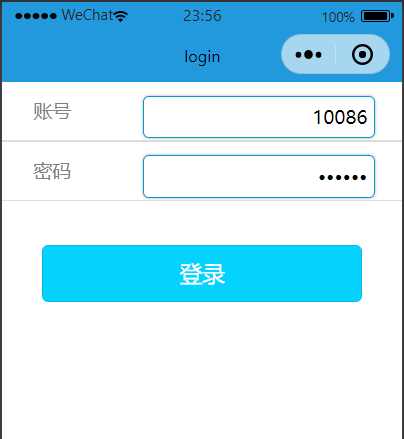
登錄頁面
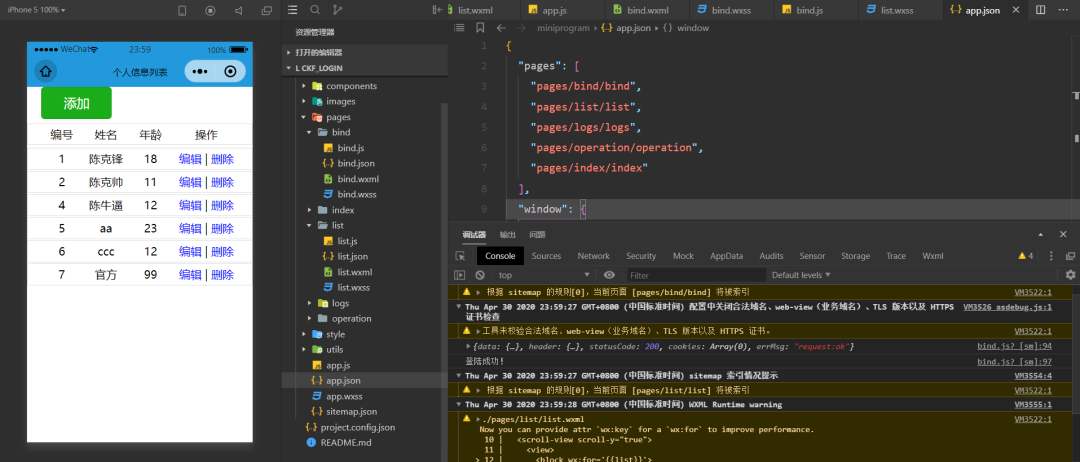
首頁
添加頁面
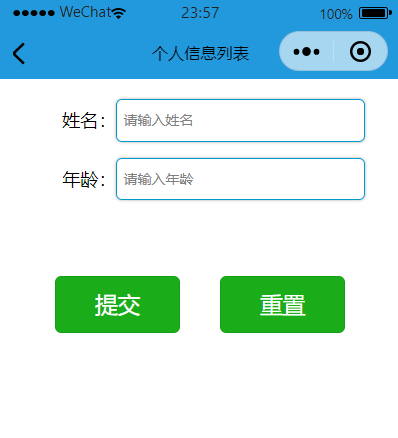
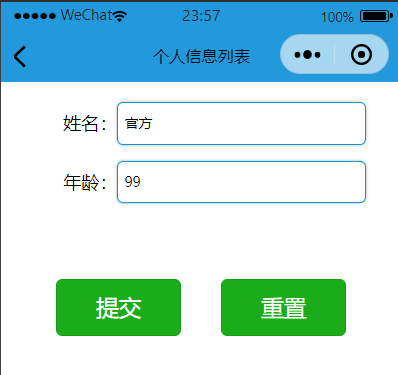
修改頁面
刪除
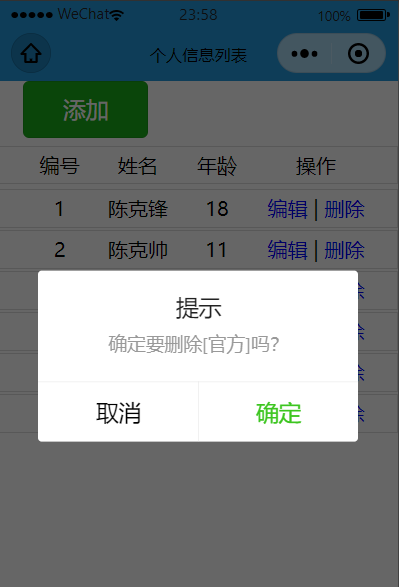
到處基本的增刪改查操作已經(jīng)完成了
如有需要前往 Gitee(碼云)下載
前臺:https://gitee.com/ckfeng/applet_of_wechat.git
后臺:https://gitee.com/ckfeng/wx_login.git
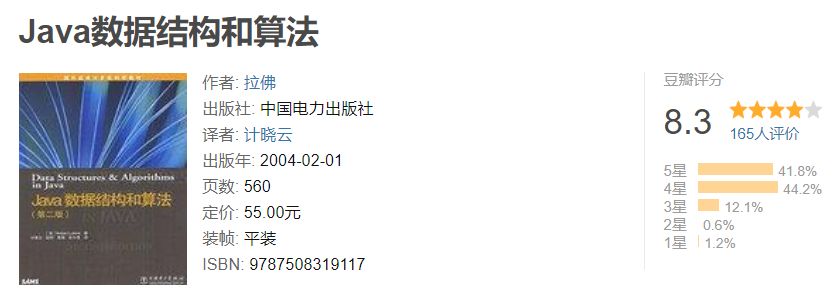
如果有人問學習數(shù)據(jù)結(jié)構(gòu)和算法有什么書籍可以推薦,那么《數(shù)據(jù)結(jié)構(gòu)和算法(第二版)》一定必讀不可,這本書第二版的豆瓣評分高達 8.3 ,很經(jīng)典,非常適合假期集中時間閱讀。
獲取方式
《數(shù)據(jù)結(jié)構(gòu)和算法》第二版高清電子書已經(jīng)打包好,可以通過下述步驟來獲取:
掃描下方二維碼回復:數(shù)據(jù)結(jié)構(gòu),
可獲取下載鏈接
???
?長按上方二維碼 2 秒
回復「數(shù)據(jù)結(jié)構(gòu)」即可獲取資料
點贊是最大的支持 
評論
圖片
表情