
提高國內(nèi)訪問 Github 的速度的 9 種方案

來源:https://urlify.cn/IFzQRb

GitHub 鏡像訪問
GitHub文件加速
Github 加速下載
加速你的 Github
谷歌瀏覽器 GitHub 加速插件(推薦)
GitHub raw 加速
GitHub + Jsdelivr
通過 Gitee 中轉(zhuǎn) fork 倉庫下載
通過修改 HOSTS 文件進行加速
為什么 github 下載速度這么慢?
如何提高 github 的下載速度?
1. GitHub 鏡像訪問
這里提供兩個最常用的鏡像地址:
https://github.com.cnpmjs.org https://hub.fastgit.org
也就是說上面的鏡像就是一個克隆版的 GitHub,你可以訪問上面的鏡像網(wǎng)站,網(wǎng)站的內(nèi)容跟 GitHub 是完整同步的鏡像,然后在這個網(wǎng)站里面進行下載克隆等操作。
2. GitHub 文件加速
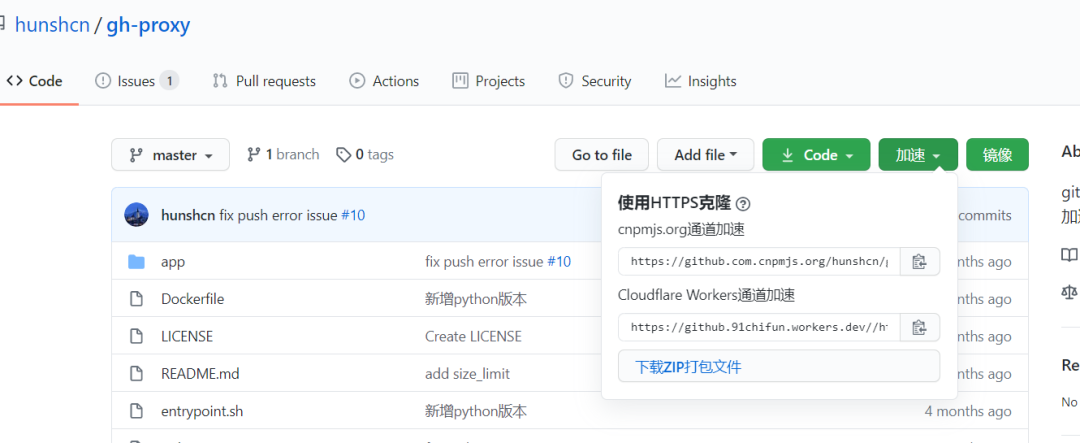
利用 Cloudflare Workers 對 github release?、archive?以及項目文件進行加速,部署無需服務(wù)器且自帶CDN.
https://gh.api.99988866.xyz https://g.ioiox.com
以上網(wǎng)站為演示站點,如無法打開可以查看開源項目:gh-proxy-GitHub(https://hunsh.net/archives/23/) 文件加速自行部署。
3. Github 加速下載
只需要復(fù)制當(dāng)前 GitHub 地址粘貼到輸入框中就可以代理加速下載!
地址:http://toolwa.com/github/

4. 加速你的 Github
https://github.zhlh6.cn
輸入 Github 倉庫地址,使用生成的地址進行 git ssh 等操作
5. 谷歌瀏覽器 GitHub 加速插件(推薦)

如果小伙伴在線安裝不便,可以在公眾號后臺回復(fù)?github加速。
6. GitHub raw 加速
GitHub raw 域名并非 github.com 而是 raw.githubusercontent.com,上方的 GitHub 加速如果不能加速這個域名,那么可以使用 Static CDN 提供的反代服務(wù)。
將 raw.githubusercontent.com 替換為 raw.staticdn.net 即可加速。
7. GitHub + Jsdelivr
jsdelivr 唯一美中不足的就是它不能獲取 exe 文件以及 Release 處附加的 exe 和 dmg 文件。
也就是說如果 exe 文件是附加在 Release 處但是沒有在 code 里面的話是無法獲取的。所以只能當(dāng)作靜態(tài)文件 cdn 用途,而不能作為 Release 加速下載的用途。
8. 通過 Gitee 中轉(zhuǎn) fork 倉庫下載
網(wǎng)上有很多相關(guān)的教程,這里簡要的說明下操作。
訪問 gitee 網(wǎng)站:https://gitee.com/?并登錄,在頂部選擇“從 GitHub/GitLab 導(dǎo)入倉庫” 如下:

在導(dǎo)入頁面中粘貼你的Github倉庫地址,點擊導(dǎo)入即可:

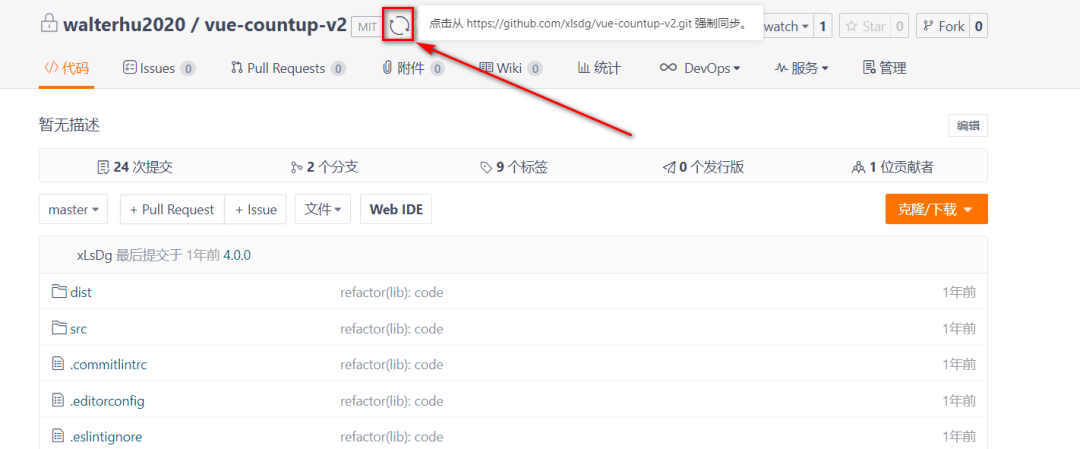
等待導(dǎo)入操作完成,然后在導(dǎo)入的倉庫中下載瀏覽對應(yīng)的該 GitHub 倉庫代碼,你也可以點擊倉庫頂部的“刷新”按鈕進行 Github 代碼倉庫的同步。
9. 通過修改 HOSTS 文件進行加速
手動把cdn和ip地址綁定。
第一步:獲取 github 的 global.ssl.fastly 地址訪問:http://github.global.ssl.fastly.net.ipaddress.com/#ipinfo 獲取cdn和ip域名:
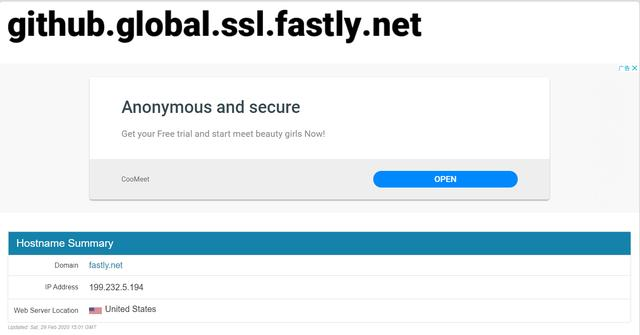
得到:199.232.69.194 https://github.global.ssl.fastly.net
第二步:獲取github.com地址
訪問:https://github.com.ipaddress.com/#ipinfo 獲取cdn和ip:
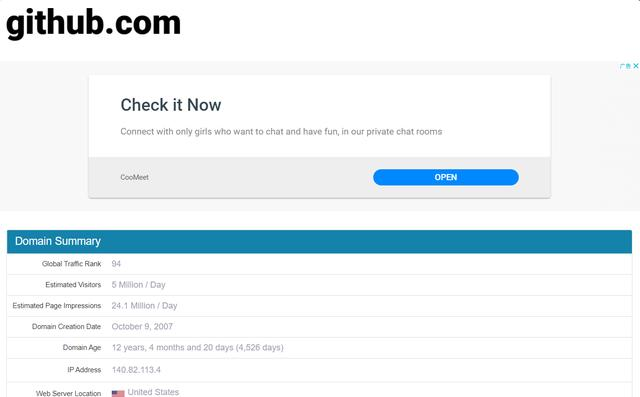
得到:140.82.114.4 http://github.com
第三步:修改 host 文件映射上面查找到的 IP
windows系統(tǒng):
1、修改C:\Windows\System32\drivers\etc\hosts文件的權(quán)限,指定可寫入:右擊->hosts->屬性->安全->編輯->點擊Users->在Users的權(quán)限“寫入”后面打勾。如下:
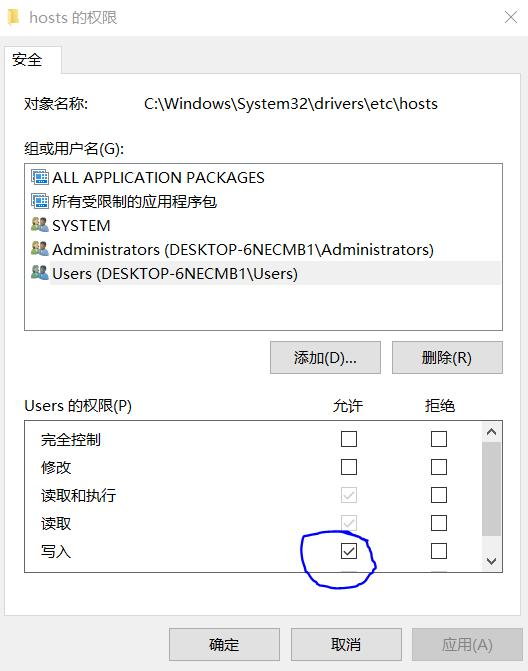
然后點擊確定。
2、右擊->hosts->打開方式->選定記事本(或者你喜歡的編輯器)->在末尾處添加以下內(nèi)容:
199.232.69.194?github.global.ssl.fastly.net

140.82.114.4?github.com
或者下面內(nèi)容
# GitHub Start192.30.255.112 gist.github.com192.30.255.112 github.com192.30.255.112 www.github.com151.101.56.133 avatars0.githubusercontent.com151.101.56.133 avatars1.githubusercontent.com151.101.56.133 avatars2.githubusercontent.com151.101.56.133 avatars3.githubusercontent.com151.101.56.133 avatars4.githubusercontent.com151.101.56.133 avatars5.githubusercontent.com151.101.56.133 avatars6.githubusercontent.com151.101.56.133 avatars7.githubusercontent.com151.101.56.133 avatars8.githubusercontent.com151.101.56.133 camo.githubusercontent.com151.101.56.133 cloud.githubusercontent.com151.101.56.133 gist.githubusercontent.com151.101.56.133 marketplace-screenshots.githubusercontent.com151.101.56.133 raw.githubusercontent.com151.101.56.133 repository-images.githubusercontent.com151.101.56.133 user-images.githubusercontent.com# GitHub End