
CodeMirror有個(gè)奇怪的問題,你知道嗎?
最近我就在項(xiàng)目中出現(xiàn)了這么個(gè)問題,這個(gè)問題還不好復(fù)現(xiàn),在本地測了好久才復(fù)現(xiàn)出來。
問題復(fù)現(xiàn)
在編輯器中,輸入 xxx 內(nèi)容,選中多行(起碼兩行吧),然后輸入要替換的 yyy 內(nèi)容,最后想要選擇就變成了刪除,光標(biāo)在哪就刪到哪。
問題如下動(dòng)畫:

遇到這個(gè)問題,很多人可能跟我的想法一樣:要嘛就是輸入法有問題,要嘛就是電腦有問題。不不不,跟著兩者都沒問題。無論哪種輸入法、無論哪臺(tái)電腦,這個(gè)問題都會(huì)復(fù)現(xiàn)。
排查問題
如果出現(xiàn)這類問題,首先先看控制臺(tái)報(bào)錯(cuò),結(jié)果控制臺(tái)沒有任何錯(cuò)誤。接著,翻翻 codemirror 那個(gè)組件源碼,代碼注釋過了一遍,調(diào)試了一遍發(fā)現(xiàn)問題無法定位到具體哪一行代碼。
然后,去搜索引擎搜索關(guān)于 codemirror 的關(guān)鍵詞,根本搜不到。最后,去 codemirror 的 github 倉庫找答案,在倉庫中的 issues 中,通過關(guān)鍵詞“multiline edit”就可以過濾掉400多條無關(guān)的問題。
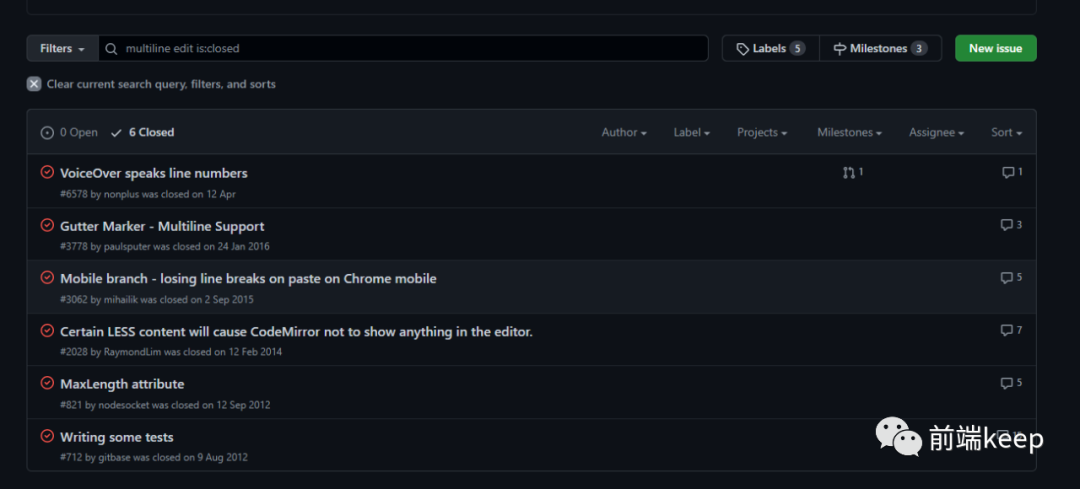
在https://github.com/codemirror/CodeMirror/issues/6578 這條issue中 nonplus 提了問題:
I have CodeMirror configured with inputStyle="contenteditable" and displaying line numbers and code folding. On the Mac, when using VoiceOver in Chrome, the contents of the gutter (line number and disclosure) is voiced by the screenreader, which confuses users. This happens when the entire page is being read, or when there is a multiline selection inside of the editing area.
FWIW, I do not have this problem in Chrome when using the NVDA screen reader on Windows.
As a workaround, I'm hiding the gutter area from screen readers by setting aria-hidden="true" on .CodeMirror-gutter-wrapper elements, but that feels like a hack.
大致的意思是:
我已經(jīng)為 CodeMirror 配置了inputStyle="contenteditable",并顯示行號(hào)和代碼折疊。
在 Mac 上,當(dāng)在 Chrome 中使用 VoiceOver 時(shí),gutter (行號(hào)和顯示)的內(nèi)容是由屏幕閱讀器發(fā)聲的, 這使用戶感到困惑。當(dāng)整個(gè)頁面正在被讀取時(shí),或者當(dāng)編輯區(qū)域內(nèi)有多行選擇時(shí),就會(huì)發(fā)生這種情況。作為一個(gè)解決方案,我通過在 .codemmirror-gutter-wrapper 元素上設(shè)置 aria-hidden="true" 來對(duì)屏幕閱讀器隱藏 gutter 區(qū)域,但這感覺像是一種黑客行為。
雖然,他提出的問題跟我的問題不相干,但是從中我敏銳地觀察到了一個(gè) api inputStyle。
我連忙打開 codemirror 官網(wǎng),看看 inputStyle 到底是何方神圣。
https://codemirror.net/doc/manual.html#config
inputStyle: string
Selects the way CodeMirror handles input and focus. The core library defines the "textarea" and "contenteditable" input models. On mobile browsers, the default is "contenteditable". On desktop browsers, the default is "textarea". Support for IME and screen readers is better in the "contenteditable" model. The intention is to make it the default on modern desktop browsers in the future.
大致的意思是:
選擇 comirror 處理輸入和焦點(diǎn)的方式。
核心庫定義了“textarea”和“contenteditable”輸入模型。
在移動(dòng)瀏覽器上,默認(rèn)值是“contenteditable”。
在桌面瀏覽器中,默認(rèn)值是“textarea”。
在“contenteditable”模型中,對(duì)輸入法和屏幕閱讀器的支持更好。其目的是讓它在未來成為現(xiàn)代桌面瀏覽器的默認(rèn)設(shè)置。
解決問題
看到這個(gè),我猜測可能就是因?yàn)椤皌extarea”的兼容性不太好,換成“contenteditable”試一試。
在 codemirror 組件初始化的時(shí)候修改配置:
……省略代碼……
this.codeMirrorEditor = CodeMirror.fromTextArea(myTextarea, {
        // mode: ['javascript', 'myMode'], // 自定義模式
        mode: "myMode", // 自定義模式
        lineNumbers: true, // 顯示行數(shù)
        indentUnit: 4, // 縮進(jìn)單位為4
        // 加入的api inputStyle
        inputStyle: 'contenteditable',//讓文本處于可編輯狀態(tài)
        styleActiveLine: true, // 當(dāng)前行背景高亮
        matchBrackets: true, // 括號(hào)匹配
        lineWrapping: true, // 自動(dòng)換行
        theme: "monokai", // 使用monokai模版
        readOnly: false, // 只讀
……省略代碼……
然后重新測試一番,結(jié)果如下動(dòng)畫:
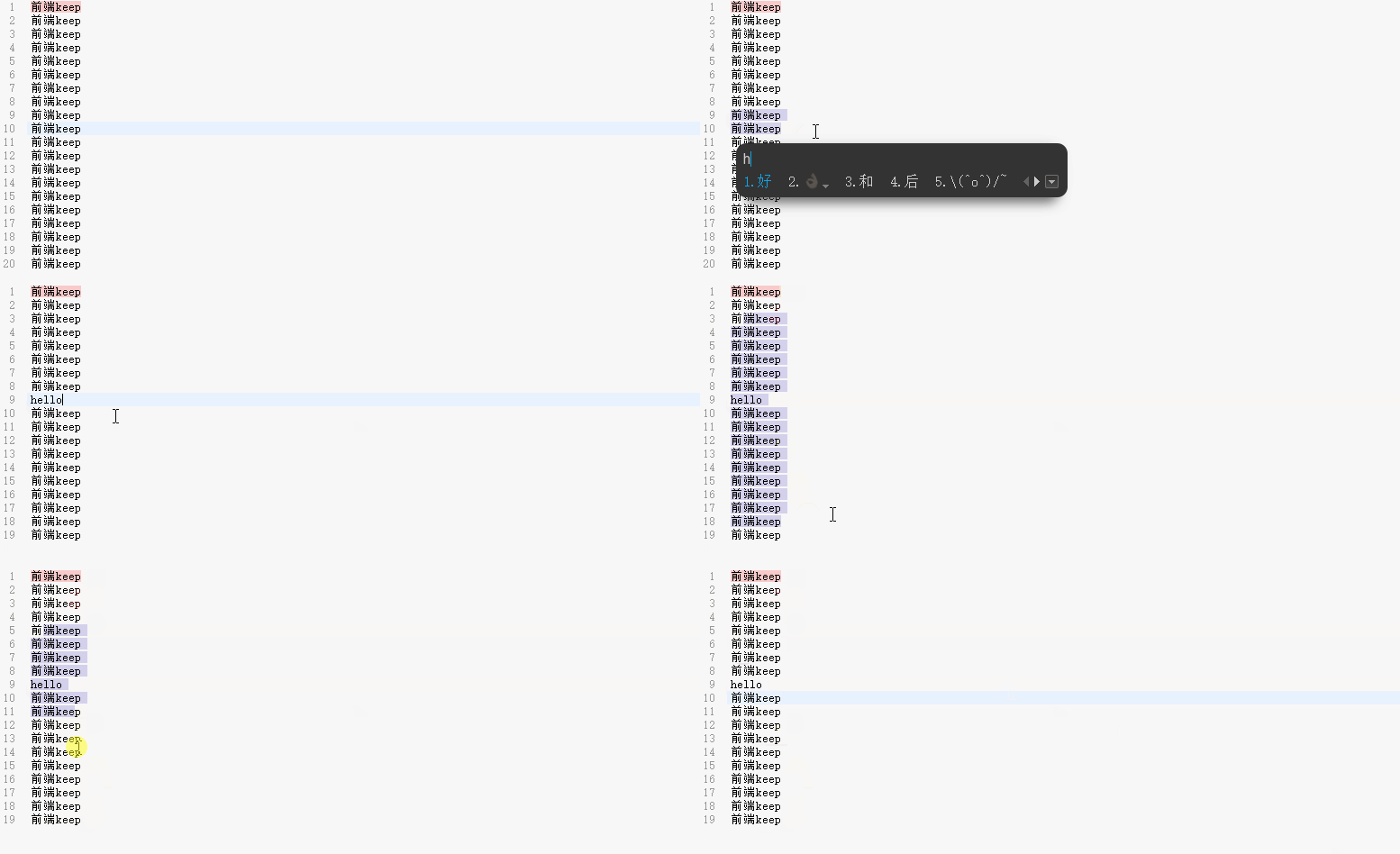
從動(dòng)畫中可以看到選擇再也不會(huì)刪除了。
我恍然大悟,原來是因?yàn)樽烂鏋g覽器中,inputStyle默認(rèn)值“textarea”搞的鬼。
只要換成兼容性更好的“contenteditable”就好了。
如問題中選擇多行進(jìn)行編輯,輸入法瞬間不行,接著選擇的內(nèi)容就被刪除。換成“contenteditable”更好的兼容了輸出法,并不會(huì)造成選擇的內(nèi)容被刪掉了。
nice,解決了一個(gè)莫名其妙的bug。
總結(jié)
這就是我的一個(gè)關(guān)于 CodeMirror 的奇怪的問題,分享出來給大家。我可以加班,但是必須要讓大家早點(diǎn)下班。
遇到問題不要慌,只要問題能復(fù)現(xiàn),多半就可以解決。
解決問題的步驟要明確,不要做無頭蒼蠅,做無用功的事情。
要學(xué)會(huì)去看控制臺(tái),使用代碼調(diào)試,學(xué)會(huì)去看源碼。
然后利用好搜索引擎,多半的問題前人已經(jīng)遇到過,不要自己花費(fèi)大量的時(shí)間去趟一遍。
多看看 github 上的 issues,一般庫的作者和使用者就其中問題進(jìn)行溝通,利用好過濾,搜索對(duì)自己有用的內(nèi)容,對(duì)自己解決問題有大大的好處。
要切記,要大膽猜測,小心求證,不要怕選擇,不要怕試,就是干。
最后,希望大家一定要點(diǎn)贊三連。
?? 看完兩件事
如果你覺得這篇內(nèi)容對(duì)你挺有益,我想邀請(qǐng)你幫我兩個(gè)小忙:
點(diǎn)個(gè)「在看」,讓更多的人也能看到這篇內(nèi)容
關(guān)注公眾號(hào),每周學(xué)習(xí)新技術(shù)