<kbd id="afajh"><form id="afajh"></form></kbd>
<strong id="afajh"><dl id="afajh"></dl></strong>
    <del id="afajh"><form id="afajh"></form></del>
        1. <th id="afajh"><progress id="afajh"></progress></th>
          <b id="afajh"><abbr id="afajh"></abbr></b>
          <th id="afajh"><progress id="afajh"></progress></th>

          「摸魚」神器來了,Python 實(shí)現(xiàn)人臉監(jiān)測制作神器

          共 6030字,需瀏覽 13分鐘

           ·

          2021-12-11 07:50

          作者?| 李秋鍵
          出品 |?AI科技大本營(ID:rgznai100)

          最近都在討論工作摸魚,網(wǎng)易云音樂也出了合理摸魚時(shí)間表,今天給大家推薦如何用python實(shí)現(xiàn)摸魚~碼住呦!

          引言:臉部表情是人類情緒的最直接外部表現(xiàn)之一和進(jìn)行社交活動(dòng)的重要方式,而賦予機(jī)器感知人類情緒的能力,使得機(jī)器可以識(shí)別人的情感狀態(tài),是實(shí)現(xiàn)人機(jī)交互的重要目標(biāo)之一。隨著人工智能的迅速發(fā)展,在過去十多年,科技工作者在人臉表情的自動(dòng)識(shí)別領(lǐng)域進(jìn)行了深入研究。人臉表情識(shí)別的研究在心理學(xué)、疲勞駕駛檢測、課堂教學(xué)效果評(píng)價(jià)、智能醫(yī)療、公安測謊系統(tǒng)、車載安全系統(tǒng)等領(lǐng)域都受到廣泛的關(guān)注。
          在人臉識(shí)別的算法中,首先需要判定視頻或圖片中是否存在人臉,并定位人臉?biāo)幍奈恢谩D壳爸饕谢谥R(shí)和基于統(tǒng)計(jì)的兩種人臉判定和定位方法。其中,基于知識(shí)的人臉檢測定位主要是利用人臉器官特征和器官之間的幾何關(guān)系來確定是否有人臉存在于圖像中。基于統(tǒng)計(jì)的檢測方式,則是利用過往照片中的像素分布和當(dāng)前目標(biāo)圖片的像素分布是否相似來判定人臉。
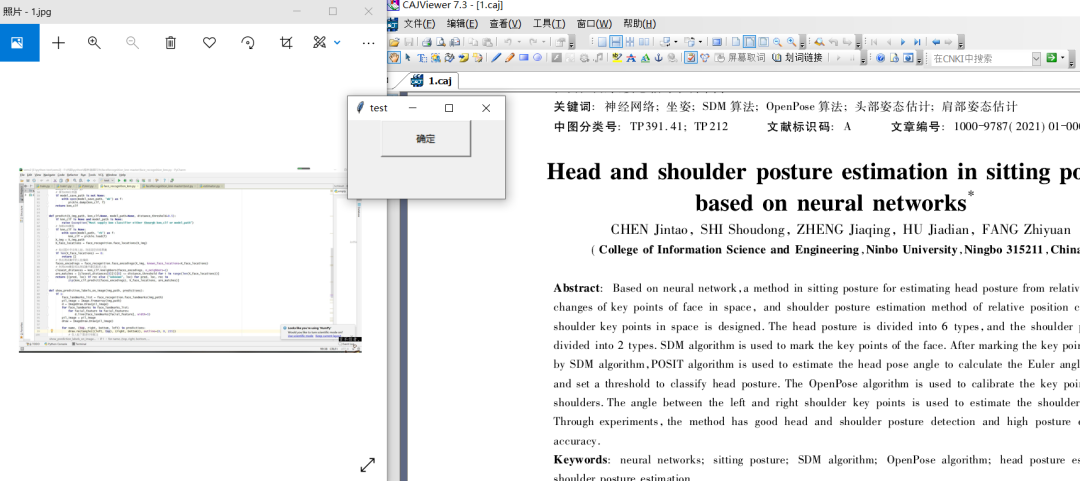
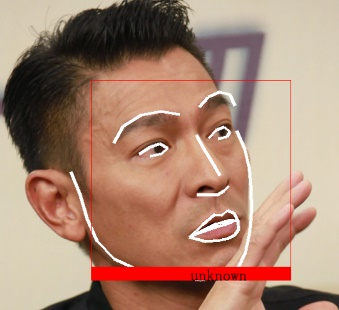
          今天我們就將使用KNN算法實(shí)現(xiàn)人臉分類,并在分類的基礎(chǔ)上實(shí)現(xiàn)監(jiān)測。當(dāng)檢測到未進(jìn)行訓(xùn)練過的人臉時(shí),自動(dòng)執(zhí)行設(shè)定好的命名。在這里我們?cè)O(shè)為打開文檔。即可形成我們的人臉檢測“摸魚”神器,或者及時(shí)遮擋祝自己的下巴,即可以執(zhí)行程序。效果如下:
          KNN人臉分類算法介紹

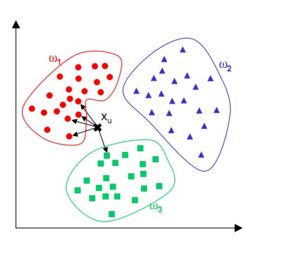
          KNN算法是一種惰性學(xué)習(xí)算法,其思想是待分類樣本的類別由其近鄰的k個(gè)樣本投票決定,已廣泛應(yīng)用于數(shù)據(jù)挖掘和數(shù)據(jù)分類中。在模式識(shí)別中,K近鄰算法的優(yōu)勢在于簡單且對(duì)異常值不敏感,泛化能力強(qiáng)。其核心內(nèi)容:任意樣本在數(shù)據(jù)集中的K個(gè)最相似樣本中,如果大部分樣本歸并為某一類別,那么此樣本也屬于這個(gè)類別。其意義在于通過待測樣本周邊的已知數(shù)據(jù)類別來預(yù)測此樣本的歸屬問題,極大弱化了數(shù)據(jù)集的高維度、高耦合給數(shù)據(jù)特征分析帶來的困難。
          其優(yōu)點(diǎn)有:對(duì)數(shù)據(jù)噪聲有較強(qiáng)的忍耐能力,非常適合零售業(yè)復(fù)雜多變的特征選擇情景;分析數(shù)據(jù)特征時(shí),只關(guān)注最相鄰的K個(gè)樣本即可,極大地降低了數(shù)據(jù)集的維度。
          缺點(diǎn):K近鄰算法屬于惰性算法,不能主動(dòng)學(xué)習(xí);K值的選擇對(duì)數(shù)據(jù)分析的結(jié)果有影響.
          基于kNN的人臉分類算法以異常人臉樣本相較于正常工況樣本會(huì)產(chǎn)生偏移量為根據(jù),通過比較正常樣本與異常樣本在訓(xùn)練集中的前k個(gè)最近鄰樣本距離平方和判斷是否為異常人臉。KNN人臉分類算法由模型建立和故障檢測兩部分組成。
          1.1 ?模型建立
          第一部分為模型建立。首先在訓(xùn)練集中確定每個(gè)樣本的k個(gè)最近鄰樣本,然后計(jì)算每個(gè)樣本到其k個(gè)最近鄰樣本的歐式距離平方和作為統(tǒng)計(jì)量。
          1.2 ?ThreeDPoseUnityBarracuda介紹
          第二部分為故障檢測。首先在訓(xùn)練集中尋找待測樣本x的前k個(gè)近鄰,然后運(yùn)用公式計(jì)算x與其k個(gè)近鄰樣本的歐式距離平方和。最后將平方和與標(biāo)準(zhǔn)的進(jìn)行比較,若大于,則樣本x為異常樣本,否則為正常樣本。

          人臉特征提取

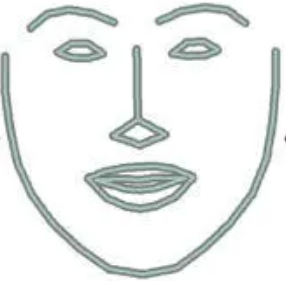
          人臉特征提取這里使用的是face_recognition。Face Recognition 庫主要封裝了dlib這一 C++ 圖形庫,通過 Python 語言將它封裝為一個(gè)非常簡單就可以實(shí)現(xiàn)人臉識(shí)別的 API 庫,屏蔽了人臉識(shí)別的算法細(xì)節(jié),大大降低了人臉識(shí)別功能的開發(fā)難度。Face Recognition 庫進(jìn)行人臉識(shí)別主要經(jīng)過幾個(gè)步驟:人臉檢測,找出所有的面孔;檢測面部特征點(diǎn):使用特征點(diǎn)矯正姿態(tài),將側(cè)臉轉(zhuǎn)為正臉;給臉部編碼:根據(jù)面部特征點(diǎn)計(jì)算這個(gè)面孔的特征值(特征向量)。


          程序設(shè)計(jì)

          這里程序的設(shè)計(jì)分為以下幾個(gè)步驟,分別為數(shù)據(jù)集記錄和制作、KNN人臉分類訓(xùn)練和檢測異常執(zhí)行程序。
          3.1?人臉數(shù)據(jù)制作
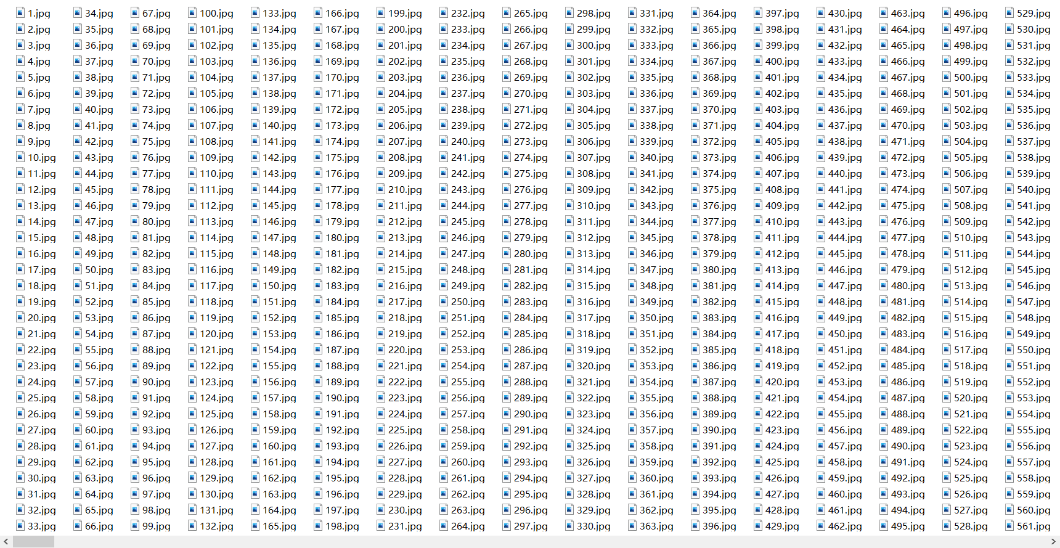
          這里我們簡單采樣1000個(gè)人臉樣本,通過face_recognition提取人臉位置,并分割保存。代碼如下:
          facial_features = [ 'chin', 'left_eyebrow', 'right_eyebrow', 'nose_bridge', 'nose_tip', 'left_eye', 'right_eye', 'top_lip', 'bottom_lip' ]video_capture = cv2.VideoCapture(0)label="flase"num=0try: os.mkdir("img/"+label)except: passwhile True: ret,frame=video_capture.read() face_locations = face_recognition.face_locations(frame) face_landmarks_list = face_recognition.face_landmarks(frame) for face_location in face_locations: top, right, bottom, left = face_location if len(face_landmarks_list)==1: num+=1 face_image = frame[top:bottom, left:right] cv2.imwrite("img/"+label+"/"+str(num)+".jpg",face_image) print("保存第"+str(num)+"張人臉") cv2.imshow("test",face_image) cv2.waitKey(1) else: print("未能檢測到人臉,或人臉數(shù)目不止一個(gè),請(qǐng)保證只有一個(gè)人臉") if num == 1000: break cv2.destroyAllWindows()

          3.2 KNN人臉分類

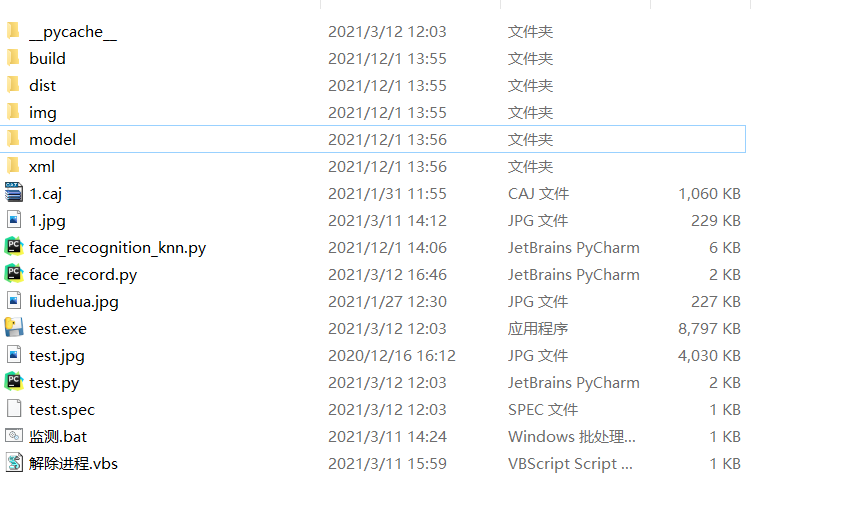
          KNN對(duì)人臉進(jìn)行分類,首先要遍歷訓(xùn)練集中的每一個(gè)人臉樣本,通過計(jì)算每個(gè)人臉編碼之間的距離判斷是否為正樣本。其總程序結(jié)構(gòu)如下圖,即face_record記錄人臉,face_recognition_knn訓(xùn)練人臉并監(jiān)測,test為檢測異常所要執(zhí)行的腳本,這里已經(jīng)打包成了exe文件。代碼如下:
          def train(train_dir, model_save_path=None, n_neighbors=None, knn_algo='ball_tree', verbose=False): X = [] y = [] for class_dir in os.listdir(train_dir): if not os.path.isdir(os.path.join(train_dir, class_dir)): continue for img_path in image_files_in_folder(os.path.join(train_dir, class_dir)): image = face_recognition.load_image_file(img_path) face_bounding_boxes = face_recognition.face_locations(image) if len(face_bounding_boxes) != 1: if verbose: print("Image {} not suitable for training: {}".format(img_path, "Didn't find a face" if len( face_bounding_boxes) < 1 else "Found more than one face")) else: X.append(face_recognition.face_encodings(image, known_face_locations=face_bounding_boxes)[0]) y.append(class_dir) if n_neighbors is None: n_neighbors = int(round(math.sqrt(len(X)))) if verbose: print("Chose n_neighbors automatically:", n_neighbors) knn_clf = neighbors.KNeighborsClassifier(n_neighbors=n_neighbors, algorithm=knn_algo, weights='distance') knn_clf.fit(X, y) if model_save_path is not None: with open(model_save_path, 'wb') as f: pickle.dump(knn_clf, f) return knn_clfdef predict(X_img_path, knn_clf=None, model_path=None, distance_threshold=0.5): if knn_clf is None and model_path is None: raise Exception("Must supply knn classifier either thourgh knn_clf or model_path") if knn_clf is None: with open(model_path, 'rb') as f: knn_clf = pickle.load(f) X_img = X_img_path X_face_locations = face_recognition.face_locations(X_img) if len(X_face_locations) == 0: return [] faces_encodings = face_recognition.face_encodings(X_img, known_face_locations=X_face_locations) closest_distances = knn_clf.kneighbors(faces_encodings, n_neighbors=1) are_matches = [closest_distances[0][i][0] <= distance_threshold for i in range(len(X_face_locations))] return [(pred, loc) if rec else ("unknown", loc) for pred, loc, rec in zip(knn_clf.predict(faces_encodings), X_face_locations, are_matches)]
          3.3 異常人臉行為執(zhí)行
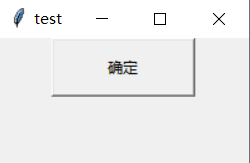
          為了防止異常人臉持續(xù)執(zhí)行動(dòng)作造成電腦卡死,需要制定個(gè)GUI按鈕,確保只持續(xù)執(zhí)行一次,按確定按鈕才會(huì)繼續(xù)監(jiān)測。以下代碼分別包括了GUI界面的定義,主要也就只有一個(gè)按鈕功能,按鈕點(diǎn)擊就會(huì)讓異常程序恢復(fù)正常,而始終不會(huì)影響人臉檢測程序。即本程序和人臉分類互不干擾。代碼如下:
          def get_window_positon(width, height):    window_x_position = (window.winfo_screenwidth() - width) // 2    window_y_position = (window.winfo_screenheight() - height) // 2    return window_x_position, window_y_positionpos = get_window_positon(tk_width, tk_height) window.geometry(f'+{pos[0]}+{pos[1]}')def closewindow():    messagebox.showinfo(title="警告",message="請(qǐng)點(diǎn)擊確定")    returndef t():    try:        os.remove("ok.txt")    except:        pass    window.destroy()window.protocol("WM_DELETE_WINDOW",closewindow)bnt=Button(window,text="確定",width=15,height=2,command=t)bnt.pack()window.mainloop()if temp>num:        if os.path.exists("ok.txt"):            pass        else:            t2 = threading.Thread(target=test2)            t2.start()            os.system("1.jpg")            f = open("ok.txt", "w")            f.close()            t1 = threading.Thread(target=test1)            t1.start()    for name, (top, right, bottom, left) in predictions:        draw.rectangle(((left, top), (right, bottom)), outline=(0, 0, 255))        text_width, text_height = draw.textsize(name)        draw.rectangle(((left, bottom - text_height - 10), (right, bottom)), fill=(0, 0, 255), outline=(0, 0, 255))        draw.text((int((left + right)/2), bottom - text_height - 10), name,font=myfont, fill=(0,0,0))    del draw    pil_image = np.array(pil_image)    temp = numelse:    pil_image=img_pathdef test2():    os.system('1.caj')def test1():    os.system('test.exe')

          完整代碼:

          https://codechina.csdn.net/qq_42279468/face-monitor/-/tree/master

          李秋鍵,CSDN博客專家,CSDN達(dá)人課作者。碩士在讀于中國礦業(yè)大學(xué),開發(fā)有taptap?競賽獲獎(jiǎng)等。


          往期推薦


          1、下一代 IDE 來了?

          2、為什么阿里巴巴/騰訊不去開發(fā)被卡脖子的工業(yè)軟件?

          3谷歌翻譯陷入「辱華」風(fēng)波:夾帶私貨還是訓(xùn)練語料背鍋?

          4、欠債3000億,宣布破產(chǎn)!昔日民族品牌,為何總淪為反面教材?

          5、華為首次自曝“天才少年”成果:入職不到一年就干成這件大事,網(wǎng)友:值200萬年薪!


          點(diǎn)擊關(guān)注公眾號(hào),閱讀更多精彩內(nèi)容
          瀏覽 43
          點(diǎn)贊
          評(píng)論
          收藏
          分享

          手機(jī)掃一掃分享

          分享
          舉報(bào)
          評(píng)論
          圖片
          表情
          推薦
          點(diǎn)贊
          評(píng)論
          收藏
          分享

          手機(jī)掃一掃分享

          分享
          舉報(bào)
          <kbd id="afajh"><form id="afajh"></form></kbd>
          <strong id="afajh"><dl id="afajh"></dl></strong>
            <del id="afajh"><form id="afajh"></form></del>
                1. <th id="afajh"><progress id="afajh"></progress></th>
                  <b id="afajh"><abbr id="afajh"></abbr></b>
                  <th id="afajh"><progress id="afajh"></progress></th>
                  亚洲日韩在线网站 | 俺也去在线 | 欲天堂导航| 欧美系列在线 | 黄色片69|