
騰訊文檔智能表格渲染層 Feature 設(shè)計(jì)
1. 前言
騰訊文檔智能表格的界面是用 Canvas 進(jìn)行繪制的,這部分稱為 Canvas 渲染層。
出于性能的考慮,這里采用了雙層 Canvas 的形式,將頻繁變化的內(nèi)容和不常變化的內(nèi)容進(jìn)行了分層。
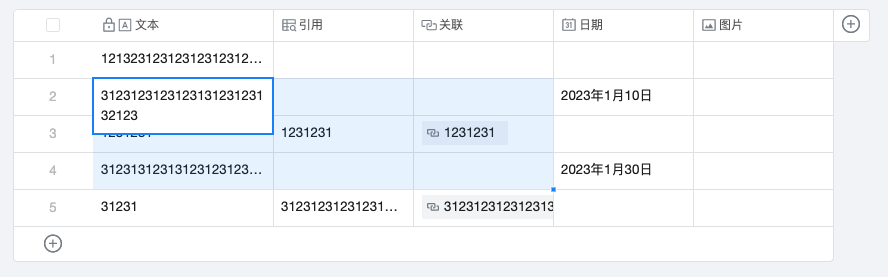
如上圖所示,表格部分如果沒有編輯的話,一般情況下是不需要重繪的,而選區(qū)是容易頻繁改變的部分。
也有一些競品將選區(qū)用 DOM 來實(shí)現(xiàn),這樣也是一種分層,但對(duì)于全面擁抱 Canvas 的我們來說不是個(gè)很好的實(shí)踐。
我們將背景不變的部分稱為 BoardCanvas,和交互相關(guān)的 Canvas 稱為 Feature Canvas。
今天主要簡單來講一下 Feature Canvas 這層的設(shè)計(jì)。
2. 插件化
首先,如何來定義 Feature 這個(gè)概念呢?在我們看來,所有和用戶交互相關(guān)的都是 Feature,比如選區(qū)、選中態(tài)、hover 陰影、行列移動(dòng)、智能填充等等。
這一層允許它頻繁變化,因?yàn)槔L制的內(nèi)容比較有限,重繪的成本明顯小于背景部分的繪制。
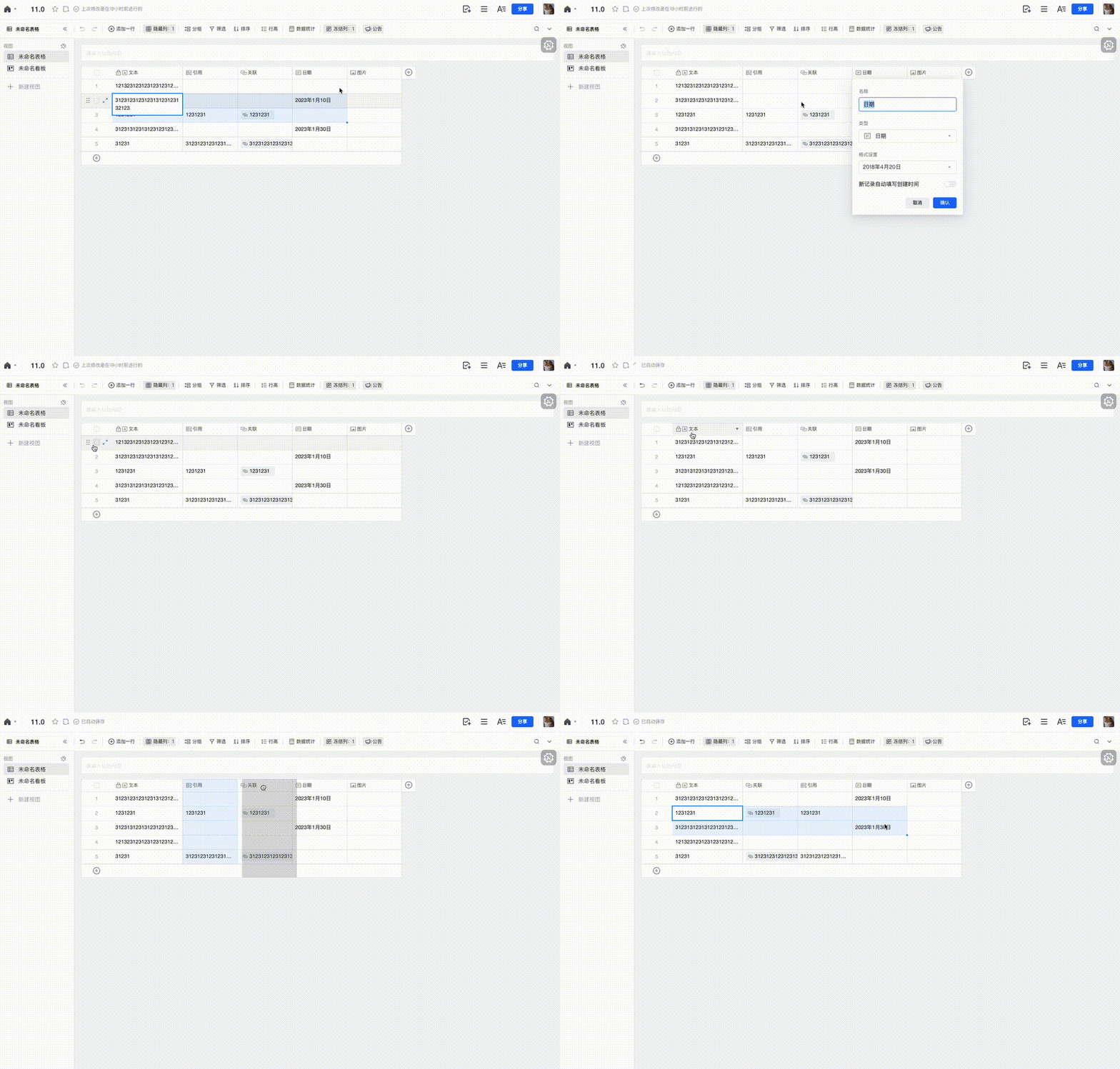
這些 Feature 又該怎么去管理呢?需要有一套固定的模板來規(guī)范它們的代碼組織。
因此,我們提倡使用插件化的形式來開發(fā),每個(gè) Feature 都是一個(gè)插件類,它擁有自己的生命周期,包括 bootstrap、updated、destroy、addActivedEvents、removeActivedEvents 等。
bootstrap:插件初始化的鉤子,適合做一些變量的初始化。 updated:插件將要更新的鉤子,一般是在編輯等場景下。 addActivedEvents:綁定事件的鉤子,比如選區(qū)會(huì)監(jiān)聽鼠標(biāo) wheel 事件,但需要在選區(qū)繪制之后才監(jiān)聽,避免沒有選區(qū)就去監(jiān)聽帶來不必要的浪費(fèi)。 removeActivedEvents:解綁事件的鉤子,和 addActivedEvents 是對(duì)應(yīng)的。 destroy:銷毀的鉤子,一般是當(dāng)前應(yīng)用銷毀的時(shí)候。
有了這些鉤子之后,每個(gè) Feature 類就會(huì)比較固定且規(guī)范了。
假設(shè)我們需要實(shí)現(xiàn)一個(gè)功能,點(diǎn)擊某個(gè)單元格,讓這個(gè)單元格的背景高亮顯示,該怎么做呢?
綁定鼠標(biāo)的點(diǎn)擊事件,根據(jù)點(diǎn)擊的 x、y 找到對(duì)應(yīng)的單元格。 給對(duì)應(yīng)的單元格繪制高亮背景。 監(jiān)聽滾動(dòng)等事件,讓高亮的背景實(shí)時(shí)更新。
這里使用 Konva 這個(gè) Canvas 庫來簡單寫一個(gè) Demo:
class HighLight {
    public Name = 'highLight';
    public cell = {
        row: 0,
        column: 0,
    };

    public bootstrap() {
        // 創(chuàng)建一個(gè)容器節(jié)點(diǎn)
        this.container = new Group();
        // 將其添加到 Feature 圖層
        this.layer.add(this.container);
        // 監(jiān)聽 mouseDown 事件
        this.mouseDownEvent = global.mousedown.event(this.onMouseDown);
    }

    public updated() {
        this.paint();
    }

    public addActivedEvents() {
        // 綁定滾動(dòng)事件
        this.scrollEvent = global.scroll.event(this.onScroll);
    }

    public removeActivedEvents() {
        this.scrollEvent?.dispose();
    }

    public destroy() {
        this.container?.destroy();
        this.removeActivedEvents();
    }

    private onMouseDown(param: IMouseDownParam) {
        const { x, y } = param;
        // 根據(jù)點(diǎn)擊的 x、y 坐標(biāo)點(diǎn)獲取當(dāng)前觸發(fā)的單元格
        this.cell = this.getCell(x, y);
        // 繪制
        this.paint();
        // 只有在鼠標(biāo)點(diǎn)擊之后,才需要綁定滾動(dòng)等事件,避免不必要的開銷
        this.addActivedEvents();
    }

    private onScroll(delta: IDelta) {
        const { deltaX, deltaY } = delta;
        // 根據(jù)滾動(dòng)的 delta 值更新高亮背景的位置
        const position = this.container.position();
        this.container.x(position.x + deltaX);
        this.container.y(position.y + deltaY);
    }

    /**
     * 繪制背景高亮
     */
    private paint() {
        // 根據(jù)單元格獲取對(duì)應(yīng)的位置和寬高信息
        const cellRect = this.getCellRect(this.cell);
        // 創(chuàng)建一個(gè)矩形
        const rect = new Rect({
            fill: 'red',
            x: cellRect.x,
            y: cellRect.y,
            width: cellRect.width,
            height: cellRect.height,
        });
        // 將矩形加入到父節(jié)點(diǎn)
        this.container.add(rect);
    }
}
從上方的示例可以看到,一個(gè) Feature 的開發(fā)非常簡單,那么插件要怎么注冊呢?
在一個(gè)統(tǒng)一的入口處,可以將需要注冊的插件引入進(jìn)來一次性注冊。
// 所有的 feature
const features: IFeature[] = [
  [Search, { requiredEdit: false }],
  [Selector, { requiredEdit: false, canUseInServer: true }],
  [RecordHover, { requiredEdit: false, canUseInServer: true }],
  [ToolTip, { requiredEdit: false }],
  [Scroller, { requiredEdit: false, canUseInServer: true }],
];

class FeatureCanvas {
    public bootstrap() {
        // 安裝 feature 插件
        this.installFeatures(features);
    }

    /**
     * 安裝 features
     * @param features
     */
    public installFeatures(features: IFeature[]) {
        features.forEach((feature) => {
            const [FeatureConstructor, featureSetting] = feature;
            // 獲取配置項(xiàng)
            const { requiredEdit, canUseInServer = false } = featureSetting;
            // 檢查是否具有相關(guān)權(quán)限
            if (
                (requiredEdit && !this.canEdit()) ||
                (!canUseInServer && this.isServer())
            ) {
                return;
            }

            const featureInstance = new FeatureConstructor(this);
            featureInstance.bootstrap();
            this.features[name] = featureInstance;
        });
    }
}
這樣一個(gè)簡單的插件機(jī)制就已經(jīng)完成了,管理起來也相當(dāng)方便快捷。
3. 數(shù)據(jù)驅(qū)動(dòng)
在交互中往往伴隨著很多狀態(tài)的產(chǎn)生,最初這些狀態(tài)是維護(hù)在 Feature 中的,如果需要在外部訪問狀態(tài)或者修改 UI,就要使用 getFeature('xxx').yyy 的形式,這是一種不合理的設(shè)計(jì)。
舉個(gè)例子,我想要知道上面的高亮單元格是哪個(gè),那么要怎么獲取呢?
(this.getFeature('highLight') as HighLight).cell;
那如果想要復(fù)用這個(gè) Feature 來高亮具體的單元格,要怎么做呢?
const highLight = this.getFeature('highLight') as HighLight;

highLight.cell = {
    row: 100,
    column: 100,
};
highLight.paint();
仔細(xì)觀察這里面存在的幾個(gè)問題:
封裝比較差,F(xiàn)eature 作為渲染層的一小部分,外界不應(yīng)該感知到它的存在。 命令式的寫法,且 Feature 的數(shù)據(jù)和 UI 沒有分離,可讀性比較差。 沒有推導(dǎo)出來類型,需要手動(dòng)做類型斷言。
如果開發(fā)過 React/Vue,都會(huì)想到這里需要做的就是實(shí)現(xiàn)一個(gè) Model 層,專門存放這些中間狀態(tài)。
其次要建立 Model 和 Feature 的關(guān)聯(lián),實(shí)現(xiàn)修改 Model 就會(huì)觸發(fā) Feature UI 更新的機(jī)制,這樣就不需要從 Feature 上獲取數(shù)據(jù)和修改 UI 了。
這里選用了 Mobx 來做狀態(tài)管理,因?yàn)樗梢院芊奖愕膶?shí)現(xiàn)我們想要的效果。
import { makeObservable, observable, action } from 'mobx';

class Model {
  public count = 0;

  public constructor() {
    // 將 count 設(shè)置為可觀察屬性
    makeObservable(this, {
      count: observable,
      increment: action,
    });
  }

  public increment() {
    this.count++;
  }
}
那么在 Feature 中如何使用呢?可以基于 Mobx 封裝 observer、watch 兩個(gè)裝飾器方便調(diào)用。
import { observer, watch } from 'utils/reactive';

@observer()
class XXXFeature {
  private title = new KonvaText();

  /*
   * 監(jiān)聽 model.count,如果發(fā)生變化,將自動(dòng)調(diào)用 refresh 方法
   */
  @watch('count')
  public refresh(count: number) {
    this.title.text(`${count}`);
  }
}
至于 observer 和 watch 的實(shí)現(xiàn)也很簡單。watch 裝飾器用于監(jiān)聽屬性的變化,從而執(zhí)行被裝飾的方法。
那這里為什么還需要 observer 呢?因?yàn)橥ㄟ^裝飾器無法獲取到類的實(shí)例,所以將 $watchers 先掛載到原型上面,再通過 observer 攔截構(gòu)造函數(shù),進(jìn)而去執(zhí)行所有的 $watchers,這樣就可以將掛載到類上的 Model 實(shí)例傳進(jìn)去。
import get from 'lodash/get';
import { autorun } from 'mobx';

// 監(jiān)聽裝飾器,在這里是用于攔截目標(biāo)類,去注冊 watcher 的監(jiān)聽
export const observer =
  () =>
  <T extends new (...args: any[]) => any>(Constructor: T) =>
    class extends Constructor {
      public constructor(...args: any[]) {
        super(...args);
        // 取出所有的 $watchers,遍歷執(zhí)行,觸發(fā) Mobx 的依賴收集
        Constructor.prototype?.$watchers?.forEach((watcher) => watcher(this, this.model));
      }
    };

// 觀察裝飾器,用于觀察 Model 中某個(gè)屬性變化后自動(dòng)觸發(fā) watcher
export const watch = (path: string) =>
  function (_target: unknown, _propertyKey: string, descriptor: PropertyDescriptor) {

    if (!_target.$watchers) {
      _target.$watchers = [];
    }

    // 將 autorun 掛載到 $watchers 上面,方便之后執(zhí)行
    _target.$watchers.push((context: unknown, model: Model) => {
      // 使用 autorun 觸發(fā)依賴收集
      autorun(() => {
        const result = get(model, path);
        descriptor.value.call(context, result);
      });
    });

    return descriptor;
  };
使用 Mobx 改造之后,避免了直接獲取 Feature 內(nèi)部的數(shù)據(jù),或者調(diào)用 Feature 暴露的修改 UI 方法,讓整體流程更加清晰直觀了。
4. 總結(jié)
這里只是對(duì)渲染層 Feature Canvas 插件機(jī)制的一個(gè)小總結(jié),基于 Mobx 我們可以實(shí)現(xiàn)很多東西,讓整體架構(gòu)更加清晰簡潔。