
十款代碼表白小特效 一個(gè)比一個(gè)浪漫 趕緊收藏起來吧!!!
? ? ? ? ? ? ? ? ? ? ? ? ? ? ? ? ? ? ? ?
文章簡介
最近看了一街坊視頻,問路人“你眼中的程序員是怎樣的?”
然后一堆關(guān)鍵詞就出來了“直男、宅、不懂浪漫、禿頭、掉發(fā)、油頭、戴眼鏡、瘦、沒得休息、枯燥乏味、不修邊幅、做事有邏輯、學(xué)霸、認(rèn)真、憨厚老實(shí)、可愛 哈哈哈哈哈哈”。
說程序員是直男,不可否認(rèn),大多數(shù)程序員都挺直,因?yàn)槲覀儧]有那么多彎彎繞繞。有心思兜圈子,不如回去寫幾行代碼。
早年雷軍說“我喜歡寫代碼,代碼的世界很簡單”

程序員,格子衫,不浪漫,直男,人傻錢多……一點(diǎn)都不懂得浪漫!誰說我們不懂浪漫的?不會制造驚喜的?真的是這樣么?不不不 你錯(cuò)了 程序員一旦浪漫起來,真沒其他人啥事了!!!

程序員的大多數(shù)時(shí)間都是面對電腦,沒有亂七八糟的應(yīng)酬,缺乏交際的程序員對待一份感情也會非常的認(rèn)真。程序員也許在生活中會比較宅,但是千萬不要說程序猿不懂浪漫。當(dāng)你不開心了,他可以分分鐘做出一個(gè)玫瑰花、心形、煙花等告白小程序給你制造小驚喜。
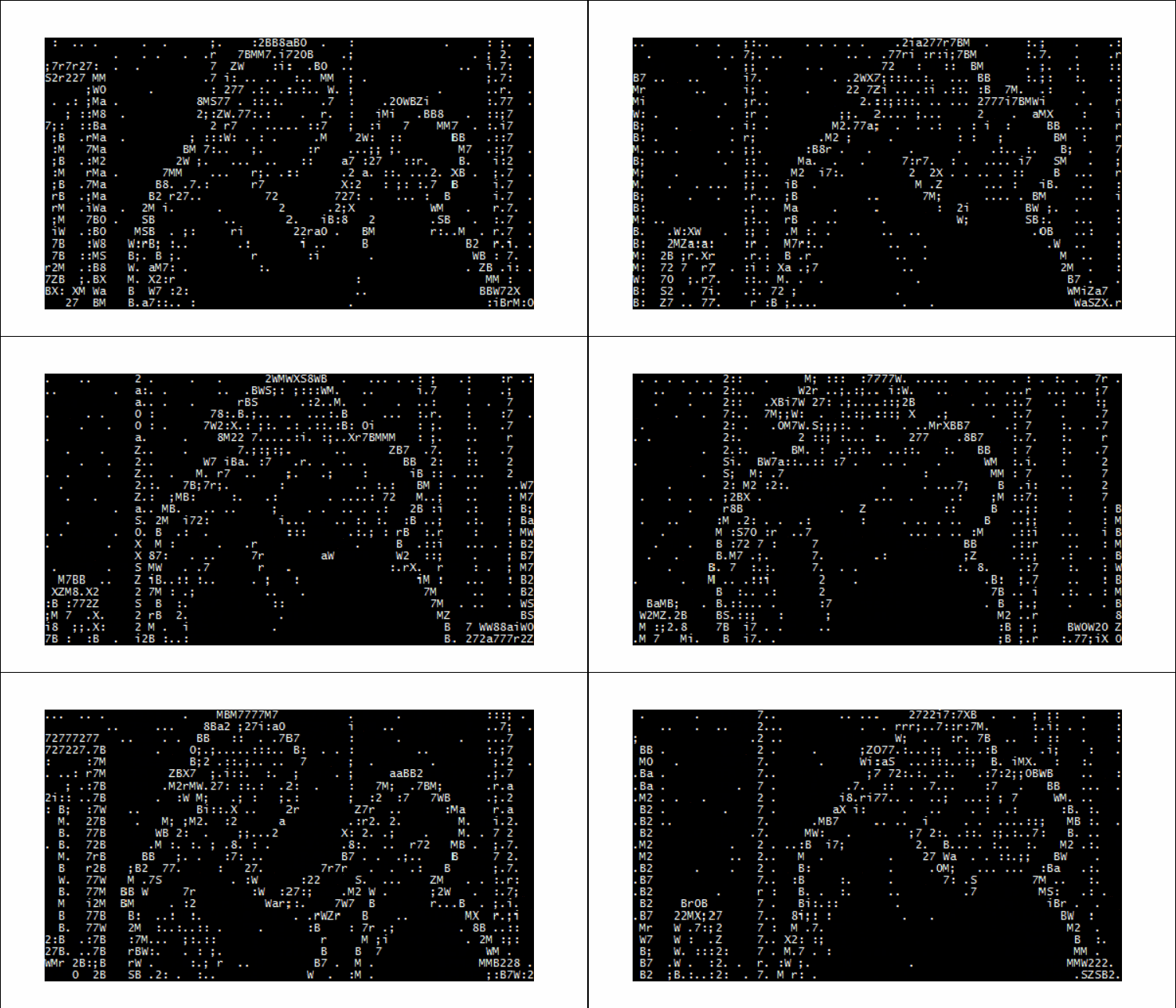
特效一(動(dòng)圖太大了 上傳不了 只錄了一部分)
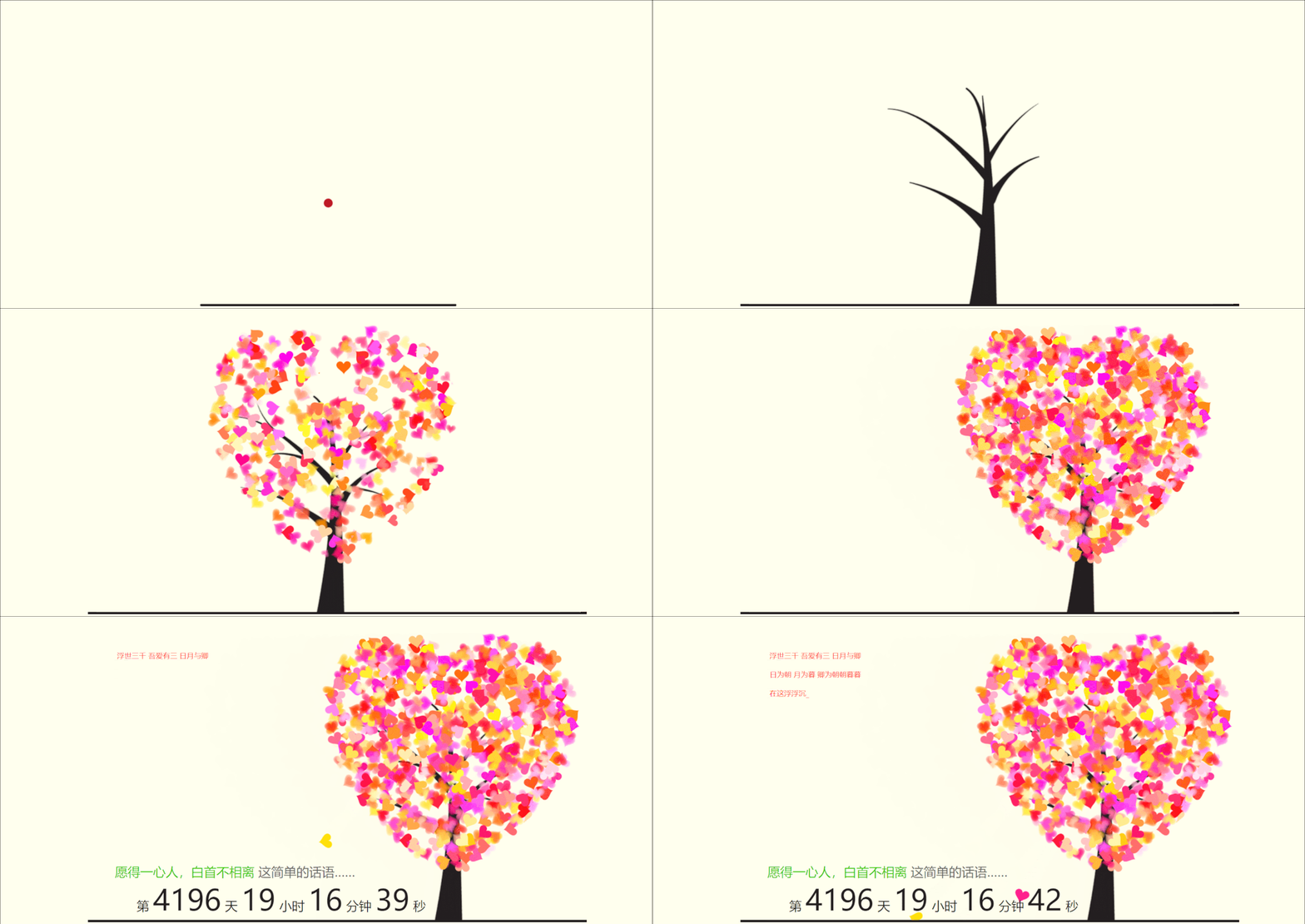

部分代碼如下
<body>
<audio autoplay="autopaly">
<source src="renxi.mp3" type="audio/mp3" />
</audio>
<div id="main">
<div id="wrap">
<div id="text">
<div id="code"> <font color="#FF0000"> <span class="say">浮世三千 吾愛有三 日月與卿</span><br>
<span class="say"> </span><br>
<span class="say">日為朝  月為暮  卿為朝朝暮暮</span><br>
<span class="say"> </span><br>
<span class="say">在這浮浮沉沉的大千世界里 我愛的只有三樣</span><br>
<span class="say"></span><br>
<span class="say">太陽  月亮和我愛的你</span><br>
<span class="say"> </span><br>
<span class="say">太陽帶給我們白晝和希望 月亮帶給我們夜幕和寧靜  </span><br>
<span class="say"> </span><br>
<span class="say"> 你與我的朝夕相伴 于我而言即是永恒 你是我一生摯愛</span><br>
<span class="say"></span><br>
<span class="say">一生愛一人很難,也不丟人</span><br>
<span class="say"> </span><br>
<span class="say"> 最美的愛情愿景不就是"愿得一心人 白首不相離"嘛</span><br>
<span class="say"> </span><br>
<span class="say"> 如果可以請牢記當(dāng)初的愛情承諾 記住最初的美好</span><br>
<span class="say"> </span><br>
<span class="say">愿歲月靜好 淺笑安然 一切美好如約而至</span><br>
<span class="say"> </span><br>
</font>

</div>
</div>
<div id="clock-box"> <span class="STYLE1"></span><font color="#33CC00">愿得一心人,白首不相離</font> <span class="STYLE1">這簡單的話語……</span>
<div id="clock"></div>
</div>
<canvas id="canvas" width="1100" height="680"></canvas>
</div>
</div>
<script>
    (function(){
            var canvas = $('#canvas');
            if (!canvas[0].getContext) {
            $("#error").show();
            return false;        }

            var width = canvas.width();
var height = canvas.height();
canvas.attr("width", width);
canvas.attr("height", height);
var opts = {
            seed: {
            x: width / 2 - 20,
color: "rgb(190, 26, 37)",
scale: 2
},
branch: [
            [535, 680, 570, 250, 500, 200, 30, 100, [
            [540, 500, 455, 417, 340, 400, 13, 100, [
            [450, 435, 434, 430, 394, 395, 2, 40]
            ]],
[550, 445, 600, 356, 680, 345, 12, 100, [
            [578, 400, 648, 409, 661, 426, 3, 80]
            ]],
[539, 281, 537, 248, 534, 217, 3, 40],
[546, 397, 413, 247, 328, 244, 9, 80, [
            [427, 286, 383, 253, 371, 205, 2, 40],
[498, 345, 435, 315, 395, 330, 4, 60]
            ]],
[546, 357, 608, 252, 678, 221, 6, 100, [
            [590, 293, 646, 277, 648, 271, 2, 80]
            ]]
            ]]
            ],
bloom: {
            num: 700,
width: 1080,
height: 650,
},
footer: {
            width: 1200,
height: 5,
speed: 10,
}
            }

            var tree = new Tree(canvas[0], width, height, opts);
var seed = tree.seed;
var foot = tree.footer;
var hold = 1;
canvas.click(function(e) {
            var offset = canvas.offset(), x, y;
x = e.pageX - offset.left;
y = e.pageY - offset.top;
            if (seed.hover(x, y)) {
            hold = 0;
canvas.unbind("click");
canvas.unbind("mousemove");
canvas.removeClass('hand');
}
            }).mousemove(function(e){
            var offset = canvas.offset(), x, y;
x = e.pageX - offset.left;
y = e.pageY - offset.top;
canvas.toggleClass('hand', seed.hover(x, y));
});
var seedAnimate = eval(Jscex.compile("async", function () {
            seed.draw();
            while (hold) {
            $await(Jscex.Async.sleep(10));
}
while (seed.canScale()) {
            seed.scale(0.95);
$await(Jscex.Async.sleep(10));
}
while (seed.canMove()) {
            seed.move(0, 2);
foot.draw();
$await(Jscex.Async.sleep(10));
}
            }));
var growAnimate = eval(Jscex.compile("async", function () {
do {
            tree.grow();
$await(Jscex.Async.sleep(10));
} while (tree.canGrow());
}));
var flowAnimate = eval(Jscex.compile("async", function () {
do {
            tree.flower(2);
$await(Jscex.Async.sleep(10));
} while (tree.canFlower());
}));
var moveAnimate = eval(Jscex.compile("async", function () {
            tree.snapshot("p1", 240, 0, 610, 680);
            while (tree.move("p1", 500, 0)) {
            foot.draw();
$await(Jscex.Async.sleep(10));
}
            foot.draw();
tree.snapshot("p2", 500, 0, 610, 680);
// 會有閃爍不得意這樣做, (>﹏<)
canvas.parent().css("background", "url(" + tree.toDataURL('image/png') + ")");
canvas.css("background", "#ffe");
$await(Jscex.Async.sleep(300));
canvas.css("background", "none");
}));
var jumpAnimate = eval(Jscex.compile("async", function () {
            var ctx = tree.ctx;
            while (true) {
            tree.ctx.clearRect(0, 0, width, height);
tree.jump();
foot.draw();
$await(Jscex.Async.sleep(25));
}
            }));
var textAnimate = eval(Jscex.compile("async", function () {
            var together = new Date();
together.setFullYear(2010,1 , 15);           //時(shí)間年月日
together.setHours(16);                //小時(shí)
together.setMinutes(53);               //分鐘
together.setSeconds(0);                //秒前一位
together.setMilliseconds(2);            //秒第二位
$("#code").show().typewriter();
$("#clock-box").fadeIn(500);
            while (true) {
            timeElapse(together);
$await(Jscex.Async.sleep(1000));
}
            }));
var runAsync = eval(Jscex.compile("async", function () {
            $await(seedAnimate());
$await(growAnimate());
$await(flowAnimate());
$await(moveAnimate());
textAnimate().start();
$await(jumpAnimate());
}));
runAsync().start();
})();
</script>
特效二
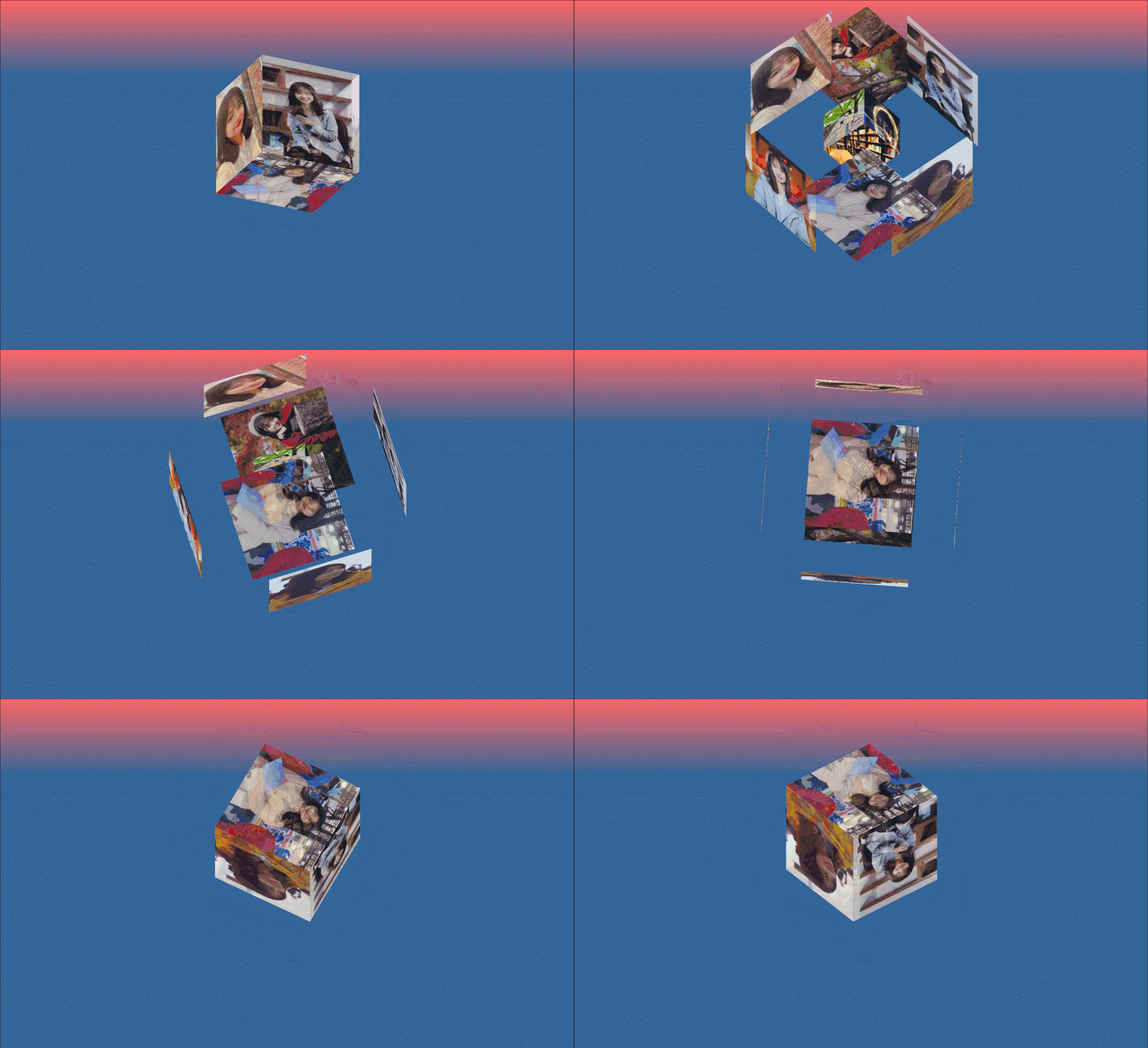
<!DOCTYPE html>
<html>
<head>
<meta charset="utf-8" />
<title>zhaoyeming</title>
<link rel="stylesheet" href="css/hovertree.css" />
</head>
<body>
<div class="hovertreeinfo">
<h2></h2>
</div>
<!-- 僅自動(dòng)播放音樂 -->
<audio loop src="img/qianyuqianxun.mp3" id="audio" autoplay preload="auto">該瀏覽器不支持audio屬性</audio>
<script type="text/javascript">
//--創(chuàng)建頁面監(jiān)聽,等待微信端頁面加載完畢 觸發(fā)音頻播放
document.addEventListener('DOMContentLoaded', function () {
        function audioAutoPlay() {
        var audio = document.getElementById('audio');
audio.play();
document.addEventListener("WeixinJSBridgeReady", function () {
        audio.play();
}, false);
}
        audioAutoPlay();
});
//--創(chuàng)建觸摸監(jiān)聽,當(dāng)瀏覽器打開頁面時(shí),觸摸屏幕觸發(fā)事件,進(jìn)行音頻播放
document.addEventListener('touchstart', function () {
        function audioAutoPlay() {
        var audio = document.getElementById('audio');
audio.play();
}
        audioAutoPlay();
});
</script>

<!--/*外層最大容器*/-->
<div class="wrap">
<!--   /*包裹所有元素的容器*/-->
<div class="cube">
<!--前面圖片 -->
<div class="out_front">
<img src="img/img01.jpg " class="pic" />
</div>
<!--后面圖片 -->
<div class="out_back">
<img src="img/img02.jpg" class="pic"/>
</div>
<!--左圖片 -->
<div class="out_left">
<img src="img/img03.jpg" class="pic" />
</div>
<div class="out_right">
<img src="img/img04.jpg" class="pic" />
</div>
<div class="out_top">
<img src="img/img05.jpg" class="pic" />
</div>
<div class="out_bottom">
<img src="img/img06.jpg" class="pic" />
</div>
<!--小正方體 -->
<span class="in_front">
<img src="img/img07.jpg" class="in_pic" />
</span>
<span class="in_back">
<img src="img/img08.jpg" class="in_pic" />
</span>
<span class="in_left">
<img src="img/img09.jpg" class="in_pic" />
</span>
<span class="in_right">
<img src="img/img10.jpg" class="in_pic" />
</span>
<span class="in_top">
<img src="img/img11.jpg" class="in_pic" />
</span>
<span class="in_bottom">
<img src="img/img12.jpg" class="in_pic" />
</span>
</div>
</div>

</body>
</html>
特效三
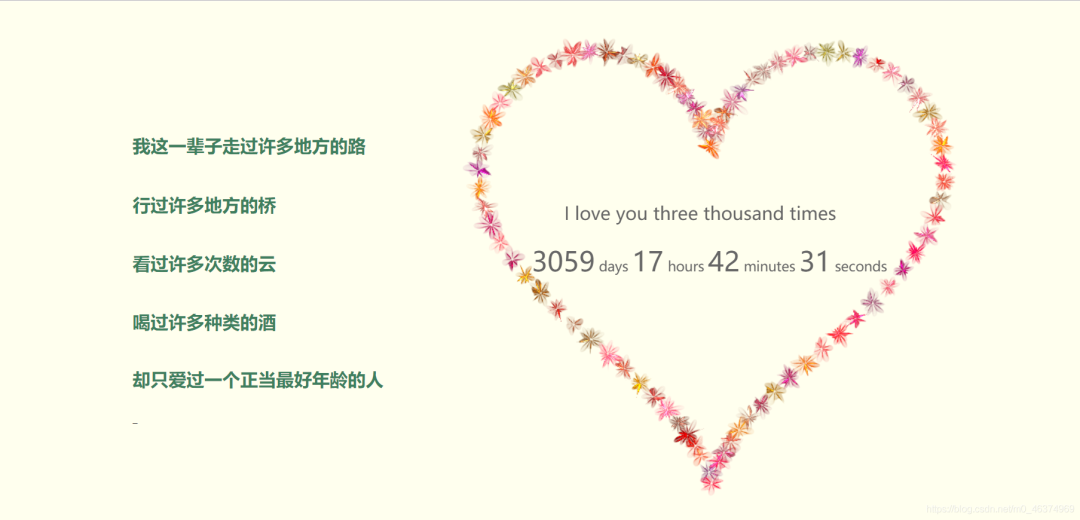
代碼如下
<!DOCTYPE html PUBLIC "-//W3C//DTD XHTML 1.0 Transitional//EN" "http://www.w3.org/TR/xhtml1/DTD/xhtml1-transitional.dtd">
<html xmlns="http://www.w3.org/1999/xhtml">
<head>
<meta http-equiv="Content-Type" content="text/html; charset=utf-8" />
<title>jQuery愛心表白動(dòng)畫代碼</title>


<link href="css/default.css" type="text/css" rel="stylesheet">
<script type="text/javascript" src="js/jquery.js"></script>
<script type="text/javascript" src="js/garden.js"></script>
<script type="text/javascript" src="js/functions.js"></script>

</head>

<body>

<div id="mainDiv">
<div id="content">
<div id="code">


<h1><span class="comments">我這一輩子走過許多地方的路</span><br /></h1>
<span class="comments"></span><br />
<h1><span class="comments">行過許多地方的橋</span><br /></h1>
<span class="comments"></span><br />
<h1>   <span class="comments">看過許多次數(shù)的云</span><br /></h1>
<span class="comments"></span><br />

<h1>   <span class="comments">喝過許多種類的酒</span><br />
<span class="comments"></span><br />

<h1>   <span class="comments">卻只愛過一個(gè)正當(dāng)最好年齡的人</span><br /></h1>
<span class="comments"></span><br />


</div>
<div id="loveHeart">
<canvas id="garden"></canvas>
<div id="words">
<div id="messages">
<h4><p class="text">I love you three thousand times </p></h4>
<div id="elapseClock">

</div>
</div>

</div>
</div>
</div>
<div id="copyright">
<a href="#">....</a><br />
<a href="#">....</a><br />

</div>
</div>

<script type="text/javascript">
        var offsetX = $("#loveHeart").width() / 2;
var offsetY = $("#loveHeart").height() / 2 - 55;
var together = new Date();
together.setFullYear(2013, 2, 28);
together.setHours(20);
together.setMinutes(0);
together.setSeconds(0);
together.setMilliseconds(0);
        if (!document.createElement('canvas').getContext) {
        var msg = document.createElement("div");
msg.id = "errorMsg";
msg.innerHTML = "Your browser doesn't support HTML5!<br/>Recommend use Chrome 14+/IE 9+/Firefox 7+/Safari 4+";
document.body.appendChild(msg);
$("#code").css("display", "none")
        $("#copyright").css("position", "absolute");
$("#copyright").css("bottom", "10px");
document.execCommand("stop");
} else {
        setTimeout(function () {
        startHeartAnimation();
}, 5000);
timeElapse(together);
setInterval(function () {
        timeElapse(together);
}, 500);
adjustCodePosition();
$("#code").typewriter();
}
</script>


</body>
</html>
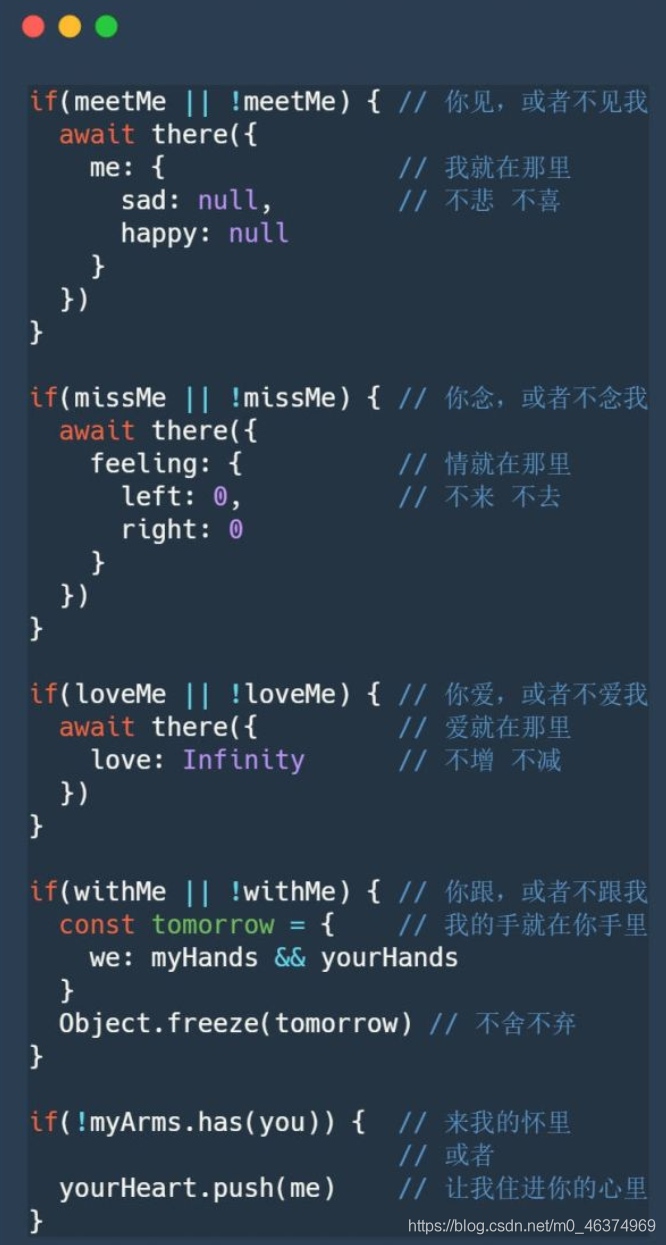
特效四
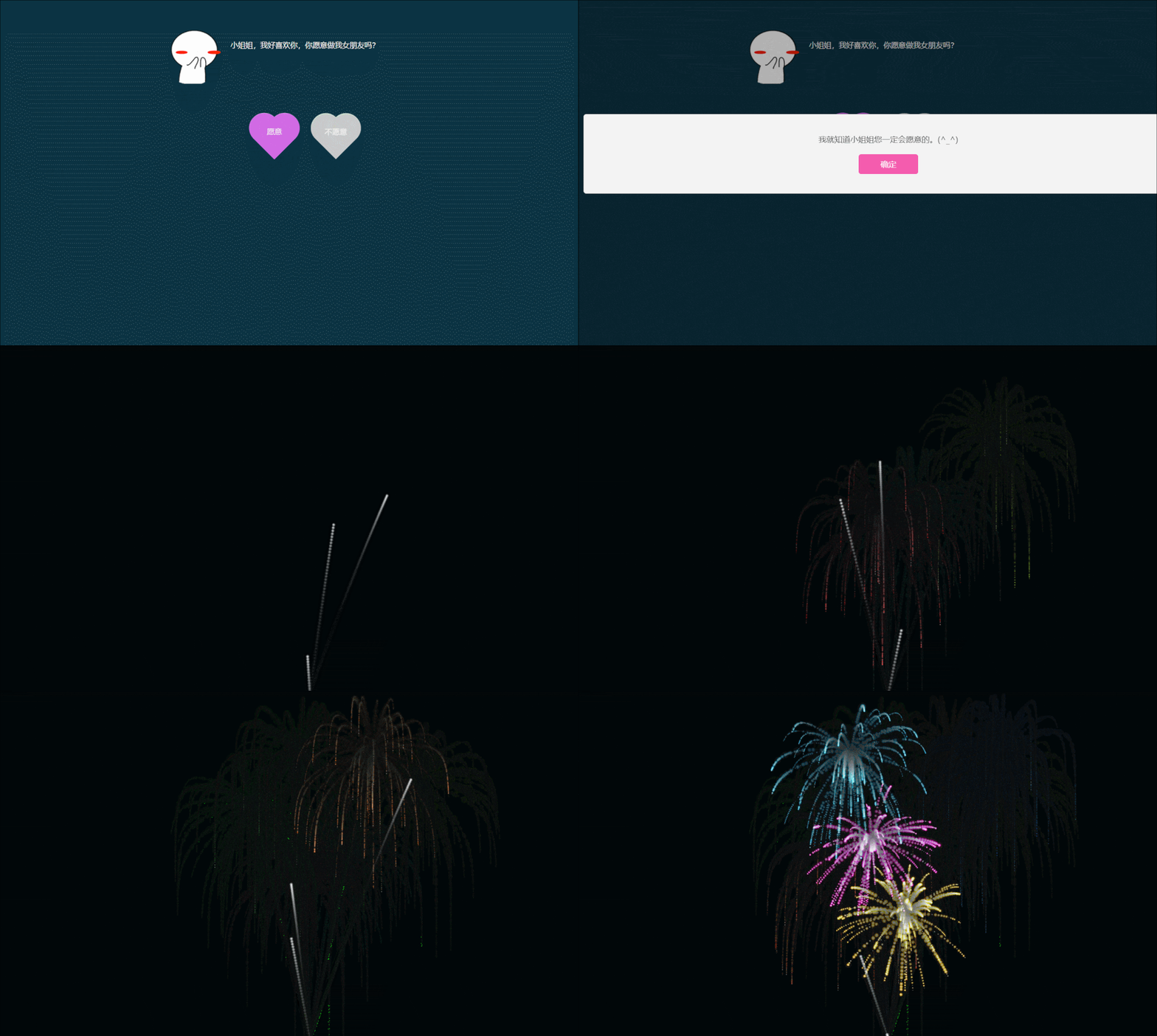
特效五


部分代碼如下
<!DOCTYPE html>
<html>
<head>
<meta charset="utf-8" />
<title>zhaoyeming</title>
<link rel="stylesheet" href="css/hovertree.css" />
</head>
<body>
<div class="hovertreeinfo">
<h2></h2>
</div>
<!-- 僅自動(dòng)播放音樂 -->
<audio loop src="img/qianyuqianxun.mp3" id="audio" autoplay preload="auto">該瀏覽器不支持audio屬性</audio>
<script type="text/javascript">
//--創(chuàng)建頁面監(jiān)聽,等待微信端頁面加載完畢 觸發(fā)音頻播放
document.addEventListener('DOMContentLoaded', function () {
        function audioAutoPlay() {
        var audio = document.getElementById('audio');
audio.play();
document.addEventListener("WeixinJSBridgeReady", function () {
        audio.play();
}, false);
}
        audioAutoPlay();
});
//--創(chuàng)建觸摸監(jiān)聽,當(dāng)瀏覽器打開頁面時(shí),觸摸屏幕觸發(fā)事件,進(jìn)行音頻播放
document.addEventListener('touchstart', function () {
        function audioAutoPlay() {
        var audio = document.getElementById('audio');
audio.play();
}
        audioAutoPlay();
});
</script>

<!--/*外層最大容器*/-->
<div class="wrap">
<!--   /*包裹所有元素的容器*/-->
<div class="cube">
<!--前面圖片 -->
<div class="out_front">
<img src="img/img01.jpg " class="pic" />
</div>
<!--后面圖片 -->
<div class="out_back">
<img src="img/img02.jpg" class="pic"/>
</div>
<!--左圖片 -->
<div class="out_left">
<img src="img/img03.jpg" class="pic" />
</div>
<div class="out_right">
<img src="img/img04.jpg" class="pic" />
</div>
<div class="out_top">
<img src="img/img05.jpg" class="pic" />
</div>
<div class="out_bottom">
<img src="img/img06.jpg" class="pic" />
</div>
<!--小正方體 -->
<span class="in_front">
<img src="img/img07.jpg" class="in_pic" />
</span>
<span class="in_back">
<img src="img/img08.jpg" class="in_pic" />
</span>
<span class="in_left">
<img src="img/img09.jpg" class="in_pic" />
</span>
<span class="in_right">
<img src="img/img10.jpg" class="in_pic" />
</span>
<span class="in_top">
<img src="img/img11.jpg" class="in_pic" />
</span>
<span class="in_bottom">
<img src="img/img12.jpg" class="in_pic" />
</span>
</div>
</div>

</body>
</html>
特效六
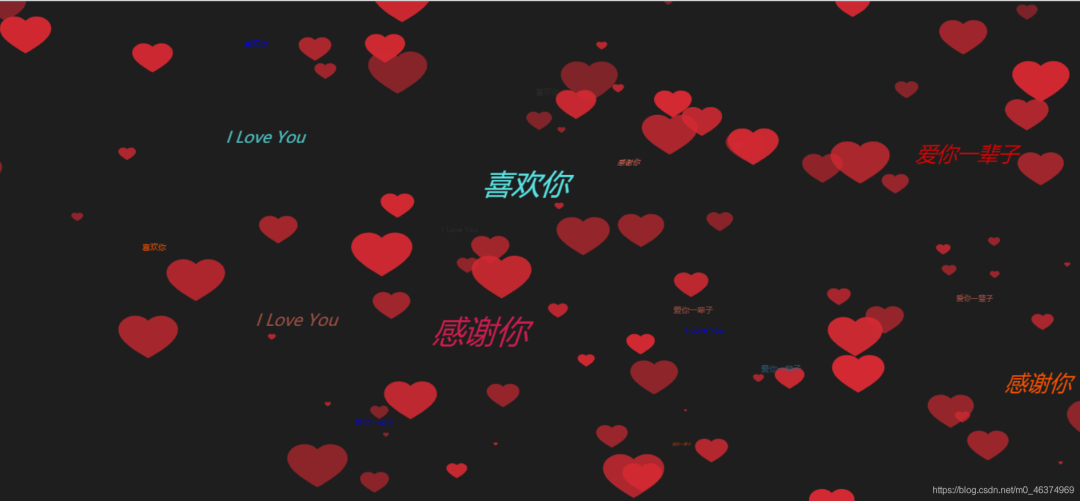
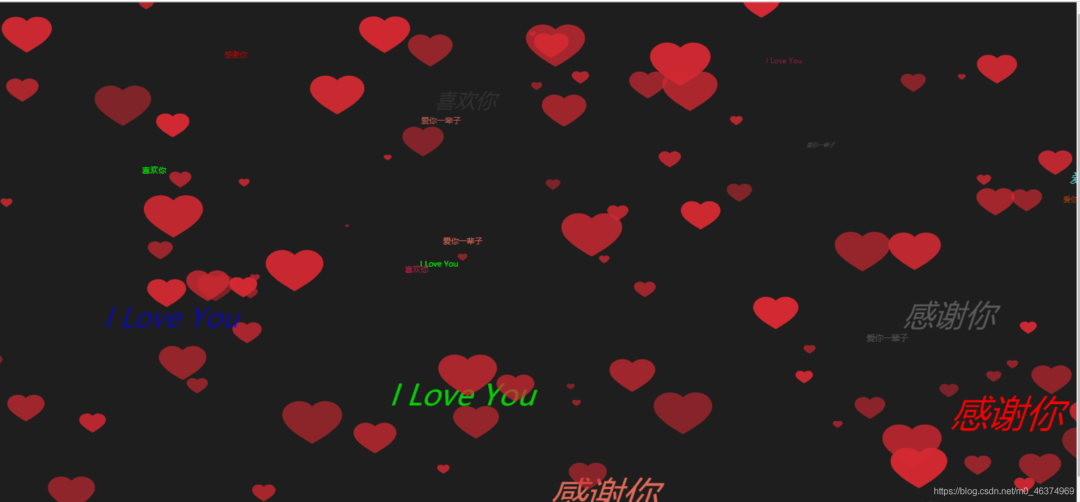
<!DOCTYPE html>
<html lang="en">
<head>
<meta charset="UTF-8">
<title>愛心</title>
<style>
      *{margin:0; padding:0;}
                body{ background-color: #1E1E1E;      }
</style>
</head>
<body>

<canvas id="drawHeart"></canvas>

<script>
      var hearts = [];
var canvas = document.getElementById('drawHeart');
var wW = window.innerWidth;
var wH = window.innerHeight;
// 創(chuàng)建畫布
var ctx = canvas.getContext('2d');
// 創(chuàng)建圖片對象
var heartImage = new Image();
heartImage.src = 'img/heart.svg';
var num = 100;
init();
window.addEventListener('resize', function(){
                wW = window.innerWidth;
wH = window.innerHeight;
});
// 初始化畫布大小
function init(){
                canvas.width = wW;
canvas.height = wH;
                for(var i = 0; i < num; i++){
        hearts.push(new Heart(i%5));
}
        requestAnimationFrame(render);
}

        function getColor(){
        var val = Math.random() * 10;
        if(val > 0 && val <= 1){
return '#00f';
} else if(val > 1 && val <= 2){
return '#f00';
} else if(val > 2 && val <= 3){
return '#0f0';
} else if(val > 3 && val <= 4){
return '#368';
} else if(val > 4 && val <= 5){
return '#666';
} else if(val > 5 && val <= 6){
return '#333';
} else if(val > 6 && val <= 7){
return '#f50';
} else if(val > 7 && val <= 8){
return '#e96d5b';
} else if(val > 8 && val <= 9){
return '#5be9e9';
} else {
return '#d41d50';
}
        }

        function getText(){
        var val = Math.random() * 10;
        if(val > 1 && val <= 3){
return '愛你一輩子';
} else if(val > 3 && val <= 5){
return '感謝你';
} else if(val > 5 && val <= 8){
return '喜歡你';
} else{
return 'I Love You';
}
        }

        function Heart(type){
this.type = type;
// 初始化生成范圍
this.x = Math.random() * wW;
        this.y = Math.random() * wH;
        this.opacity = Math.random() * .5 + .5;
// 偏移量
this.vel = {
        x: (Math.random() - .5) * 5,
y: (Math.random() - .5) * 5
}

this.initialW = wW * .5;
        this.initialH = wH * .5;
// 縮放比例
this.targetScale = Math.random() * .15 + .02; // 最小0.02
this.scale = Math.random() * this.targetScale;
// 文字位置
this.fx = Math.random() * wW;
        this.fy = Math.random() * wH;
        this.fs = Math.random() * 10;
        this.text = getText();
        this.fvel = {
        x: (Math.random() - .5) * 5,
y: (Math.random() - .5) * 5,
f: (Math.random() - .5) * 2
}
        }

        Heart.prototype.draw = function(){
        ctx.save();
ctx.globalAlpha = this.opacity;
ctx.drawImage(heartImage, this.x, this.y, this.width, this.height);
ctx.scale(this.scale + 1, this.scale + 1);
        if(!this.type){
// 設(shè)置文字屬性
ctx.fillStyle = getColor();
ctx.font = 'italic ' + this.fs + 'px sans-serif';
// 填充字符串
ctx.fillText(this.text, this.fx, this.fy);
}
        ctx.restore();
}
        Heart.prototype.update = function(){
this.x += this.vel.x;
        this.y += this.vel.y;
        if(this.x - this.width > wW || this.x + this.width < 0){
// 重新初始化位置
this.scale = 0;
        this.x = Math.random() * wW;
        this.y = Math.random() * wH;
}
if(this.y - this.height > wH || this.y + this.height < 0){
// 重新初始化位置
this.scale = 0;
        this.x = Math.random() * wW;
        this.y = Math.random() * wH;
}

// 放大
this.scale += (this.targetScale - this.scale) * .1;
        this.height = this.scale * this.initialH;
        this.width = this.height * 1.4;
// -----文字-----
this.fx += this.fvel.x;
        this.fy += this.fvel.y;
        this.fs += this.fvel.f;
        if(this.fs > 50){
this.fs = 2;
}

if(this.fx - this.fs > wW || this.fx + this.fs < 0){
// 重新初始化位置
this.fx = Math.random() * wW;
        this.fy = Math.random() * wH;
}
if(this.fy - this.fs > wH || this.fy + this.fs < 0){
// 重新初始化位置
this.fx = Math.random() * wW;
        this.fy = Math.random() * wH;
}
        }

        function render(){
        ctx.clearRect(0, 0, wW, wH);
        for(var i = 0; i < hearts.length; i++){
        hearts[i].draw();
hearts[i].update();
}
        requestAnimationFrame(render);
}
</script>
</body>
</html>
特效七
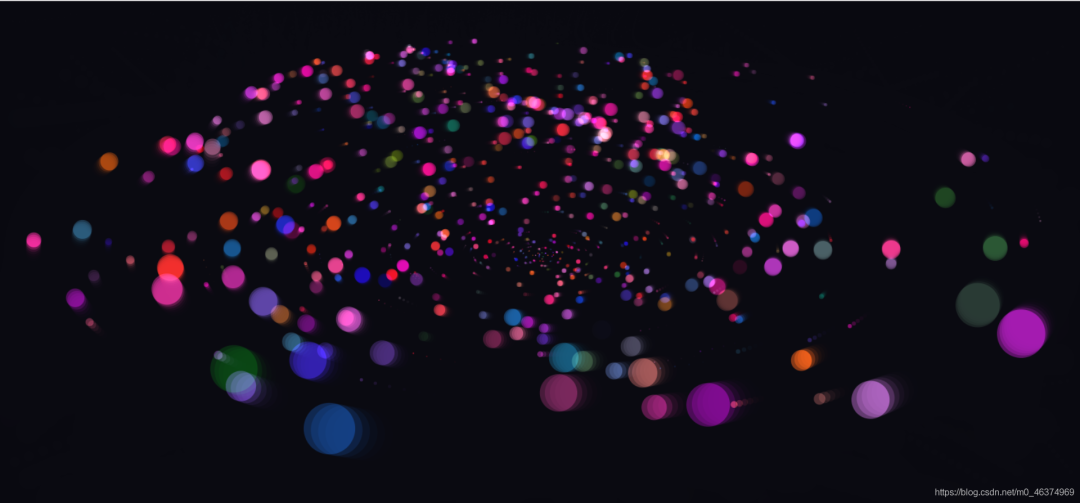
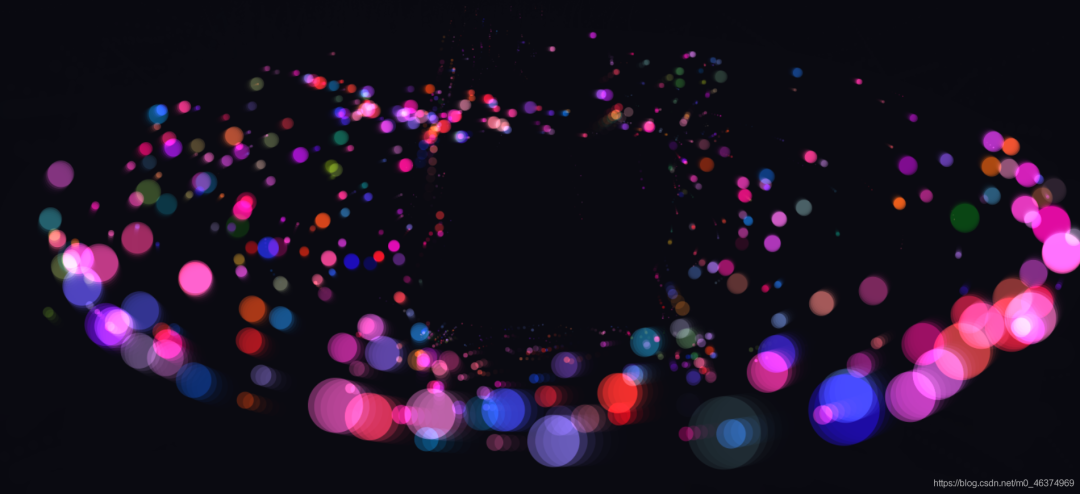
<!doctype html>
<html>
<head>
<meta charset="utf-8">
<title>canvas五彩斑斕的粒子動(dòng)畫特效</title>

<style>
        body {
                overflow: hidden;
margin: 0;
padding: 0;
background: hsla(242, 30%, 5%, 1);
}

                canvas {
                width: 100%;
}
</style>

</head>
<body>

<canvas id='canv'></canvas>

<script>
/*
        (Book REF) HTML5 Canvas Ch. 5:  Math, Physics, and Animation ::: Uniform Circular Motion
        By Steve Fulton and Jeff Fulton
        */
window.requestAnimFrame = (function () {
return window.requestAnimationFrame ||
                window.webkitRequestAnimationFrame ||
                window.mozRequestAnimationFrame ||
                window.oRequestAnimationFrame ||
                window.msRequestAnimationFrame ||
                function (callback) {
                window.setTimeout(callback, 1000 / 60);
};
})();
window.addEventListener('load', start, false);
var c,
$,
w,
h,
msX,
msY,
midX,
midY,
num = 650,
parts = [],
begin = 50,
repeat = 20,
end = Math.PI * 2,
force = null,
msdn = false;
function start() {
                c = document.getElementById('canv');
$ = c.getContext('2d');
w = c.width = window.innerWidth;
h = c.height = window.innerHeight;
midX = w / 2;
midY = h / 2;
force = Math.max(w, h) * 0.09;
flow = begin;
window.requestAnimFrame(create);
run();
}

                function run() {
                window.requestAnimFrame(run);
go();
}

                function Part() {
this.deg = 0;
                this.rad = 0;
                this.x = 0;
                this.y = 0;
                this.distX = 0;
                this.distY = 0;
                this.color = 'rgb(' + Math.floor(Math.random() * 130) + ',' + Math.floor(Math.random() * 50) + ',' + Math.floor(Math.random() * 100) + ')';
                this.size;
}

                function create() {
                var n = num;
                while (n--) {
                var p = new Part();
p.deg = Math.floor(Math.random() * 360);
p.rad = Math.floor(Math.random() * w * 0.5);
p.x = p.distX = Math.floor(Math.random() * w);
p.y = p.distY = Math.floor(Math.random() * h);
p.size = 1 + Math.floor(Math.random() * (p.rad * 0.055));
parts[n] = p;
}
                c.onmousemove = msmv;
c.onmousedown = msdn;
c.onmouseup = msup;
var int = setInterval(function () {
                flow--;
                if (flow === repeat) clearInterval(int);
}, 20);
}

                function go() {
                $.globalCompositeOperation = 'source-over';
$.fillStyle = 'hsla(242, 30%, 5%, .55)';
$.fillRect(0, 0, w, h);
$.globalCompositeOperation = 'lighter';
var mx = msX;
var my = msY;
var bounds = force;
                if (msdn) {
                bounds = force * 2;
}
                var n = num;
                while (n--) {
                var p = parts[n];
var radi = Math.PI / 180 * p.deg;
p.distX = midX + p.rad * Math.cos(radi);
p.distY = midY + p.rad * Math.sin(radi) * 0.4;
                if (mx && my) {
                var react = Math.floor((bounds * 0.5) + Math.random() * (bounds * 0.9));
                if (p.distX - mx > 0 &&
                p.distX - mx < bounds &&
        p.distY - my > 0 &&
        p.distY - my < bounds) {
        p.distX += react;
p.distY += react;
} else if (p.distX - mx > 0 &&
        p.distX - mx < bounds &&
        p.distY - my < 0 &&
        p.distY - my > -bounds) {
        p.distX += react;
p.distY -= react;
} else if (p.distX - mx < 0 &&
        p.distX - mx > -bounds &&
        p.distY - my > 0 &&
        p.distY - my < bounds) {
        p.distX -= react;
p.distY += react;
} else if (p.distX - mx < 0 &&
        p.distX - mx > -bounds &&
        p.distY - my < 0 &&
        p.distY - my > -bounds) {
        p.distY -= react;
p.distY -= react;
}
        }
        p.x += ((p.distX - p.x) / flow);
p.y += ((p.distY - p.y) / flow);
var x = p.x;
var y = p.y;
var s = p.size * (p.y * 1.5 / h);
        if (s < 0.1) {
        s = 0;
}
        $.beginPath();
$.fillStyle = p.color;
$.arc(x, y, s, 0, end, true);
$.fill();
$.closePath();
var vary;
        if (p.size < 2) {
        vary = 4;
} else if (p.size < 3) {
        vary = 3;
} else if (p.size < 4) {
        vary = 2;
} else {
        vary = 1;
}
        vary *= (p.y / (h * 0.9));
p.deg += vary;
p.deg = p.deg % 360;
}
        }

        function msmv(e) {
        var p = getPos(e.target);
var sX = window.pageXOffset;
var sY = window.pageYOffset;
msX = e.clientX - p.x + sX;
msY = e.clientY - p.y + sY;
}

        function msdn(e) {
        msdn = true;
}

        function msup(e) {
        msdn = false;
}

        function getPos(el) {
        var cosmo = {};
cosmo.x = el.offsetLeft;
cosmo.y = el.offsetTop;
        while (el.offsetParent) {
        el = el.offsetParent;
cosmo.x += el.offsetLeft;
cosmo.y += el.offsetTop;
}
return cosmo;
}
</script>

</body>
</html>
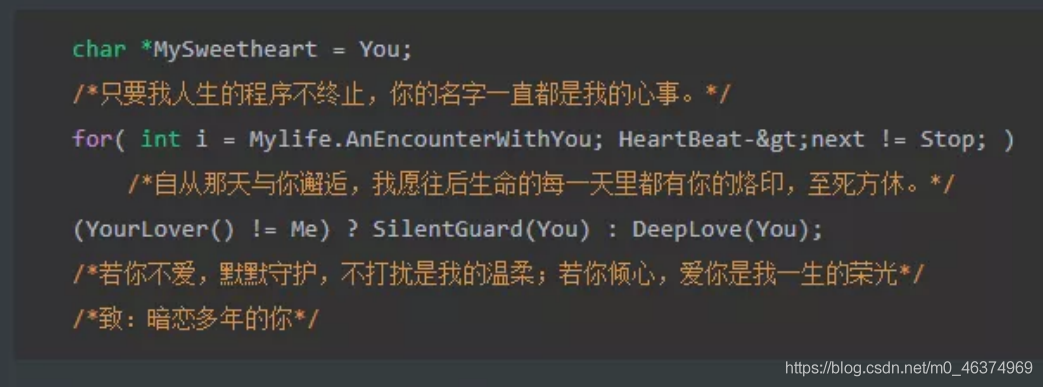
文案八
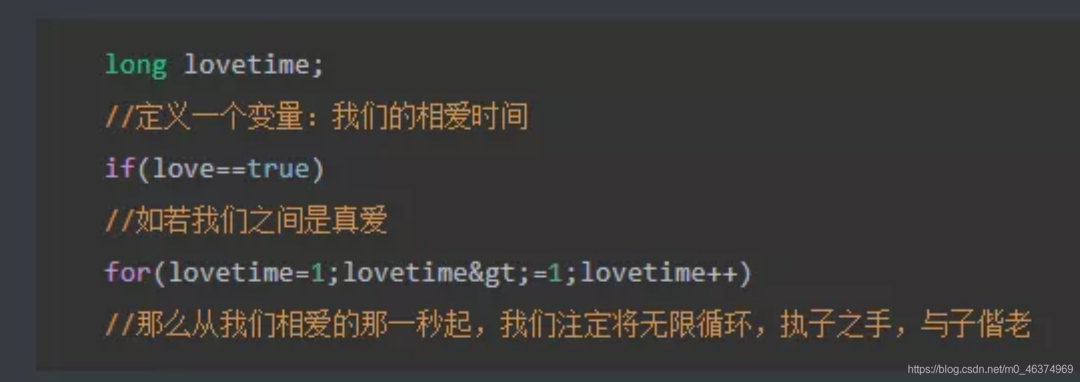
文案九
文案十
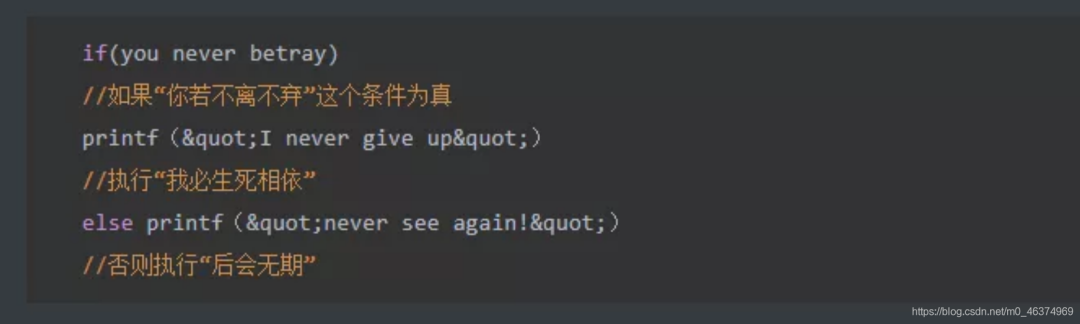
唉~只是我們平時(shí)不屑于表達(dá),除非對自己喜歡的人。我們要浪漫,就沒其他人什么事兒!!!!
? ??
? ? ? ? ? ?
end
*版權(quán)聲明:轉(zhuǎn)載文章和圖片均來自公開網(wǎng)絡(luò),版權(quán)歸作者本人所有,推送文章除非無法確認(rèn),我們都會注明作者和來源。如果出處有誤或侵犯到原作者權(quán)益,請與我們聯(lián)系刪除或授權(quán)事宜。
長按識別圖中二維碼
關(guān)注獲取更多資訊
不點(diǎn)關(guān)注,我們哪來故事?

點(diǎn)個(gè)再看,你最好看
評論
圖片
表情