
手把手教你使用Java開發(fā)在線生成pdf文檔
一、介紹
在實際的業(yè)務開發(fā)的時候,研發(fā)人員往往會碰到很多這樣的一些場景,需要提供相關的電子憑證信息給用戶,例如網(wǎng)銀/支付寶/微信購物支付的電子發(fā)票、訂單的庫存打印單、各種電子簽署合同等等,以方便用戶查看、打印或者下載。
例如下圖的電子發(fā)票!
熟悉這塊業(yè)務的童鞋,一定特別清楚,目前最常用的解決方案是:把相關的數(shù)據(jù)信息,通過一些技術手段生成對應的 PDF 文件,然后返回給用戶,以便預覽、下載或者打印。
不太熟悉這項技術的童鞋,也不用著急,今天我們一起來詳細了解一下在線生成 PDF 文件的技術實現(xiàn)手段!
二、案例實現(xiàn)
在介紹這個代碼實踐之前,我們先來了解一下這個第三方庫:iText,對,沒錯,它就是我們今天的主角。
iText是著名的開放源碼站點sourceforge一個項目,是用于生成PDF文檔的一個java類庫,通過iText不僅可以生成PDF或rtf的文檔,而且還可以將XML、Html文件轉化為PDF文件。
iText目前有兩套版本,分別是iText5和iText7。iText5應該是網(wǎng)上用的比較多的一個版本。iText5因為是很多開發(fā)者參與貢獻代碼,因此在一些規(guī)范和設計上存在不合理的地方。iText7是后來官方針對iText5的重構,兩個版本差別還是挺大的。不過在實際使用中,一般用到的都比較簡單的 API,所以不用特別拘泥于使用哪個版本。
2.1、添加 iText 依賴包
在使用它之前,我們先引人相關的依賴包!
<dependencies>
????
????<dependency>
????????<groupId>com.itextpdfgroupId>
????????<artifactId>itextpdfartifactId>
????????<version>5.5.11version>
????dependency>
????<dependency>
????????<groupId>com.itextpdf.toolgroupId>
????????<artifactId>xmlworkerartifactId>
????????<version>5.5.11version>
????dependency>
????
????<dependency>
????????<groupId>com.itextpdfgroupId>
????????<artifactId>itext-asianartifactId>
????????<version>5.2.0version>
????dependency>
????
????<dependency>
????????<groupId>org.xhtmlrenderergroupId>
????????<artifactId>flying-saucer-pdf-itext5artifactId>
????????<version>9.1.16version>
????dependency>
????
????<dependency>
????????<groupId>net.sf.jtidygroupId>
????????<artifactId>jtidyartifactId>
????????<version>r938version>
????dependency>
????????
dependencies>
2.2、簡單實現(xiàn)
老規(guī)矩,我們先來一個hello world,代碼如下:
public?class?CreatePDFMainTest?{

????public?static?void?main(String[]?args)?throws?Exception?{
????????Document?document?=?new?Document(PageSize.A4);
????????//第二步,創(chuàng)建Writer實例
????????PdfWriter.getInstance(document,?new?FileOutputStream("hello.pdf"));
????????//創(chuàng)建中文字體
????????BaseFont?bfchinese?=?BaseFont.createFont("STSong-Light",?"UniGB-UCS2-H",?BaseFont.NOT_EMBEDDED);
????????Font?fontChinese?=?new?Font(bfchinese,?12,?Font.NORMAL);
????????//第三步,打開文檔
????????document.open();
????????//第四步,寫入內(nèi)容
????????Paragraph?paragraph?=?new?Paragraph("hello?world",?fontChinese);
????????document.add(paragraph);
????????//第五步,關閉文檔
????????document.close();
????}
}
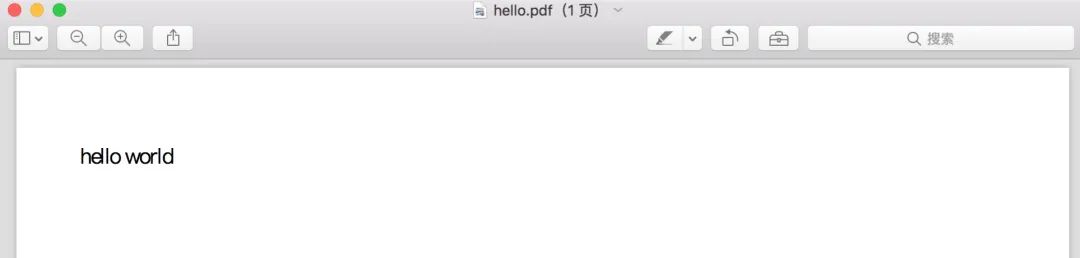
打開hello.pdf文件,內(nèi)容如下!
2.3、復雜實現(xiàn)
在實際的業(yè)務開發(fā)中,因為業(yè)務場景非常復雜,而且變化快,我們往往不會采用上面介紹的寫入內(nèi)容方式來生成文件,而是采用HTML文件轉化為PDF文件。
例如下面這張入庫單!
我們應該如何快速實現(xiàn)呢?
首先,我們采用html語言編寫一個入庫單頁面,將其命令為printDemo.html,源代碼如下:
<html>
?<head>head>
?<body>
??<meta?http-equiv="Content-Type"?content="text/html;?charset=UTF-8"?/>
??<title>出庫單title>
??<div>
???<div>
????<table?width="100%"?border="0"?cellspacing="0"?cellpadding="0">
?????<tbody>
??????<tr>
???????<td?height="40"?colspan="2"><h3?style="font-weight:?bold;?text-align:?center;?letter-spacing:?5px;?font-size:?24px;">入庫單h3>td>
???????<td?width="12%"?height="20"?rowspan="2">
????????<img?style="width:?105px;height:?105px;"?src="data:image/jpeg;base64,iVBORw0KGgoAAAANSUhEUgAAAH0AAAB9AQAAAACn+1GIAAAAqElEQVR42u3VMQ7DMAwDQP6A//8lx24qKRRw0s1yu8Uw4OQGIaHsBHUfLzzwAxCAInoZg6dI9dUUBIOyHEG56CmodAaxwtfbboLTVWpeU9+EDAH37m9CmkTYxDGUE0agMIakk3y4Ut8G37iom02M4bPniHWAtqFDTjjSGLrZvXAOmTnL1124C73r6Yo8Ane61k6eQeVjIM2h482D1RwScrpNjuH5R/0b3s6ZZNyKlt3iAAAAAElFTkSuQmCC"?/>
???????td>
??????tr>
??????<tr>
???????<td?width="50%"?height="30">操作人:xxxtd>
???????<td?width="50%"?height="30"?colspan="2">創(chuàng)建時間:2021-09-14 12:00:00td>
??????tr>
?????tbody>
????table>
???div>
???<div?style="margin-top:?5px;?margin-bottom:?6px;?margin-left:?4px">div>
???<div>
????<table?width="100%"
?????style="border-collapse:?collapse;?border-spacing:?0;border:0px;">
??????<tr?style="height:?25px;">
???????<td?style="background:?#eaeaea;?text-align:?center;?border-left:?1px?solid?#000000;?border-top:?1px?solid?#000000;"
????????width="10%">序號td>
???????<td?style="background:?#eaeaea;?text-align:?center;?border-left:?1px?solid?#000000;?border-top:?1px?solid?#000000;"
????????width="30%">商品td>
???????<td?style="background:?#eaeaea;?text-align:?center;?border-left:?1px?solid?#000000;?border-top:?1px?solid?#000000;"
????????width="30%">單位td>
???????<td?style="background:?#eaeaea;?text-align:?center;?border-left:?1px?solid?#000000;?border-top:?1px?solid?#000000;?border-right:?1px?solid?#000000;"
????????width="30%">數(shù)量td>
??????tr>
??????<tr>
???????<td?style="text-align:?center;?border-left:?1px?solid?#000000;?border-top:?1px?solid?#000000;">1td>
???????<td?style="text-align:?center;?border-left:?1px?solid?#000000;?border-top:?1px?solid?#000000;">xxx沐浴露td>
???????<td?style="text-align:?center;?border-left:?1px?solid?#000000;?border-top:?1px?solid?#000000;">箱td>
???????<td?style="text-align:?center;?border-left:?1px?solid?#000000;?border-top:?1px?solid?#000000;?border-right:?1px?solid?#000000;">3td>
??????tr>
??????<tr>
???????<td?style="text-align:?center;?border-left:?1px?solid?#000000;?border-top:?1px?solid?#000000;">2td>
???????<td?style="text-align:?center;?border-left:?1px?solid?#000000;?border-top:?1px?solid?#000000;">xxx洗發(fā)水td>
???????<td?style="text-align:?center;?border-left:?1px?solid?#000000;?border-top:?1px?solid?#000000;">箱td>
???????<td?style="text-align:?center;?border-left:?1px?solid?#000000;?border-top:?1px?solid?#000000;?border-right:?1px?solid?#000000;">4td>
??????tr>
??????<tr>
???????<td?style="text-align:?center;?border-left:?1px?solid?#000000;?border-top:?1px?solid?#000000;">3td>
???????<td?style="text-align:?center;?border-left:?1px?solid?#000000;?border-top:?1px?solid?#000000;">xxx洗衣粉td>
???????<td?style="text-align:?center;?border-left:?1px?solid?#000000;?border-top:?1px?solid?#000000;">箱td>
???????<td?style="text-align:?center;?border-left:?1px?solid?#000000;?border-top:?1px?solid?#000000;?border-right:?1px?solid?#000000;">5td>
??????tr>
??????<tr>
???????<td?style="text-align:?center;?border-left:?1px?solid?#000000;?border-top:?1px?solid?#000000;?border-bottom:?1px?solid?#000000;">4td>
???????<td?style="text-align:?center;?border-left:?1px?solid?#000000;?border-top:?1px?solid?#000000;?border-bottom:?1px?solid?#000000;">xxx洗面奶td>
???????<td?style="text-align:?center;?border-left:?1px?solid?#000000;?border-top:?1px?solid?#000000;?border-bottom:?1px?solid?#000000;">箱td>
???????<td?style="text-align:?center;?border-left:?1px?solid?#000000;?border-top:?1px?solid?#000000;?border-right:?1px?solid?#000000;?border-bottom:?1px?solid?#000000;">5td>
??????tr>
????table>
???div>
??div>
?body>

html>
接著,我們將html文件轉成PDF文件,源碼如下:
public?class?CreatePDFMainTest?{


????/**
?????*?創(chuàng)建PDF文件
?????*?@param?htmlStr
?????*?@throws?Exception
?????*/
????private?static?void?writeToOutputStreamAsPDF(String?htmlStr)?throws?Exception?{
????????String?targetFile?=?"pdfDemo.pdf";
????????File?targeFile?=?new?File(targetFile);
????????if(targeFile.exists())?{
????????????targeFile.delete();
????????}

????????//定義pdf文件尺寸,采用A4橫切
????????Document?document?=?new?Document(PageSize.A4,?25,?25,?15,?40);//?左、右、上、下間距
????????//定義輸出路徑
????????PdfWriter?writer?=?PdfWriter.getInstance(document,?new?FileOutputStream(targetFile));
????????PdfReportHeaderFooter?header?=?new?PdfReportHeaderFooter("",?8,?PageSize.A4);
????????writer.setPageEvent(header);
????????writer.addViewerPreference(PdfName.PRINTSCALING,?PdfName.NONE);
????????document.open();

????????//?CSS
????????CSSResolver?cssResolver?=?new?StyleAttrCSSResolver();
????????CssAppliers?cssAppliers?=?new?CssAppliersImpl(new?XMLWorkerFontProvider(){

????????????@Override
????????????public?Font?getFont(String?fontname,?String?encoding,?boolean?embedded,?float?size,?int?style,?BaseColor?color)?{
????????????????try?{
????????????????????//用于中文顯示的Provider
????????????????????BaseFont?bfChinese?=?BaseFont.createFont("STSongStd-Light",?"UniGB-UCS2-H",?BaseFont.NOT_EMBEDDED);
????????????????????return?new?Font(bfChinese,?size,?style);
????????????????}?catch?(Exception?e)?{
????????????????????return?super.getFont(fontname,?encoding,?size,?style);
????????????????}
????????????}
????????});

????????//html
????????HtmlPipelineContext?htmlContext?=?new?HtmlPipelineContext(cssAppliers);
????????htmlContext.setTagFactory(Tags.getHtmlTagProcessorFactory());
????????htmlContext.setImageProvider(new?AbstractImageProvider()?{
????????????@Override
????????????public?Image?retrieve(String?src)?{
????????????????//支持圖片顯示
????????????????int?pos?=?src.indexOf("base64,");
????????????????try?{
????????????????????if?(src.startsWith("data")?&&?pos?>?0)?{
????????????????????????byte[]?img?=?Base64.decode(src.substring(pos?+?7));
????????????????????????return?Image.getInstance(img);
????????????????????}?else?if?(src.startsWith("http"))?{
????????????????????????return?Image.getInstance(src);
????????????????????}
????????????????}?catch?(BadElementException?ex)?{
????????????????????return?null;
????????????????}?catch?(IOException?ex)?{
????????????????????return?null;
????????????????}
????????????????return?null;
????????????}

????????????@Override
????????????public?String?getImageRootPath()?{
????????????????return?null;
????????????}
????????});


????????//?Pipelines
????????PdfWriterPipeline?pdf?=?new?PdfWriterPipeline(document,?writer);
????????HtmlPipeline?html?=?new?HtmlPipeline(htmlContext,?pdf);
????????CssResolverPipeline?css?=?new?CssResolverPipeline(cssResolver,?html);

????????//?XML?Worker
????????XMLWorker?worker?=?new?XMLWorker(css,?true);
????????XMLParser?p?=?new?XMLParser(worker);
????????p.parse(new?ByteArrayInputStream(htmlStr.getBytes()));

????????document.close();
????}

????/**
?????*?讀取?HTML?文件
?????*?@return
?????*/
????private?static?String?readHtmlFile()?{
????????StringBuffer?textHtml?=?new?StringBuffer();
????????try?{
????????????File?file?=?new?File("printDemo.html");
????????????BufferedReader?reader?=?new?BufferedReader(new?FileReader(file));
????????????String?tempString?=?null;
????????????//?一次讀入一行,直到讀入null為文件結束
????????????while?((tempString?=?reader.readLine())?!=?null)?{
????????????????textHtml.append(tempString);
????????????}
????????????reader.close();
????????}?catch?(IOException?e)?{
????????????return?null;
????????}
????????return?textHtml.toString();
????}

????public?static?void?main(String[]?args)?throws?Exception?{
????????//讀取html文件
????????String?htmlStr?=?readHtmlFile();
????????//將html文件轉成PDF
????????writeToOutputStreamAsPDF(htmlStr);
????}
}
運行程序,打開pdfDemo.pdf,結果如下!
2.4、變量替換方式
上面的html文件,是我們事先已經(jīng)編輯好的,才能正常渲染。
但是在實際的業(yè)務開發(fā)的時候,例如下面的商品內(nèi)容,完全是動態(tài)的,還是xxx-202109入庫單的名稱,以及二維碼,都是動態(tài)的。
這個時候,我們可以采用freemarker模板引擎,通過定義變量來動態(tài)填充內(nèi)容,直到轉換出來的結果就是我們想要的html頁面。
當然,還有一種辦法,例如下面這個,我們也可以在html頁面里面定義${name}變量,然后在讀取完文件之后,我們將其變量進行替換成我們想填充的任何值,這其實也是模板引擎最核心的一個玩法。
<html>
?<head>
??<meta?charset="utf-8">
??<title>title>
?head>
?<body>
??<div>您好:${name}div>
??<div>歡迎,登錄博客網(wǎng)站div>
?body>
html>
三、總結
itext框架是一個非常實用的第三方pdf文件生成庫,尤其是面對比較簡單的pdf文件內(nèi)容渲染的時候,它完全滿足我們的需求。
但是對于那種復雜的pdf文檔,可能需要我們自己單獨進行適配開發(fā)。具體的深度玩法,大家可以參閱itext官方API。
鑒于筆者才疏學淺,難免會有理解不到位的地方,歡迎網(wǎng)友批評指出!
四、參考
1、博客園 - JAVA使用ItextPDF
程序汪資料鏈接
堪稱神級的Spring Boot手冊,從基礎入門到實戰(zhàn)進階
臥槽!字節(jié)跳動《算法中文手冊》火了,完整版 PDF 開放下載!
臥槽!阿里大佬總結的《圖解Java》火了,完整版PDF開放下載!
字節(jié)跳動總結的設計模式 PDF 火了,完整版開放下載!
歡迎添加程序汪個人微信 itwang008? 進粉絲群或圍觀朋友圈