
mkdkrMake + Docker + Shell = CI Pipeline
mkdkr









mkdkr = Makefile + Docker
Super small and powerful framework for build CI pipeline, scripted with Makefile and isolated with docker.
- Dependencies: [ make, docker, bash, git ]
- Two files only (Makefile and .mkdkr), less garbage on your repo
- All power of make, docker and bash
- Shipping and switch among CI engines like Circle CI, GitHub Actions, Gitlab-ci, Jenkins, Travis.. and more using exporter
- Clean and elegant code syntax
Table of contents
Usage
Makefile
Create a file with name Makefile and paste the following content.
Download .mkdkr dynamically.
# Required header
include $(shell [ ! -f .mkdkr ] && curl -fsSL https://git.io/JOBYz > .mkdkr; bash .mkdkr init)

# without shorten url
# include $(shell [ ! -f .mkdkr ] && curl -fsSL https://github.com/rosineygp/mkdkr/releases/latest/download/mkdkr > .mkdkr; bash .mkdkr init)

job:
	@$(dkr)
	instance: alpine
	run: echo "hello mkdkr dynamic!"
OR keep .mkdkr locally.
# Download .mkdkr
curl -fsSL https://github.com/rosineygp/mkdkr/releases/latest/download/mkdkr > .mkdkr
# Required header
include $(shell bash .mkdkr init)

job:
	@$(dkr)
	instance: alpine
	run: echo "hello mkdkr local!"
.gitignore (optional)
.tmp
.mkdkr # only in dynamic config
Execute
# execute
make job
Result
start: job


instance: alpine
20498831fe05f5d33852313a55be42efd88b1fb38b463c686dbb0f2a735df45c

run: echo hello mkdkr!
hello mkdkr!

cleanup:
20498831fe05

completed:
0m0.007s 0m0.000s
0m0.228s 0m0.179s
Export
Run your current Makefile in another engine, like travis or github actions, use the dynamic include exporter.
Demonstration
My Workflow - Configuración automática de CI/CD
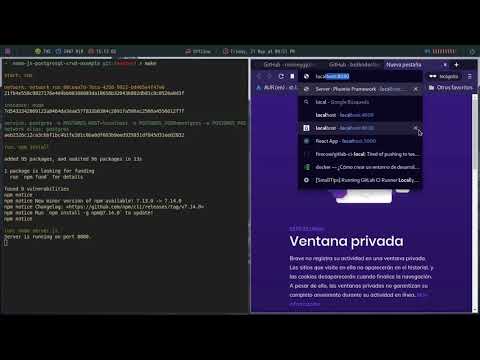
Author: Martin Alga?araz
Reason
Build pipeline for a dedicated platform can take a lot of time to learn and test, with mkdkr you can test all things locally and run it in any pipeline engine like Jenkins, Actions, Gitlab-ci and others.

Functions
@$(dkr)
Load docker layer for mkdkr, use inside a target of Makefile.
shell-only:
	echo "my local shell job"

mkdkr-job:
	@$(dkr)            # load all deps of mkdkr
	intance: alpine
	run: echo "my mkdkr job"
instance:
Create docker containers, without special privileges.
my-instance:
	@$(dkr)
	instance: ubuntu:20.04     # create a instance
Parameters:
- String, DOCKER_IMAGE *: any docker image name
- String|Array, ARGS: additional docker init args like (--cpus 1 --memory 64MB)
Return:
- String, Container Id
Calling instance: twice, it will replace the last container.
service:
Create a docker container in detached mode. Useful to bring up a required service for a job, like a webserver or database.
my-service:
	@$(dkr)
	service: nginx    # up a nginx
	instance: alpine
Is possible start more than one service.
multi-service:
	@$(dkr)
	service: mysql
	service: redis
	instance: node:12
	run: npm install
	run: npm test
* Instance and services are connected in same network
** The name of service is the same of image name with safe values
| Image Name | Network Name |
|---|---|
| nginx | nginx |
| nginx:1.2 | nginx_1_2 |
| redis:3 | redis_3 |
| project/apache_1.2 | project_apache_1_2 |
| registry/my/service:latest | registry_my_service_latest |
replace role
's/:|\.|\/|-/_/g'
Parameters:
- String, DOCKER_IMAGE *: any docker image name
- String|Array, ARGS: additional docker init args like (--cpus 1 --memory 64MB)
Return:
- String, Container Id
instance or dind created after a service, will be automatically linked.
dind:
Create a docker instance with daemon access. Useful to build docker images.
my-dind:
	@$(dkr)
	dind: docker:19
	run: docker build -t my/dind .
Parameters:
- String, DOCKER_IMAGE *: any docker image name
- String|Array, ARGS: additional docker init args like (--cpus 1 --memory 64MB)
Return:
- String, Container Id
run:
Execute a command inside docker container [instance: or dind:] (the last one).
Is not possible to execute commands in a service.
Parameters:
- String|Array, command: any sh command eg. 'apk add nodejs'
Return:
- String, Command(s) output
Usage
my-run:
	@$(dkr)
	instance: alpine
	# run a command inside container
	run: apk add curl

	instance: debian
	# avoid escape to host bash, escapes also can be used (eg. \&\&)
	run: 'apt-get update && \
			apt-get install -y curl'

	# run a command inside container and redirect output to host
	run: ls -la > myfile

	# run a command inside container and redirect output to container
	run: 'ls -la > myfile'
var-run:
Execute a command inside docker container [instance: or dind:] and return stdout at named var.
After created var it is passed to next
run:orvar-run:execution.
Parameters:
- String, var: any bash valid variable name
- String|Array, command: any sh command eg. 'apk add nodejs'
Return:
- String, Command(s) output
Usage
my-var-run:
	@$(dkr)
	instance: alpine
	# run a command inside container
	var-run: myvar hostname
	run: echo '$$myvar'
	var-run: mynewvar echo '$$myvar'
	run: echo "$$myvar $$mynewvar"
login:
Execute docker login in a private registry. If docker instance exist, execute login inside container otherwise at host.
Parameters:
- String, domain: private registry domain.
- String| user: registry username.
- String| password: registry password.
Return:
- None.
Usage
private-registry:
	@$(dkr)
	login: my.private.registry foo $(MKDKR_PASSWORD)
	instance: my.private.registry/alpine
Execute login at host and download image from private registry (login before instance creation)
private-registry:
	@$(dkr)
	dind: docker:19
	login: my.private.registry foo $(MKDKR_PASSWORD)
	instance:  my.private.registry/alpine
Execute login inside instance and download image from private registry (login after instance creation)
retry:
Execute a command inside docker container [instance: or dind:] (the last one), with retry options.
Is not possible to execute commands in a service.
Parameters:
- Number|Int, attempts: number of attempts before crash.
- Number|Int, sleep: time sleeping before retry.
- String|Array, command: any sh command eg. 'curl https://tomcat:8080'
Return:
- String, Command(s) output
Usage
deploy:
	@$(dkr)
	instance: oc
	retry: 3 10 oc apply -f build.yml
	#the job can run 3 times with a delay of ten seconds

npm:
	instance: alpine
	run: apk add curl
	service: my-slow-service
	retry: 60 1 curl http://my-slow-service:8080
log:
All output steps executed in a job (except log:) is stored and can be reused during future steps.
Parameters:
- Number: The number represent the step in a job and start with 0.
Return:
- Text, Multiline text.
Usage
my-log:
	@$(dkr)
	instance: alpine
	run: apk add curl jq
	run: curl http://example.com
	log: 1 \| jq '.'
push:
Push files/folders to a container job from local filesystem.
Parameters:
- String, from: Target files/folders in local filesystem.
- String, to: Destiny of files/folders inside container.
Return
- None.
Usage
push:
	@$(dkr)
	instance: ansible
	push: /etc/ansible/inventory/hosts.yml
	run: ansible-playbook main.yml
pull:
Pull files/folders from a container job to local filesystem.
Parameters:
- String, from: Target files/folders inside container.
- String, to: Destiny of files/folders in local filesystem.
Return
- None.
Usage
pull:
	@$(dkr)
	instance: debian
	run: curl https://example.com -o /tmp/out.html
	pull: /tmp/out.html .
cd:
Move folder context.
Parameters:
- String, workdir: Set workdir.
Return
- None.
change-folder:
	@$(dkr)
	instance: debian
	cd: /tmp
	run: pwd
	# /tmp
Includes
Is possible create jobs or fragments of jobs and reuse it in another projects, like a code package library.
There are two major behavior of includes:
Explicit
A fragment of job (eg. define) and needs to be called explicitly to work.
TAG=latest

define docker_build =
	@$(dkr)
	dind: docker:19
	run: docker build -t $(REGISTRY)/$(PROJECT)/$(REPOS):$(TAG) .
endef
All definitions will be load at start of makefile, after it is possible to call at your custom job.
my-custom-build:
	$(docker-build)
Implicit
Just a full job in another project.
TAG=latest

docker_build:
	@$(dkr)
	dind: docker:19
	run: docker build -t $(REGISTRY)/$(PROJECT)/$(REPOS):$(TAG) .
The jobs will be load at start and can be called directly.
make docker_build
- No needs to implement the job at main Makefile.
- Very useful for similar projects.
mkdkr.csv
A file with name mkdkr.csv, that contains the list of remote includes.
Needs to be at same place o main Makefile.
commitlint,https://github.com/rosineygp/mkdkr_commitlint.git,master,main.mk
docker,https://github.com/rosineygp/mkdkr_docker.git
The file contains four values per line in following order
| # | Name | Definition |
|---|---|---|
| 1 | alias * | unique identifier of include and clone folder destiny |
| 2 | reference * | any git clone reference |
| 3 | checkout | branch, tag or hash that git can checkout (default master) |
| 4 | file | the fragment of Makefile that will be included (default main.mk) |
* required
Collection
| Name | Description |
|---|---|
| docker | Build and Push Docker images. |
| commit lint | Validate commit message with semantic commit. |
| exporter | Generate pipeline definitions files from Makefile. |
Small collection, use it as example
Builtin Targets
_list
List all targets in Makefile, include extensions.
$ make _list

include

alias: exporter, repos: https://github.com/rosineygp/mkdkr_exporter.git, checkout: v1.5.0, file: main.mk

replace: MKDKR_EXPORTER_TAG=latest to v1.5.0
bash.v4-0:
bash.v4-1:
bash.v4-2:
bash.v4-3:
bash.v4-4:
bash.v5-0:
_coverage.report:
examples.dind:
examples.escapes:
examples.pipeline:
examples.retry:
examples.service:
examples.shell:
examples.simple:
examples.stdout:
_exporter_bitbucket-pipelines:
_exporter_circle-ci:
_exporter_github:
_exporter_gitlab-ci:
_exporter_jenkins_pipeline:
_exporter_shell:
_exporter_travis:
lint.commit:
lint.hadolint:
lint.shellcheck:
test.unit:
The result are sorted by name.
First char target name: [a-zA-Z_]
Helpers
A set of small functions to common pipelines process.
| Name | Description | Usage | Output |
|---|---|---|---|
| slug | Replace unsafe values from a string | slug <string> |
string |
| urlencode | Encode a string to URL format | urlencode <string> |
string |
| urldecode | Decode a string from URL format | urldecode <string> |
string |
| uuid | Generate UUID | uuid |
string |
| ssh-cp-key | Copy ssh private key for current user | ssh-cp-key <key-path> |
none |
| ssh-host-check | Set StrictHostKeyChecking=no | ssh-host-check <hostname:port> |
none |
| git-user | Configure git.user and git.email | git-user <email> |
none |
| git-ssh | Configure ssh and git [ssh-cp-key, ssh-host-check, git-user] | git-ssh <key-path> <hostname:port> <email> |
none |
autocommit:
	@$(dkr)
	instance: alpine/git
	git-ssh: ~/.ssh/id_rsa github.com [email protected]
	run: git clone [email protected]:rosineygp/mkdkr.git /auto
	run: echo "my new file" \> /auto/my-new-file.txt
	run: git -C /auto add my-new-file.txt
	run: git -C /auto commit -m "my automatic change"
	run: git -C /auto push origin master:feat/auto-push
Examples
Simple
simple:
	@$(dkr)
	instance: alpine
	run: echo "hello mkdkr!"
Is possible to mix images during job, see in example
Service
service:
	@$(dkr)
	service: nginx
	instance: alpine
	run: apk add curl
	run: curl -s nginx
DIND
Privileged job
dind:
	@$(dkr)
	dind: docker:19
	run: docker build -t project/repos .
Escapes
pipes:
	@$(dkr)
	instance: ubuntu:18.04
	run: "find . -iname '*.mk' -type f -exec cat {} \; | grep -c escapes"
More examples at file
Shell
Switch to another shell
shell:
	@$(dkr)
	instance: ubuntu
	export MKDKR_SHELL=bash
	run: 'echo $$0'
More examples at file
Stdout
Get output by id
Use to filter or apply some logic in last command executed
stdout:
	@$(dkr)
	instance: alpine
	run: echo "hello mkdkr!"
	run: ps -ef
	log: 1
log: 1return stout form second commandps -ef
stdout:
	@$(dkr)
	instance: debian
	run: apt-get update
	run: apt-get install curl -y
	run: dpkg -l
	log: 2 | grep -i curl && echo "INSTALLED"
log: 2return stdout from third commanddpkg -land apply filter
Pipelines
Group of jobs for parallel and organization execution
pipeline:
	make test -j 3	# parallel execution
	make build
	make pack
	make deploy
Environment Variables
| Name | Default | Description |
|---|---|---|
| MKDKR_TTL | 3600 | The time limit to a job or service run |
| MKDKR_SHELL | sh | Change to another shell eg. bash, csh |
| MKDKR_JOB_STDOUT | last stdout | Path of file, generated with last stdout output |
| MKDKR_JOB_NAME* | (job|service)_target-name_(uuid) | Unique job name, used as container name suffix |
| MKDKR_INCLUDE_CLONE_DEPTH | 1 | In the most of case you no need change history for includes |
| MKDKR_BRANCH_NAME | Return current git branch, if it exist | |
| MKDKR_BRANCH_NAME_SLUG | Return current git branch, if it exist, with safe values | |
| MKDKR_NETWORK_ARGS | Arguments of docker create networks | |
| MKDKR_DOCKER_IMAGE_PULL | missing | Set "always" to force pull images before docker instance creation |
| MKDKR_FORCE_DOWNLOAD_INCLUDE | "true" for download include files even it already dowloaded [no cached] |
- to overwrite the values use:
export <var>=<value>- * auto generated
Migration
Migration from release-0.26, just execute the following script on your terminal at root of your project.
curl https://raw.githubusercontent.com/rosineygp/mkdkr/master/.mkdkr > .mkdkr

mkdkr_migration() {
  sed -i 's/\.\.\.\ job\ /instance:\ /g;s/\.\.\.\ service\ /service:\ /g;s/\.\.\.\ privileged\ /dind:\ /g;s/\.\.\.\ /instance:\ /g;s/\.\.\ /run:\ /g;s/@\$(\.)/@\$(dkr)/g' ${1}
}

export -f mkdkr_migration

mkdkr_migration Makefile

find . -iname *.mk -exec bash -c 'mkdkr_migration "$0"' {} \;