
sisSimple image search engine
Simple Image Search Engine
Demo
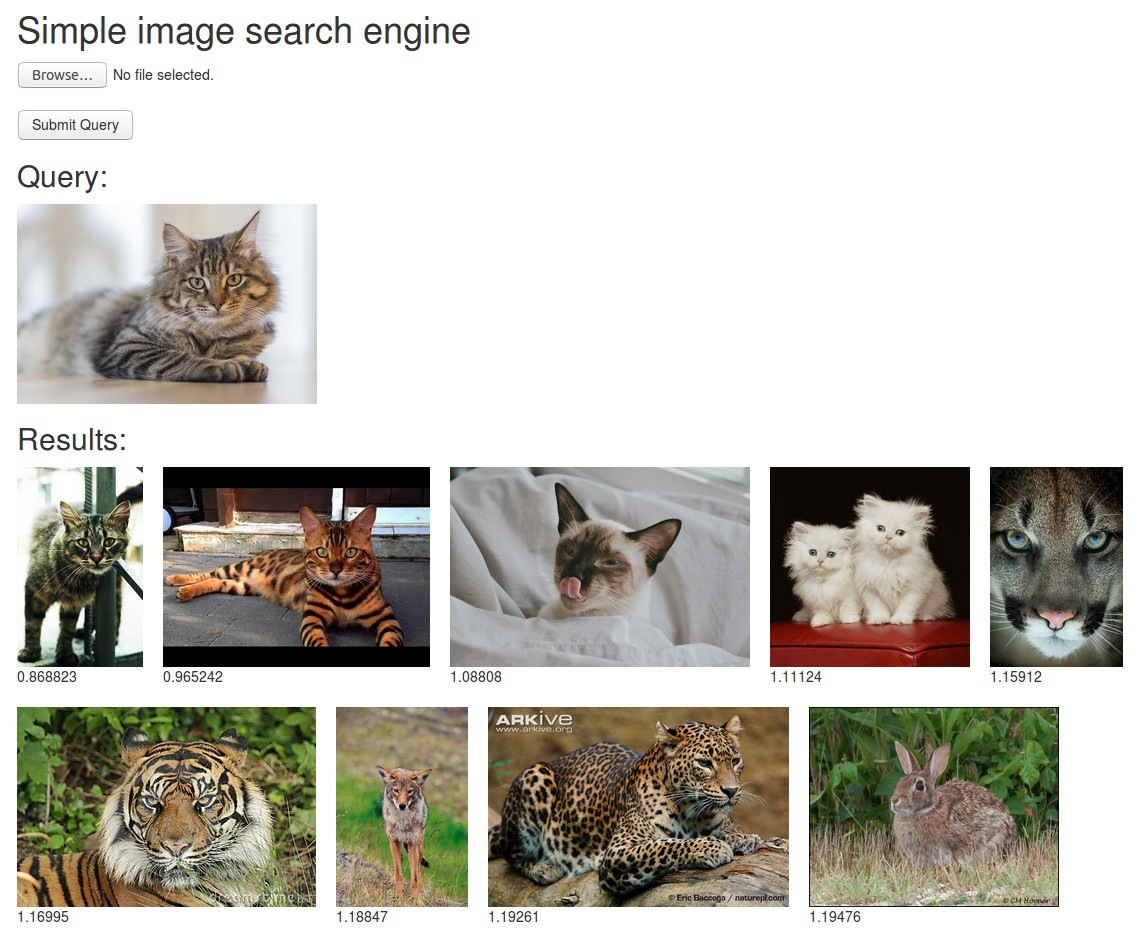
Workflow

News
- [2020.06] Updated many parts of the code for CVPR 2020 tutorial
Overview
- Simple image-based image search engine using Keras + Flask. You can launch the search engine just by running two python scripts.
-
offline.py: This script extracts a deep-feature from each database image. Each feature is a 4096D fc6 activation from a VGG16 model with ImageNet pre-trained weights. -
server.py: This script runs a web-server. You can send your query image to the server via a Flask web-interface. The server finds similar images to the query by a simple linear scan. - GPUs are not required.
- Tested on Ubuntu 18.04 and WSL2 (Ubuntu 20.04)
Links
- Demo
- Course at CVPR2020 [slides] [video]
- Project page
- Tutorial and Video by @sdkcarlos
Usage
git clone https://github.com/matsui528/sis.git
cd sis
pip install -r requirements.txt

# Put your image files (*.jpg) on static/img

# Then fc6 features are extracted and saved on static/feature
# Note that it takes time for the first time because Keras downloads the VGG weights.
python offline.py

# Now you can do the search via localhost:5000
python server.py
Advanced: Launch on AWS
- You can easily launch the search engine server on AWS EC2. Please first open the port 5000 and launch an EC2 instance. Note that you need to create a security group such that the port 5000 is opened.
- A middle-level CPU instance is sufficient, e.g., m5.large.
- After you log-in to the instance by ssh, please setup the python environment (e.g., by anaconda).
- Run
offline.pyandserver.py. - After you run
python server.py, you can access the server from your browser via something likehttp://ec2-XX-XX-XXX-XXX.us-west-2.compute.amazonaws.com:5000 - (Advanced) If you'd like to deploy the system in a secure way, please consider running the search engine with the usual web server, e.g., uWSGI + nginx.
- (Advanced) If you want to deploy the system serverlessly, AWS AppRunner is the way to go.
Citation
@misc{sis,
    author = {Yusuke Matsui},
    title = {Simple Image Search Engine},
    howpublished = {\url{https://github.com/matsui528/sis}}
}
評論
圖片
表情