
atom-php-cs-fixerRun the 'PHP Coding Standards Fixer' within Atom



php-cs-fixer Atom-Package
Run the "PHP Coding Standards Fixer" within your Atom Editor
This version requires the PHP-CS-Fixer >= v2.0.0!
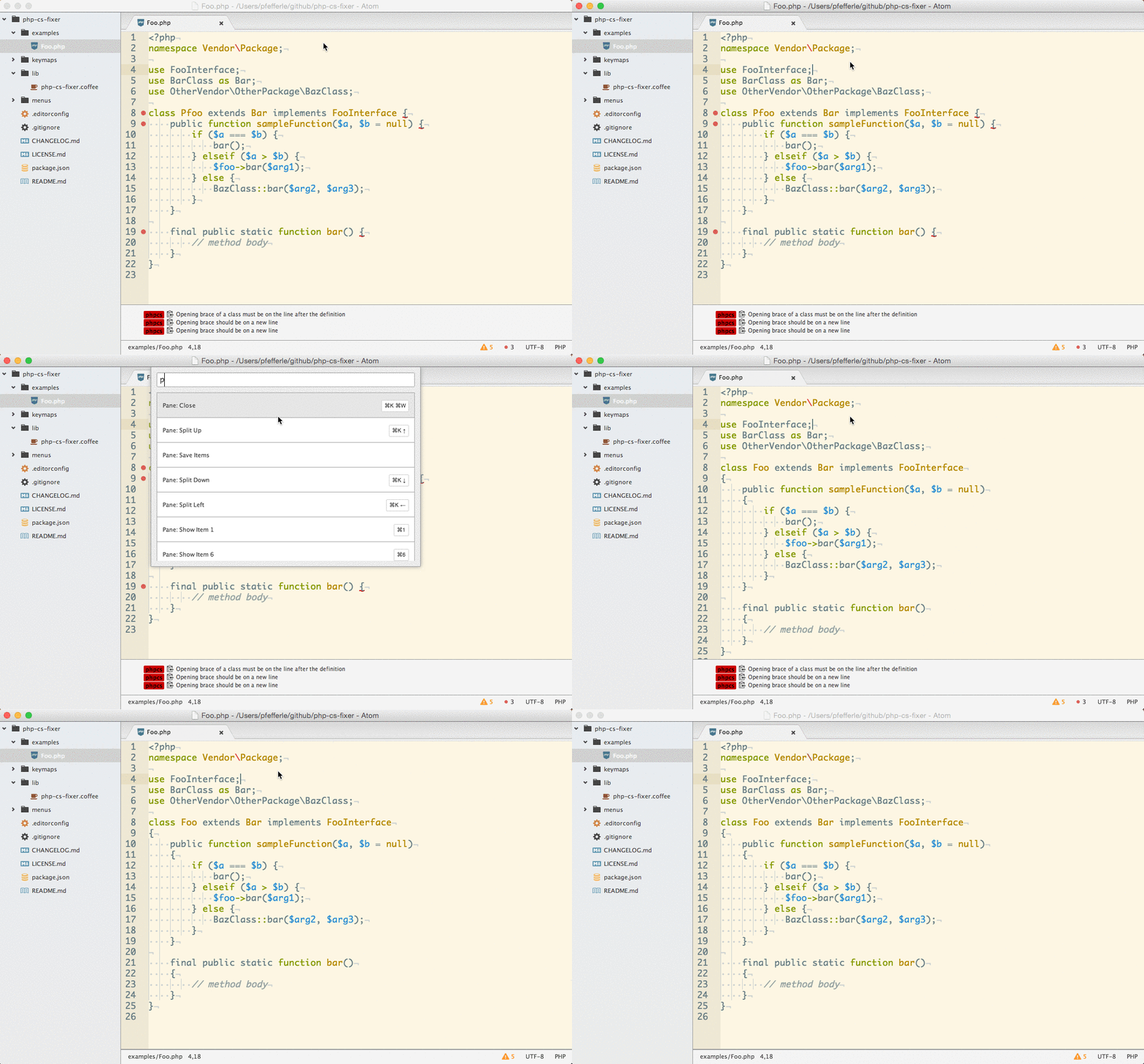
Installation
$ apm install php-cs-fixer
or find it in the Packages tab under settings
Requirements
The package requires the "PHP Coding Standards Fixer" Cli build by SensioLabs. Minimum version required is 2.0.
Installation via Composer
$ ./composer.phar global require friendsofphp/php-cs-fixer
For other installation methods, see http://cs.sensiolabs.org/#installation
Usage
ctrl-cmd-s or Php Cs Fixer: Fix in the Command Palette.
(The commands can also be found in the settings-menu of the Package)
Settings
You can configure php-cs-fixer from the Atom package manager or by editing ~/.atom/config.cson (choose Open Your Config in Atom menu).
Here's an example configuration:
"php-cs-fixer":
  allowRisky: false # whether to run risky rules, false by default
  executablePath: "~/.composer/vendor/bin/php-cs-fixer" # the path to the `php-cs-fixer` executable
  executeOnSave: false # execute PHP CS fixer on save
  phpExecutablePath: "/usr/bin/php" # the path to the `php` executable
  rules: "-psr0,@PSR2,binary_operator_spaces,blank_line_before_return,..." # or null
  showInfoNotifications: true #show some status informations from the last "fix"
How-To
Mac OS X + brew
By @gammamatrix
To get it to work with brew, you need to cat the contents of the script installed with brew install php-cs-fixer:
Check to see where it installed
$ which php-cs-fixer
/usr/local/bin/php-cs-fixer
Cat the script
cat /usr/local/bin/php-cs-fixer
#!/bin/sh

/usr/bin/env php -d allow_url_fopen=On -d detect_unicode=Off /usr/local/Cellar/php-cs-fixer/2.13.0/libexec/php-cs-fixer.phar $*
Paste the path for php-cs-fixer.phar in Executable Path
Go back to settings in Atom for php-cs-fixer.
/usr/local/Cellar/php-cs-fixer/2.13.0/libexec/php-cs-fixer.phar
FYI: "PHP executable Path" is empty for my set up. I also installed PHP with brew.
Use the keystroke: ctrl-cmd-s
I hope this helps 8)
This works for me without errors.
FAQ
Support for PHP-CS-Fixer v1.x.x
The latest version of this plugin requires PHP-CS-Fixer >= v2.0.0, to use it with PHP-CS-Fixer v1.x.x, install version 3.0.0 or lower.
$ apm install [email protected]
I have updated the plugin to 2.3.0 and it does not work any more
I had to add a new settings-parameter "PHP executable Path" to get the plugin running on Windows, so be sure to check if the new setting is configured properly.
On Windows this add-on does not work while running manually from the command line works
You probably have to add the directory of the php.exe to the PATH environment variable. You can do this in the system properties. You should configure the php-cs-fixer executable path to point to the vendor directory (e.g. C:/Users/{username}/AppData/Roaming/Composer/vendor/friendsofphp/php-cs-fixer/php-cs-fixer). For detailed information use the Java guide or this stackexchange answer.