
100行Python代碼輕松開發(fā)個人博客

添加微信號"CNFeffery"加入技術交流群
?本文示例代碼已上傳至我的
?Github倉庫https://github.com/CNFeffery/DataScienceStudyNotes
1 簡介
這是我的系列教程「Python+Dash快速web應用開發(fā)」的第十六期,在過往所有的教程及案例中,我們所搭建的Dash應用的訪問地址都是單一的,是個「單頁面」應用,即我們所有的功能都排布在同一個url之下。
而隨著我們所編寫的Dash應用功能的日趨健全和復雜,單一url的內容組織方式無法再很好的滿足需求,也不利于構建邏輯清晰的web應用。
因此我們需要在Dash應用中引入「路由」的相關功能,即在當前應用主域名下,根據(jù)不同的url來渲染出具有不同內容的頁面,就像我們日常使用的絕大多數(shù)網(wǎng)站那樣。
而今天的教程,我們就將一起學習在Dash中編寫多url應用并進行路由控制的常用方法。

2 編寫多頁面Dash應用
2.1 Location()的基礎使用
要想在Dash中實現(xiàn)url路由功能,首先我們需要捕獲到瀏覽器中地址欄對應的url是什么,這在Dash中可以通過在app.layout中構建一個可以持續(xù)監(jiān)聽當前Dash應用url信息的部件來實現(xiàn)。
我們使用官方依賴庫dash_core_components中的Location()部件來實現(xiàn)上述功能,它的核心參數(shù)或屬性有href、pathname、search和hash,讓我們通過下面的例子來直觀的了解它們各自記錄了地址欄url中的哪些信息:
?app1.py
?
import dash
import dash_core_components as dcc
import dash_html_components as html
import dash_bootstrap_components as dbc
from dash.dependencies import Input, Output

app = dash.Dash(__name__)

app.layout = dbc.Container(
    [
        dcc.Location(id='url'),
        html.Ul(id='output-url')
    ],
    style={
        'paddingTop': '100px'
    }
)


@app.callback(
    Output('output-url', 'children'),
    [Input('url', 'href'),
     Input('url', 'pathname'),
     Input('url', 'search'),
     Input('url', 'hash')]
)
def show_location(href, pathname, search, hash):
    return (
        html.Li(f'當前href為:{href}'),
        html.Li(f'當前pathname為:{pathname}'),
        html.Li(f'當前search為:{search}'),
        html.Li(f'當前hash為:{hash}'),
    )


if __name__ == '__main__':
    app.run_server(debug=True)
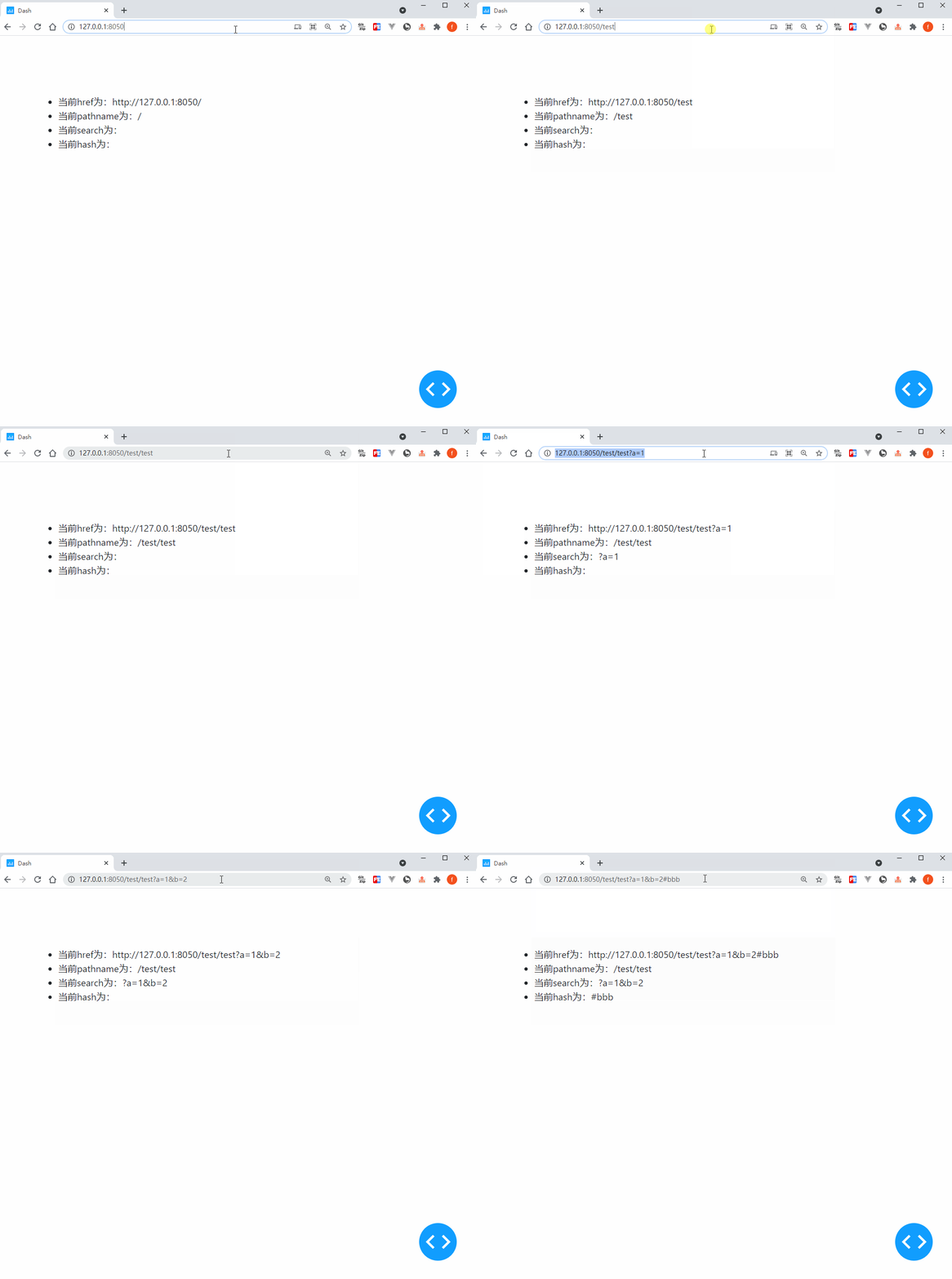
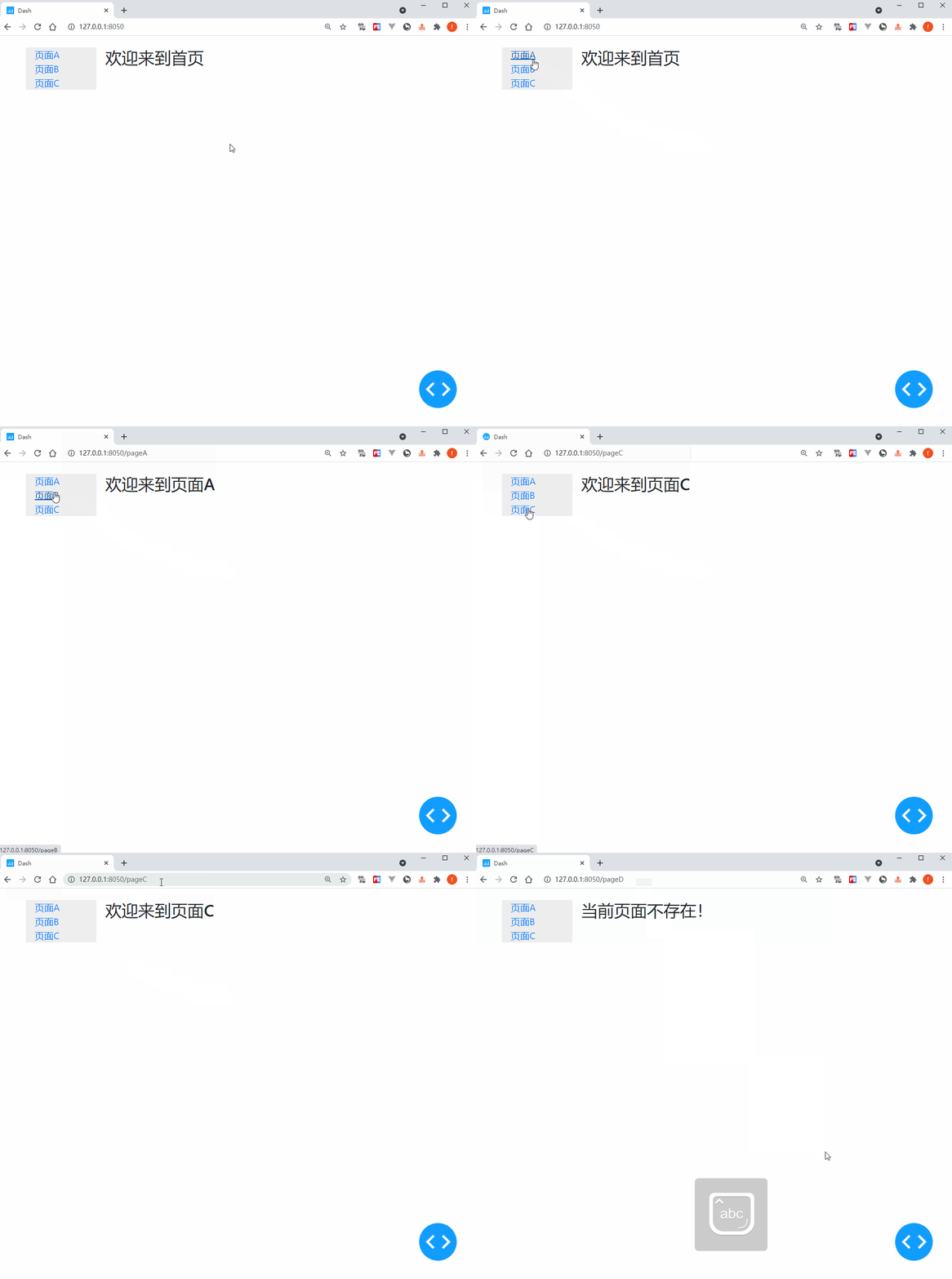
因此在Dash中編寫多url應用的核心策略是利用埋點Location()捕獲到地址欄對應信息的變化,并以這些信息作為回調函數(shù)的輸入,來輸出相應的頁面內容變化,讓我們從下面這個簡單的例子中get上述這一套流程的運作方式:
?app2.py
?
import dash
import dash_core_components as dcc
import dash_html_components as html
import dash_bootstrap_components as dbc
from dash.dependencies import Input, Output

app = dash.Dash(__name__)

app.layout = dbc.Container(
    [
        dcc.Location(id='url', refresh=False),
        dbc.Row(
            [
                dbc.Col(
                    [
                        html.A('頁面A', href='/pageA'),
                        html.Br(),
                        html.A('頁面B', href='/pageB'),
                        html.Br(),
                        html.A('頁面C', href='/pageC'),
                    ],
                    width=2,
                    style={
                        'backgroundColor': '#eeeeee'
                    }
                ),
                dbc.Col(
                    html.H3(id='render-page-content'),
                    width=10
                )
            ]
        )
    ],
    style={
        'paddingTop': '20px',
        'height': '100vh',
        'weight': '100vw'
    }
)


@app.callback(
    Output('render-page-content', 'children'),
    Input('url', 'pathname')
)
def render_page_content(pathname):
    if pathname == '/':
        return '歡迎來到首頁'

    elif pathname == '/pageA':
        return '歡迎來到頁面A'

    elif pathname == '/pageB':
        return '歡迎來到頁面B'

    elif pathname == '/pageC':
        return '歡迎來到頁面C'

    else:
        return '當前頁面不存在!'


if __name__ == '__main__':
    app.run_server(debug=True)
2.2 利用Location()實現(xiàn)頁面重定向
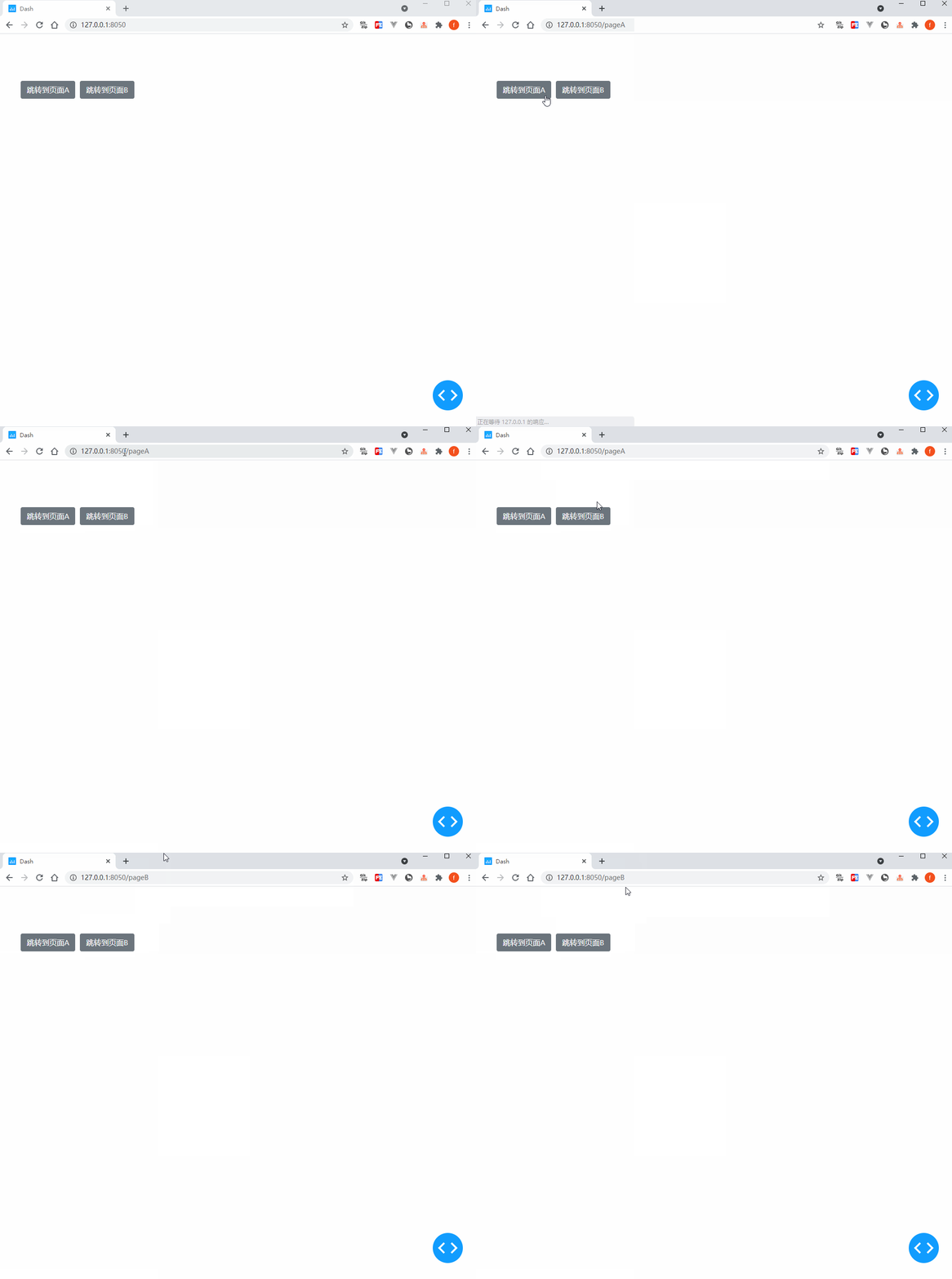
在上一小節(jié)我們對dcc.Location()的基礎用法進行了介紹,而它的功能可不止監(jiān)聽url變化這么簡單,我們還可以利用它在Dash中實現(xiàn)「重定向」,使用方式簡單一句話描述就是將Location()作為對應回調的輸出(記住一定要定義id屬性),這樣地址欄url會在回調完成后對應跳轉。
讓我們通過下面這個簡單的例子來get這個技巧:
?app3.py
?
import dash
import dash_core_components as dcc
import dash_html_components as html
import dash_bootstrap_components as dbc
from dash.dependencies import Input, Output

app = dash.Dash(__name__)

app.layout = dbc.Container(
    [
        html.Div(id='redirect-url-container'),

        dbc.Button('跳轉到頁面A', id='jump-to-pageA', style={'marginRight': '10px'}),

        dbc.Button('跳轉到頁面B', id='jump-to-pageB'),
    ],
    style={
        'paddingTop': '100px'
    }
)


@app.callback(
    Output('redirect-url-container', 'children'),
    [Input('jump-to-pageA', 'n_clicks'),
     Input('jump-to-pageB', 'n_clicks')],
)
def jump_to_target(a_n_clicks, b_n_clicks):
    ctx = dash.callback_context

    if ctx.triggered[0]['prop_id'] == 'jump-to-pageA.n_clicks':
        return dcc.Location(id='redirect-url', href='/pageA')

    elif ctx.triggered[0]['prop_id'] == 'jump-to-pageB.n_clicks':
        return dcc.Location(id='redirect-url', href='/pageB')

    return dash.no_update


if __name__ == '__main__':
    app.run_server(debug=True)
2.3 用Link()實現(xiàn)“無縫”頁面切換
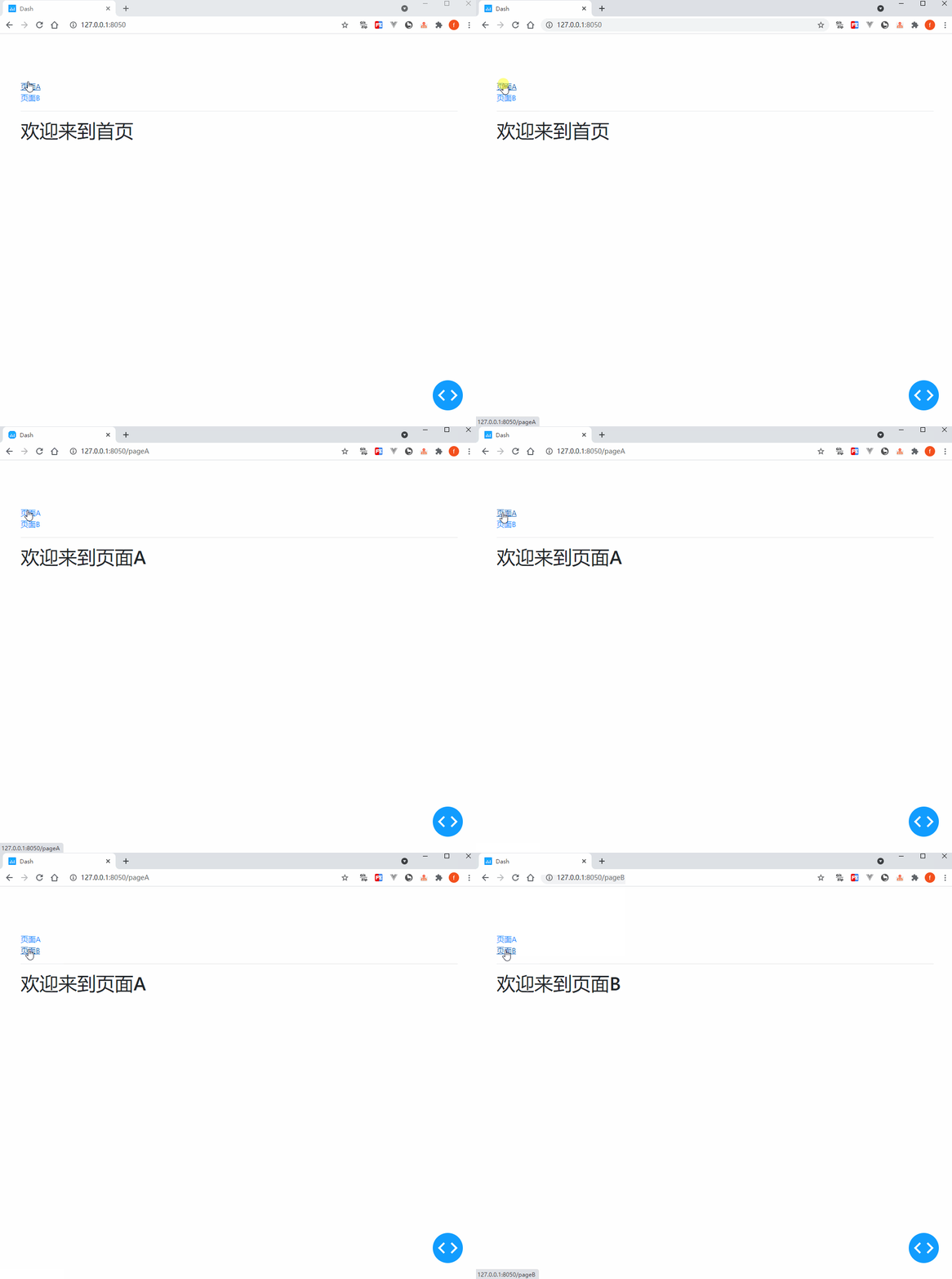
你應該注意到了,在Dash中利用Location()和普通的A()部件實現(xiàn)跳轉時,頁面在跳轉后會整體刷新,這會一定程度上破壞整個web應用的整體體驗。
而dash_core_components中的Link()部件則是很好的替代,它的基礎屬性與A()無異,但額外的refresh參數(shù)默認為False,會在點擊后進行Dash應用內跳轉時無縫切換,頁面不會整體刷新:
?app4.py
?
import dash
import dash_core_components as dcc
import dash_html_components as html
import dash_bootstrap_components as dbc
from dash.dependencies import Input, Output

app = dash.Dash(__name__)

app.layout = dbc.Container(
    [
        dcc.Location(id='url'),

        dcc.Link('頁面A', href='/pageA', refresh=True),
        html.Br(),
        dcc.Link('頁面B', href='/pageB'),

        html.Hr(),

        html.H1(id='render-page-content')
    ],
    style={
        'paddingTop': '100px'
    }
)


@app.callback(
    Output('render-page-content', 'children'),
    Input('url', 'pathname')
)
def render_page_content(pathname):
    if pathname == '/':
        return '歡迎來到首頁'

    elif pathname == '/pageA':
        return '歡迎來到頁面A'

    elif pathname == '/pageB':
        return '歡迎來到頁面B'

    elif pathname == '/pageC':
        return '歡迎來到頁面C'

    else:
        return '當前頁面不存在!'


if __name__ == '__main__':
    app.run_server(debug=True)
類似的功能還有dash_bootstrap_components中的NavLink(),用法與Link()相似,這里就不再贅述。
3 動手開發(fā)個人博客網(wǎng)站
掌握了今天的知識之后,我們來用Dash開發(fā)一個簡單的個人博客網(wǎng)站,思路是在Location()監(jiān)聽url變化的前提下,后臺利用網(wǎng)絡爬蟲從我的博客園Dash主題下爬取相應的網(wǎng)頁內容,并根據(jù)用戶訪問來渲染出對應的文章:
?app5.py
?
import dash
import dash_core_components as dcc
import dash_html_components as html
import dash_bootstrap_components as dbc
import dash_dangerously_set_inner_html  # 用于直接渲染html源碼字符串
from dash.dependencies import Input, Output

import re
from html import unescape
import requests
from lxml import etree

app = dash.Dash(__name__, suppress_callback_exceptions=True)

app.layout = html.Div(
    dbc.Spinner(
        dbc.Container(
            [
                dcc.Location(id='url'),

                html.Div(
                    id='page-content'
                )
            ],
            style={
                'paddingTop': '30px',
                'paddingBottom': '50px',
                'borderRadius': '10px',
                'boxShadow': 'rgb(0 0 0 / 20%) 0px 13px 30px, rgb(255 255 255 / 80%) 0px -13px 30px'
            }
        ),
        fullscreen=True
    )
)


@app.callback(
    Output('article-links', 'children'),
    Input('url', 'pathname')
)
def render_article_links(pathname):
    response = requests.get('https://www.cnblogs.com/feffery/tag/Dash/',
                            headers={
                                'User-Agent': 'Mozilla/5.0 (Windows NT 10.0; Win64; x64) AppleWebKit/537.36 (KHTML, like Gecko) Chrome/89.0.4389.114 Safari/537.36'
                            })

    tree = etree.HTML(response.text)

    posts = [
        (href, title.strip())
        for href, title in zip(
            tree.xpath("http://div[@class='postTitl2']/a/@href"),
            tree.xpath("http://div[@class='postTitl2']/a/span/text()")
        )
    ]

    return [
        html.Li(
            dcc.Link(title, href=f'/article-{href.split("/")[-1]}', target='_blank')
        )
        for href, title in posts
    ]


@app.callback(
    Output('page-content', 'children'),
    Input('url', 'pathname')
)
def render_article_content(pathname):
    if pathname == '/':

        return [
            html.H2('博客列表:'),

            html.Div(
                id='article-links',
                style={
                    'width': '100%'
                }
            )
        ]

    elif pathname.startswith('/article-'):

        response = requests.get('https://www.cnblogs.com/feffery/p/%s.html' % re.findall('\d+', pathname)[0])

        tree = etree.HTML(response.text)

        return (
            html.H3(tree.xpath("http://title/text()")[0].split(' - ')[0]),
            html.Em('作者:費弗里'),
            dash_dangerously_set_inner_html.DangerouslySetInnerHTML(
                unescape(etree.tostring(tree.xpath('//div[@id="cnblogs_post_body"]')[0]).decode())
            )
        )

    return dash.no_update


if __name__ == '__main__':
    app.run_server(debug=True)
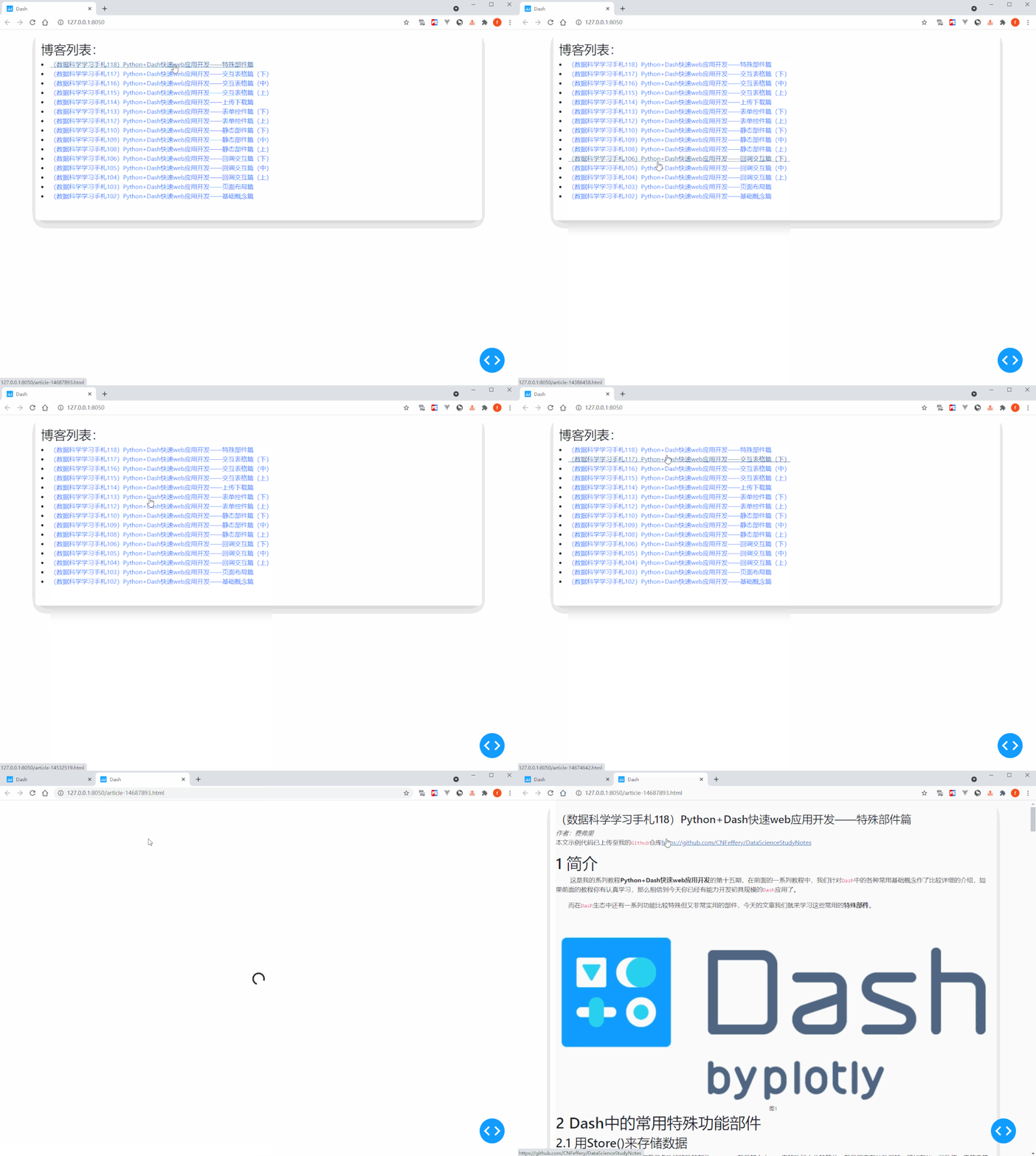
按照類似的思路,你可以隨心所欲地開發(fā)自己的多頁面應用,進一步豐富完善你的Dash應用功能。
以上就是本文的全部內容,歡迎在評論區(qū)發(fā)表你的意見和想法。

加入知識星球【我們談論數(shù)據(jù)科學】
400+小伙伴一起學習!
· 推薦閱讀 ·
用Python輕松開發(fā)數(shù)據(jù)庫取數(shù)下載工具