
益智3D小游戲技術(shù)分享,立方體數(shù)字 Cube Digits,Cocos Creator 3.7.1
最近開(kāi)發(fā)了一款益智3D小游戲,分享其中的一些技術(shù)實(shí)現(xiàn)~
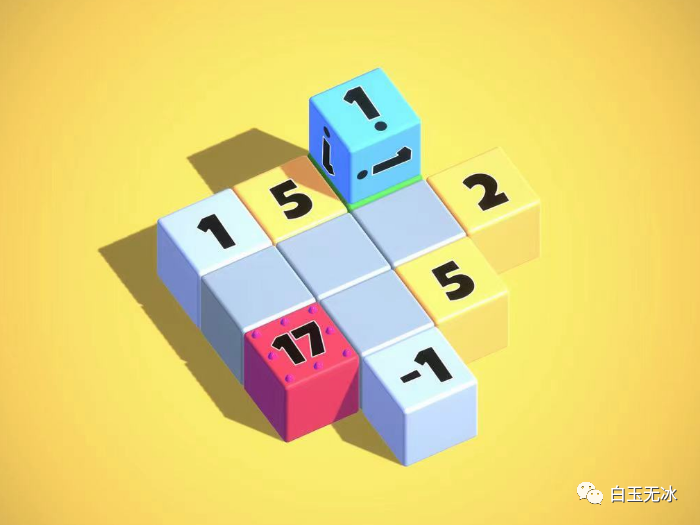 效果
效果
視頻
可以參考實(shí)現(xiàn)效果與技術(shù)講解的視頻[1],介紹了如何創(chuàng)建獲取項(xiàng)目[2],編輯關(guān)卡,以及一些技術(shù)實(shí)現(xiàn)。
玩法
當(dāng)你滾動(dòng)你的立方體時(shí),你會(huì)遇到其他帶有數(shù)字的立方體,你可以加、減或乘以匹配最終立方體上的數(shù)字。
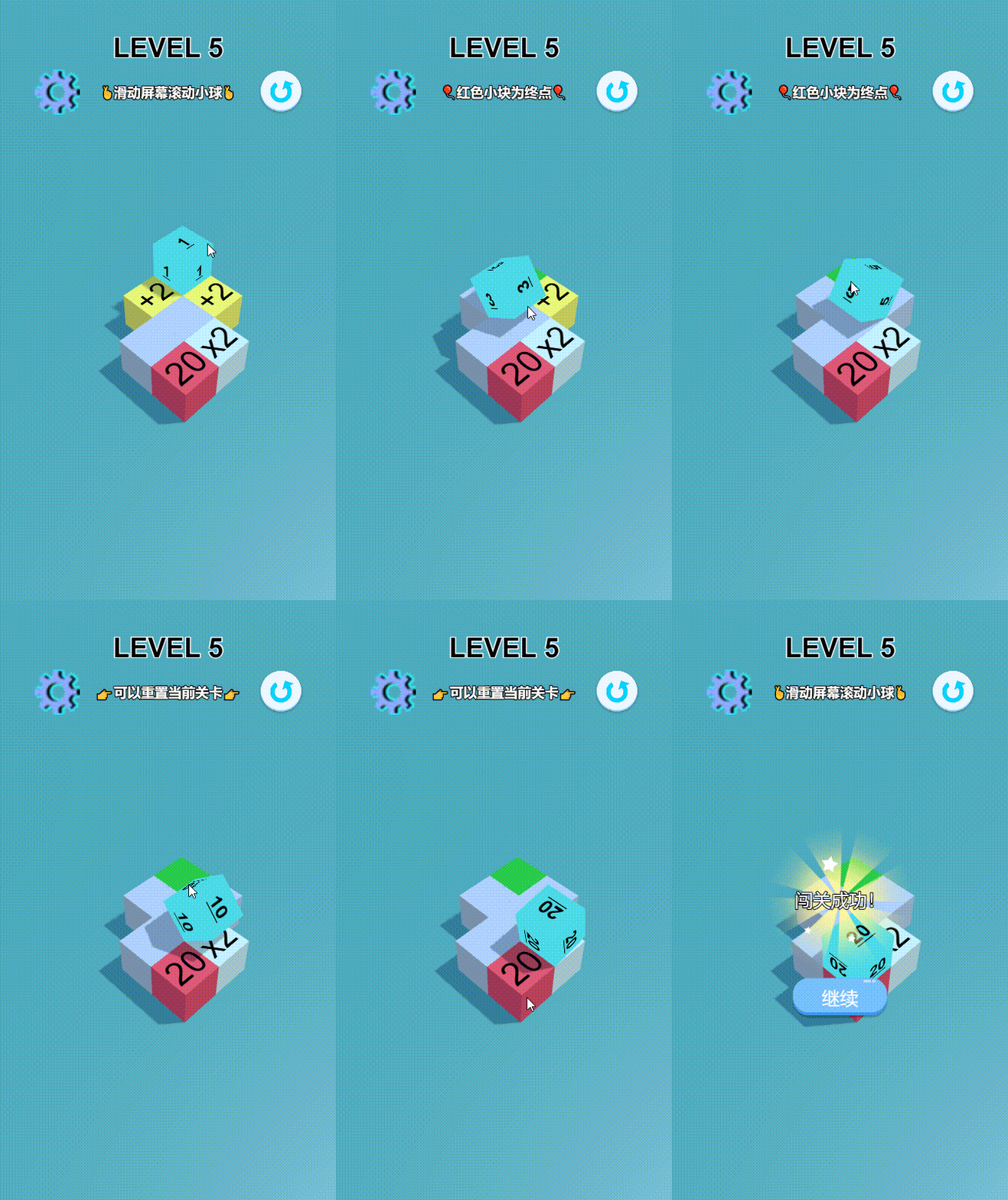
體驗(yàn)
可直接進(jìn)入微信小游戲【 不停歇的球】體驗(yàn)~
環(huán)境- 引擎版本:Cocos Creator 3.7.1
- 編程語(yǔ)言:TypeScript
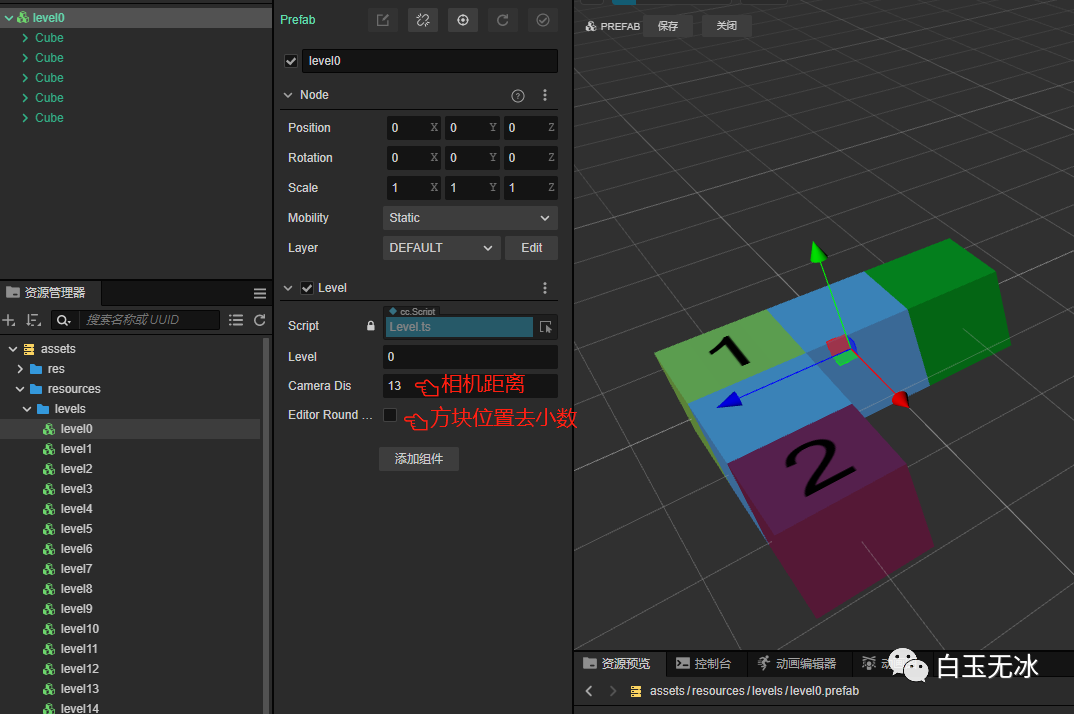
關(guān)卡編輯
采用預(yù)制體的方式設(shè)計(jì)關(guān)卡。
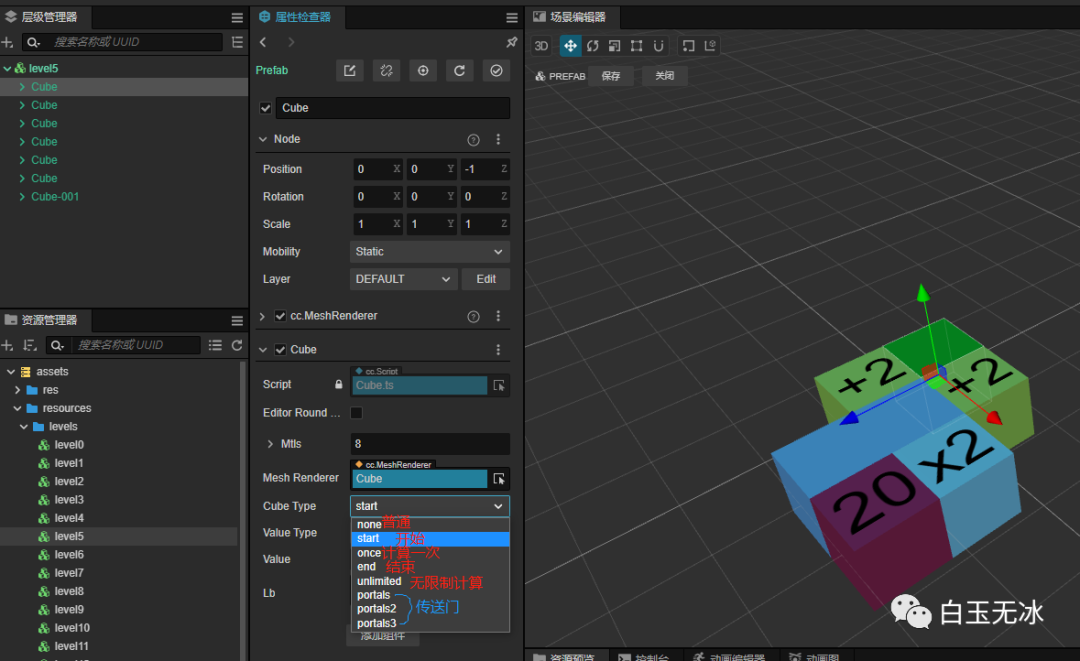
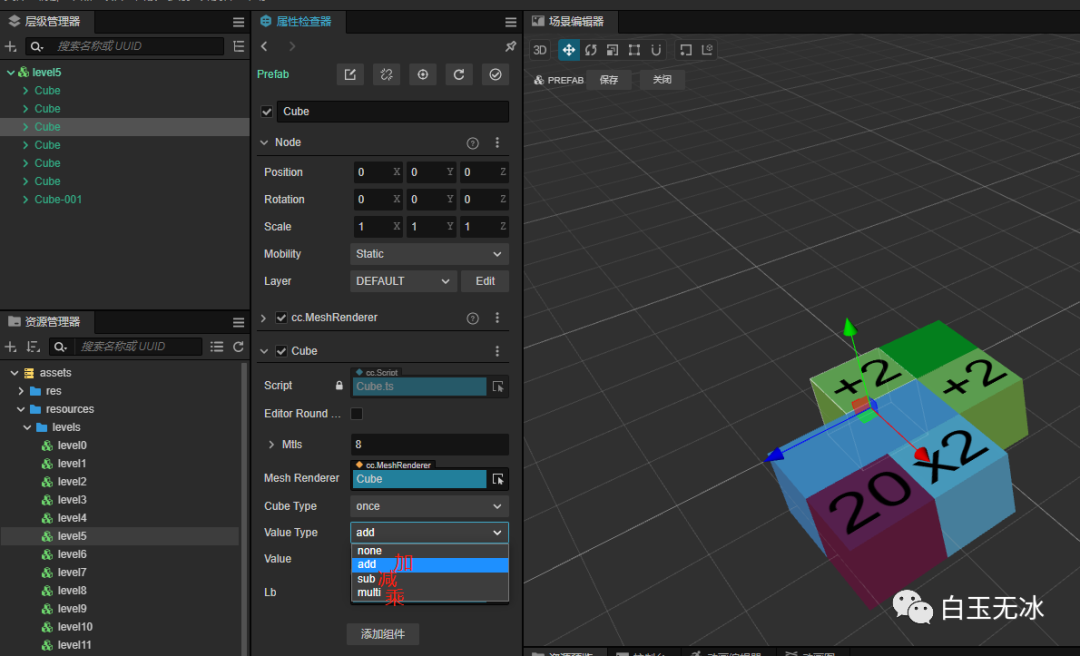
每個(gè)方塊都會(huì)掛載一個(gè)輔助腳本,控制方塊的類型,數(shù)值等顯示
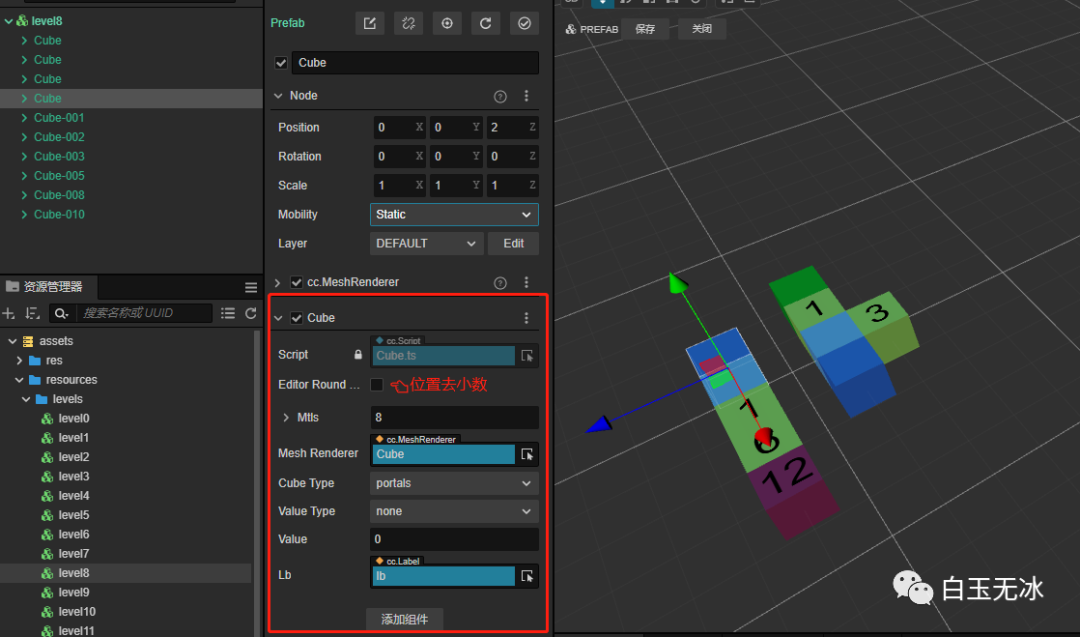
每個(gè)關(guān)卡里設(shè)計(jì)了不同的方塊類型。
以及不同的計(jì)算方式
assets\src\Level.ts 遍歷兩次所有方塊節(jié)點(diǎn),根據(jù)位置關(guān)系記錄節(jié)點(diǎn)上下左右節(jié)點(diǎn)。
      const?cubes?=?this.getComponentsInChildren(Cube)
for?(let?index?=?0;?index?<?cubes.length;?index++)?{
????const?element?=?cubes[index];
????const?pos?=?element.node.position

????for?(let?index2?=?0;?index2?<?cubes.length;?index2++)?{
????????const?element2?=?cubes[index2];
????????if?(element?==?element2)?continue
????????const?pos2?=?element2.node.position;

????????if?(pos.x?==?pos2.x)?{
????????????if?(pos.z?==?pos2.z?+?C_CUBE_RADIUS)?{
????????????????element.up?=?element2
????????????????element2.down?=?element
????????????}?else?if?(pos.z?==?pos2.z?-?C_CUBE_RADIUS)?{
????????????????element.down?=?element2
????????????????element2.up?=?element
????????????}
????????}?else?if?(pos.z?==?pos2.z)?{
????????????if?(pos.x?==?pos2.x?+?C_CUBE_RADIUS)?{
????????????????element.left?=?element2
????????????????element2.right?=?element
????????????}?else?if?(pos.x?==?pos2.x?-?C_CUBE_RADIUS)?{
????????????????element.right?=?element2
????????????????element2.left?=?element
????????????}
????????}
????}
}
3D文本
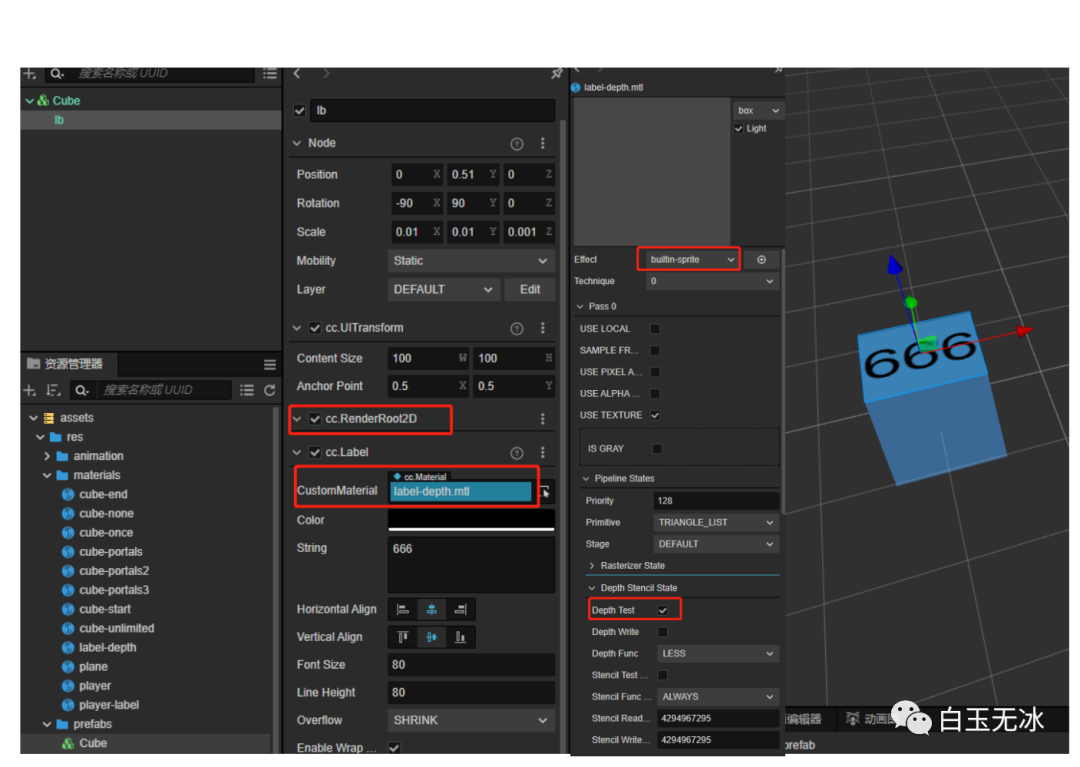
方法1
-
使用
Label組件 -
添加
RenderRoot2D組件 -
添加深度測(cè)試開(kāi)啟的材質(zhì) (
builtin-sprite)
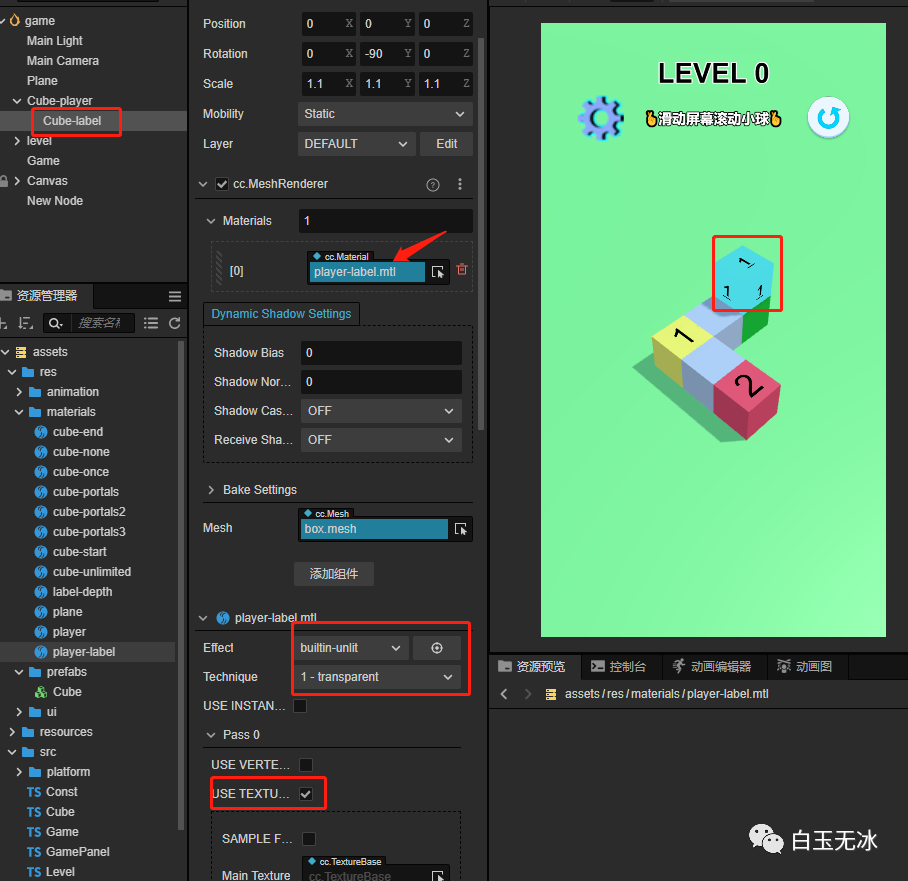
方法2
- 添加無(wú)光照的材質(zhì),選擇透明
-
使用
Label的紋理
      const?tex?=?this.lb.spriteFrame.texture
this.meshLabel.sharedMaterial.setProperty("mainTexture",?tex)
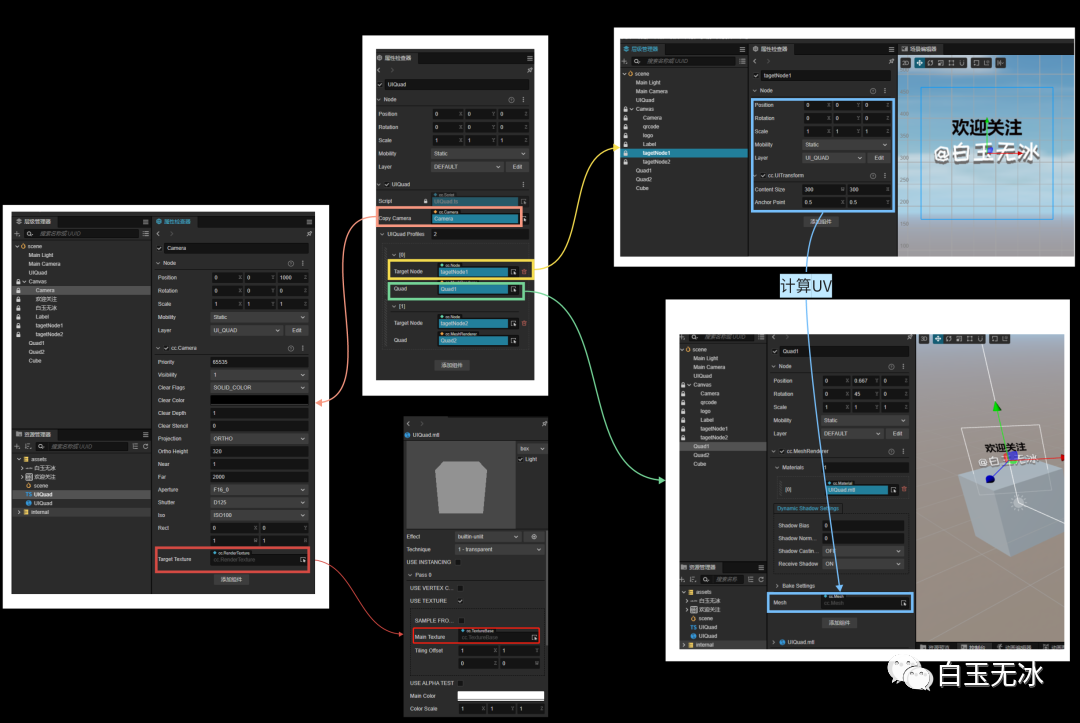
方法3
可參考3DUI in Cocos Creator,但是此項(xiàng)目沒(méi)使用這個(gè)方法??
立方體滾動(dòng)
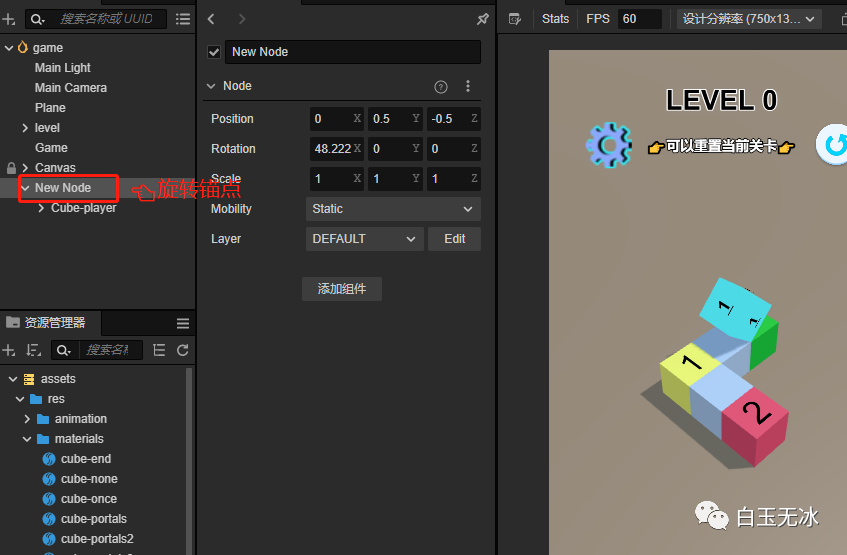
實(shí)現(xiàn)思路類似2DUI中的錨點(diǎn),人為添加一個(gè)輔助節(jié)點(diǎn)作為滾動(dòng)方塊的錨點(diǎn)。
- 將立方體添加到一個(gè)輔助節(jié)點(diǎn)
- 旋轉(zhuǎn)輔助節(jié)點(diǎn)
- 旋轉(zhuǎn)前后要緩存原來(lái)節(jié)點(diǎn)數(shù)據(jù),在變化前后還原節(jié)點(diǎn)數(shù)據(jù)
核心代碼如下
      private?afterRotate()?{
????const?oldw?=?this.node.worldPosition.clone()
????const?oldr?=?this.node.worldRotation.clone()
????this.rotateHelper.parent.addChild(this.node)
????this.node.worldPosition?=?oldw
????this.node.worldRotation?=?oldr
????this.rotateHelper.setRotationFromEuler(Vec3.ZERO)
}

private?rotate(offset:?Vec3,?eulerAngles:?Vec3)?{
????const?oldw?=?this.node.worldPosition.clone()
????Vec3.add(this.rotateHelper.worldPosition,?this.node.worldPosition,?offset)
????this.rotateHelper.worldPosition?=?this.rotateHelper.worldPosition
????this.rotateHelper.addChild(this.node)
????this.node.worldPosition?=?oldw
????tween(this.rotateHelper).to(0.3,?{?eulerAngles:?eulerAngles?},?{
????????onComplete:?()?=>?{
????????????this.afterRotate()
????????}
????}).start()
}
結(jié)語(yǔ)
閱讀原文可直接獲取項(xiàng)目,有任何問(wèn)題可在Cocos 論壇[3]中或在微信公眾號(hào)中留言~
參考資料
[1]實(shí)現(xiàn)效果與技術(shù)講解的視頻: https://www.bilibili.com/video/BV1mM411u7W3
[2]創(chuàng)建獲取項(xiàng)目: https://store.cocos.com/app/detail/4721
[3]Cocos 論壇: https://forum.cocos.org/t/topic/87352
點(diǎn)擊 “閱讀原文”下載項(xiàng)目工程