哪些 Python 庫讓你相見恨晚?


哪些 Python 庫讓你相見恨晚?可能有些人見過這個(gè)問題,其實(shí)這就是知乎上的一個(gè)提問,問題鏈接為:https://www.zhihu.com/question/24590883,相見恨晚意思是遺憾相識太晚,也就是哪些 Python 讓你遺憾相識太晚?這個(gè)問題對每個(gè)人及每個(gè)人的不同階段可能都會有所不同,所以大家也不用糾結(jié)于別人與自己看法是否相同的問題,本文選取自己之前回答中幾個(gè)有特點(diǎn)的庫向大家介紹一下。
face-mask
face-mask 實(shí)現(xiàn)了給照片帶口罩以及檢測是否戴口罩的功能,使用之前需執(zhí)行 pip install face-mask 裝一下。
舉一個(gè)我之前實(shí)現(xiàn)的示例,因當(dāng)時(shí)在播電視劇《獵狐》,所以就選了獵狐 F4 的照片為原型,原圖如下:

實(shí)現(xiàn)給照片帶口罩,執(zhí)行命令 face-mask x.PNG --red,效果如下:

檢測照片是否帶口罩,執(zhí)行命令 python pytorch_infer.py --img-path C:\Users\admin\Desktop\xx.PNG,效果如下:

myqr
通過使用 myqr,我們只需幾行 Python 代碼即可生成炫酷的動(dòng)態(tài)二維碼,使用之前需執(zhí)行 pip install myqr 裝一下,看一下我之前實(shí)現(xiàn)的示例,效果如下:
如果不了解具體實(shí)現(xiàn),可以看一下我之前寫的這篇:用 Python 生成炫酷二維碼及解析
fsociety?
提供一整套基于Python語言及解決方案的安全測試框架。
項(xiàng)目地址: https://github.com/Manisso/fsociety
pytest
最強(qiáng)大的python測試框架,入門成本低但精通成本高;特性豐富,功能強(qiáng)大,基本上你需要的功能,這個(gè)框架都能提供。
項(xiàng)目地址:?https://docs.pytest.org/en/latest/
Faker
最流行的造數(shù)據(jù)的庫,基于Python語言,支持中文。
from?faker?import?Faker
fake?=?Faker()

fake.name()
#?'Lucy?Cechtelar'

fake.address()
#?'426?Jordy?Lodge
#??Cartwrightshire,?SC?88120-6700'
項(xiàng)目地址: https://github.com/joke2k/faker
cutecharts
與 Matplotlib 、pyecharts 等常見的圖表不同,使用 cutecharts 可以生成手繪風(fēng)格的各種圖表,實(shí)現(xiàn)之前需執(zhí)行 pip install cutecharts 裝一下,看一下相應(yīng)效果:
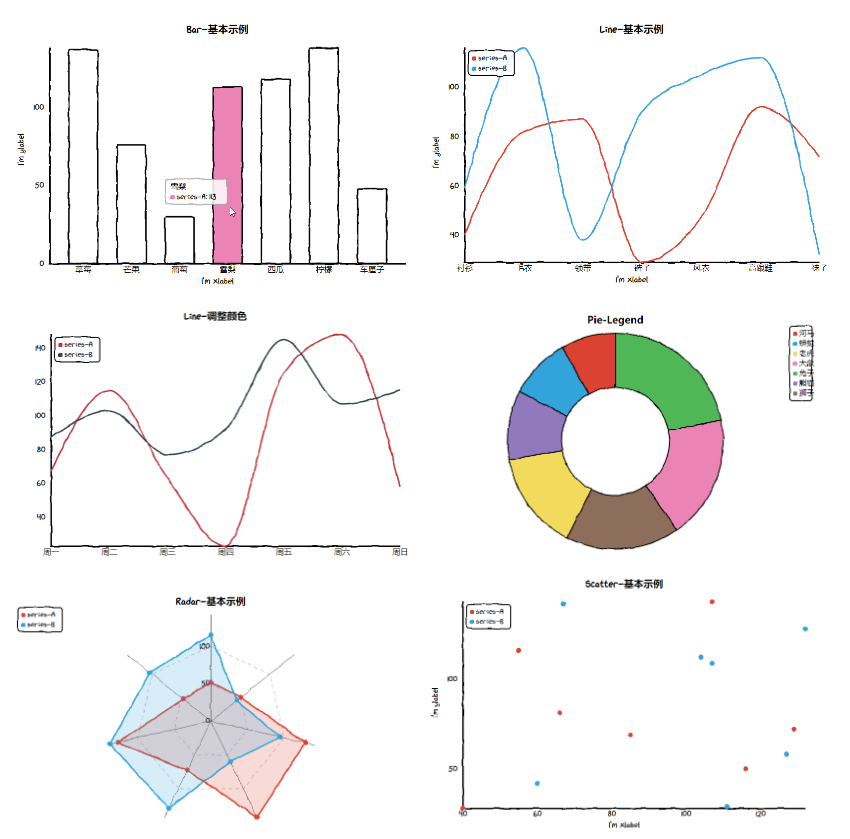
項(xiàng)目地址為:https://github.com/cutecharts/cutecharts.py,如果感覺興趣的話,可以去看一下,具體使用里面也有相應(yīng)介紹,這里不再多說。
you-get
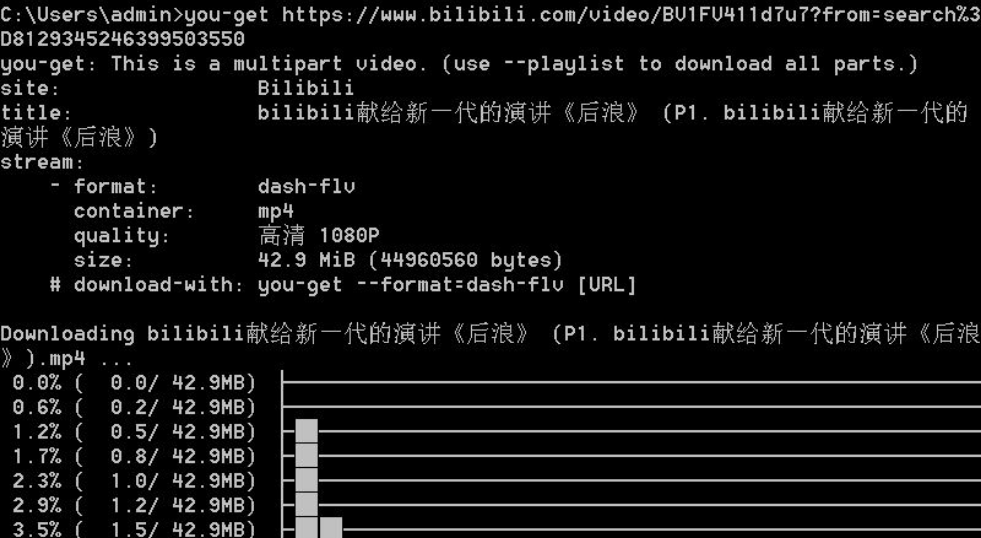
you-get 可以說是一個(gè)神器,一行命令即可下載很多網(wǎng)站視頻,使用之前需執(zhí)行 pip install you-get 裝一下,當(dāng)時(shí)《后浪》視頻刷爆 B 站,所以就以下載《后浪》做了示例,如圖所示:
colorama
colorama 可以跨多終端,顯示字體不同的顏色和背景,使用之前需執(zhí)行 pip install colorama 裝一下。
舉一個(gè)我之前實(shí)現(xiàn)的示例,效果如下:
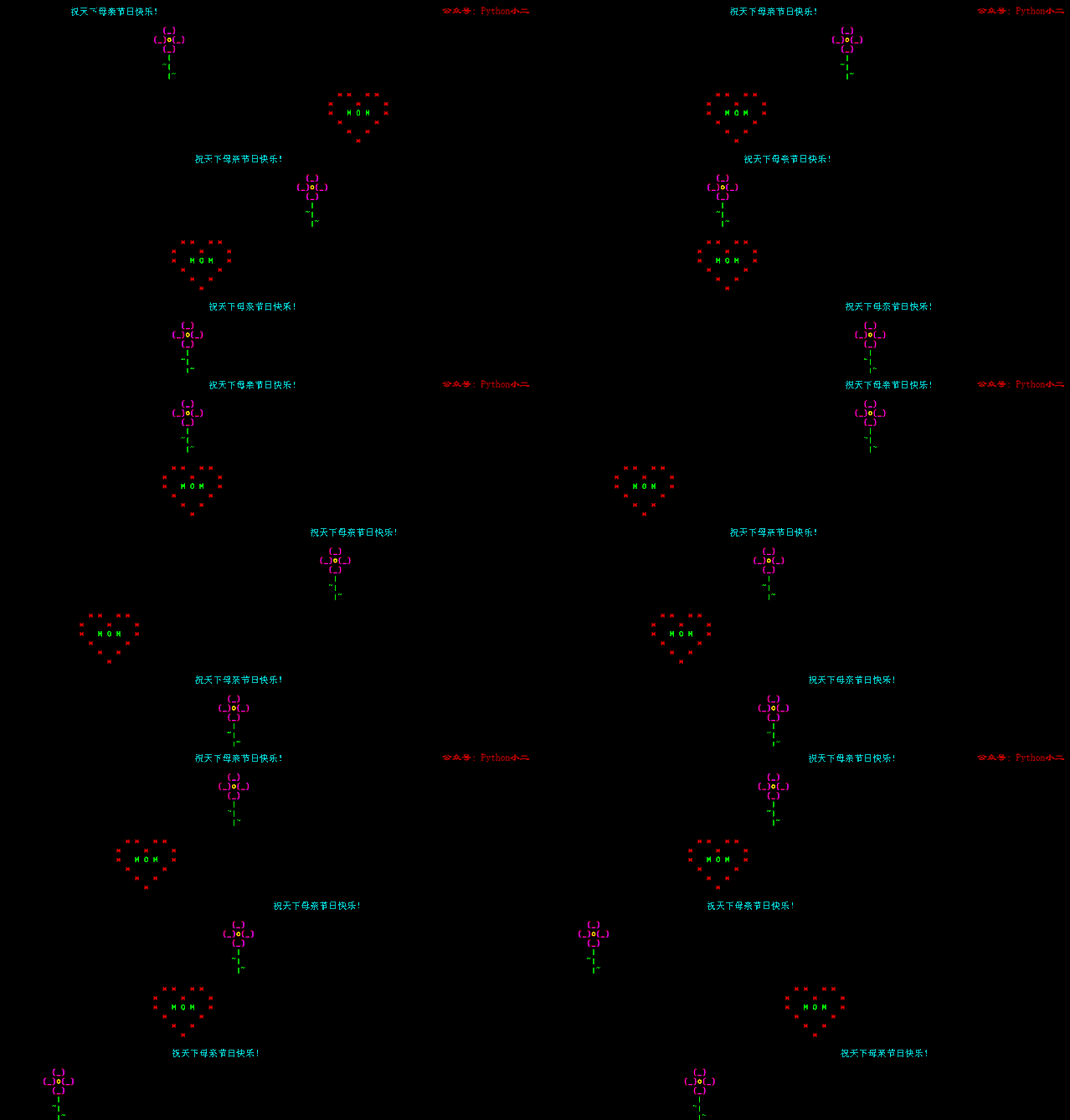
實(shí)現(xiàn)代碼如下:
import?time,?colorama
from?random?import?randint

colorama.init(convert=True)
RED?=?colorama.Fore.RED?+?colorama.Style.BRIGHT
CYAN?=?colorama.Fore.CYAN?+?colorama.Style.BRIGHT
GREEN?=?colorama.Fore.GREEN?+?colorama.Style.BRIGHT
YELLOW?=?colorama.Fore.YELLOW?+?colorama.Style.BRIGHT
MAGENTA?=?colorama.Fore.MAGENTA?+?colorama.Style.BRIGHT

#?打印抬頭
for?i?in?range(1,?35):
????print('')
#?*的位置
heartStars?=?[2,?4,?8,?10,?14,?20,?26,?28,?40,?44,?52,?60,?64,?76]
#?空格的位置
heartBreakLines?=?[13,?27,?41,?55,?69,?77]
#?玫瑰的空列位置
flowerBreakLines?=?[7,?15,?23,?31,?39,?46]

#?添加空列
def?addSpaces(a):
????count?=?a
????while?count?>?0:
????????print('?',?end='')
????????count?-=?1

#?添加空行
def?newLineWithSleep():
????time.sleep(0.3)
????print('\n',?end='')

play?=?0
while?play?==?0:
????Left_Spaces?=?randint(8,?80)
????addSpaces(Left_Spaces)
????#?畫心
????for?i?in?range(0,?78):
????????if?i?in?heartBreakLines:
????????????newLineWithSleep()
????????????addSpaces(Left_Spaces)
????????elif?i?in?heartStars:
????????????print(RED?+?'*',?end='')
????????elif?i?in?(32,?36):
????????????print(GREEN?+?'M',?end='')
????????elif?i?==?34:
????????????print(GREEN?+?'O',?end='')
????????else:
????????????print('?',?end='')
????newLineWithSleep()
????addSpaces(randint(8,?80))
????print(CYAN?+?'祝天下母親節(jié)日快樂!',?end='')
????newLineWithSleep()
????newLineWithSleep()
????Left_Spaces?=?randint(8,?80)
????addSpaces(Left_Spaces)
????#?畫花
????for?i?in?range(0,?47):
????????if?i?in?flowerBreakLines:
????????????newLineWithSleep()
????????????addSpaces(Left_Spaces)
????????elif?i?in?(2,?8,?12,?18):
????????????print(MAGENTA?+?'{',?end='')
????????elif?i?in?(3,?9,?13,?19):
????????????print(MAGENTA?+?'_',?end='')
????????elif?i?in?(4,?10,?14,?20):
????????????print(MAGENTA?+?'}',?end='')
????????elif?i?in?(27,?35,?43):
????????????print(GREEN?+?'|',?end='')
????????elif?i?in?(34,?44):
????????????print(GREEN?+?'~',?end='')
????????elif?i?==?11:
????????????print(YELLOW?+?'o',?end='')
????????else:
????????????print('?',?end='')
????print('\n',?end='')
tensorflow
最流行的機(jī)器學(xué)習(xí)框架,值得去學(xué)習(xí)和了解。
項(xiàng)目地址: https://github.com/tensorflow/tensorflow
requests
接口測試,以及簡單的爬蟲需求可以用這個(gè)。
項(xiàng)目地址: https://github.com/psf/requests-html
總結(jié)
本文選取了自己之前回答中個(gè)人認(rèn)為有一些特點(diǎn)的庫,大家如果對這個(gè)問題感興趣的話,可以到問題下面看看其他回答,看看能不能發(fā)現(xiàn)讓自己相見恨晚的 Python 庫。