
自學鴻蒙應(yīng)用開發(fā)(6)- TextField組件
?
本文介紹在鴻蒙應(yīng)用中TextField組件的基本用法。
增加TextField組件
如下代碼中25行~32行所示,在布局中增加TextField組件。
<DirectionalLayoutxmlns:ohos="http://schemas.huawei.com/res/ohos"ohos:height="match_parent"ohos:width="match_parent"ohos:orientation="vertical"><Componentohos:height="0vp"ohos:weight="3"ohos:width="match_parent"/><DirectionalLayoutxmlns:ohos="http://schemas.huawei.com/res/ohos"ohos:height="match_content"ohos:width="match_content"ohos:layout_alignment="center"ohos:orientation="vertical"><Imageohos:id="$+id:image"ohos:width="match_content"ohos:height="match_content"ohos:layout_alignment="center"ohos:image_src="$media:DevEco"/><TextFieldohos:id="$+id:text_field"ohos:width="match_parent"ohos:height="30vp"ohos:text_size="20fp"ohos:hint="Please input text and press [Click me!] button."ohos:background_element="$graphic:background_text_field"/><Buttonohos:id="$+id:hello_button"ohos:width="match_content"ohos:height="match_content"ohos:text_size="27fp"ohos:text="Click me!"ohos:layout_alignment="center"ohos:background_element="$graphic:background_button"ohos:margin="15vp"ohos:right_padding="8vp"ohos:left_padding="8vp"/>DirectionalLayout><Componentohos:height="0vp"ohos:weight="5"ohos:width="match_parent"/>DirectionalLayout>
代碼中組件id被指定為text_field,會在下面的響應(yīng)代碼中用到。
獲取TextField組件并取得輸入文字信息
如下面代碼中20行和22行所示,在按鈕組件的響應(yīng)代碼中獲取TextField組件后,獲取輸入的文字信息并彈窗顯示。
package com.example.helloharmony.slice;import com.example.helloharmony.ResourceTable;import ohos.aafwk.ability.AbilitySlice;import ohos.aafwk.content.Intent;import ohos.agp.components.Button;import ohos.agp.components.Component;import ohos.agp.components.TextField;import ohos.agp.utils.LayoutAlignment;import ohos.agp.window.dialog.ToastDialog;public class ComponentAbilitySlice extends AbilitySlice {public void onStart(Intent intent) {super.onStart(intent);super.setUIContent(ResourceTable.Layout_ability_component);Button button = (Button) findComponentById(ResourceTable.Id_hello_button);// 為按鈕設(shè)置點擊事件回調(diào)????????button.setClickedListener(new?Component.ClickedListener()?{???????? public?void?onClick(Component?v)?{???????????? TextField?tf?=?(TextField)?findComponentById(ResourceTable.Id_text_field);????????????new?ToastDialog(getContext())????????????????????.setText(tf.getText())????????????????????.show();???????? }});}public void onActive() {super.onActive();}public void onForeground(Intent intent) {super.onForeground(intent);}}
畫面顯示如下:

參考文檔
TextField類:
https://developer.harmonyos.com/cn/docs/documentation/doc-references/textfield-0000001054358710
TextField組件:
https://developer.harmonyos.com/cn/docs/documentation/doc-guides/ui-java-component-textfield-0000001061125582
新書介紹
《實戰(zhàn)Python設(shè)計模式》是作者最近出版的新書,拜托多多關(guān)注!
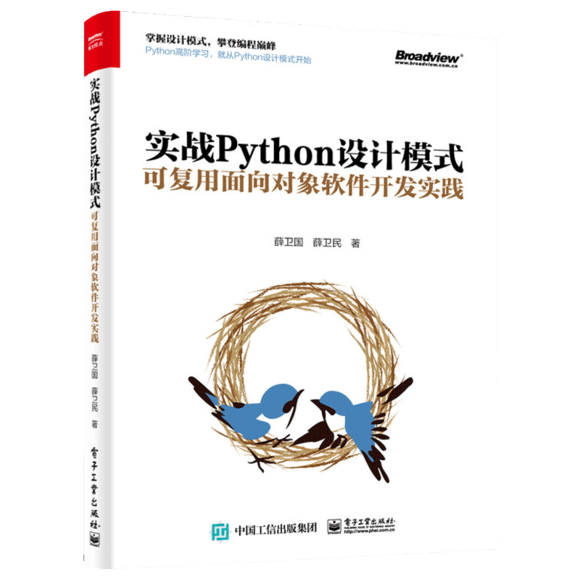
本書利用Python 的標準GUI 工具包tkinter,通過可執(zhí)行的示例對23 個設(shè)計模式逐個進行說明。這樣一方面可以使讀者了解真實的軟件開發(fā)工作中每個設(shè)計模式的運用場景和想要解決的問題;另一方面通過對這些問題的解決過程進行說明,讓讀者明白在編寫代碼時如何判斷使用設(shè)計模式的利弊,并合理運用設(shè)計模式。
對設(shè)計模式感興趣而且希望隨學隨用的讀者通過本書可以快速跨越從理解到運用的門檻;希望學習Python GUI 編程的讀者可以將本書中的示例作為設(shè)計和開發(fā)的參考;使用Python 語言進行圖像分析、數(shù)據(jù)處理工作的讀者可以直接以本書中的示例為基礎(chǔ),迅速構(gòu)建自己的系統(tǒng)架構(gòu)。
覺得本文有幫助?請分享給更多人。
關(guān)注微信公眾號【面向?qū)ο笏伎肌枯p松學習每一天!
面向?qū)ο箝_發(fā),面向?qū)ο笏伎迹?/span>