
自學(xué)鴻蒙應(yīng)用開發(fā)(9)- TimePicker組件
本文介紹在鴻蒙應(yīng)用中TimePicker組件的基本用法。
增加TimePicker組件
如下代碼中46行~52行所示,在布局中增加TimePicker組件。
<DirectionalLayoutxmlns:ohos="http://schemas.huawei.com/res/ohos"ohos:height="match_parent"ohos:width="match_parent"ohos:orientation="vertical"><Componentohos:height="0vp"ohos:weight="3"ohos:width="match_parent"/><DirectionalLayoutxmlns:ohos="http://schemas.huawei.com/res/ohos"ohos:height="match_content"ohos:width="match_content"ohos:layout_alignment="center"ohos:orientation="vertical"><Imageohos:id="$+id:image"ohos:width="match_content"ohos:height="match_content"ohos:layout_alignment="center"ohos:image_src="$media:DevEco"/><TextFieldohos:id="$+id:text_field"ohos:width="match_parent"ohos:height="30vp"ohos:text_size="20fp"ohos:text_alignment="center"ohos:hint="Please input text and press [Click me!] button."ohos:background_element="$graphic:background_text_field"/><Buttonohos:id="$+id:hello_button"ohos:width="match_content"ohos:height="match_content"ohos:text_size="27fp"ohos:text="Click me!"ohos:layout_alignment="center"ohos:background_element="$graphic:background_button"ohos:margin="15vp"ohos:right_padding="8vp"ohos:left_padding="8vp"/><TimePickerohos:id="$+id:time_picker"ohos:24_hour_mode="false"ohos:height="match_content"ohos:width="match_parent"ohos:normal_text_size="20fp"ohos:selected_text_size="40fp"/>DirectionalLayout><Componentohos:height="0vp"ohos:weight="5"ohos:width="match_parent"/>DirectionalLayout>
代碼中組件id被指定為time_picker會在下面的響應(yīng)代碼中用到。
在代碼中使用TimePicker組件
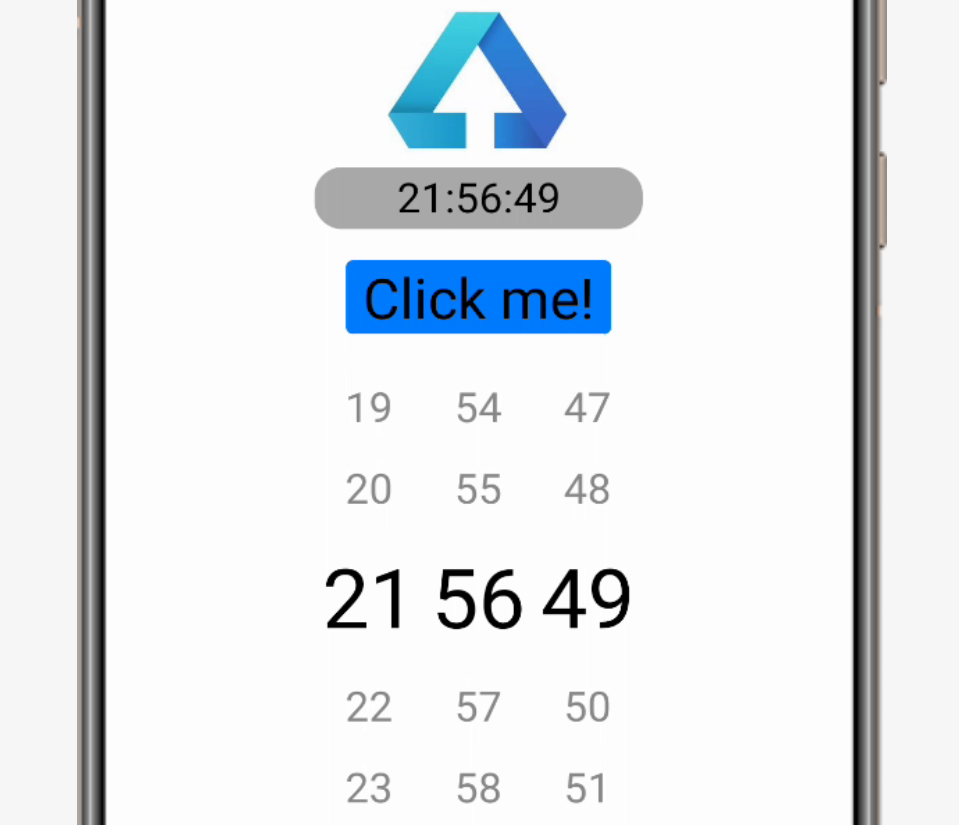
如下面代碼中21行~49行所示,在獲取TimePicker組件后,一方面在button的動作響應(yīng)中計(jì)算所選時(shí)刻和當(dāng)前時(shí)刻的秒數(shù)差之后用小窗口表示出來;另一方面在用戶操作TimePicker時(shí)將選擇結(jié)果表示在TextFile組件上。
import ohos.aafwk.ability.AbilitySlice;import ohos.aafwk.content.Intent;import ohos.agp.components.Button;import ohos.agp.components.Component;import ohos.agp.components.TimePicker;import ohos.agp.components.TextField;import ohos.agp.window.dialog.ToastDialog;import?java.time.LocalTime;import java.time.temporal.ChronoUnit;public class ComponentAbilitySlice extends AbilitySlice {public void onStart(Intent intent) {super.onStart(intent);super.setUIContent(ResourceTable.Layout_ability_component);//獲取textfield輸入組件TextField tf = (TextField) findComponentById(ResourceTable.Id_text_field);//獲取button組件Button button = (Button) findComponentById(ResourceTable.Id_hello_button);//獲取datepicker組件TimePicker picker = (TimePicker) findComponentById(ResourceTable.Id_time_picker);// 為按鈕設(shè)置點(diǎn)擊事件回調(diào)button.setClickedListener(new Component.ClickedListener() {public void onClick(Component v) {LocalTime rightNow = LocalTime.now();LocalTime pickTime = LocalTime.of(picker.getHour(), picker.getMinute(), picker.getSecond());String msg;if(pickTime.isBefore(rightNow))msg = "所選時(shí)間比現(xiàn)在時(shí)刻早" + pickTime.until(rightNow, ChronoUnit.SECONDS) + "秒";else if(pickTime.isAfter(rightNow))msg = "所選時(shí)間比現(xiàn)在時(shí)刻晚" + rightNow.until(pickTime, ChronoUnit.SECONDS) + "秒";elsemsg = "所選時(shí)間和現(xiàn)在時(shí)刻一樣";new ToastDialog(getContext()).setText(msg).show();}});//設(shè)定事件響應(yīng)picker.setTimeChangedListener(new TimePicker.TimeChangedListener() {public void onTimeChanged(TimePicker timePicker, int hour, int minute, int second) {tf.setText(hour + ":" + minute + ":" + second);}});}public void onActive() {super.onActive();}public void onForeground(Intent intent) {super.onForeground(intent);}
畫面顯示如下:
參考文檔
Picker組件:
https://developer.harmonyos.com/cn/docs/documentation/doc-guides/ui-java-component-timepicker-0000001060648140
TimePicker類:
https://developer.harmonyos.com/cn/docs/documentation/doc-references/timepicker-0000001054119980
LocalTime類
https://developer.harmonyos.com/cn/docs/documentation/doc-references/localtime-0000001054119826
新書介紹
《實(shí)戰(zhàn)Python設(shè)計(jì)模式》是作者最近出版的新書,拜托多多關(guān)注!
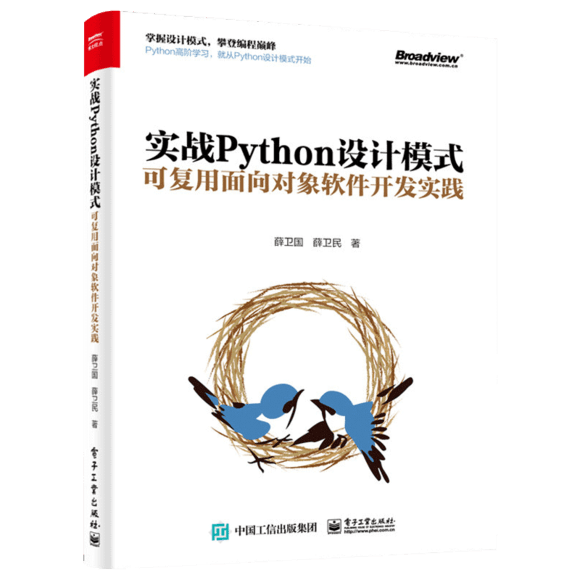
本書利用Python 的標(biāo)準(zhǔn)GUI 工具包tkinter,通過可執(zhí)行的示例對23 個設(shè)計(jì)模式逐個進(jìn)行說明。這樣一方面可以使讀者了解真實(shí)的軟件開發(fā)工作中每個設(shè)計(jì)模式的運(yùn)用場景和想要解決的問題;另一方面通過對這些問題的解決過程進(jìn)行說明,讓讀者明白在編寫代碼時(shí)如何判斷使用設(shè)計(jì)模式的利弊,并合理運(yùn)用設(shè)計(jì)模式。
對設(shè)計(jì)模式感興趣而且希望隨學(xué)隨用的讀者通過本書可以快速跨越從理解到運(yùn)用的門檻;希望學(xué)習(xí)Python GUI 編程的讀者可以將本書中的示例作為設(shè)計(jì)和開發(fā)的參考;使用Python 語言進(jìn)行圖像分析、數(shù)據(jù)處理工作的讀者可以直接以本書中的示例為基礎(chǔ),迅速構(gòu)建自己的系統(tǒng)架構(gòu)。
覺得本文有幫助?請分享給更多人。
關(guān)注微信公眾號【面向?qū)ο笏伎肌枯p松學(xué)習(xí)每一天!
面向?qū)ο箝_發(fā),面向?qū)ο笏伎迹?/span>