
用python實(shí)現(xiàn)截屏識(shí)別其中的文字
大家好,歡迎來(lái)到 Crossin的編程教室 !
你一定用過(guò)那種“OCR神器”,可以把圖片中的文字提取出來(lái),極大的提高工作效率。
今天,我們就來(lái)做一款實(shí)時(shí)截圖識(shí)別的小工具。顧名思義,運(yùn)行程序時(shí),可以實(shí)時(shí)的把你截出來(lái)的圖片中的文字識(shí)別出來(lái)。
下次,當(dāng)你想要復(fù)制“百度文庫(kù)”中的內(nèi)容時(shí),不妨試試這個(gè)程序。
效果預(yù)覽
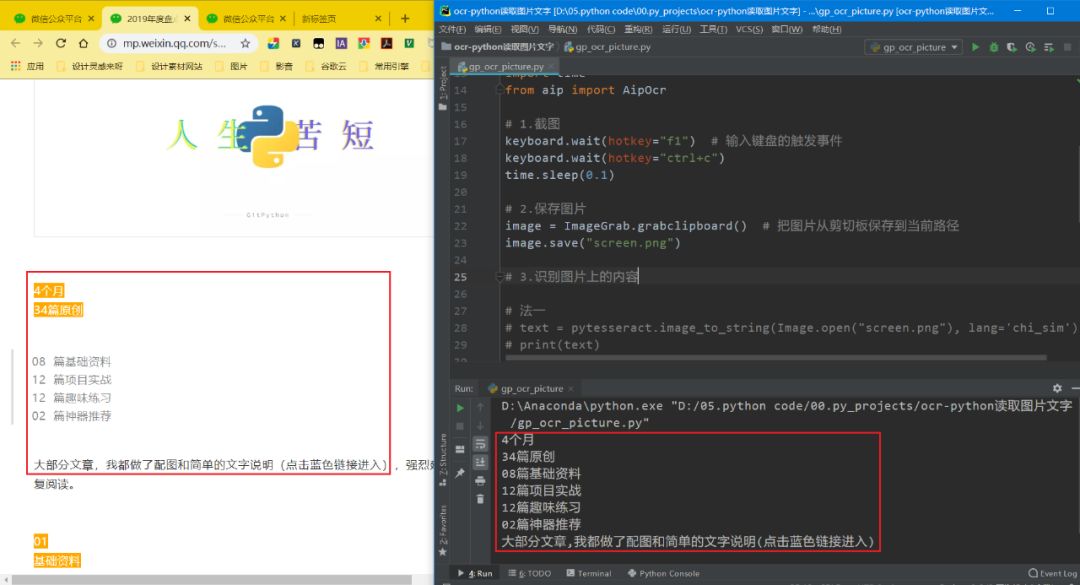
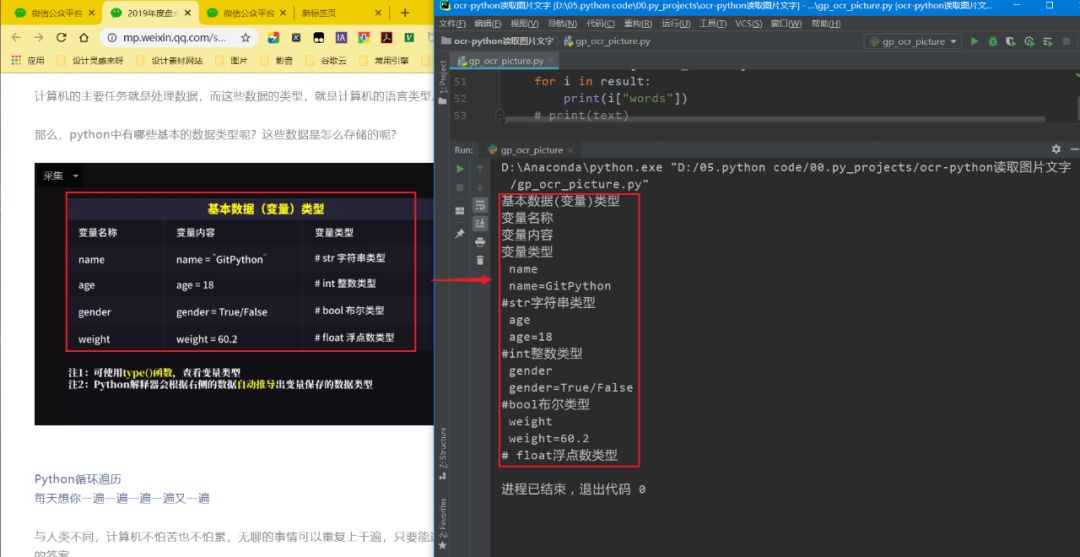
順便安利一波Snipaste,
必備效率神器
import?keyboard

#?利用截圖軟件(Snipaste)截圖到剪貼板
#?輸入鍵盤(pán)的觸發(fā)事件
keyboard.wait(hotkey="f1")??
keyboard.wait(hotkey="ctrl+c")
time.sleep(0.1)
from?PIL?import?ImageGrab

#?把圖片從剪切板保存到當(dāng)前路徑
image?=?ImageGrab.grabclipboard()??
image.save("screen.png")
import?pytesseract
from?PIL?import?Image

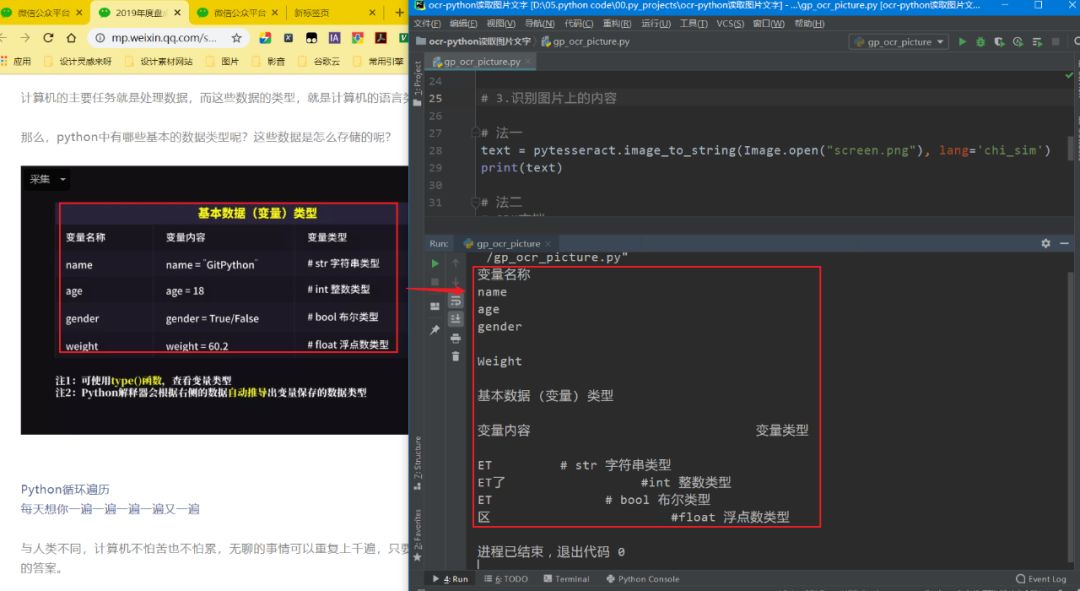
#?法一:利用pytesseract模塊
#?參數(shù)一:圖片?
#?參數(shù)二:簡(jiǎn)體中文
text?=?pytesseract.image_to_string(Image.open("screen.png"),?lang='chi_sim')
print(text)
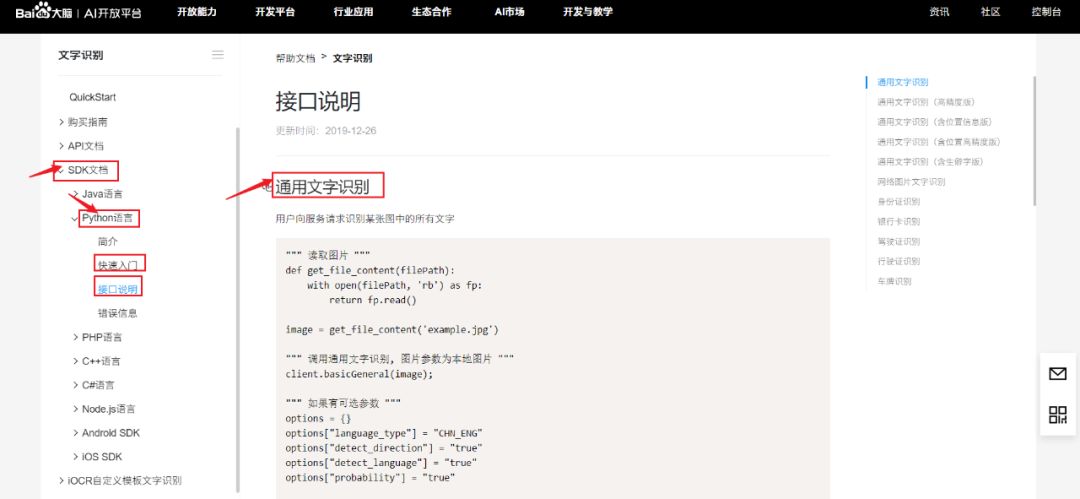
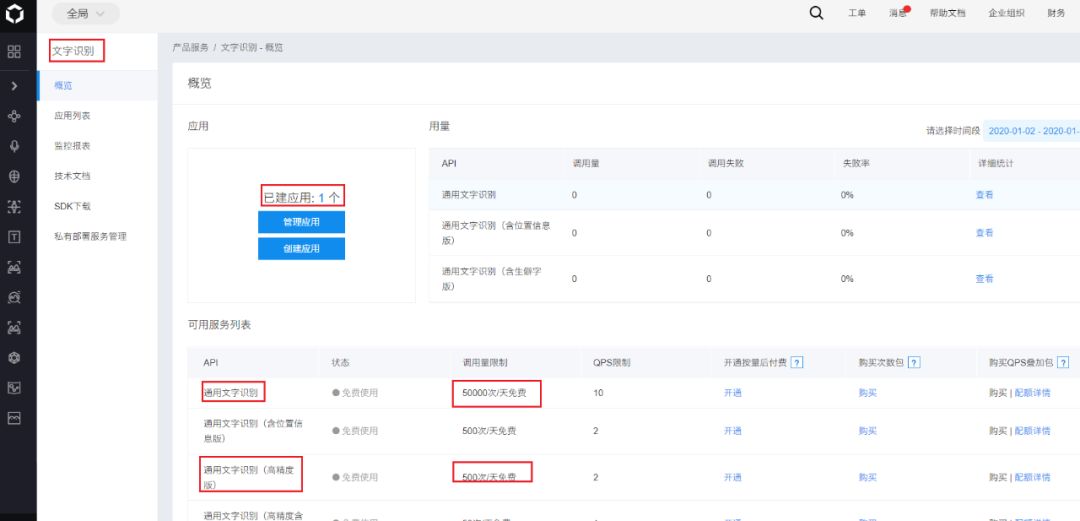
pip install baidu_aipimport?pytesseract
from?aip?import?AipOcr
from?PIL?import?ImageGrab
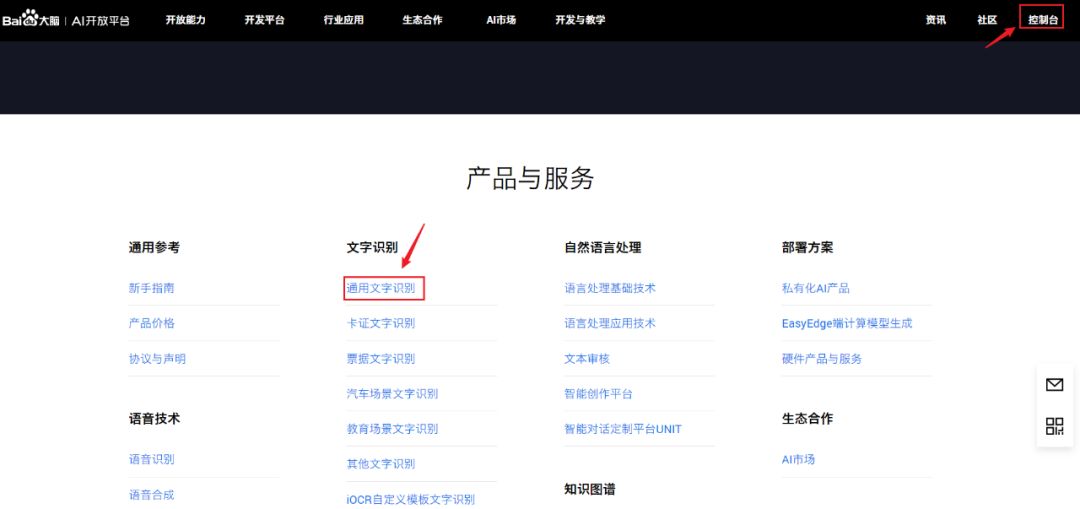
#?法二:利用百度API
APP_ID?=?'你的?App?ID'
API_KEY?=?'你的?Api?Key'
SECRET_KEY?=?'你的?Secret?Key'
client?=?AipOcr(APP_ID,?API_KEY,?SECRET_KEY)
#?讀取圖片
with?open("screen.png",?'rb')?as?f:
????image?=?f.read()
????#?調(diào)用百度API通用文字識(shí)別(高精度版),提取圖片中的內(nèi)容
????text?=?client.basicAccurate(image)
????result?=?text["words_result"]
????for?i?in?result:
????????print(i["words"])
我是總結(jié)
1)利用?pytesseract 模塊
2)利用百度API接口
作者:GitPython
來(lái)源:GitPython
_往期文章推薦_
評(píng)論
圖片
表情