
手把手教你用 Java 實現(xiàn)word、excel、ppt、txt等辦公文件在線預(yù)覽功能!
如何用 Java 實現(xiàn)word、excel、ppt、txt等辦公文件在線預(yù)覽功能?本文告訴你答案!
java 實現(xiàn)辦公文件在線預(yù)覽功能是一個大家在工作中也許會遇到的需求,網(wǎng)上些公司專門提供這樣的服務(wù),不過需要收費。
如果想要免費的,可以用 openoffice,實現(xiàn)原理就是:
通過第三方工具openoffice,將word、excel、ppt、txt等文件轉(zhuǎn)換為pdf文件流;當(dāng)然如果裝了Adobe Reader XI,那把pdf直接拖到瀏覽器頁面就可以直接打開預(yù)覽,前提就是瀏覽器支持pdf文件瀏覽。
我這里介紹通過poi實現(xiàn)word、excel、ppt轉(zhuǎn)pdf流,這樣就可以在瀏覽器上實現(xiàn)預(yù)覽了。
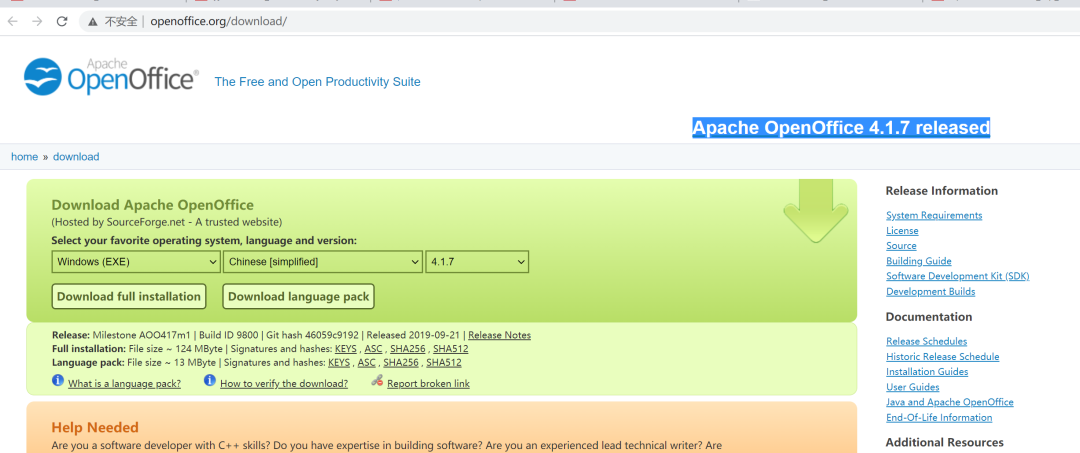
到官網(wǎng)下載 Apache OpenOffice:
https://www.openoffice.org/download/安裝包,安裝運行。(不同系統(tǒng)的安裝方法,自行百度,這里不做過多說明)
再項目的pom文件中引入依賴
<!--openoffice-->
<dependency>
    <groupId>com.artofsolving</groupId>
    <artifactId>jodconverter</artifactId>
    <version>2.2.1</version>
</dependency>
將word、excel、ppt轉(zhuǎn)換為pdf流的工具類代碼
import com.artofsolving.jodconverter.DefaultDocumentFormatRegistry;
import com.artofsolving.jodconverter.DocumentConverter;
import com.artofsolving.jodconverter.DocumentFormat;
import com.artofsolving.jodconverter.openoffice.connection.OpenOfficeConnection;
import com.artofsolving.jodconverter.openoffice.connection.SocketOpenOfficeConnection;
import com.artofsolving.jodconverter.openoffice.converter.StreamOpenOfficeDocumentConverter;

import java.io.*;
import java.net.HttpURLConnection;
import java.net.URL;
import java.net.URLConnection

/**  * 文件格式轉(zhuǎn)換工具類  */
public class FileConvertUtil {
    /** 默認轉(zhuǎn)換后文件后綴 */
    private static final String DEFAULT_SUFFIX = "pdf";
    /** openoffice_port */
    private static final Integer OPENOFFICE_PORT = 8100;

    /**      * 方法描述 office文檔轉(zhuǎn)換為PDF(處理本地文件)      *      * @param sourcePath 源文件路徑      * @param suffix     源文件后綴      * @return InputStream 轉(zhuǎn)換后文件輸入流      */
    public static InputStream convertLocaleFile(String sourcePath, String suffix) throws Exception {
        File inputFile = new File(sourcePath);
        InputStream inputStream = new FileInputStream(inputFile);
        return covertCommonByStream(inputStream, suffix);
    }

    /**      * 方法描述  office文檔轉(zhuǎn)換為PDF(處理網(wǎng)絡(luò)文件)      *      * @param netFileUrl 網(wǎng)絡(luò)文件路徑      * @param suffix     文件后綴      * @return InputStream 轉(zhuǎn)換后文件輸入流      */
    public static InputStream convertNetFile(String netFileUrl, String suffix) throws Exception {
        // 創(chuàng)建URL
        URL url = new URL(netFileUrl);
        // 試圖連接并取得返回狀態(tài)碼
        URLConnection urlconn = url.openConnection();
        urlconn.connect();
        HttpURLConnection httpconn = (HttpURLConnection) urlconn;
        int httpResult = httpconn.getResponseCode();
        if (httpResult == HttpURLConnection.HTTP_OK) {
            InputStream inputStream = urlconn.getInputStream();
            return covertCommonByStream(inputStream, suffix);
        }
        return null;
    }

    /**      * 方法描述  將文件以流的形式轉(zhuǎn)換      *      * @param inputStream 源文件輸入流      * @param suffix      源文件后綴      * @return InputStream 轉(zhuǎn)換后文件輸入流      */
    public static InputStream covertCommonByStream(InputStream inputStream, String suffix) throws Exception {
        ByteArrayOutputStream out = new ByteArrayOutputStream();
        OpenOfficeConnection connection = new SocketOpenOfficeConnection(OPENOFFICE_PORT);
        connection.connect();
        DocumentConverter converter = new StreamOpenOfficeDocumentConverter(connection);
        DefaultDocumentFormatRegistry formatReg = new DefaultDocumentFormatRegistry();
        DocumentFormat targetFormat = formatReg.getFormatByFileExtension(DEFAULT_SUFFIX);
        DocumentFormat sourceFormat = formatReg.getFormatByFileExtension(suffix);
        converter.convert(inputStream, sourceFormat, out, targetFormat);
        connection.disconnect();
        return outputStreamConvertInputStream(out);
    }

    /**      * 方法描述 outputStream轉(zhuǎn)inputStream      */
    public static ByteArrayInputStream outputStreamConvertInputStream(final OutputStream out) throws Exception {
        ByteArrayOutputStream baos=(ByteArrayOutputStream) out;
        return new ByteArrayInputStream(baos.toByteArray());
    }

    public static void main(String[] args) throws IOException {
        //convertNetFile("http://172.16.10.21/files/home/upload/department/base/201912090541573c6abdf2394d4ae3b7049dcee456d4f7.doc", ".pdf");
        //convert("c:/Users/admin/Desktop/2.pdf", "c:/Users/admin/Desktop/3.pdf");
    }
}
serve層在線預(yù)覽方法代碼
/**  * @Description:系統(tǒng)文件在線預(yù)覽接口  * @Author: tarzan  */
public void onlinePreview(String url, HttpServletResponse response) throws Exception {
    //獲取文件類型
    String[] str = SmartStringUtil.split(url,"\\.");

    if(str.length==0){
        throw new Exception("文件格式不正確");
    }
    String suffix = str[str.length-1];
    if(!suffix.equals("txt") && !suffix.equals("doc") && !suffix.equals("docx") && !suffix.equals("xls")
            && !suffix.equals("xlsx") && !suffix.equals("ppt") && !suffix.equals("pptx")){
        throw new Exception("文件格式不支持預(yù)覽");
    }
    InputStream in=FileConvertUtil.convertNetFile(url,suffix);
    OutputStream outputStream = response.getOutputStream();
    //創(chuàng)建存放文件內(nèi)容的數(shù)組
    byte[] buff =new byte[1024];
    //所讀取的內(nèi)容使用n來接收
    int n;
    //當(dāng)沒有讀取完時,繼續(xù)讀取,循環(huán)
    while((n=in.read(buff))!=-1){
        //將字節(jié)數(shù)組的數(shù)據(jù)全部寫入到輸出流中
        outputStream.write(buff,0,n);
    }
    //強制將緩存區(qū)的數(shù)據(jù)進行輸出
    outputStream.flush();
    //關(guān)流
    outputStream.close();
    in.close();
}
controler層代碼
@ApiOperation(value = "系統(tǒng)文件在線預(yù)覽接口")
@PostMapping("/api/file/onlinePreview")
public void onlinePreview(@RequestParam("url") String url, HttpServletResponse response) throws Exception{
    fileService.onlinePreview(url,response);
}
效果展示:
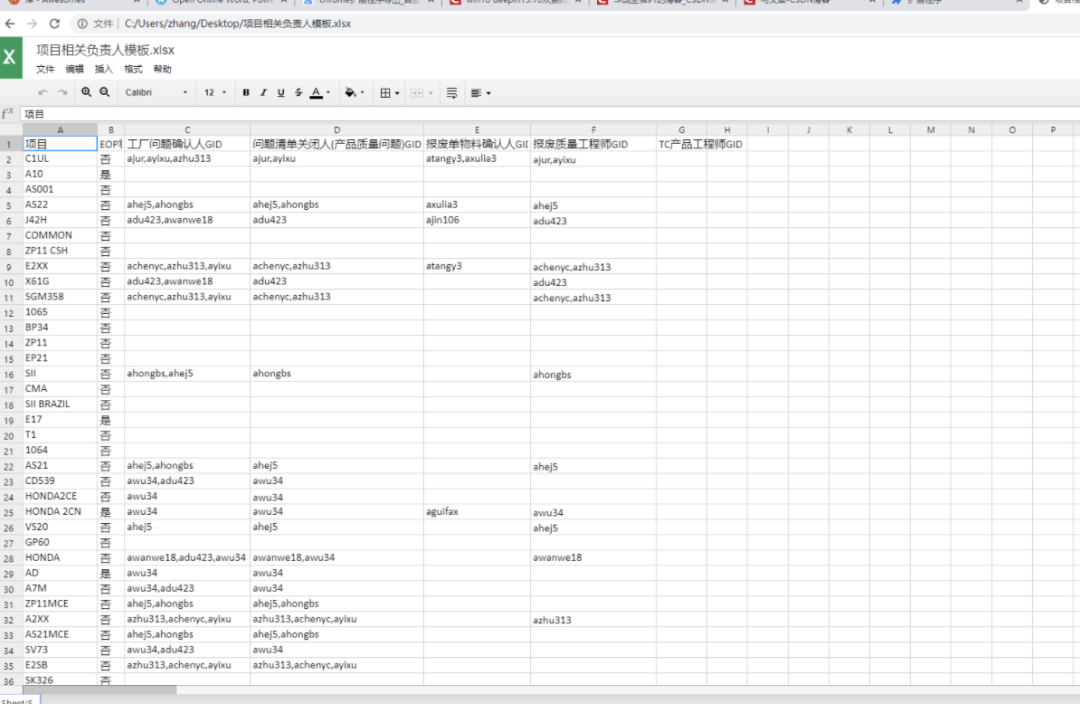 在線預(yù)覽execl
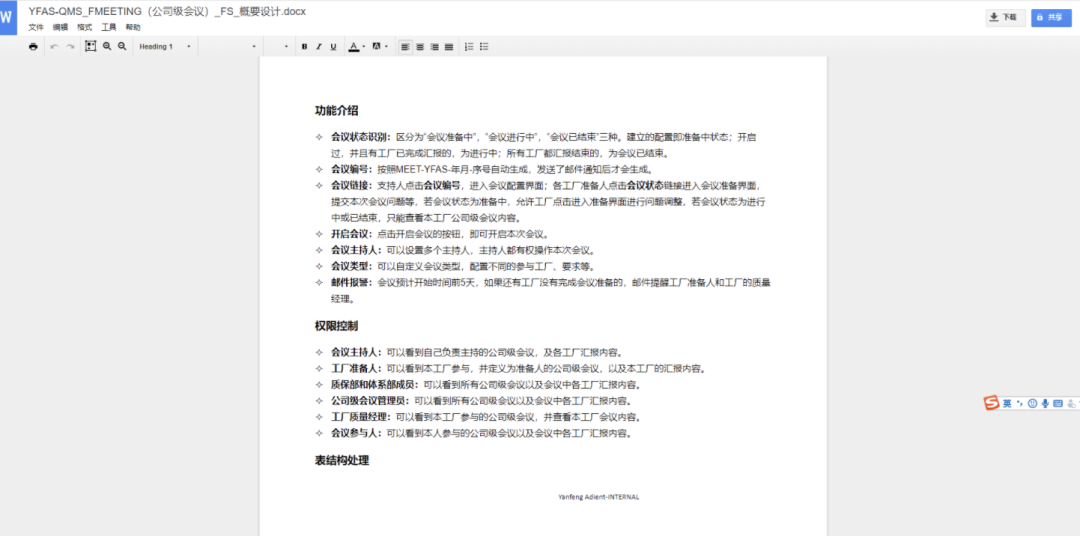 預(yù)覽word
怎么接私活?這個渠道你100%有用!請收藏!
喜歡文章,點個在看


評論
圖片
表情