
Python開發(fā)連連看,PC也可以玩啦!
作者:Laziji
源自:https://laboo.top/2018/11/07/lianliankan/
1、前言
Python 實(shí)現(xiàn)的qq連連看輔助, 僅用于學(xué)習(xí), 請?jiān)诰毩?xí)模式下使用, 請不要拿去傷害玩家們...
2、基本環(huán)境配置
版本:Python3.6
系統(tǒng):Windows
3、相關(guān)模塊:
import PIL.ImageGrabimport pyautoguiimport win32apiimport win32guiimport win32conimport timeimport random
4、使用方法
開始游戲后運(yùn)行就行了, 再次提示, 請?jiān)诰毩?xí)模式中使用, 否則可能會(huì)被其他玩家舉報(bào)。
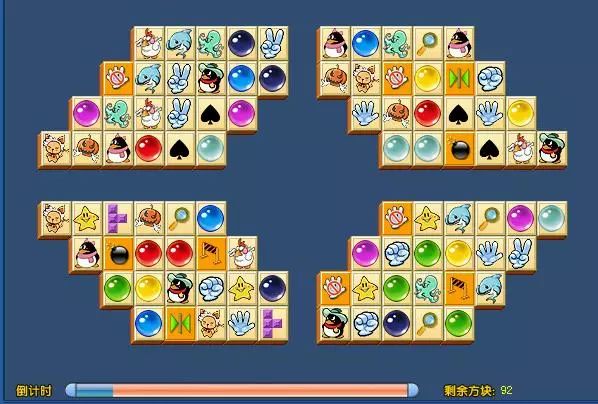
效果圖
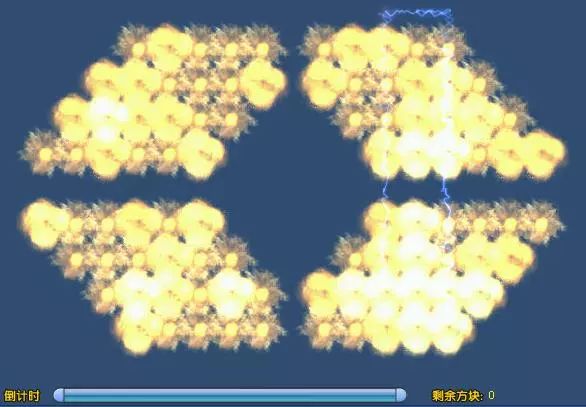
5、代碼實(shí)現(xiàn)
import PIL.ImageGrabimport pyautoguiimport win32apiimport win32guiimport win32conimport timeimport randomdef color_hash(color):value = ""for i in range(5):value += "%d,%d,%d," % (color[0], color[1], color[2])return hash(value)def image_hash(img):value = ""for i in range(5):c = img.getpixel((i * 3, i * 3))value += "%d,%d,%d," % (c[0], c[1], c[2])return hash(value)def game_area_image_to_matrix():pos_to_image = {}for row in range(ROW_NUM):= {}for col in range(COL_NUM):grid_left = col * grid_widthgrid_top = row * grid_heightgrid_right = grid_left + grid_widthgrid_bottom = grid_top + grid_heightgrid_image = game_area_image.crop((grid_left, grid_top, grid_right, grid_bottom))= grid_imagepos_to_type_id = {}image_map = {}empty_hash = color_hash((48, 76, 112))for row in range(ROW_NUM):= {}for col in range(COL_NUM):this_image = pos_to_image[row][col]this_image_hash = image_hash(this_image)if this_image_hash == empty_hash:= 0continuelen(image_map) + 1)= image_map.get(this_image_hash)return pos_to_type_iddef solve_matrix_one_step():for key in map:arr = map[key]arr_len = len(arr)for index1 in range(arr_len - 1):point1 = arr[index1]x1 = point1[0]y1 = point1[1]for index2 in range(index1 + 1, arr_len):point2 = arr[index2]x2 = point2[0]y2 = point2[1]if verifying_connectivity(x1, y1, x2, y2):arr.remove(point1)arr.remove(point2)= 0= 0if arr_len == 2:map.pop(key)return y1, x1, y2, x2def verifying_connectivity(x1, y1, x2, y2):max_y1 = y1while max_y1 + 1 < ROW_NUM and matrix[max_y1 + 1][x1] == 0:max_y1 += 1min_y1 = y1while min_y1 - 1 >= 0 and matrix[min_y1 - 1][x1] == 0:min_y1 -= 1max_y2 = y2while max_y2 + 1 < ROW_NUM and matrix[max_y2 + 1][x2] == 0:max_y2 += 1min_y2 = y2while min_y2 - 1 >= 0 and matrix[min_y2 - 1][x2] == 0:min_y2 -= 1rg_min_y = max(min_y1, min_y2)rg_max_y = min(max_y1, max_y2)if rg_max_y >= rg_min_y:for index_y in range(rg_min_y, rg_max_y + 1):min_x = min(x1, x2)max_x = max(x1, x2)flag = Truefor index_x in range(min_x + 1, max_x):if matrix[index_y][index_x] != 0:flag = Falsebreakif flag:return Truemax_x1 = x1while max_x1 + 1 < COL_NUM and matrix[y1][max_x1 + 1] == 0:max_x1 += 1min_x1 = x1while min_x1 - 1 >= 0 and matrix[y1][min_x1 - 1] == 0:min_x1 -= 1max_x2 = x2while max_x2 + 1 < COL_NUM and matrix[y2][max_x2 + 1] == 0:max_x2 += 1min_x2 = x2while min_x2 - 1 >= 0 and matrix[y2][min_x2 - 1] == 0:min_x2 -= 1rg_min_x = max(min_x1, min_x2)rg_max_x = min(max_x1, max_x2)if rg_max_x >= rg_min_x:for index_x in range(rg_min_x, rg_max_x + 1):min_y = min(y1, y2)max_y = max(y1, y2)flag = Truefor index_y in range(min_y + 1, max_y):if matrix[index_y][index_x] != 0:flag = Falsebreakif flag:return Truereturn Falsedef execute_one_step(one_step):from_col, to_row, to_col = one_stepfrom_x = game_area_left + (from_col + 0.5) * grid_widthfrom_y = game_area_top + (from_row + 0.5) * grid_heightto_x = game_area_left + (to_col + 0.5) * grid_widthto_y = game_area_top + (to_row + 0.5) * grid_heightfrom_y)pyautogui.click()to_y)pyautogui.click()if __name__ == '__main__':COL_NUM = 19ROW_NUM = 11screen_width = win32api.GetSystemMetrics(0)screen_height = win32api.GetSystemMetrics(1)hwnd = win32gui.FindWindow(win32con.NULL, 'QQ游戲 - 連連看角色版')if hwnd == 0:exit(-1)win32con.SW_RESTORE)win32gui.SetForegroundWindow(hwnd)window_top, window_right, window_bottom = win32gui.GetWindowRect(hwnd)if min(window_left, window_top) < 0 or window_right > screen_width or window_bottom > screen_height:exit(-1)window_width = window_right - window_leftwindow_height = window_bottom - window_topgame_area_left = window_left + 14.0 / 800.0 * window_widthgame_area_top = window_top + 181.0 / 600.0 * window_heightgame_area_right = window_left + 603 / 800.0 * window_widthgame_area_bottom = window_top + 566 / 600.0 * window_heightgame_area_width = game_area_right - game_area_leftgame_area_height = game_area_bottom - game_area_topgrid_width = game_area_width / COL_NUMgrid_height = game_area_height / ROW_NUMgame_area_image = PIL.ImageGrab.grab((game_area_left, game_area_top, game_area_right, game_area_bottom))matrix = game_area_image_to_matrix()map = {}for y in range(ROW_NUM):for x in range(COL_NUM):grid_id = matrix[y][x]if grid_id == 0:continue[])arr = map[grid_id]y])= 0while True:one_step = solve_matrix_one_step()if not one_step:exit(0)execute_one_step(one_step)time.sleep(random.randint(0,0)/1000)
主要思路就是利用pywin32獲取連連看游戲句柄, 獲取游戲界面的圖片, 對方塊進(jìn)行切割, 對每個(gè)方塊取幾個(gè)點(diǎn)的顏色進(jìn)行比對, 均相同則認(rèn)為是同一個(gè)方塊,
然后模擬鼠標(biāo)去消就行了, 代碼的最后一行是每次點(diǎn)擊的間隔。